
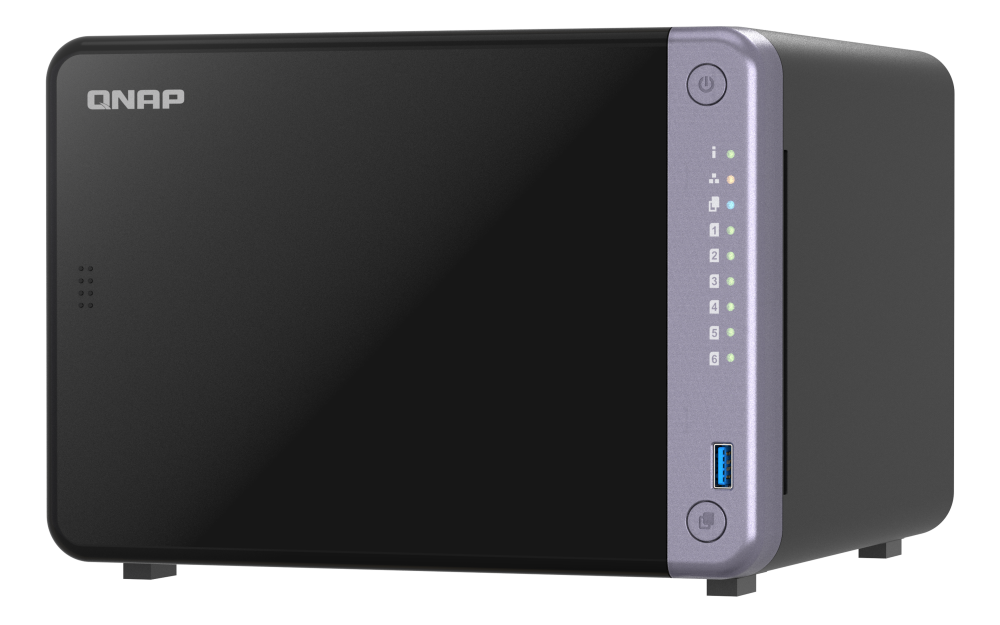
Your needs, this model
Does it fit your priorities?
Does the TS-632X have an individual built-in 10GbE port, or is 10GbE only available through an add-in card?
The TS-632X-4G specification lists two separate built-in 10GbE SFP+ ports, in addition to two 2.5GbE RJ45 ports. An individual SFP+ link therefore meets a 10-Gbps port floor without an expansion card. It still needs a compatible peer and the right transceiver, DAC or fiber arrangement; the single Cat5e lead in the guide's package list is not a complete SFP+ link, and port rating is not a throughput promise.
Explore this need in the finder →Should I count an optional PCIe M.2 card as part of this six-bay NAS?
No. QNAP's TS-632X-4G tables list six native 3.5-inch SATA bays and no built-in M.2 sockets. A supported optional PCIe card can add an M.2 layer, but it is not a seventh native drive bay, is not included in the base package and uses the model's only PCIe slot. Drive choice and firmware still need a model-specific compatibility check.
Explore this need in the finder →Can two drives provide a documented redundant arrangement on the TS-632X?
QNAP's six-bay software specification lists RAID 1, and its TS-x32X QTS manual describes RAID 1 as a two-drive mirror that can tolerate one member-drive failure. That is a setup the owner builds with two compatible SATA drives; the NAS is not described as arriving with a prepared array. A mirror reduces usable space and is not an independent backup for deletion, malware, theft or damage to the whole unit.
Explore this need in the finder →This is a source-based assessment of QNAP's TS-632X-4G hardware profile and the exact TS-632X-4G-US identity on its U.S. Official Store. I have not used or tested this NAS. The practical reason to consider it is the combination of six native SATA positions and two built-in 10GbE SFP+ ports, alongside a pair of 2.5GbE RJ45 jacks.
One U.S. configuration, with the suffix accounted for
QNAP's U.S. product page shows the TS-632X-4G profile. The U.S. Store item gives the suffix TS-632X-4G-US, so this assessment treats the family page and retail identifier as one configuration rather than two different machines. The listed processor is a four-core Alpine AL524 at 2.0 GHz, paired with 4 GB of non-ECC DDR4. QNAP says this profile can be expanded to 16 GB and supports ECC memory; the hardware table shows one SODIMM position. Choose an exact supported module before upgrading.
Six SATA positions, not an M.2 expansion system
The TS-632X-4G guide identifies six native 3.5-inch SATA positions. QNAP lists 3.5-inch SATA hard drives, 2.5-inch SATA hard drives and 2.5-inch SATA solid-state drives as media categories, and says the drives support hot swapping. The guide still points buyers to QNAP's drive compatibility list for exact models. The model-filtered response available during this review was a generic browser-rendered shell, not an itemized disk-and-firmware matrix. So the product page's broad media labels are a starting point, not proof for a particular drive, capacity or firmware revision.
The base hardware table has no built-in M.2 sockets. QNAP describes optional PCIe cards that can add M.2 storage or more network ports. Such a card is a separate configuration that consumes the only PCIe Gen 3 x4 slot; it does not create a seventh native SATA bay. If you need internal NVMe without an expansion card, compare a different base chassis rather than counting an optional card in this one.
10GbE is built in, but the connector is SFP+
The four network ports are not interchangeable: there are two distinct 10GbE SFP+ links and two distinct 2.5GbE RJ45 links. One SFP+ link clears a 10-Gbps individual-port requirement without a PCIe network card. It does not plug into an ordinary RJ45 socket. Before choosing this NAS for a fast workstation or switch path, identify a compatible SFP+ peer and the intended transceiver, direct-attach cable or fiber assembly. The series guide lists one Cat5e Ethernet cable in the package; that does not establish that an SFP+ connection kit is included.
QNAP describes port aggregation and SMB Multichannel as possible ways to coordinate supported links. Those are network configuration choices, not one faster physical port, and they depend on the client, switching, cabling and software setup. QNAP's published lab figures use a specified operating system, volume, drives, test client and network cards; I have not reproduced those tests. Expect real transfer behavior to depend on the whole storage and network path, not the SFP+ label alone.
A documented two-drive mirror is an owner setup
QNAP's six-bay software specification lists RAID 1, and its TS-x32X guide describes a RAID 1 group with two drives that tolerates one member-drive failure. This supports a QTS/EXT4 two-drive plan. Buy two compatible disks, choose the storage arrangement and create the pool during setup; the model documentation does not describe the NAS as arriving with an initialized mirror. Two drives occupy two of six bays, but that does not automatically mean the remaining four have been configured as another pool. A mirror also is not a second backup. Deleted files, malware, theft or damage to the entire enclosure can still remove both copies, so keep a separate, recoverable copy and test it.
The exact model material reviewed here establishes QTS and EXT4. I do not treat QuTS hero or ZFS as another supported plan for this SKU without model-specific evidence. Choose the documented environment before initializing data and follow the model's current setup guide.
Compare the network shape, not just the bay count
The six-bay TS-667X-4G-US also has built-in 10GbE, but uses 10GBASE-T RJ45 ports and adds two built-in M.2 positions. The TS-632X instead brings two SFP+ ports and no native M.2 sockets. The four-bay TS-467X-4G-US offers a smaller SATA count with 10GBASE-T; it is a useful comparison when the bay requirement is four and the network uses RJ45 at 10GbE. For six bays with built-in 2.5GbE, the TS-664 takes a different route: QNAP's reviewed profiles use 2.5GbE ports and make faster networking an optional PCIe-card decision.
Placement and the final checks
QNAP's TS-632X-4G guide gives a tower measuring about 8.92 × 9.25 × 6.50 inches (H × W × D), weighing about 5.51 pounds, with a 120-W external adapter and two 90-mm fans. It specifies an operating range of 32–104°F. Leave room for the six drive trays, air movement and rear network leads. The manual's standard package list includes the NAS, adapter, cord, one Cat5e cable, screws and a quick-start guide; data drives and an initialized pool are not listed. Verify the exact delivered kit, drive support, warranty and any SFP+ components against the seller's actual package.
The TS-632X is a sensible research-led shortlist candidate when six SATA bays and a single 10GbE link are both essential and SFP+ already fits the network plan. If you do not have an SFP+ endpoint, its 2.5GbE RJ45 ports remain a separate, slower built-in option; don't count an add-in card, a second port, or a vendor lab score as proof of a ready-made 10GbE path. A finder result only screens published capabilities. It cannot certify a drive, transceiver, firmware combination or live offer.
Primary documentation: QNAP's U.S. TS-632X product page, the TS-632X software specification, the TS-x32X English-U.S. user guide, and the U.S. Official Store identity page. The guide directs readers to QNAP's current model compatibility list; its captured response here did not display itemized drive rows.
Key specifications
Key details at a glance
| Internal drive bays | 6 bays |
|---|---|
| Documented internal drive media | 3.5-inch SATA HDD / 2.5-inch SATA HDD / 2.5-inch SATA SSD |
| Built-in Ethernet ports | 2 separate built-in 10GbE SFP+ ports / 2 separate built-in 2.5GbE RJ45 ports (2.5/1/0.1/0.01 Gbps) |
| Fastest individual Ethernet port | 10 Gbps |
| Installed system memory | 4 GB |
| Maximum listed memory | 16 GB |
| Listed storage arrangements | JBOD / Single / RAID 0 / RAID 1 / RAID 5 / RAID 6 / RAID 10 / RAID 50 |
| Internal file systems | EXT4 (QTS) |
| USB 3.2 Gen 1 ports | 2 |
| Hardware warranty | 2 years |
| Data drives included in listed package | No |
| M.2 NVMe slots | 0 |
| Processor | AnnapurnaLabs Alpine AL524 |
| CPU cores | 4 |
| Installed memory type | The TS-632X-4G specification lists one 4-GB SODIMM DDR4 module, a single memory slot and a 16-GB maximum; the product page says the base is non-ECC and ECC memory is supported. Verify module compatibility and the current manual before upgrading. The reviewed hardware material does not establish extra memory or a particular module in every seller-modified package. |
Use the exact model’s instructions for operating limits, supplied equipment and version differences.
Sources for this review
Sources for this assessment
- QNAP U.S. Tower / SMB product grid — TS-632X family card
- TS-632X — QNAP U.S. product page
- QNAP TS-x32X User Guide — TS-432X and TS-632X model tables
- TS-632X Software Specs — QNAP U.S. rendered page
- Hardware Specs — QNAP TS-632X-4G profile PDF
- QNAP U.S. Official Store — TS-632X-4G-US product identity
- QNAP U.S. Official Store — Small and Midsize Business NAS listing
- QNAP drive compatibility route filtered for TS-632X
- QTS RAID type comparison — QNAP
- Getting started with NAS storage — QNAP
- TS-632X QNAP product page front image

Check your setup before choosing a NAS
Use the finder to narrow documented desk/shelf or rack formats, internal-bay minimums, a single Ethernet-port rating and optional redundancy requirements.