
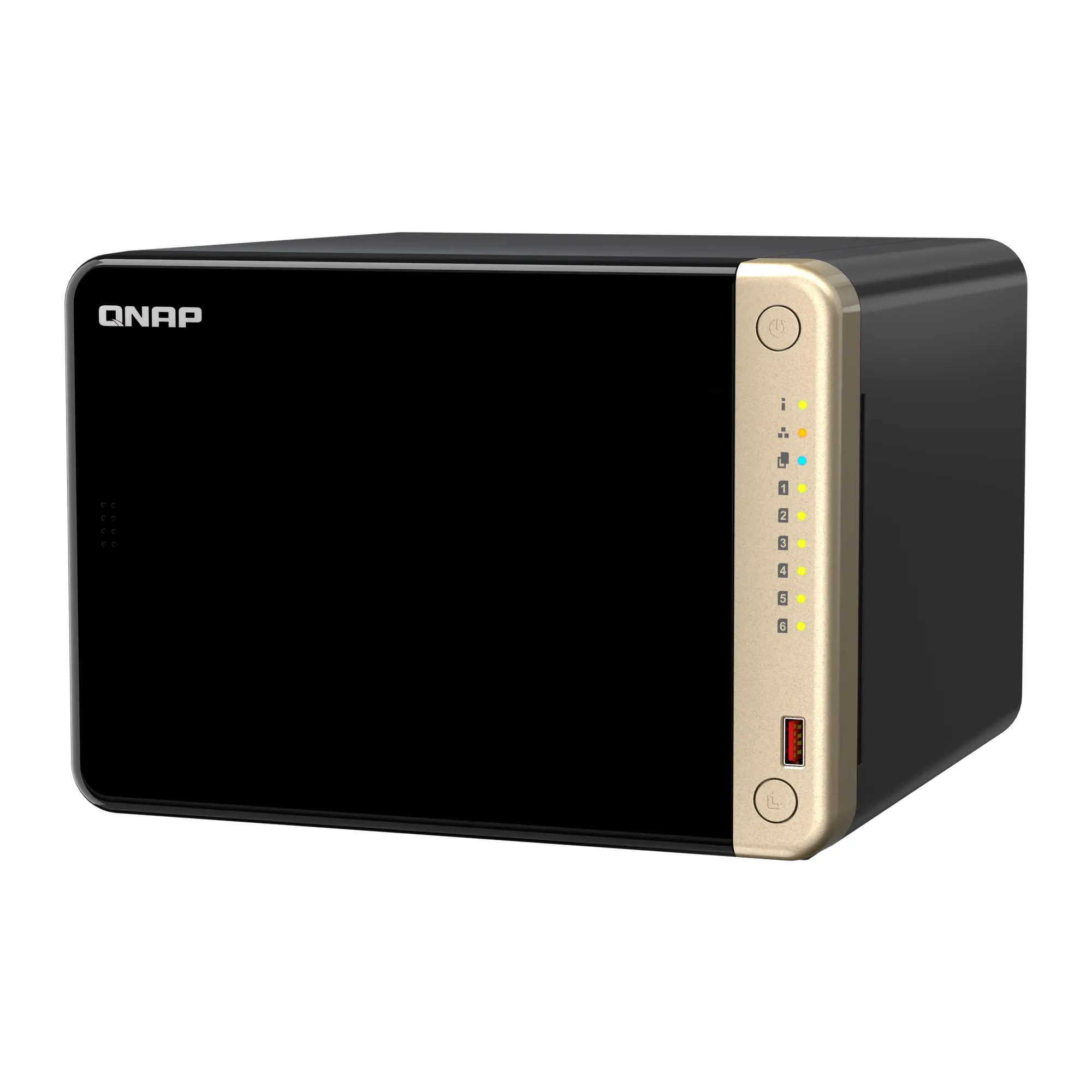
Your needs, this model
Does it fit your priorities?
Do the two M.2 slots make the TS-664 an eight-bay NAS?
No. It has six native 3.5-inch SATA bays, plus two separate M.2 2280 PCIe Gen 3 x1 slots commonly used for SSD caching. QNAP says M.2 SSD hot-swapping is not supported, so count only the six SATA positions when planning an ordinary removable-drive layout.
Explore this need in the finder →Can its built-in ports make a single 10GbE connection?
No. Each of the two built-in RJ45 ports is rated up to 2.5GbE. QNAP lists 5GbE or 10GbE as optional PCIe-card configurations; the single PCIe Gen 3 x2 slot is then occupied by that card. Two built-in links do not become one guaranteed 5Gb/s or 10Gb/s client transfer.
Explore this need in the finder →Can I use two drives for redundancy and still rely on the NAS as my backup?
Two compatible SATA drives can be set up as a QTS RAID 1 mirror, and QNAP's documentation describes tolerance for one member-drive failure. A mirror reduces usable capacity and does not preserve an independent copy after accidental deletion, malware, theft or loss of the NAS. Plan a separate backup destination and test restoring it.
Explore this need in the finder →Assessment basis: documentation research for QNAP's U.S. TS-664-8G-US listing. This is not a hands-on or throughput test. The core proposition is straightforward: six conventional SATA bays, dual built-in 2.5GbE, two M.2 slots and one expansion-card slot in a desktop enclosure. That makes it more expandable than a basic two- or four-bay unit, but the six drives, any faster network card and the network infrastructure are separate planning decisions.
Six actual SATA bays, with two separate M.2 positions
QNAP lists six 3.5-inch SATA 6Gb/s bays and compatibility with 2.5-inch SATA SSDs. The chassis therefore has a conventional large-drive path rather than the specialized 2.5-inch-only layout of the four-bay TS-410E. Check the TS-664's current drive-compatibility list for the exact hard-drive model and capacity you intend to install; the manufacturer says the base system ships without HDDs. The model's two M.2 2280 PCIe Gen 3 x1 slots are additional SSD positions, not two extra SATA bays. QNAP also says M.2 SSD hot-swapping is unsupported, which matters if your design assumes that every storage device can be replaced like a front tray drive.
Six bays create room for growth, but do not tell you how much usable storage you will have. That depends on the installed drive sizes, RAID choice, filesystem overhead and your protection plan. For example, RAID 1 with two drives mirrors identical data; QNAP's QTS documentation says it tolerates one member-drive failure and leaves half of the combined raw capacity before overhead. The remaining four bays do not automatically become part of that two-drive mirror. Choose the array deliberately during setup, and keep a separate backup for deletion, malware, theft or a failure that affects the entire NAS.
2.5GbE is built in; 10GbE is an expansion decision
The two built-in RJ45 ports are each rated up to 2.5GbE. QNAP advertises higher aggregate transfers under port trunking, but two port ratings should not be added together as a promise to one client. A computer, switch, cabling, configuration, storage array, file size and workload all affect transfers. If a single 10GbE link is essential, QNAP lists optional 10GbE expansion through a PCIe card. The TS-664 has one PCIe Gen 3 x2 slot; fitting a network card consumes that expansion position, and the card is not part of the basic specification or store listing. A 10GbE buyer should price and verify the exact compatible card and the rest of the path before choosing the chassis.
For a 2.5GbE home or small-office network, the native ports may be enough, provided the switch and client can negotiate the same rate. This is a more material advantage over the four-bay TS-410E only if you also need six full-size bays; both models have a 2.5GbE built-in port, while the TS-664 adds M.2 and PCIe expansion options. The extra facilities do not guarantee a faster file copy by themselves.
Choose the operating system before loading drives
QTS, based on EXT4, is the default. QNAP supports switching to QuTS hero, its ZFS-based system, starting from QTS 5.2.1. These are alternatives, not two filesystems running together. QNAP says to back up data elsewhere, remove all installed drives and then switch because QTS and QuTS hero use different filesystems. That is a consequential setup choice if the NAS is already in service, not a casual menu toggle.
The current QNAP product page lists at least 8GB of RAM for QuTS hero; inline deduplication requires at least 16GB and 32GB is recommended. The current TS-664 hardware page describes the 8GB version as a two-slot SODIMM revision introduced in January 2024, with 16GB maximum. The older June 2023 user guide instead labels TS-664-8G non-expandable. A distinct TS-664-4G configuration is also listed in QNAP's hardware reference, but I found no matching current U.S. store package in the reviewed result. Because the public product name alone does not identify an individual unit's revision, verify the specific memory configuration with the seller before budgeting on an upgrade. The 4GB configuration does not meet QuTS hero's stated minimum out of the box.
Useful connections, not a silent appliance
The hardware sheet lists HDMI 2.1 output up to 4096 × 2160 at 60Hz, two USB 3.2 Gen 2 Type-A ports, two USB 2.0 ports, a 120W external adapter and two 90mm fans. Those details suit a desktop workflow that values local display or USB backup, but they are not evidence of measured noise or power use. Its listed tower dimensions are 6.5 × 9.25 × 8.92 inches excluding the foot pad, and the net weight is 6.48 pounds before adding drives. Allow space for connections, ventilation and drive installation instead of treating those bare dimensions as required operating clearance. QNAP lists a three-year standard warranty; confirm the seller's exact warranty terms for the unit offered.
Who should shortlist it—and what to verify
The TS-664-8G-US is a credible fit when the purchase plan needs six native SATA bays now, has a real 2.5GbE network path, and might benefit from an M.2 cache or a PCIe network card later. It is less compelling when four bays are plenty, a quiet/fanless chassis is the priority, or 10GbE must be present without buying and validating an add-in card. The drive cost and compatibility work are substantial parts of the decision; the NAS shell is not a ready-to-use capacity plan.
Before ordering, confirm the exact TS-664-8G-US configuration, drive inclusion (the base system is listed without HDDs), RAM revision, intended QTS/QuTS hero choice, compatible drives, and any PCIe card. Treat QNAP's published transfer figures as manufacturer test examples rather than a forecast for your environment. Then plan a separate, restorable backup. The finder can compare the TS-664 against other six-bay and faster-link systems, but a questionnaire match only means the published capability fits the selected filters; it does not certify a drive, workload, seller bundle or complete network.
Key specifications
Key details at a glance
| Internal drive bays | 6 bays |
|---|---|
| Documented internal drive media | 3.5-inch SATA HDD / 2.5-inch SATA SSD |
| Built-in Ethernet ports | 2 × 2.5GbE RJ45 (10M/100M/1G/2.5G) |
| Fastest individual Ethernet port | 2.5 Gbps |
| Installed system memory | 8 GB |
| Maximum listed memory | 16 GB |
| Listed storage arrangements | Single / RAID 0 / RAID 1 / RAID 5 / RAID 6 / RAID 10 |
| Internal file systems | EXT4 (QTS, default) / ZFS (QuTS hero, optional alternative OS) |
| Hardware warranty | 3 years |
| Data drives included in listed package | No |
| M.2 NVMe slots | 2 |
| Processor | Intel Celeron N5095 |
| CPU cores | 4 |
| CPU threads | 4 |
| Installed memory type | The current QNAP hardware page lists the 8 GB TS-664-8G revision as a SODIMM configuration since 2024/01 with two slots and a 16 GB maximum. The June 2023 guide instead calls TS-664-8G non-expandable; verify the actual revision before relying on a memory upgrade. |
Use the exact model’s instructions for operating limits, supplied equipment and version differences.
Sources for this review
Sources for this assessment
Check your setup before choosing a NAS
Use the finder to narrow documented desk/shelf or rack formats, internal-bay minimums, a single Ethernet-port rating and optional redundancy requirements.