
Your needs, this model
Does it fit your priorities?
How many native drive bays does the TS-667X-4G-US have, and do its M.2 sockets count toward that number?
QNAP's exact U.S. hardware selector lists six native 3.5-inch SATA positions. The two separate M.2 2280 PCIe Gen 3 x2 sockets are not additional front bays, and M.2 SSDs are not standard-included or hot-swappable. The package list does not name data drives, so check the actual seller package and the live QNAP compatibility list for each exact drive and firmware.
Explore this need in the finder →Can one built-in TS-667X Ethernet port meet a 10-Gbps link-rating minimum?
Yes. QNAP lists two separate 10GBASE-T ports, each capable of a 10-Gbps link. The second port is not one 20-Gbps workstation connection; the client NIC, switch, cabling, storage, protocol and workload still constrain the path. QNAP's published laboratory figures are a specified vendor test setup, not a guarantee for another installation.
Explore this need in the finder →Can I configure two of its drives as a documented mirror, and is QuTS hero ready on the 4-GB base?
The exact six-bay QTS and QuTS hero selectors both list RAID 1, which the buyer creates with two separately supplied, compatibility-checked drives. QTS is the default; the 4-GB base does not meet QuTS hero's 8-GB minimum, so verify a supported memory upgrade before choosing that alternative. The two-drive mirror is not a separate backup and provides less usable capacity than the combined raw drive sizes.
Explore this need in the finder →QNAP · six-bay tower NAS · documentation-based assessment
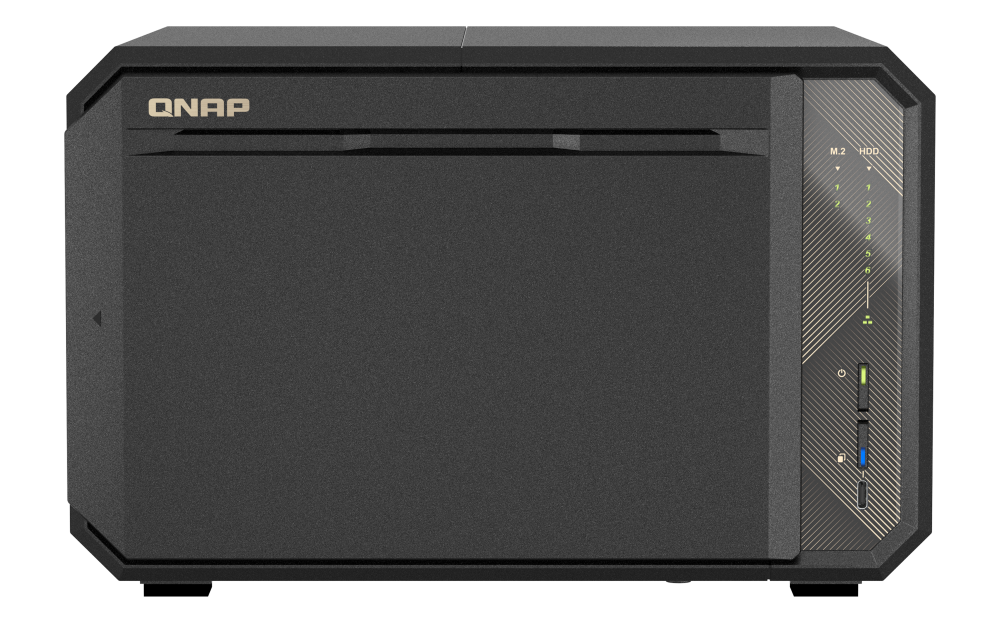
The QNAP TS-667X-4G-US is a six-tray desktop NAS with two built-in 10GBASE-T ports and two separate M.2 sockets. Six SATA positions and a 10-gigabit-class link are in the base model rather than depending on a PCIe network card. This is a documentation-based assessment of QNAP's U.S. model and Store pages; I have not used or tested the device.
One six-bay U.S. profile, identified by its exact suffix
QNAP's U.S. selector exposes one TS-667X-4G profile; the official Store title and SKU identify it as TS-667X-4G-US. That bridges the model identity, not a seller bundle or stock claim. The selector lists a four-core/eight-thread AMD Ryzen Embedded V1500B at 2.2 GHz, 4 GB of non-ECC DDR4 and a 64-GB maximum across two SODIMM slots. ECC memory requires replacing the supplied non-ECC module; the types cannot be mixed, and paired modules must match. These are upgrade constraints, not a recommendation for an unverified kit.
Six SATA bays are not eight bays with M.2 added
The hardware table lists six native 3.5-inch SATA positions and three media categories: 3.5-inch SATA HDDs, 2.5-inch SATA HDDs and 2.5-inch SATA SSDs. It separately lists two M.2 2280 PCIe Gen 3 x2 sockets. Those are not additional front bays; the SSDs are not standard-included, built-in M.2 is not hot-swappable, and QNAP recommends a heatsink because it can run hot.
The media categories do not certify every drive model, firmware or capacity. The compatibility route exposed a generic dynamic shell, not an itemized TS-667X drive matrix. Check the exact disk and firmware in QNAP's live list. I could not verify a model-specific user guide in the Download Center view; that is an access limitation, not proof no guide exists. Obtain current instructions for the exact revision before installation.
Dual 10GBASE-T is the useful distinction from a six-bay 2.5GbE NAS
Each of QNAP's two built-in 10GBASE-T ports supports a 10, 5, 2.5 or 1-Gbps link. A single-port requirement therefore sees a 10-Gbps ceiling; the second jack is another link, not a 20-Gbps workstation path. The NIC, switch, cable, storage, protocol and workload all matter. QNAP's lab figures describe one vendor test setup, not independent measurements or a forecast here; I have not benchmarked this NAS.
This built-in rate differs from the six-bay TS-664-8G, whose reviewed profile lists 2.5GbE ports and leaves faster networking to an optional PCIe card. The TS-667X has one PCIe Gen 3 x4 slot for a supported network or storage card; check the exact card and compatibility, and remember it uses that sole slot. The earlier family card mentioned 25GbE expansion, but that is not a built-in-port claim.
Read the detailed USB table, not the page headline
QNAP's product-page headline uses USB4 wording, but the model-specific hardware table lists two Type-A and one Type-C USB 3.2 Gen 2 ports rated at 10 Gbps. I follow that detailed table and do not claim USB4 support. The table also lists a USB auto-copy button; an external-drive copy still needs a planned, tested restore path to count as backup.
Choose QTS or upgrade before choosing QuTS hero
QTS/EXT4 is the default; QuTS hero/ZFS is a different filesystem option, not a mode that runs beside it. Both exact six-bay selector tables list RAID 1, but QNAP requires at least 8 GB for QuTS hero and the chosen profile starts at 4 GB. Verify and install supported memory first if that is the plan. Changing filesystems requires removing the drives, so choose an OS before initializing a pool. Qtier is QTS-only; QuTS hero inline deduplication needs at least 16 GB, with 32 GB recommended.
RAID 1 is buyer-created: supply two compatible SATA drives, choose an OS and build the pool. QNAP describes matching copies on the two members, leaving about half the combined raw capacity before formatting and overhead. A mirror can help with one member-drive failure, but not deletion, malware, theft or loss of the NAS; keep and test a separate backup.
Space, power and purchase checks
QNAP lists a 6.73 × 10.47 × 9.13-inch (H × W × D) tower, 6.79-pound net weight, one 120-W external adapter, two 92-mm fans and a three-year standard warranty. Leave extra space for airflow, cables and drive service; the single adapter is not redundant power. The standard package names the NAS, one 10GBASE-T cable, power cord, adapter, quick-install guide and drive screws, but not data drives, upgrade memory, an expansion card or an initialized array. Confirm the actual bill of materials and warranty for any offered unit.
Shortlist the TS-667X when six SATA bays and built-in 10GbE both matter. For eight native bays, compare the TS-867X-4G-US; if six bays and a 2.5GbE path are enough, compare the TS-664. Match the exact drives, choose the filesystem before setup and plan a separate backup. A finder result is a documented-capability screen, not a compatibility certification or purchase guarantee.
Primary documentation: QNAP's U.S. TS-667X product page, hardware selector, software selector, model compatibility route, U.S. Store identity page, and QNAP's general RAID comparison and NAS setup tutorial.
Key specifications
Key details at a glance
| Internal drive bays | 6 bays |
|---|---|
| Documented internal drive media | 3.5-inch SATA HDD / 2.5-inch SATA HDD / 2.5-inch SATA SSD |
| Built-in Ethernet ports | 2 separate built-in 10GBASE-T ports, each supporting 10/5/2.5/1 Gbps link rates |
| Fastest individual Ethernet port | 10 Gbps |
| Installed system memory | 4 GB |
| Maximum listed memory | 64 GB |
| Listed storage arrangements | Single / JBOD / RAID 0 / RAID 1 / RAID 5 / RAID 6 / RAID 10 / RAID 50 / QuTS hero also lists Triple Mirror and Triple Parity for six bays |
| Hardware warranty | 3 years |
| Data drives included in listed package | No |
| M.2 NVMe slots | 2 |
| Processor | AMD Ryzen Embedded V1500B |
| CPU cores | 4 |
| CPU threads | 8 |
| Installed memory type | The TS-667X-4G selector profile lists 4 GB non-ECC DDR4 and supports ECC memory only after replacing the included non-ECC module; ECC and non-ECC memory cannot be mixed. QNAP lists two SODIMM slots and a 64-GB maximum; identical modules are required for paired configurations. QNAP recommends at least 8 GB for demanding workloads and QuTS hero itself requires at least 8 GB. |
Use the exact model’s instructions for operating limits, supplied equipment and version differences.
Sources for this review
Sources for this assessment
- QNAP U.S. Tower / SMB product grid — TS-667X family card
- TS-667X — QNAP U.S. product page
- TS-667X-4G — QNAP U.S. rendered hardware selector
- TS-667X — QNAP U.S. rendered QTS and QuTS hero software selectors
- QNAP Official U.S. Store — TS-667X-4G-US identity item
- QNAP compatibility list — TS-667X model-filtered route
- QNAP official TS-667X product-page front image
- QNAP Download Center — TS-667X model query
- QTS RAID type comparison — QNAP
- Getting started with NAS storage — QNAP

Check your setup before choosing a NAS
Use the finder to narrow documented desk/shelf or rack formats, internal-bay minimums, a single Ethernet-port rating and optional redundancy requirements.