
Your needs, this model
Does it fit your priorities?
Can the TS-867X-4G-US meet an eight-bay, 10GbE and two-drive-mirror screen?
Its exact U.S. profile has eight native SATA positions, two individual 10GBASE-T ports and an eight-bay RAID 1 path in QTS. QuTS hero is a separate alternative and needs at least 8 GB memory, so the supplied 4 GB profile requires a verified upgrade for that OS. The two compatible drives and mirror are buyer-selected and configured; check the exact drive/firmware in QNAP's compatibility list. A mirror is not backup.
Explore this need in the finder →Do the two M.2 sockets make this a ten-bay NAS, and are SSDs supplied?
No. QNAP lists eight native front SATA tray positions and two separate M.2 2280 PCIe Gen3 x2 sockets. M.2 SSDs are not included as standard, and the built-in M.2 positions are not hot-swappable. The manufacturer package list does not name data drives, so the exact HDDs or SSDs and their firmware still need a compatibility check.
Explore this need in the finder →Do the two 10GbE ports give one workstation a 20Gbps link?
No. QNAP documents two separate 10GBASE-T interfaces, and the questionnaire tests the fastest individual built-in port. Link aggregation or other multiport settings do not turn two jacks into one guaranteed 20Gbps workstation path. Check the peer NIC, switch/router, cable, storage layout and workload.
Explore this need in the finder →Can the included 4 GB profile start with QuTS hero?
QNAP lists QuTS hero as an alternative, but its U.S. TS-867X product page states an 8 GB minimum; the TS-867X-4G profile starts with 4 GB. Plan and verify the memory upgrade before choosing QuTS hero, and choose the OS before initializing data because QNAP says switching filesystems requires removing drives.
Explore this need in the finder →QNAP · eight-bay tower NAS · documentation-based assessment
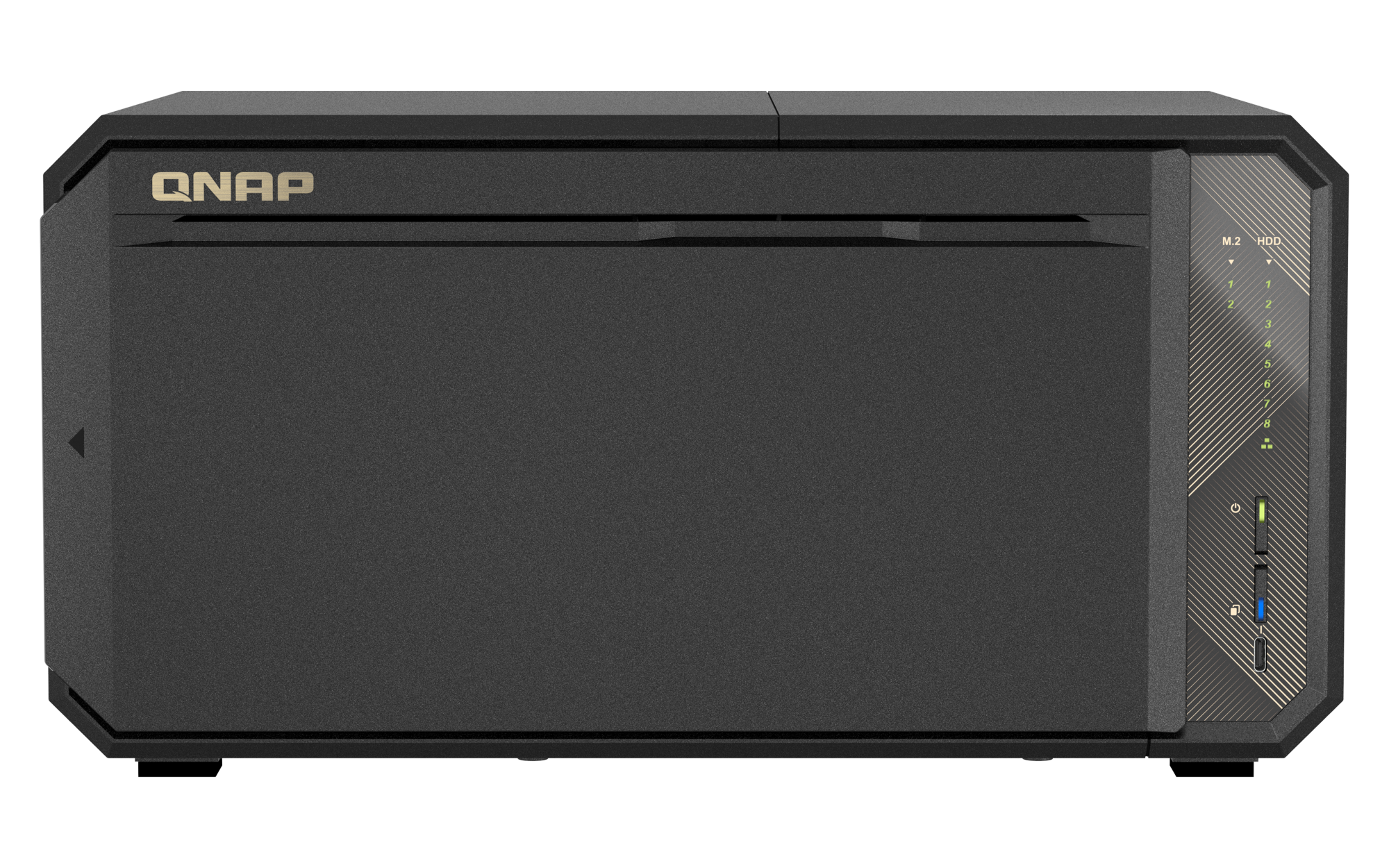
The QNAP TS-867X-4G-US is an eight-tray desktop NAS built around conventional SATA drives, dual built-in 10GBASE-T and two separate M.2 sockets. The front SATA trays are the eight native drive bays; M.2 is a different storage layer, and two Ethernet jacks do not make one 20GbE port. This assessment uses QNAP's U.S. model page, rendered hardware and software selectors, its Official Store identity page, and general RAID setup guidance. It is not a hands-on review.
One observed U.S. profile, not a bundle promise
QNAP's current U.S. selector exposes one TS-867X-4G profile; the Official Store item identifies TS-867X-4G-US. That identifier does not verify seller-added memory or drives, and no Store price, stock or delivery language is used here. QNAP's standard contents name the NAS, one 10GBASE-T cable, power cord, quick-install material and drive screws, not data drives or a pre-created pool. Confirm the written bill of materials and warranty for the exact unit being quoted.
Eight SATA positions; M.2 stays separate
The selector lists eight native 3.5-inch SATA positions and includes 3.5-inch SATA hard drives, 2.5-inch SATA hard drives and 2.5-inch SATA SSDs in its media categories. It also lists two M.2 2280 PCIe Gen3 x2 sockets. They do not increase the native tray count, and QNAP says the M.2 SSDs are not supplied as standard and built-in M.2 drives are not hot-swappable. Treat those positions as an optional cache/tiering layer, not as a reason to call the chassis ten-bay.
Compatibility remains a real buying check. The model-filtered QNAP compatibility route I could access returned a general dynamic shell rather than itemized TS-867X drive models and firmware. The hardware table's supported media categories do not validate every drive sold in those sizes. Check the full drive model, capacity and firmware in QNAP's current compatibility list before ordering, and verify any optional M.2 module or heatsink separately. I could not verify a TS-867X-specific user guide in the accessible Download Center view this cycle, so I do not treat this review as a substitute for revision-matched installation instructions.
Ten gigabits is a port rating, not a transfer result
QNAP lists two built-in 10GBASE-T interfaces, each able to negotiate slower Ethernet rates. For a single-port requirement, the relevant maximum is 10 Gbps. The second jack is another connection, not a promise of a 20Gbps copy to one workstation. Port trunking requires compatible equipment and setup; a file workload may not use both links together. Trace the NAS, client NIC, switch or router, cable and storage workload before paying for 10GbE. Manufacturer lab figures are not results for an untested drive set or network.
RAID 1 must be created, and QuTS hero needs more memory
QNAP's exact eight-bay software tables list RAID 1 for both QTS and QuTS hero. QNAP's setup tutorial describes a buyer-created process: initialize the NAS, select disks, create a pool and choose a RAID type. A two-disk RAID 1 stores a copy on each member, so usable capacity is limited to the smaller disk before formatting and system overhead. The current QTS guidance describes that trade-off; it does not mean the box arrives with a mirror configured. A mirror can help keep an array available after a member-drive failure, but it also mirrors deletion and corruption. Keep an independent backup and test a restore.
There is a material setup difference between the two operating systems. QNAP says QTS is the default and QuTS hero is an alternative using ZFS; it lists QTS 5.2.11 and QuTS hero h6.0.2 on the selector when checked on November 1, 2026. These are alternatives, not simultaneous filesystems, and QNAP says changing systems requires removing the drives. The TS-867X-4G profile starts with 4 GB of non-ECC DDR4; the selector lists 64 GB maximum and ECC support, but QNAP states QuTS hero needs at least 8 GB. A buyer choosing hero therefore needs a separately verified memory upgrade before setup. I have not established a compatible memory-kit part number for this review.
Expansion and physical fit require planning
The chassis also has one PCIe Gen3 x4 slot for an optional card. QNAP describes USB4 JBOD expansion through a separate storage card and lists USB RAID enclosures; those accessories and adapter requirements are not in the base profile and do not add native front bays. The tower measures 6.73 × 13.07 × 9.13 inches (H × W × D). Allow extra room for airflow, rear cables, tray access and service. The table lists one 150 W supply, not redundancy, and a three-year standard warranty. A rated supply is not measured wall draw.
Who should compare the TS-867X?
It deserves a look when eight native SATA positions, a single 10GbE-class link and the possibility of an owner-created two-drive mirror fit the plan, and when a desk-side tower is preferable to a rack chassis. Its strongest documented case is an office or creator setup with a capable wired network and a deliberate drive-and-backup plan. It is less straightforward if the buyer expects a filled chassis, ready-made RAID, verified plug-and-play drive compatibility, redundant power, or QuTS hero on the supplied 4 GB memory.
Before ordering, verify the exact TS-867X-4G-US suffix and package, confirm every data drive and firmware revision in QNAP's live list, choose the operating system before initializing storage, and price any needed memory, M.2 SSDs, heatsink or PCIe card as separate items. The model page and selector document useful capabilities, but the missing drive-level match and unverified upgrade kit are meaningful limitations—not details to fill in by assumption.
Key specifications
Key details at a glance
| Internal drive bays | 8 bays |
|---|---|
| Documented internal drive media | 3.5-inch SATA HDD / 2.5-inch SATA HDD / 2.5-inch SATA SSD |
| Built-in Ethernet ports | 2 x built-in 10GBASE-T RJ45, each supporting 10/5/2.5/1 Gbps link modes |
| Fastest individual Ethernet port | 10 Gbps |
| Installed system memory | 4 GB |
| Maximum listed memory | 64 GB |
| Listed storage arrangements | QTS: Single, RAID 0, RAID 1, RAID 5, RAID 6, RAID 10, RAID 50, RAID 60 / QuTS hero: Single, RAID 0, RAID 1, RAID 5, RAID 6, RAID 10, RAID 50, RAID 60, Triple Mirror, Triple Parity |
| Hardware warranty | 3 years |
| Data drives included in listed package | No |
| M.2 NVMe slots | 2 |
| Processor | AMD Ryzen Embedded V1500B |
| CPU cores | 4 |
| CPU threads | 8 |
| Installed memory type | 4 GB non-ECC DDR4 SODIMM supplied; QNAP lists ECC memory support after replacing the supplied non-ECC module |
Use the exact model’s instructions for operating limits, supplied equipment and version differences.
Sources for this review
Sources for this assessment
- QNAP U.S. Tower / SMB product grid — TS-867X family card
- TS-867X — QNAP U.S. product page
- TS-867X-4G — QNAP U.S. rendered hardware selector
- TS-867X — QNAP U.S. rendered QTS and QuTS hero software selectors
- QTS RAID type comparison — QNAP
- Getting started with NAS storage — QNAP
- QNAP Official U.S. Store — TS-867X-4G-US identity page
- QNAP compatibility list — TS-867X model-filtered route
- QNAP Download Center — TS-867X model query
- TS-867X official front chassis image — QNAP U.S. gallery

Check your setup before choosing a NAS
Use the finder to narrow documented desk/shelf or rack formats, internal-bay minimums, a single Ethernet-port rating and optional redundancy requirements.