
Your needs, this model
Does it fit your priorities?
Do the two M.2 sockets increase the number of internal SATA drive bays?
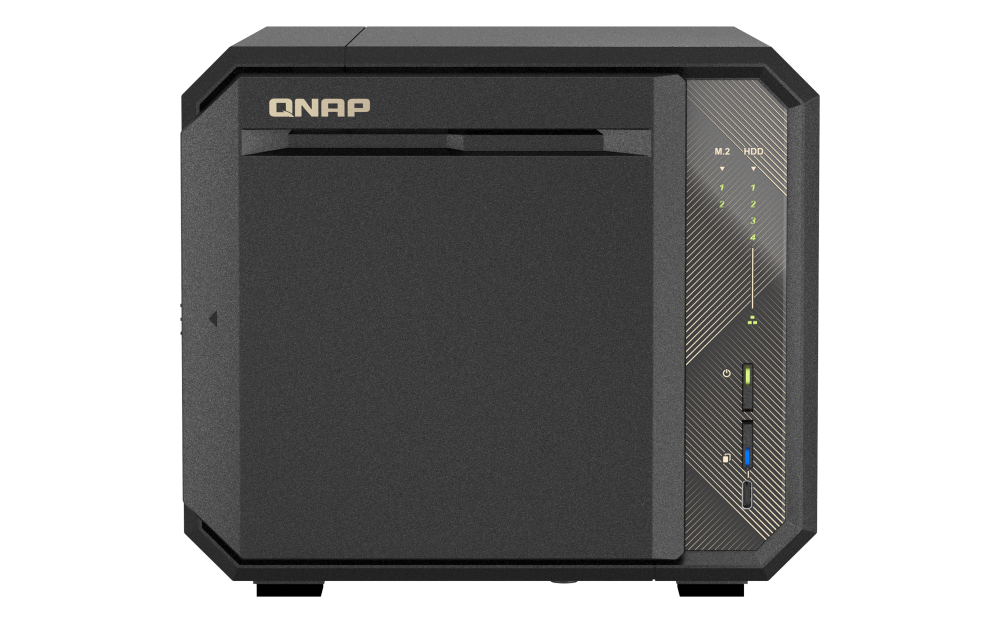
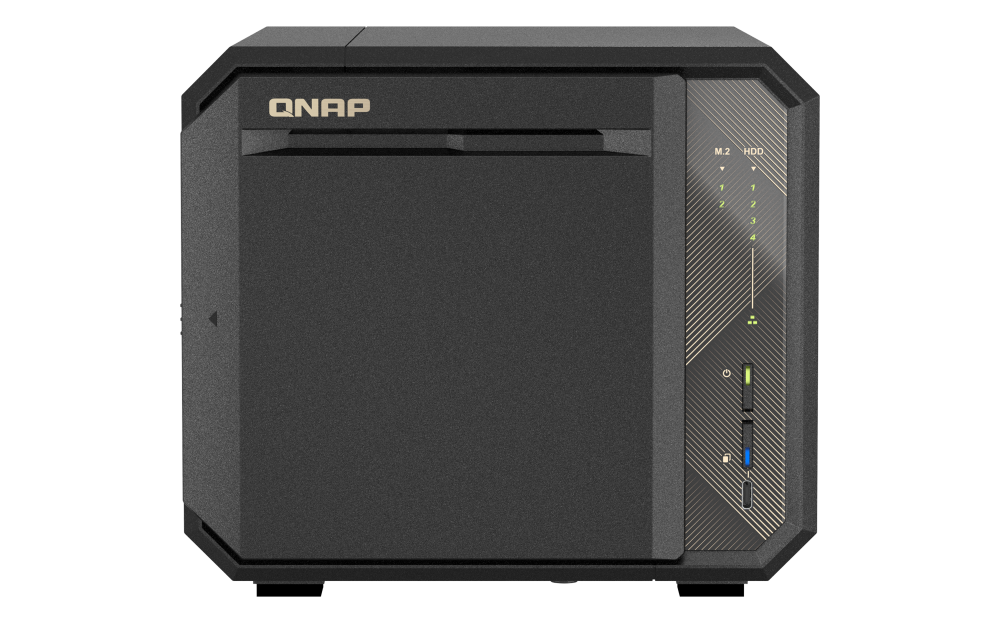
No. QNAP's U.S. hardware selector lists four native 3.5-inch SATA bays and two separate M.2 2280 PCIe Gen3 x2 sockets. The M.2 SSDs are not listed as standard included, and built-in M.2 drives are not hot-swappable; count four native SATA bays, not six.
Explore this need in the finder →Can I use a single 10GbE-rated cable path to a workstation?
The exact selector lists two separate built-in 10GBASE-T ports, each supporting a 10-Gbps link rating. One port meets a 10-Gbps single-port floor, but the switch or router, client NIC and cable also need compatible 10GbE capability; the link rating is not an expected file-transfer speed.
Explore this need in the finder →Can the four-bay 4G profile use RAID 1, and is it already configured?
QNAP's exact four-bay QTS and QuTS hero selector rows both list RAID 1, but the NAS is not documented as shipping with a prepared array. QTS is the listed default; QuTS hero requires at least 8 GB while this profile starts at 4 GB. The buyer supplies compatible drives and creates the pool; a mirror can help with one drive failure but does not replace an independent backup.
Explore this need in the finder →This is a documentation-based assessment of the single TS-467X-4G profile shown on QNAP's U.S. hardware selector and the TS-467X-4G-US identity shown by QNAP CA-Store. It is not a hands-on test. The model is easiest to understand as a four-bay SATA tower with unusually strong built-in networking for its bay count, plus two separate M.2 sockets. Its appeal depends on actually having a 10GbE path and a use for the two storage layers; neither a pair of fast jacks nor a row of empty trays creates usable capacity on its own.
Four native bays, with M.2 kept separate
The exact U.S. selector identifies four 3.5-inch SATA positions and lists 3.5-inch SATA hard drives, 2.5-inch SATA hard drives and 2.5-inch SATA SSDs as media categories. It separately lists two M.2 2280 PCIe Gen3 x2 sockets. Those sockets do not turn the chassis into a six-bay SATA NAS: they are a different interface, are not listed as standard-included SSDs and the built-in M.2 positions are not hot-swappable. QNAP also recommends a heatsink for M.2 drives because their operation can produce heat.
QNAP's current model-specific compatibility response lists 107 3.5-inch HDD entries, 24 SSD entries and 14 M.2 SSD entries, with row-specific fields such as model, capacity, interface and firmware. Check the exact drive model and firmware against its matching category before choosing disks. Some HDD rows are wildcard or family labels, and one SSD row is only called “SSD 4TB”; neither is an exact part-number match for an arbitrary drive. The U.S. hardware selector also names 2.5-inch SATA HDD media, but the current compatibility response has no separate 2.5-inch HDD list. That gap proves neither support nor incompatibility for an individual disk, so ask QNAP when that media type is essential.
Dual 10GbE is a path requirement, not a speed result
The U.S. selector lists two separate built-in 10GBASE-T ports. QNAP describes multi-rate support down to 1GbE on these interfaces. The useful buying point is that one individual port has a 10-Gbps link rating without adding the two ports together. Do not read the dual-port count as a 20-Gbps single-workstation promise or as a measured file-copy rate. The client NIC, switch or router, cable, negotiated link, storage media, protocol and workload all shape the end-to-end result. A two-port configuration can serve a separate-link or appropriately configured network plan, but the gear and software have to support that plan too.
The single PCIe Gen3 x4 slot adds another way to consider networking or storage expansion, but a card is a separate purchase that uses the one slot. It does not change the base model's documented built-in port rating, and the exact card, fit and compatibility should be checked before treating it as part of the configuration.
Choose QTS or QuTS hero before loading the drives
QNAP lists QTS with EXT4 as the default and QuTS hero with ZFS as an alternative. The distinction affects more than a label: QNAP says the operating systems use different filesystems and requires removing all drives from this NAS before switching between them. Decide which environment fits your intended features before building a pool and putting data on it.
The memory suffix matters here. The TS-467X-4G profile starts with 4 GB of non-ECC DDR4; its selector lists two memory slots, ECC support and a 64-GB maximum. QNAP says QuTS hero requires at least 8 GB, so the 4-GB base cannot satisfy that minimum without a separately verified, supported memory change. The product page recommends still more memory for demanding QuTS hero use. I have not identified a compatible module or treated an upgrade as included. A QTS plan can use the listed 4-GB base, while a QuTS hero plan needs the memory condition resolved first.
RAID 1 is an owner-created choice
The exact four-bay software tables list RAID 1 for both QTS and QuTS hero. That establishes a documented option, not a ready-to-use mirror in the box. QNAP's setup guide describes initializing the NAS, choosing disks, creating a storage pool and then selecting a RAID type. Its RAID guide says RAID 1 uses two drives, tolerates one drive failure and gives up roughly half of the combined raw capacity before formatting and other overhead.
That is useful protection against one drive failing, but it is not an independent backup: deletion, malware, theft, electrical damage or loss of the whole NAS can still remove the data. Plan another copy on a separate destination and verify that you can restore from it. Drive compatibility is still a separate gate for either the mirror or a nonredundant layout.
Package and expansion checks
The standard package list names the NAS, one 10GBASE-T cable, the power items, quick-install material and drive screws; it does not list data drives, M.2 SSDs, an extra memory module or a created storage pool. That is the manufacturer's listed package, not a statement about every seller's offer. The exact live offer, its bill of materials, regional warranty terms and any seller additions need to be checked against the delivered label.
One potential source of confusion is QNAP's product-page feature heading that uses USB4 language for external storage expansion. The exact hardware table for this model lists two Type-A and one Type-C USB 3.2 Gen2 connectors rated at 10 Gbps. This assessment follows that table and does not claim a built-in USB4 port. Check the exact expansion-unit, host cable and any required card as a complete compatibility chain rather than assuming that every USB-C item is interchangeable.
Where it fits—and where it does not
The TS-467X-4G-US is a plausible shortlist candidate when four conventional SATA positions are enough and one built-in 10GbE interface is a real requirement. The larger TS-667X family offers six native SATA bays with a similar dual-10GbE idea if more internal positions matter. The TS-i410X is a four-position 2.5-inch SSD-focused alternative rather than a four-bay 3.5-inch HDD substitute. By contrast, a four-bay model with only 2.5GbE may be enough when the surrounding network is not ready for 10GbE. Those are different storage and network decisions, not a ranking by benchmark headline.
QNAP lists a 171 × 195 × 232 mm chassis, one 90-W adapter and one 120-mm fan. Use those as planning specifications, not a full installation envelope: leave room for air flow, front-tray access, rear connectors and cable bends. The model-filtered Download Center did not show a TS-467X user guide in this inspection; that is an access limitation, not proof no manual exists. Obtain the current revision-matched instructions and confirm drive and memory support before installation. No noise, power-consumption, heat, transfer-rate or reliability measurement was made for this review.
Key specifications
Key details at a glance
| Internal drive bays | 4 bays |
|---|---|
| Documented internal drive media | 3.5-inch SATA HDD / 2.5-inch SATA HDD / 2.5-inch SATA SSD |
| Built-in Ethernet ports | 2 separate built-in 10GBASE-T ports, each supporting 10/5/2.5/1 Gbps link rates |
| Fastest individual Ethernet port | 10 Gbps |
| Installed system memory | 4 GB |
| Maximum listed memory | 64 GB |
| Listed storage arrangements | QTS four-bay selector row: Single, JBOD, RAID 0, RAID 1, RAID 5, RAID 6, RAID 10 / QuTS hero four-bay selector row: Single, RAID 0, RAID 1, RAID 5, RAID 6, RAID 10, Triple Mirror, Triple Parity |
| Internal file systems | EXT4 (QTS) / ZFS (QuTS hero) |
| Dimensions (H × W × D) | 171 × 195 × 232 mm (H × W × D; matching QNAP TS-467X-4G specification) |
| Hardware warranty | 3 years |
| Data drives included in listed package | No |
| System drives included (not data-bay drives) | |
| M.2 NVMe slots | 2 |
| Processor | AMD Ryzen Embedded V1500B |
| CPU cores | 4 |
| CPU threads | 8 |
| Installed memory type | The exact TS-467X-4G selector lists 4 GB non-ECC DDR4, ECC memory support and two DDR4 SODIMM slots. The maximum is 64 GB. The selected memory type and exact compatible QNAP module remain a buyer check; no unverified memory kit is recommended. |
Use the exact model’s instructions for operating limits, supplied equipment and version differences.
Sources for this review
Sources for this assessment
- QNAP U.S. Tower / SMB product grid — TS-467X family card
- TS-467X — QNAP U.S. product page
- TS-467X-4G — QNAP U.S. rendered hardware selector
- TS-467X — QNAP U.S. rendered QTS and QuTS hero software selector
- QNAP CA-Store — TS-467X-4G-US identity item
- TS-467X hardware selector — QNAP
- QNAP Download Center — TS-467X model query
- QTS RAID type comparison — QNAP U.S.
- Getting started with NAS storage — QNAP
- QNAP official TS-467X product-page front illustration
- QNAP Official Compatibility List — TS-467X current model response
Check your setup before choosing a NAS
Use the finder to narrow documented desk/shelf or rack formats, internal-bay minimums, a single Ethernet-port rating and optional redundancy requirements.