
Your needs, this model
Does it fit your priorities?
Is the TS-432X's built-in 10GbE port an RJ45 jack?
No. QNAP lists one 10GbE SFP+ port plus two separate 2.5GbE RJ45 ports. The single 10-Gbps SFP+ link meets a 10-Gbps individual-port floor without an add-in NIC, but it needs a compatible SFP+ peer and the correct transceiver, DAC or fiber path. The Cat5e lead listed in the standard guide package is not an SFP+ kit, and the line rate is not expected file-transfer speed.
Explore this need in the finder →Does an optional M.2 card give the TS-432X a fifth native drive bay?
No. QNAP lists four native SATA positions and no built-in M.2 sockets. An optional PCIe card can add M.2 storage, but the card is separately selected, consumes the single PCIe Gen 3 x4 slot and does not create another native SATA bay. Check the exact card and drives against QNAP's current compatibility material.
Explore this need in the finder →Can two drives form a documented redundant arrangement in the TS-432X?
Yes. QNAP's four-bay software row lists RAID 1, and the TS-x32X QTS guide describes a two-drive mirror that can tolerate one member-drive failure. The owner supplies compatible drives and creates the pool; the NAS is not documented here as arriving with a prepared array. A mirror can reduce usable space and does not replace a separate backup.
Explore this need in the finder →This is a source-based assessment of QNAP's four-bay TS-432X-4G profile and the TS-432X-4G-US identity on its U.S. Official Store. I have not owned, installed, measured or tested this NAS. Its clearest documented use case is a small home or office storage system that needs four native SATA positions and one built-in 10GbE link, provided the buyer has a compatible SFP+ network path and is comfortable building the storage pool.
One reviewed hardware profile, not a promised store bundle
QNAP's current U.S. product selector presents the TS-432X-4G configuration. The Official Store labels the selectable NAS component TS-432X-4G-US, but the page also exposes a configurable parent SKU ending in -BDL. That distinction matters: this assessment reviews the NAS configuration, not every drive, installation option or accessory a seller might add. A variable storefront page cannot establish what a particular order will contain or whether an item is presently available.
The profile uses an AnnapurnaLabs Alpine AL524 four-core processor at 2.0 GHz. QNAP's materials describe 4 GB of installed memory and a 16-GB ceiling in one DDR4 SODIMM slot, with ECC support; the feature description calls the included 4-GB base non-ECC. That is an upgrade path, not a promise that every memory module works. Check the current QNAP compatibility list and model manual before changing the module, especially if you expect to run more apps or containers than a basic file-and-backup job.
Four native SATA positions, with exact-drive checks still required
The hardware table lists four 3.5-inch SATA bays. QNAP names 3.5-inch SATA hard drives, 2.5-inch SATA hard drives and 2.5-inch SATA solid-state drives as supported media categories. Those broad categories are not approval for a specific capacity, firmware version or drive model. The TS-x32X guide directs the owner to QNAP's compatibility list; the model-filtered page I could retrieve was only a generic client-rendered shell without disk-and-firmware rows. Treat exact media support as a pre-purchase check, not an inferred pass.
The base chassis has no documented built-in M.2 sockets. QNAP lists optional PCIe cards that can add M.2 storage, but those cards are a separate configuration and use the one PCIe Gen 3 x4 slot. They do not add a fifth native SATA bay. If internal M.2 sockets without an add-in card are essential, compare a different base design. A PCIe card that adds more networking also competes for that same slot.
Four bays leave room for several owner-selected layouts, but this review does not infer usable capacity from an empty chassis. Drive size, redundancy, formatting and any expansion are separate choices. The manufacturer guide does not list data drives or a ready-initialized array among the standard items. Confirm whether your actual seller configuration adds drives and what it does or does not assemble for you.
10GbE is built in, but the fast port is SFP+
QNAP lists one built-in 10GbE SFP+ port and two separate 2.5GbE RJ45 ports. The single SFP+ interface reaches a 10-Gbps individual-port threshold without an optional network card, but it is not an ordinary copper RJ45 jack. Before choosing the NAS for a workstation or switch link, confirm that the peer has a compatible SFP+ port and choose the appropriate transceiver, direct-attach cable or fiber assembly. The guide lists one Cat5e Ethernet cable; that is not evidence that the required SFP+ components are included.
Do not read the interface rating as a file-transfer result. Every part of the path matters: peer adapter, switch, transceiver/cable, network configuration, storage, protocol, file sizes and simultaneous jobs. QNAP publishes a lab setup with its own operating system version, four SSDs in RAID 5, a named client and network cards. Those are vendor test conditions, not measurements reproduced for this assessment and not a promise for a buyer's workload. For a slower existing network, the two 2.5GbE ports remain usable RJ45 alternatives; a link rated faster on the NAS cannot repair a bottleneck elsewhere.
A buyer-created RAID 1 route, not a backup
QNAP's U.S. four-bay software table lists RAID 1 and EXT4 under QTS. The TS-x32X guide describes RAID 1 as a two-member mirror with one-member-drive failure tolerance. That supports one specific operating plan: choose QTS, supply two compatible SATA drives and create the mirror during setup. It does not mean the NAS arrives with a prepared pool. A mirror stores redundant copies across the selected pair, reducing the pair's usable capacity compared with adding both drive capacities together.
RAID 1 can keep a supported volume available through one member-drive failure, but it does not make a separate backup. Deletion, malware, a damaged configuration or loss of the entire enclosure can still affect both members. Keep another restorable copy on a different device, location or access path, and test it. The exact model material reviewed here supports QTS and EXT4; I do not claim QuTS hero or ZFS for this TS-432X-4G profile by borrowing capability from another QNAP model.
How it differs from nearby QNAP options
The six-bay TS-632X-4G-US is the closer step up if four native bays are not enough: it has six positions and two built-in 10GbE SFP+ ports. It shares the SFP+ connector constraint, and the extra ports do not add into one faster single-client link. The four-bay TS-467X-4G-US takes a different network route, with two individual 10GBASE-T RJ45 ports and two built-in M.2 positions; compare it if you need copper 10GbE or on-board M.2 rather than the TS-432X's SFP+ path. For a simpler four-bay choice where a 2.5GbE maximum individual port is sufficient, the TS-433-4G lists one 2.5GbE and one 1GbE port rather than built-in 10GbE.
Placement and purchase checks
QNAP's current U.S. hardware table and the older English-U.S. series guide disagree on the H/D order of the TS-432X dimensions: one lists 6.5 × 6.69 × 8.92 inches as H×W×D, while the guide lists 8.92 × 6.69 × 6.5 inches in that order. I do not select one axis order as settled. Confirm a current drawing or measure the intended clearance before buying for a tight shelf. QNAP's model material also lists a 90-W adapter, one 120-mm fan, a 32–104°F operating range, a 4.39-lb net weight and a two-year standard warranty; verify final package and warranty terms with the seller.
The TS-432X is a plausible fit when four native SATA positions, one individual 10GbE link and a QTS RAID 1 option line up with the plan. It is a weaker match if you expect the fast interface to be RJ45, want built-in M.2 sockets without using PCIe, need more than four native bays, or require exact drive approval from this guide alone. A finder result only screens the documented hardware; it cannot certify a drive/firmware combination, your complete network path, a seller's configurable package or an independently tested transfer rate.
Primary documentation: QNAP's U.S. TS-432X page, its U.S. hardware and software specification table, the TS-x32X English-U.S. user guide, and the U.S. Official Store identity page. The guide directs buyers to QNAP's model-filtered drive compatibility route; the captured HTML did not display itemized drive or firmware rows.
Key specifications
Key details at a glance
| Internal drive bays | 4 bays |
|---|---|
| Documented internal drive media | 3.5-inch SATA HDD / 2.5-inch SATA HDD / 2.5-inch SATA SSD |
| Built-in Ethernet ports | 1 built-in 10GbE SFP+ port / 2 separate built-in 2.5GbE RJ45 ports (2.5/1/0.1/0.01 Gbps) |
| Fastest individual Ethernet port | 10 Gbps |
| Installed system memory | 4 GB |
| Maximum listed memory | 16 GB |
| Listed storage arrangements | JBOD / Single / RAID 0 / RAID 1 / RAID 5 / RAID 6 / RAID 10 |
| Internal file systems | EXT4 (QTS) |
| USB 3.2 Gen 1 ports | 2 |
| Hardware warranty | 2 years |
| Data drives included in listed package | No |
| M.2 NVMe slots | 0 |
| Processor | AnnapurnaLabs Alpine AL524 |
| CPU cores | 4 |
| Installed memory type | QNAP's U.S. product page describes the base as 4 GB non-ECC RAM and says memory is expandable to 16 GB with ECC supported; the hardware row lists one DDR4 SODIMM position. Choose only a currently supported module and verify compatibility before opening the unit. The configurable Store parent is not evidence that a selected memory upgrade is included. |
Use the exact model’s instructions for operating limits, supplied equipment and version differences.
Sources for this review
Sources for this assessment
- QNAP U.S. Tower / SMB product grid — TS-432X family card
- TS-432X — QNAP U.S. product page
- TS-432X U.S. hardware specification page — QNAP
- QNAP TS-x32X User Guide — TS-432X and TS-632X model tables, English-U.S.
- QNAP U.S. Official Store — TS-432X-4G-US configurable item identity
- QNAP drive compatibility route filtered for TS-432X
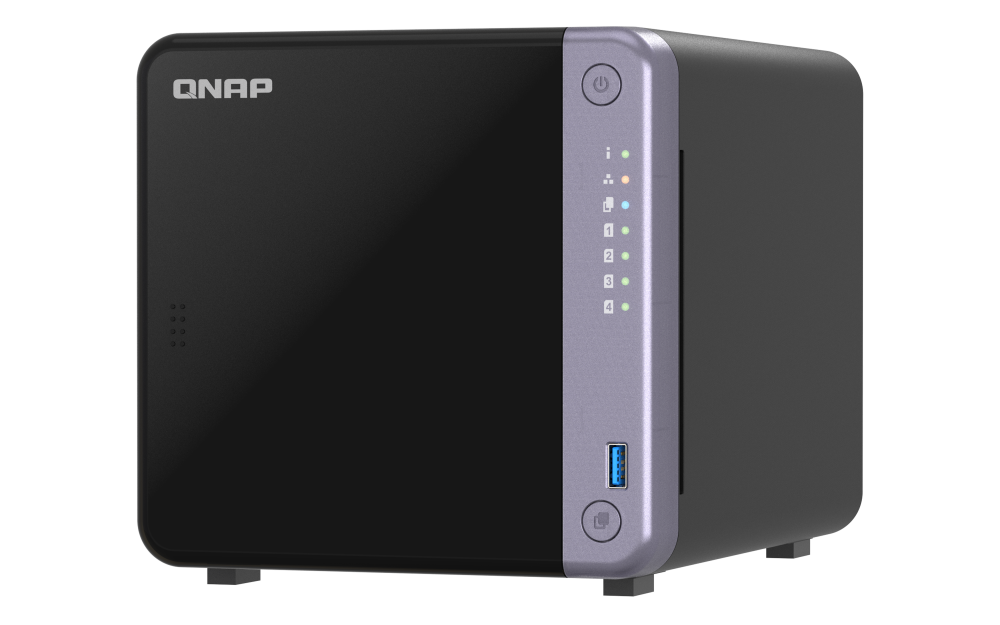
- Official QNAP TS-432X product image attached to its U.S. product page

Check your setup before choosing a NAS
Use the finder to narrow documented desk/shelf or rack formats, internal-bay minimums, a single Ethernet-port rating and optional redundancy requirements.