
Your needs, this model
Does it fit your priorities?
Does the 17-in-1 dock bundle meet a four-bay, 10GbE and possible two-drive-mirror NAS plan?
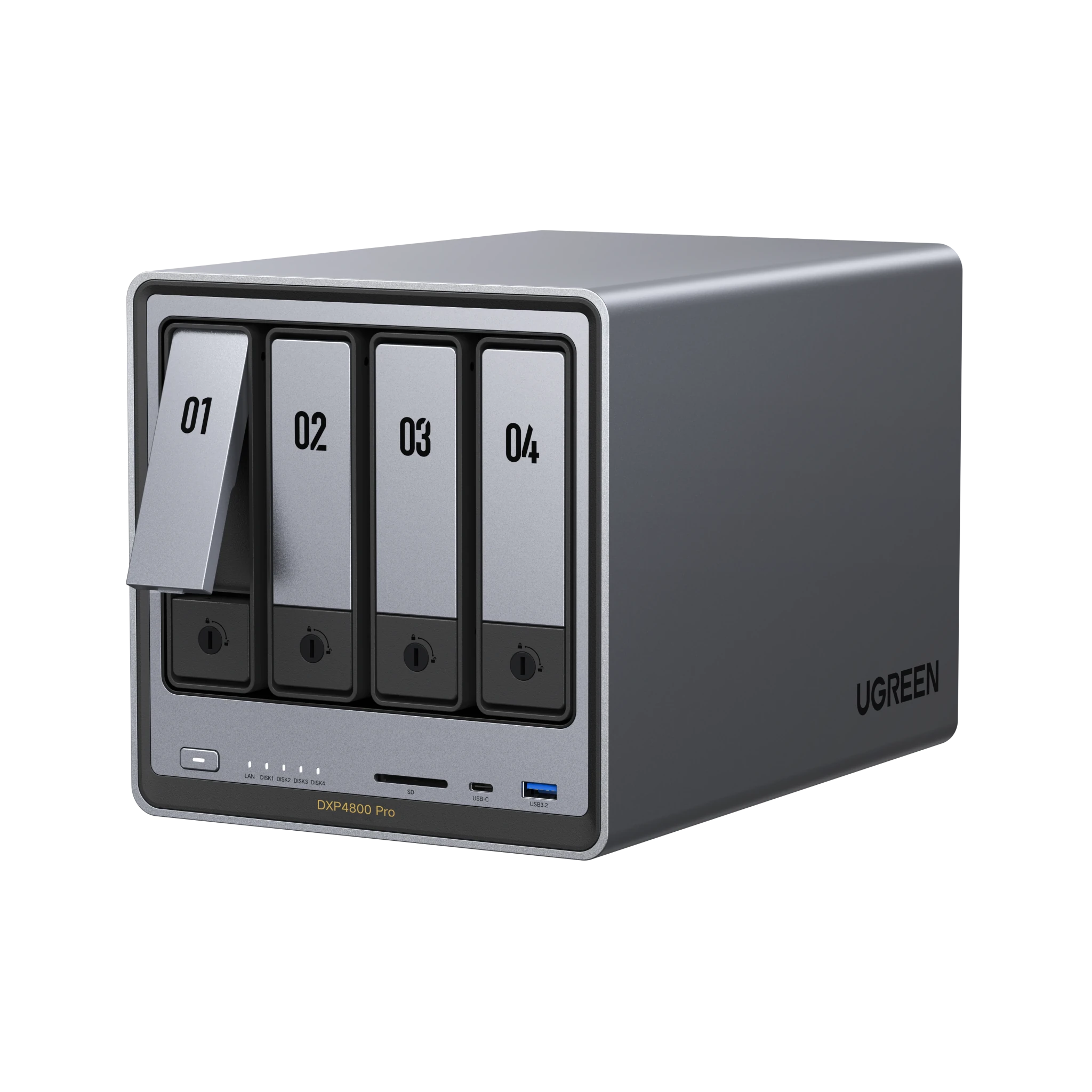
The named NAS component is the DXP4800 Pro, whose U.S. standalone specifications list four SATA bays, one 10GbE port, one separate 2.5GbE port and RAID 1. Two compatible SATA drives can be arranged by the buyer in a mirror using two of the four trays. The dock does not change the NAS bay count, and its own benefits are not established by the name alone.
Explore this need in the finder →Does “17-in-1” confirm the bundle’s dock ports or client compatibility?
No. The bundle page calls the selected accessory a Thunderbolt 5 dock and labels it 17-in-1, but this evidence does not verify its complete port list, exact dock model number, host requirements or compatibility with a particular computer. Check the exact dock and the intended host before choosing this package.
Explore this need in the finder →Do the 144-TB figure or dock bundle mean drives and a prepared array are included?
No such package contents are established. The DXP4800 Pro’s 144-TB figure is raw potential capacity across four SATA plus two separate M.2 drives; its standalone NAS specification is diskless. Verify whether the exact bundle includes any drives or accessories and create any RAID pool yourself.
Explore this need in the finder →Which processor and network ports does the NAS in the 17-in-1 package use?
The bundle page’s FAQ says Intel N100 and 2.5GbE, while its model title and primary DXP4800 Pro details point to a Core i3 and 10GbE plus 2.5GbE. The standalone DXP4800 Pro page supports the latter model identity. The conflict remains explicit; confirm the exact NAS model on the order if the offer does not clearly name DXP4800 Pro.
Explore this need in the finder →This assessment covers UGREEN’s U.S. NASync DXP4800 Pro bundle configured with a Thunderbolt 5 docking station named “17-in-1.” The package page identifies the NAS and dock as separate included components, but does not establish the dock’s exact retail SKU, full port list, or whether a particular workstation can use every feature. This is a documentation-based assessment, not a hands-on test. It is not the standalone DXP4800 Pro or either of the separate Revodok package selections on the same page.
Identify both parts of the selected package
The manufacturer’s bundle page names the NASync DXP4800 Pro four-bay NAS together with a Thunderbolt 5 docking station. The selected package is the 17-in-1 option; the same selector separately names a Revodok Pro 12-in-1 option and a Revodok Pro 10-in-1 option. Those labels describe different package choices. Do not infer that the docks, included ports, or intended uses are interchangeable just because they share a product page.
The product page does not establish a printed SKU for the complete bundle or for the dock. Its selected variant identifier is a storefront selector value, not a retail or Amazon identifier. Before ordering, confirm that the actual offer names the 17-in-1 Thunderbolt 5 dock and the DXP4800 Pro NAS together, then check the full included-parts list, warranty route, and any dock compatibility required by your computer. The “17-in-1” name alone is not a substitute for a port-by-port specification.
The NAS remains a four-bay DXP4800 Pro
The NAS component is the same DXP4800 Pro hardware documented on UGREEN’s standalone product page and assessed in the standalone DXP4800 Pro review: four native SATA positions and two separate M.2 NVMe positions, one 10GbE port plus a separate 2.5GbE port, and a listed RAID menu that includes RAID 1. The M.2 sockets do not turn the NAS into a six-SATA-bay unit. A two-drive RAID 1 mirror can be a buyer-created plan using two of the four SATA trays, but the product page does not describe a preconfigured storage pool.
UGREEN’s standalone DXP4800 Pro product information identifies the NAS as diskless. The bundle page’s selected package information names the NAS and dock, but does not establish a detailed box inventory for the bundle. Confirm whether drives, cables, and any other accessories are supplied in the exact offer; do not assume that the dock package adds storage media or that the NAS arrives with a RAID set already configured.
The DXP4800 Pro’s stated 144-TB maximum is raw supported capacity across four potential 32-TB SATA drives and two 8-TB M.2 SSDs, not included storage or a single promised usable volume. RAID layout, separate M.2 storage pools, system use, and formatting affect what remains usable. Check every exact drive and capacity against the manufacturer’s compatibility list, create the desired pool yourself, and keep a separate backup. A mirror helps with specified drive failures but is not a backup against deletion, malware, theft, or enclosure loss.
Do not transfer the page’s contradictory FAQ specification
The bundle page includes an FAQ line that describes an Intel N100 and a 2.5GbE connection. That wording conflicts with the page’s DXP4800 Pro title and selected product details, which describe a Core i3 processor and 10GbE plus 2.5GbE networking; UGREEN’s standalone DXP4800 Pro page also documents the Core i3-1315U hardware. This assessment does not quietly substitute the FAQ’s N100 specification for the named Pro device, nor treat the conflict as proof that a different NAS is included. Verify the exact NAS model in the written offer if the hardware identity is unclear.
The built-in 10GbE port is a nominal link rate, not an expected file-copy result. A compatible switch or direct network path, client adapter, cable, drives, pool layout, and workload all constrain throughput. The selected dock’s “Thunderbolt 5” name does not establish an extra NAS Ethernet port, a faster NAS network path, additional SATA bays, or compatibility with a particular client. The page must provide evidence for any such claim before it should guide a purchase.
When the dock bundle makes sense
This package is worth comparing when the DXP4800 Pro’s four-bay NAS layout fits and you have a specific use for the selected Thunderbolt 5 dock. It adds a separately named accessory to the same NAS hardware; it does not change the drive-bay count or the NAS-side network ports. A buyer who only needs the NAS should compare the standalone model instead of assuming the extra component is useful. A buyer choosing the dock should confirm the exact computer, operating system, cable, dock model, supported connections, and included accessories directly from current UGREEN documentation.
Do not buy by the generic phrase “DXP4800 Pro + Docking Station Bundle” alone. Confirm the selected 17-in-1 option rather than a 12-in-1 or 10-in-1 Revodok package, verify the DXP4800 Pro hardware identity, and check what the seller actually ships. No price, stock, third-party seller package, measured transfer performance, or full dock compatibility result is established here.
Key specifications
Key details at a glance
| Internal drive bays | 4 bays |
|---|---|
| Documented internal drive media | 3.5-inch SATA HDD / 2.5-inch SATA HDD / 2.5-inch SATA SSD |
| Built-in Ethernet ports | 1 × 10GbE RJ45 / 1 × 2.5GbE RJ45 |
| Fastest individual Ethernet port | 10 Gbps |
| Installed system memory | 8 GB |
| Maximum listed memory | 96 GB |
| Listed storage arrangements | Basic / JBOD / RAID 0 / RAID 1 / RAID 5 / RAID 6 / RAID 10 |
| M.2 NVMe slots | 2 |
| M.2 SSD storage-pool support | Yes |
| Processor | Intel Core i3-1315U |
| CPU cores | 6 |
| CPU threads | 8 |
| Installed memory type | UGREEN lists 8 GB DDR5 across two SODIMM slots with a stated 96-GB maximum. It says module support is model-specific; no upgrade is included or endorsed. |
Use the exact model’s instructions for operating limits, supplied equipment and version differences.
Sources for this review
Sources for this assessment
- UGREEN U.S. DXP4800 Pro NAS + Docking Station Bundle page, selected Thunderbolt 5 17-in-1 option
- UGREEN U.S. NAS Storage collection, current page 2
- UGREEN NASync DXP4800 Pro U.S. product page; standalone SKU 85888
- UGREEN DXP4800 Pro product JSON and selector variants
- UGREEN U.S. NAS collection
- UGREEN DXP Series U.S. collection
- UGREEN NAS model specification comparison
- UGREEN model-specific drive and component compatibility list
- UGREEN NAS download center and model documentation selector
- UGREEN RAID and capacity guidance
- UGREEN UGOS software, Docker and virtual-machine information
Check your setup before choosing a NAS
Use the finder to narrow documented desk/shelf or rack formats, internal-bay minimums, a single Ethernet-port rating and optional redundancy requirements.