
Your needs, this model
Does it fit your priorities?
Can the L1 DXP4800 Plus support a four-bay, one-port 10GbE plan with a two-drive mirror?
The selected L1 page identifies the same DXP4800 Plus hardware: four SATA positions, one 10GbE port, a separate 2.5GbE port and a RAID menu including RAID 1. A buyer could create a two-drive mirror in two trays, leaving two open. It is diskless and the pool is not preconfigured; confirm compatible drives and remember that a mirror is not a separate backup. L1 changes condition and after-sale risk, not these documented hardware limits.
Explore this need in the finder →What does UGREEN mean by the L1 refurbished grade?
UGREEN describes L1 as 80–95% new with signs of wear or scratches. The same page separately describes L0 as 95%+ new with no obvious marks, so the grades should not be merged. These category descriptions do not show the marks or prior use of any particular unit.
Explore this need in the finder →Does the L1 refurbished DXP4800 Plus have a two-year warranty?
The selected L1 description states a three-month warranty for two- and four-bay models and a 30-day return period limited to quality issues. A general two-year warranty panel appears elsewhere on the same page, creating a conflict. This assessment does not transfer the generic term to the refurb grade; confirm the specific written L1 terms before ordering.
Explore this need in the finder →Does the DXP4800 Plus refurbished listing include its advertised 144 TB of storage?
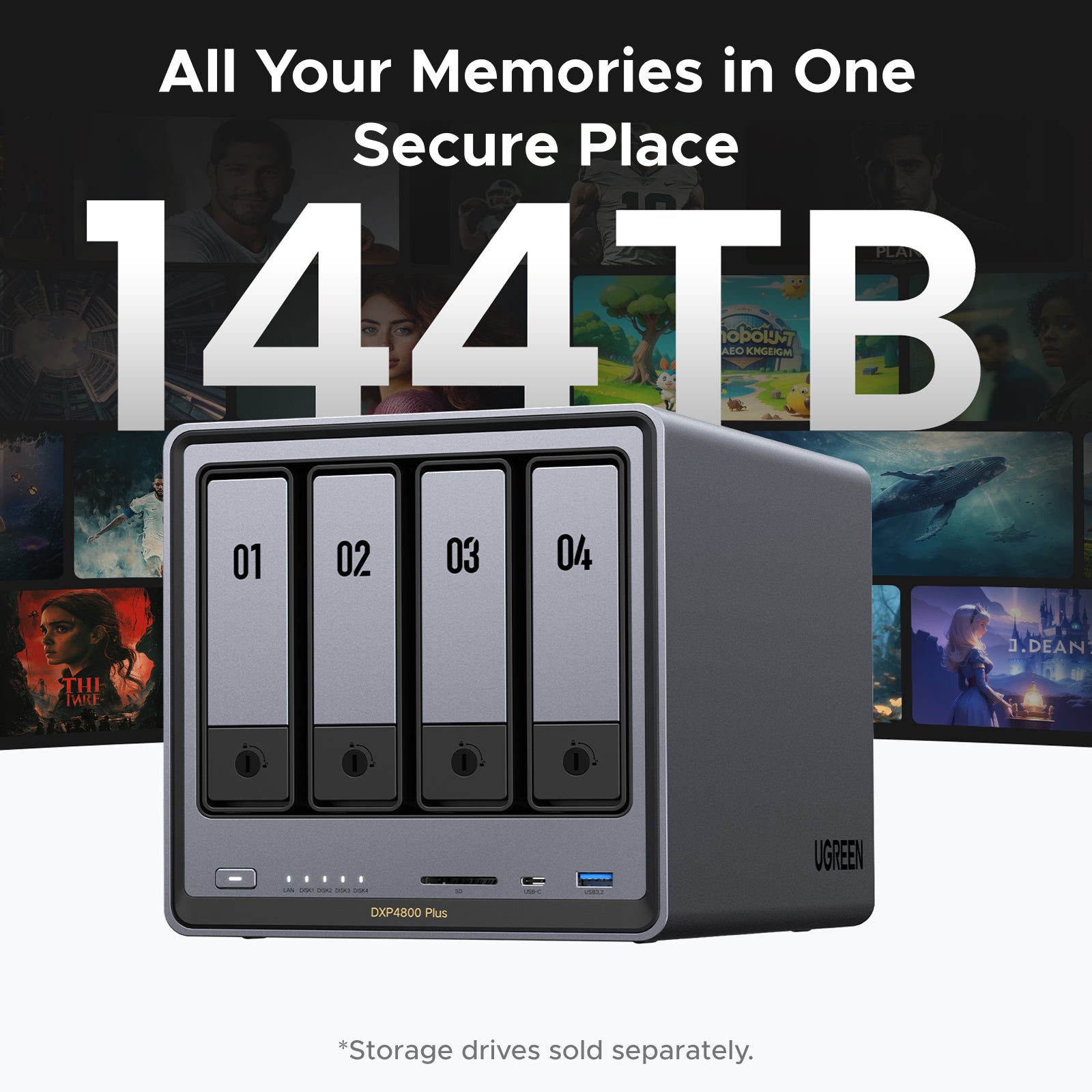
No storage disks are included in the stated product offer. The 144-TB maximum is raw supported capacity across four possible 32-TB SATA drives and two 8-TB M.2 SSDs; the spaces are separate and a RAID layout or system overhead reduces usable capacity.
Explore this need in the finder →This assessment is for UGREEN’s U.S. NASync DXP4800 Plus refurbished offer in the L1 grade. UGREEN’s selected L1 page identifies the underlying device as the four-bay DXP4800 Plus, but the condition and after-sale terms make this a different buying choice from the standard new standalone model. This is a documentation-based assessment, not a hands-on inspection; the page cannot establish the condition of an individual returned unit.
The same NAS layout, sold in a different condition
UGREEN’s current L1 page describes the same four-SATA-bay platform with an Intel Pentium Gold 8505, one 10GbE and one 2.5GbE network port, 4K HDMI output, and no included storage disks. The two M.2 NVMe positions are separate from the four SATA trays. The stated 144-TB ceiling combines the maximum capacities of separate SATA and M.2 media; it is not installed storage, a single promised pool, or mirrored usable capacity. For the hardware’s RAID choices, drive compatibility and networking limits, see the standalone DXP4800 Plus assessment.
The refurbished distinction is cosmetic and commercial, not an additional hardware tier. UGREEN defines L1 as “80–95% new” with signs of wear or scratches. That description gives a broad grade, not a photograph of the particular unit, a record of its prior service, or proof that every mark is harmless. The page also lists a separate L0 refurbished selection, described as 95%+ new with no obvious marks. Its grade-specific text states a three-month warranty for two- and four-bay units and a 30-day return period limited to quality issues. Those broad categories do not inspect a specific returned chassis, and the same page's generic two-year warranty panel conflicts with the refurb terms. L0 and L1 are distinct condition selections, not different hardware tiers: choose the grade on the exact offer and confirm its written terms.
Read the L1 service terms before comparing it with a new unit
The selected L1 description states a three-month warranty for two- and four-bay units and a 30-day return period limited to quality issues. Those are the terms relevant to this condition selection. Elsewhere on the same page, a general UGREEN benefit panel says “2-Year Product Warranty,” which conflicts with the grade-specific refurbished terms. This assessment does not extend that two-year benefit to L1. Before paying, confirm the refurbished grade and the warranty and return terms displayed for the exact order; do not rely on a generic new-product banner.
The limited return language also matters because an exterior image cannot tell you whether a particular refurbished unit arrives with wear you find acceptable. The L1 category permits visible signs of use, while the product page does not identify the marks on any one unit. No current stock, price, seller inspection, replacement promise, or unit-level condition is established here. If cosmetic condition or a longer warranty is a hard requirement, compare the new standalone configuration rather than assuming the refurbished offer will satisfy it.
Plan the drives and network as you would for the new chassis
The L1 unit is described as diskless. You still need compatible storage and must create the pool yourself. A two-drive RAID 1 mirror can use two of the four SATA bays if you select supported drives and configure it, leaving two SATA trays open; that is a possible owner-built plan, not a preinstalled array. A mirror can help maintain access after a supported drive failure, but it does not replace a second backup. Check the exact model and capacity of each HDD or SSD against UGREEN’s current compatibility list before buying.
The 10GbE port is a nominal link capability, not a file-transfer result. A 10GbE switch or direct path, compatible client adapter, cabling, drives, pool layout and workload all affect throughput; the separate 2.5GbE port does not add its rating to the 10GbE port. Likewise, the advertised capacity ceiling is not a reason to buy six drives or presume one 144-TB volume: the four SATA bays and two M.2 positions serve different media positions, and redundancy, system use and file-system overhead reduce usable space.
Who should consider this refurbished grade?
The L1 listing may suit someone who wants the DXP4800 Plus’s four-bay and mixed-speed networking layout, accepts visible cosmetic wear, and has checked the short grade-specific warranty and quality-only return window. It is less appropriate when the buyer needs a new-condition enclosure, a particular cosmetic state, a longer confirmed warranty, or a ready-to-use storage set. Because the L1 selection is an exact condition variant, verify that the offer really identifies DXP4800 Plus refurbished L1 and does not silently substitute a new standalone unit or another refurb grade.
Do not infer a bargain from a crossed-out price or assume the seller’s package includes drives, upgraded memory, an initialized RAID pool or a particular set of accessories. The current product copy identifies the L1 hardware and condition, but does not provide a unit-specific inspection report here. Confirm the grade, package contents, warranty provider and return eligibility at checkout; if those terms are unclear, the documented hardware alone is not enough to resolve the purchase risk.
Key specifications
Key details at a glance
| Internal drive bays | 4 bays |
|---|---|
| Documented internal drive media | 3.5-inch SATA HDD / 2.5-inch SATA HDD / 2.5-inch SATA SSD |
| Built-in Ethernet ports | 1 × 10GbE RJ45 / 1 × 2.5GbE RJ45 |
| Fastest individual Ethernet port | 10 Gbps |
| Installed system memory | 8 GB |
| Maximum listed memory | 64 GB |
| Listed storage arrangements | Basic / JBOD / RAID 0 / RAID 1 / RAID 5 / RAID 6 / RAID 10 |
| Dimensions (H × W × D) | 178 × 178 × 257.5 mm (H × W × D) |
| Weight | 6.02 kg |
| Data drives included in listed package | No |
| M.2 NVMe slots | 2 |
| Processor | Intel Pentium Gold 8505 |
| CPU cores | 5 |
| CPU threads | 6 |
| Installed memory type | UGREEN lists 8 GB DDR5 and a maximum of 64 GB. The current compatibility page lists model-specific memory-module checks; this record does not infer the slot arrangement, endorse a module, or claim any seller-installed upgrade. |
Use the exact model’s instructions for operating limits, supplied equipment and version differences.
Sources for this review
Sources for this assessment
- UGREEN U.S. DXP4800 Plus refurbished product page, selected L1 condition
- UGREEN NASync DXP4800 Plus U.S. product page, standalone NAS selection
- UGREEN DXP4800 Plus product JSON and U.S. variant identities
- UGREEN U.S. NAS collection
- UGREEN NAS model specification comparison
- UGREEN model-specific drive and component compatibility page
- UGREEN NAS download portal and model-specific documentation selector
- UGREEN NASync DXP4800 Plus user manual, English/German
- UGREEN RAID configuration and capacity guidance
- UGREEN UGOS and NAS software support information
- UGREEN U.S. DXP4800 Plus refurbished product page, selected L0 condition
Check your setup before choosing a NAS
Use the finder to narrow documented desk/shelf or rack formats, internal-bay minimums, a single Ethernet-port rating and optional redundancy requirements.