
Your needs, this model
Does it fit your priorities?
Can the standalone DXP4800 Plus meet a four-bay, 10GbE and two-drive-mirror requirement?
Yes, as a buyer-created plan: UGREEN lists four SATA positions, one built-in 10GbE port and RAID 1, which UGREEN's RAID guidance says can use at least two drives. A two-drive mirror would occupy two trays and leave two available, but the base NAS is diskless; check the exact drive pair and create the pool yourself. The 10GbE rating is a link maximum, not a measured file-copy speed, and a mirror is not a backup.
Explore this need in the finder →Does the 144-TB figure mean the DXP4800 Plus ships with that much usable storage?
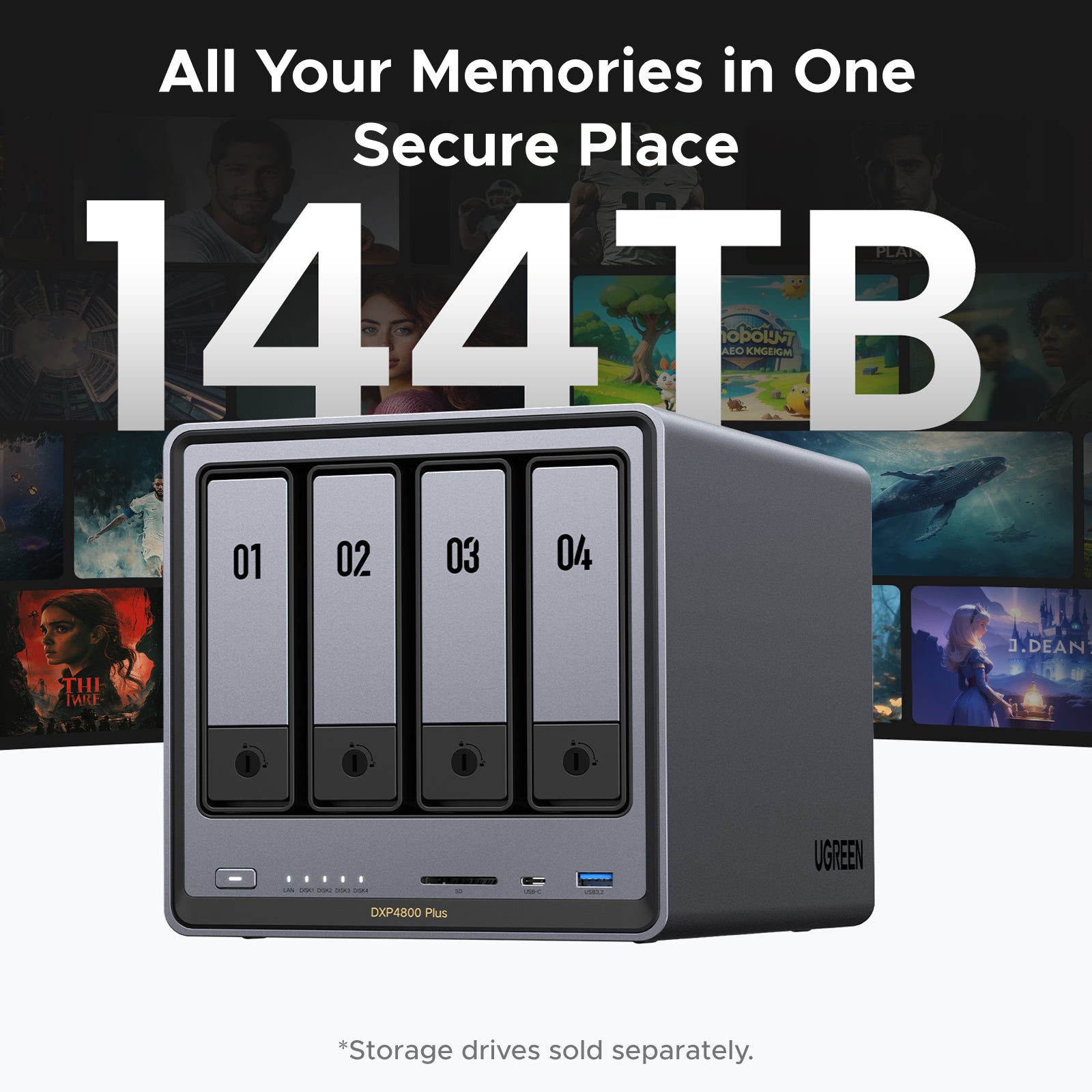
No. UGREEN's maximum combines four 32-TB SATA drives with two 8-TB M.2 SSDs as raw installed capacity; the standalone unit is diskless. A RAID layout, separate M.2 tier or storage pool, system partitions and filesystem overhead mean this is not one 144-TB mirrored volume or a package-included amount.
Explore this need in the finder →Will a 10GbE NAS port make a 10GbE file-transfer path?
Not by itself. The DXP4800 Plus has one built-in 10GbE port and a separate 2.5GbE port, but the switch or router, client adapter, cabling, storage layout and workload all constrain end-to-end transfer. Do not add the two port ratings together or treat UGREEN's best-case marketing figures as a benchmark.
Explore this need in the finder →Is the DXP4800 Plus + UPS3000 the same package as the standalone DXP4800 Plus?
No. UGREEN's product data names the standalone NAS and the NAS + UPS3000 variant separately; the UPS is not part of the base SKU 35260US. Confirm the exact model and accessory contents on the actual offer, and check the UPS compatibility list rather than assuming a bundle from a generic DXP4800 Plus title.
Explore this need in the finder →The NASync DXP4800 Plus is a diskless desktop NAS with four SATA bays, two separate M.2 NVMe positions, and built-in 10GbE plus 2.5GbE. UGREEN's current U.S. product information and model comparison describe a Pentium Gold 8505, 8 GB DDR5 memory, and a listed memory ceiling of 64 GB. This is a documentation-based review of the standalone SKU 35260US, not a hands-on test or a promise about a third-party offer.
Four SATA positions, with M.2 kept separate
Four native SATA trays make the Plus a different scale from a two-bay starter NAS. The model manual has separate drive-installation instructions for 3.5-inch and 2.5-inch devices, while the specifications list two M.2 NVMe slots. Those M.2 connectors are not extra SATA trays. UGREEN describes them for SSD caching, and its 144-TB maximum combines four 32-TB SATA drives with two 8-TB M.2 SSDs. That number is raw installed-capacity arithmetic, not included storage, a single volume, or an amount you should expect from every RAID choice.
The standalone NAS is diskless. UGREEN says data drives are sold separately and directs buyers to a model-specific compatibility reference. Match full drive part numbers and capacities against that list before ordering; a brand name or connector alone does not establish support. Also check whether the actual offer is the base machine or a separately named bundle. UGREEN's product data lists a DXP4800 Plus + UPS3000 option, which is not the standalone SKU reviewed here. Neither the UPS nor any data drive should be inferred from a generic “DXP4800 Plus” offer title.
Two network ports, but one link is the fast path
The model page lists one 10GbE RJ45 port and one separate 2.5GbE RJ45 port. That gives a buyer room to connect a workstation or switch with a 10-gigabit interface while retaining a lower-rate link for another network segment. It does not combine into one 12.5Gbps connection. The link rating also is not expected file-copy speed: the switch or router, client NIC, cabling, drive array, files, and workload all affect the transfer. If 10GbE is the reason to choose the chassis, confirm a compatible port on both ends of the route rather than upgrading only the NAS.
Choose the storage layout before buying drives
UGREEN lists Basic, JBOD, RAID 0, RAID 1, RAID 5, RAID 6, and RAID 10. A buyer-created two-drive RAID 1 arrangement is possible and would leave two of the four trays open, but the machine does not ship with a prepared mirror. UGREEN's RAID guidance describes RAID 1 as requiring at least two drives; exact capacity depends on the smaller member of the pair and on the rest of the storage setup. RAID 5, RAID 6, and RAID 10 have different minimum drive counts and capacity costs, so do not read the 144-TB headline as a useful-capacity promise. A mirror can help with a drive failure, but it is not a second copy against deletion, malware, theft, or enclosure loss.
The two M.2 positions add a separate SSD path; they do not enlarge a SATA RAID group. Before selecting cache or another storage role, check the exact SSD model, capacity, and supported software path. The compatibility reference is model-specific and can change with firmware. Do not assume that a listed memory maximum names a particular upgrade stick: UGREEN asks users to select the exact NAS and module before purchasing.
What the hardware does—and what it cannot promise
The official comparison lists a 5-core/6-thread Intel Pentium Gold 8505, 8 GB of DDR5 and a 64-GB maximum, plus 4K HDMI output and an SD 3.0 card reader. Its listed footprint is about 178 × 178 × 257.5 mm (height × width × depth), so leave space for the chassis and airflow rather than treating it as a tiny router. UGREEN's materials promote media, Docker, and virtual-machine uses, but those capability labels do not establish performance for a particular number of services, users, or transcoding workload. No independent benchmark was used for this assessment.
One source detail is worth checking before setup: the current U.S. product page uses both “UGOS” and “UGOS Pro” in different information sections. That wording does not establish a firmware build or future update policy. Use the exact-model Download Center and instructions for the unit you receive; do not apply an update file intended for a different NAS.
Who should consider it, and the final checks
The DXP4800 Plus is a plausible fit when four internal SATA drives, one 10GbE link, and two distinct M.2 positions solve a real expansion or workflow need. It is less compelling when the buyer needs an all-in-one disk package, a proven sustained transfer rate, or a storage plan whose usable capacity has not been calculated. A 2.5GbE link elsewhere in the path will remain the bottleneck even if the NAS connects at 10GbE.
Before committing, verify the exact standalone SKU 35260US, the contents and warranty route of the seller's package, the drive and memory part numbers in UGREEN's current compatibility list, the intended RAID or pool layout, and the full switch-to-client path. The model page and manual establish a four-bay diskless NAS; they do not establish reseller stock, a seller's included accessories, an initialized volume, or Amazon listing identity. Treat the maker's capacity and speed maxima as conditional specifications, not independent test results.
Key specifications
Key details at a glance
| Internal drive bays | 4 bays |
|---|---|
| Documented internal drive media | 3.5-inch SATA HDD / 2.5-inch SATA HDD / 2.5-inch SATA SSD |
| Built-in Ethernet ports | 1 × 10GbE RJ45 / 1 × 2.5GbE RJ45 |
| Fastest individual Ethernet port | 10 Gbps |
| Installed system memory | 8 GB |
| Maximum listed memory | 64 GB |
| Listed storage arrangements | Basic / JBOD / RAID 0 / RAID 1 / RAID 5 / RAID 6 / RAID 10 |
| Dimensions (H × W × D) | 178 × 178 × 257.5 mm (H × W × D) |
| Weight | 6.02 kg |
| Hardware warranty | 2 years |
| Data drives included in listed package | No |
| M.2 NVMe slots | 2 |
| Processor | Intel Pentium Gold 8505 |
| CPU cores | 5 |
| CPU threads | 6 |
| Installed memory type | UGREEN lists 8 GB DDR5 and a maximum of 64 GB. The current compatibility page lists model-specific memory-module checks; this record does not infer the slot arrangement, endorse a module, or claim any seller-installed upgrade. |
Use the exact model’s instructions for operating limits, supplied equipment and version differences.
Sources for this review
Sources for this assessment
- UGREEN NASync DXP4800 Plus U.S. product page, standalone NAS selection
- UGREEN DXP4800 Plus product JSON and U.S. variant identities
- UGREEN U.S. NAS collection
- UGREEN NAS model specification comparison
- UGREEN model-specific drive and component compatibility page
- UGREEN NAS download portal and model-specific documentation selector
- UGREEN NASync DXP4800 Plus user manual, English/German
- UGREEN RAID configuration and capacity guidance
- UGREEN UGOS and NAS software support information
Check your setup before choosing a NAS
Use the finder to check bay count, the network link you need, and whether a documented two-drive redundant arrangement is essential.