
Your needs, this model
Does it fit your priorities?
Does the F8 SSD meet an eight-position minimum and a 10-Gbps requirement for one built-in Ethernet port?
On the exact model page, yes: TerraMaster lists eight M.2 2280 NVMe positions and one individual RJ-45 10GbE port. The eight positions are not SATA trays, and each host slot is rated PCIe 3.0 x1; a nine-position floor or 10.5-Gbps single-port floor exceeds those documented boundaries. The port rating is not a file-copy result.
Explore this need in the finder →Could two F8 SSD modules form a mirror while retaining the 10GbE port?
The exact model table lists RAID 1. One possible owner-created arrangement uses two separately purchased, exact-model-compatible M.2 2280 NVMe SSDs and one individual built-in 10GbE port, leaving six of the eight positions open. The manufacturer package reference lists no data SSDs or prepared volume. Check each exact module and revision, back up before pool creation, and keep a separate backup because RAID 1 is not one.
Explore this need in the finder →Does the published 64-TB figure prove eight 8-TB SSDs will provide 64 TB of usable space?
No. TerraMaster states 64 TB as an 8-TB x8 raw reference and says capacity varies with RAID; its table also says maximum volume size is not directly related to raw capacity. The current model list includes an 8-TB WD Black SN8100 marked Recommended and an 8-TB WD Black SN850X marked Not Recommended for F8 SSD, so exact modules matter. Those individual rows do not certify an eight-SSD simultaneous set or usable total. Check the live compatibility list, exact firmware/revision and seller package; no data SSDs or initialized array are listed in the base package.
Explore this need in the finder →Eight positions, but not eight SATA trays
The F8 SSD is a different kind of eight-bay NAS. TerraMaster lists eight internal M.2 2280 NVMe positions, all rated PCIe 3.0 x1, and says PCIe 3.0, 4.0 and 5.0 NVMe modules are compatible. Those positions are not 2.5- or 3.5-inch SATA trays. A buyer who already owns HDDs, or expects to add ordinary SATA SSDs, should treat this as the wrong interface rather than assume “eight bays” means a familiar tray layout. The exact F8 SSD specification gives the format and slot rating; the live NVMe compatibility table should be checked against every exact drive model before ordering.
Its headline count is useful when your project calls for several fast internal modules in a compact desktop enclosure, but it does not tell you how much storage will be usable. The manufacturer lists an Intel N95 processor, 8 GB of DDR5 non-ECC memory in one SODIMM slot, and a 32-GB supported memory maximum. That is a fixed starting configuration, not proof of what a third-party seller will ship or which separately bought upgrade module is right for every revision. The processor and the per-slot lane rating also cannot establish a particular virtualization, database, editing or file-transfer result.
One 10GbE socket is a network requirement
TerraMaster lists one built-in RJ-45 10GbE port. This is a nominal link rating for that single port—not a promise that one client will copy files at 10 gigabits per second. The client adapter, switch or direct connection, cable, negotiated link, SSD choice, file protocol and workload all matter. A slower switch in the path can constrain the connection even when the NAS port is faster. The product table also has a generic link-aggregation feature entry, but one physical Ethernet port does not become two ports or a 20-Gbps link. A buyer paying for a faster network interface should check both endpoints and the entire cable path, not only the NAS label.
The page separately lists three USB 3.2 host ports at 10 Gbps and one HDMI 2.0b socket. Those are separate interfaces; they do not add internal storage bays or Ethernet capacity. The chassis measures 177 × 60 × 140 mm (H × W × D) in TerraMaster’s table and has a listed net weight of 0.7 kg, useful fit facts if desk space matters, but the compact footprint does not substitute for clearance, ventilation or cable planning.
Read 64 TB as arithmetic, not a usable-space promise
The specification states 64 TB as eight 8-TB modules and says capacity varies by RAID type. It also warns that maximum single-volume size is not directly related to raw capacity. I would not turn that line into a guaranteed eight-drive configuration or a usable-space estimate: the live compatibility table distinguishes particular modules. For example, the exact table marks an 8-TB WD Black SN8100 as Recommended for F8 SSD and an 8-TB WD Black SN850X as Not Recommended. Those rows describe individual drive-model status; they do not certify that eight identical modules operate together, or settle firmware, revision, RAID and formatting limits. Recheck the current list and exact model number rather than shopping by capacity alone.
This caution matters because replacing a module can affect array capacity and compatibility, while initial pool creation is a configuration task rather than a ready-made setup. TerraMaster’s generic TOS 7 storage-pool guide describes creating and managing pools; it is not an F8-specific installation manual. The exact-model English-facing documentation page inspected for this assessment listed an F8 SSD photo but no readable English user or installation manual. The article therefore does not prescribe a slot-by-slot installation sequence or claim a hot-swap procedure—the product table itself leaves hot swap blank.
A two-drive mirror is possible only after setup
The exact F8 SSD feature table lists RAID 1. One possible plan is to buy two compatible M.2 2280 NVMe modules, create a RAID 1 pool yourself and use the one built-in 10GbE connection. That arrangement occupies two of eight positions and leaves six empty. It is a useful fit if you genuinely need a mirrored pair while keeping future expansion positions, but the manufacturer’s package reference lists no data SSDs and no initialized volume. Confirm the selected offer’s contents; do not mistake an enclosure listing or a seller’s drive bundle for proof that the modules are compatible or already configured.
A mirror can help preserve availability after a single drive failure, but it is not protection from accidental deletion, ransomware, fire, theft or a failed setup. TerraMaster’s storage instructions warn that creating a storage pool uses the selected disks and that their existing data can be erased. Set up a separate backup with a recoverable copy before migration, and test that restoration path. If the operating plan is an eight-module array, RAID 5/6/10 or a specific fault-tolerance target, check the exact documented mode and drives before ordering; this assessment only models the narrower two-module RAID 1 arrangement.
Who should keep it on the shortlist?
The F8 SSD is for a buyer who deliberately wants an all-NVMe system with eight native M.2 positions, can verify suitable modules, and has a real 10GbE path for the intended clients. It is a poor fit for someone looking for SATA trays, for whom an ordinary HDD pool or reuse of existing SATA drives is central. It also asks more of the buyer up front than a simple diskless label suggests: check the exact NVMe table, verify seller package and warranty terms, confirm the network path, plan the RAID and separate backup, and account for the missing English setup detail in the documentation index.
Do not conflate the F8 SSD Plus with this model when comparing a seller’s title or package. They are separate product identities, not automatic memory or performance variants of one SKU. The F8 SSD page currently conflicts between a “Sold out” storefront label and a product-handle availability field, so this review makes no claim about stock. Nor is it based on personal ownership, hands-on setup, noise measurement, performance testing or customer reviews: it is a source-led assessment of documented fit and unresolved checks.
Key specifications
Key details at a glance
| Internal drive bays | 8 bays |
|---|---|
| Documented internal drive media | M.2 2280 NVMe SSD |
| Built-in Ethernet ports | 1 x built-in individual RJ45 10GbE port |
| Fastest individual Ethernet port | 10 Gbps |
| Installed system memory | 8 GB |
| Maximum listed memory | 32 GB |
| Listed storage arrangements | TRAID / TRAID+ / Single / JBOD / RAID 0 / RAID 1 / RAID 5 / RAID 6 / RAID 10 |
| Internal file systems | Btrfs / EXT4 |
| Dimensions (H × W × D) | [177, 60, 140] |
| Weight | 0.7 kg |
| Hardware warranty | 2 years |
| Data drives included in listed package | No |
| M.2 NVMe slots | 8 |
| M.2 SSD storage-pool support | Yes |
| Processor | Intel N95 |
| CPU cores | 4 |
| Installed memory type | 8 GB DDR5 non-ECC SODIMM; the exact page lists one preinstalled 8-GB module |
Use the exact model’s instructions for operating limits, supplied equipment and version differences.
Sources for this review
Sources for this assessment
- TerraMaster U.S.-facing F8 SSD product page and specification table
- TerraMaster official F8 SSD product-handle JSON
- TerraMaster current official NVMe M.2 SSD compatibility table
- TerraMaster Home/SOHO NAS collection, current directory recheck
- TerraMaster F8 SSD product documentation index
- TerraMaster TOS 7 storage-pool guide
- TerraMaster TOS 7 volume guide
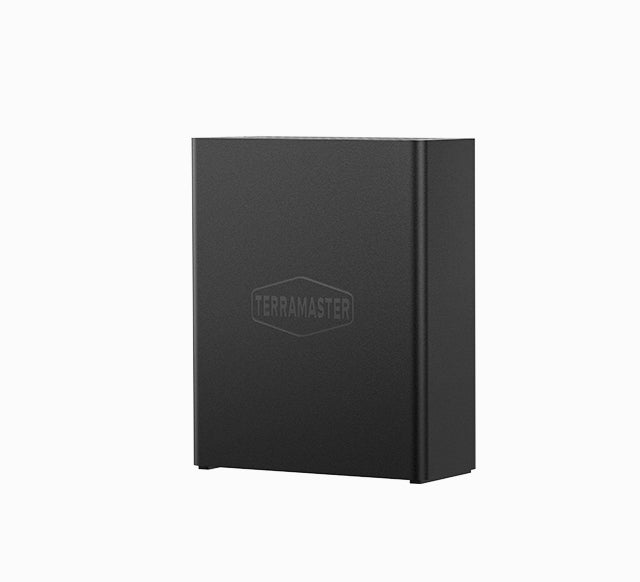
- Official TerraMaster F8 SSD product-page exterior image

Check your setup before choosing a NAS
Use the finder to check bay count, the network link you need, and whether a documented two-drive redundant arrangement is essential.