
Your needs, this model
Does it fit your priorities?
Does the F8 SSD Plus meet an eight-position floor and a 10-Gbps requirement for one built-in Ethernet port?
On the documented hardware, yes: TerraMaster lists eight M.2 2280 NVMe positions and one individual RJ45 10GbE port. The eight positions are not SATA bays, so this is not a match if your plan depends on installing SATA HDDs. A nine-position minimum or a 10.5-Gbps minimum for one port exceeds the listed boundary. The 10-GbE link rating is not a file-copy result; your client, network path, modules and workload still matter.
Explore this need in the finder →Can I plan a two-drive mirror and still keep the F8 SSD Plus's 10GbE network connection?
The exact model specification lists RAID 1. One possible owner-created plan uses two separately selected, compatible M.2 2280 NVMe SSDs and one individual built-in 10GbE port; six of the eight native positions would remain open. The manufacturer package list names no data SSDs or prepared volume. Check each exact SSD against TerraMaster's current list, preserve a separate backup, and do not assume the mirror is ready on arrival.
Explore this need in the finder →How should I interpret the 64-TB figure and choose the SSDs?
TerraMaster states 64 TB as eight 8-TB modules and says the capacity depends on the RAID type; that is a raw-capacity reference, not usable mirrored space. Its live NVMe compatibility table lists exact modules with different statuses—for example, the WD Red SN700 4-TB and WD Black SN8100 8-TB rows are Recommended, while the WD Black SN850X 8-TB row is Not Recommended for this model. Recheck the exact module and the current table before buying; no SSDs or initialized volume are listed in the base package, and no particular eight-drive firmware combination is certified here.
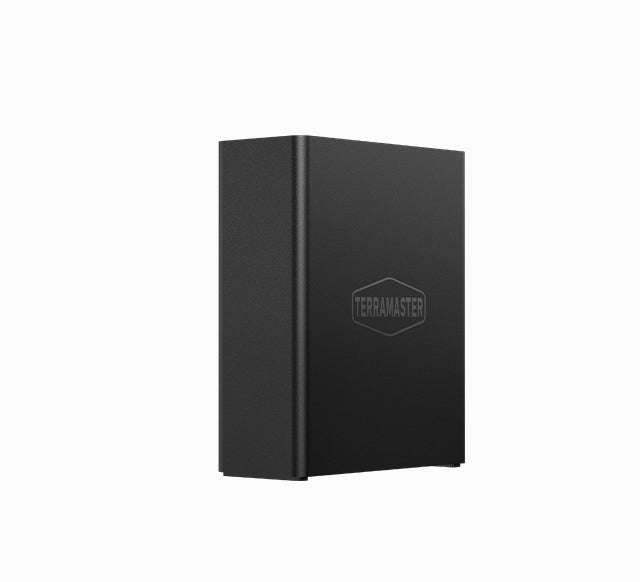
Explore this need in the finder →The F8 SSD Plus is a compact all-flash NAS built around eight M.2 NVMe positions rather than conventional hard-drive trays. TerraMaster pairs them with an Intel i3-N305, 16 GB of non-ECC memory and one built-in 10GbE port. That combination points to a particular buyer: someone deliberately moving to internal NVMe storage and able to use a fast wired path. This is a documentation-based assessment, not a hands-on test.
Eight M.2 positions, not eight SATA trays
TerraMaster markets this as an eight-bay all-flash NAS and explicitly lists eight M.2 2280 NVMe SSD slots. The same specification table has an awkward separate line that says “Disk Slot Number: N/A,” so the meaningful count here is the eight positions stated in the M.2 row—not an assumption of eight SATA drive bays. The page lists no 2.5- or 3.5-inch SATA positions. A buyer who already owns a library of SATA HDDs should look at an HDD-capable chassis instead of counting this unit as interchangeable with an eight-tray NAS.
The listed M.2 slots are PCIe 3.0 x1, while TerraMaster says PCIe 3.0, 4.0 and 5.0 NVMe M.2 2280 SSDs are compatible. A newer-generation module does not make the documented host connection wider, and an interface description alone does not establish an SSD's suitability for a NAS workload. Before committing to a set, compare the exact module name and capacity with TerraMaster's current compatibility page and keep the model-specific result with your purchase records.
Compatibility is more specific than “M.2 NVMe”
The official compatibility table makes the practical point that a form factor and protocol are not a complete compatibility test. In the captured table, a 4-TB WD Red SN700 NVMe SSD and an 8-TB WD Black SN8100 row are marked Recommended for F8 SSD Plus. An 8-TB WD Black SN850X row is marked Not Recommended for the same model. Those rows are dated evidence from a live manufacturer list, not a permanent promise about every firmware revision, future SSD or populated eight-drive set. Recheck the exact model and current status before ordering, especially if you are planning a matched pool.
TerraMaster's exact product page states a maximum raw reference of 64 TB as eight 8-TB modules and cautions that capacity varies by RAID type. Raw capacity is not the same as usable storage: RAID 1 mirrors data, while other layouts have different trade-offs, and filesystems also use space. The compatibility table helps identify specific supported media but does not prove that every arbitrary group of eight drives is approved together. I therefore treat 64 TB as the manufacturer's stated arithmetic ceiling, not a promise of 64 TB available to files.
A two-drive mirror is a plan the owner creates
The product specification lists RAID 1. One possible arrangement is to buy two compatible M.2 2280 NVMe drives, create a RAID 1 volume yourself, and connect through the single built-in 10GbE port. That uses two of the eight native positions and leaves six open. It is a possible configuration, not an included or ready-to-use array: the manufacturer package list names the host, power cord, 72-W adapter, one RJ45 cable, a Quick Installation Guide, warranty note and screws, but no data SSDs or initialized volume. A retailer could add equipment, so inspect the exact seller package rather than treating the manufacturer's base list as a specific shipment.
Mirroring can help keep a volume available after certain single-drive failures, but it is not an independent backup. An accidental deletion, malicious change, failed enclosure or site-level incident can affect the mirrored data. Back up to a separate destination and test a restore. Before creating a pool, read the instructions supplied for the exact hardware/software revision and preserve any existing data; initializing storage can erase it.
One fast network port, with ordinary network limits
The exact specification lists one RJ45 10GbE port. That is a single-link rating, not a 20-Gbps sum and not a promise that one workstation will copy files at a particular rate. The client NIC, switch or direct connection, cable, negotiated configuration, SSD arrangement, protocol and work pattern all shape the actual path. TerraMaster advertises transfer figures on the product page, but this assessment did not reproduce them or test a project workload. The three listed USB 3.2 host ports may be useful for separate external devices; they do not add internal M.2 positions or increase the Ethernet rating.
Memory, power and software details to verify
The manufacturer lists an Intel Core i3-N305 with a burst frequency up to 3.8 GHz, one 16-GB DDR5 non-ECC SODIMM and a 32-GB memory maximum. These component numbers describe the published hardware, not the performance of a particular virtual machine, database or file service. The English U.S.-facing page advertises TOS 7; check the actual shipped unit and update path rather than assuming every seller's box has a particular software build.
The listed body is 177 × 60 × 140 mm (height × width × depth), and net weight is 0.7 kg. This small footprint may simplify placement, but allow room for ventilation, cabling and service. The two small system fans and SSD standby noise figure are manufacturer data; neither establishes noise under an active workload in your room. The same table lists 45 W for a fully populated Seagate 2-TB SSD read/write setup and 9 W in hibernation. Those are specified conditions, not independent measurements or an energy forecast for another set of drives. The product page also names a single 72-W adapter, not redundant power supplies.
Who should shortlist it?
Consider the F8 SSD Plus if eight internal NVMe positions suit the design, one 10GbE port fits the network you already have or plan to build, and you are comfortable selecting and installing compatible SSDs. It is a poor substitute for an HDD-focused NAS when bulk SATA capacity, disk hot-swap or a particular drive brand matters. The product's 64-TB raw figure and supported RAID modes should be read alongside the current module list and the usable-capacity calculation for the layout you intend to create.
If the main requirement is a larger M.2 position count or two individual 10GbE ports, compare the separately researched ASUSTOR FS6812X assessment; it describes a different twelve-position all-M.2 configuration and its own network, memory and SSD-compatibility caveats. Do not carry its compatibility list over to TerraMaster. The exact F8 SSD Plus manufacturer SKU observed in TerraMaster's product JSON is 6939236145855, which can help distinguish this model from the similarly named F8 SSD. That manufacturer identity is not an Amazon listing confirmation, a seller offer or proof of current retailer stock. No personal ownership, lab test, measured throughput, price, availability or customer experience is claimed here.
Key specifications
Key details at a glance
| Internal drive bays | 8 bays |
|---|---|
| Documented internal drive media | M.2 2280 NVMe SSD |
| Built-in Ethernet ports | 1 x built-in individual RJ45 10GbE port |
| Fastest individual Ethernet port | 10 Gbps |
| Installed system memory | 16 GB |
| Maximum listed memory | 32 GB |
| Listed storage arrangements | TRAID / TRAID+ / Single / JBOD / RAID 0 / RAID 1 / RAID 5 / RAID 6 / RAID 10 |
| Dimensions (H × W × D) | 177 x 60 x 140 mm (H x W x D) |
| Weight | 0.7 kg |
| Hardware warranty | 2 years |
| Data drives included in listed package | No |
| M.2 NVMe slots | 8 |
| M.2 SSD storage-pool support | Yes |
| Processor | Intel Core i3-N305 |
| Installed memory type | 16 GB DDR5 non-ECC SODIMM; the manufacturer lists one pre-installed 16-GB module |
Use the exact model’s instructions for operating limits, supplied equipment and version differences.
Sources for this review
Sources for this assessment
- TerraMaster official U.S.-facing F8 SSD Plus product page and specifications
- TerraMaster official Home/SOHO NAS page previously captured in cycle 138
- TerraMaster official U.S.-facing NVMe M.2 compatibility table
- TerraMaster official F8 SSD Plus documentation index
- TerraMaster official F8 SSD Plus Shopify product JSON
- Official TerraMaster F8 SSD Plus product-page hero image

Check your setup before choosing a NAS
Use the finder to check bay count, the network link you need, and whether a documented two-drive redundant arrangement is essential.