
Your needs, this model
Does it fit your priorities?
Do the F2-424's two M.2 sockets make it a four-bay NAS?
No. The model-specific table lists two native SATA positions and two separate M.2 2280 NVMe PCIe 3.0 x1 sockets. The product page presents M.2 cache as a separate feature, not two extra SATA trays. If you need four native SATA drive bays, the separately assessed F4-424 has four; verify exact drive and seller-package details for either chassis.
Explore this need in the finder →Can a two-drive mirror, a two-bay minimum and a 2.5Gbps single-port floor coexist on this NAS?
The F2-424 page lists two SATA bays, RAID 1 and two individual 2.5GbE jacks. A possible buyer-created plan uses two selected, exact-model-compatible SATA drives in RAID 1 and one individual 2.5GbE port; both native bays are occupied. The package reference lists no data drives or prepared pool, and TOS 7 help warns pool creation deletes data on the selected disks. Confirm the current procedure and exact drive pair, then keep a separate backup.
Explore this need in the finder →Does the F2-424's pair of Ethernet jacks satisfy a 3-Gbps single-port requirement?
No. The model table lists two separate ports, each rated at 2.5GbE. One port meets a 2.5-Gbps nominal floor, but a 3-Gbps minimum excludes this configuration; two jacks are not one faster connector. Actual transfer speed also depends on the client, switch or direct peer, cabling, storage and workload.
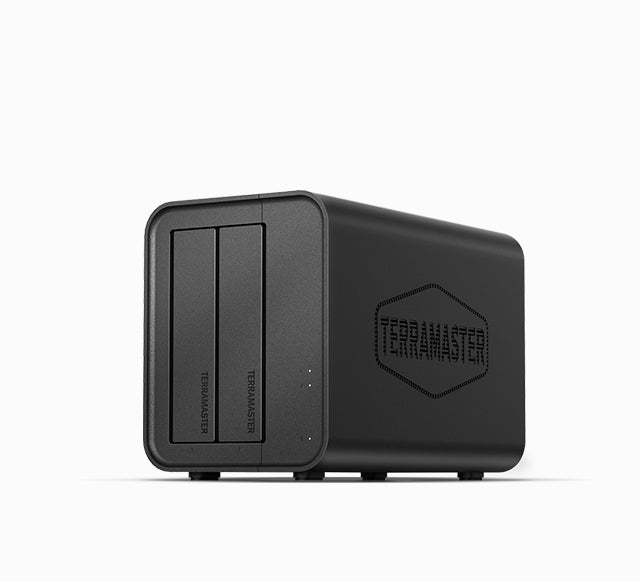
Explore this need in the finder →The TerraMaster F2-424 is a two-bay NAS with two SATA positions, two individual 2.5GbE ports, an Intel N95 and separate M.2 NVMe sockets. The manufacturer package reference lists no data drives or initialized pool. This source-based review is not a hands-on test, ownership claim or report of a current seller offer.
Two SATA positions define the real capacity plan
The exact specification lists two SATA positions for 3.5-inch HDDs, 2.5-inch HDDs or 2.5-inch SSDs. The two M.2 2280 NVMe sockets are separate; TerraMaster lists cache support but these connectors do not add SATA bays or establish a general-purpose data pool. Count this as a two-native-drive NAS.
TerraMaster's 44 TB figure is a raw two-by-22-TB example, not promised usable space. Capacity may vary by RAID type, support changes as drives are released, and a single-volume limit is separate from raw capacity. The current English table includes F2-424 entries such as Seagate IronWolf Pro ST22000NT001 marked Recommended. That individual row does not certify every pair, firmware revision or pool layout; check both intended drives and current instructions.
A mirror is possible, but it uses both bays
RAID 1 appears among the F2-424's listed storage modes. A possible owner-created plan is to choose two exact-model-compatible SATA drives, create a RAID 1 storage pool and volume, and use one individual Ethernet port. That arrangement fills both native bays, leaving no tray open for later expansion. It is not installed or initialized in the manufacturer's package reference. TerraMaster's generic TOS 7 storage-pool guide explains that the owner selects an array type and warns that pool creation erases existing data on selected disks; follow the current instructions for the exact purchased unit and software version.
A mirror can help with a drive failure, but it is not an independent backup against deletion, malware, theft or enclosure damage. Keep another copy and verify that it can be restored. A one-drive setup is different and does not meet the two-drive-redundancy scenario.
Two 2.5GbE links are still 2.5GbE each
The exact model table lists two individual RJ45 2.5GbE jacks. One port's nominal link rating meets a 2.5-Gbps floor; neither individual port reaches a 3-Gbps floor. Do not add two connector labels to infer one 5GbE workstation connection. The client NIC, switch or direct-link peer, cabling, disk array, protocol and workload all affect transfers, so the port rating is not a speed test or a guarantee of file-copy performance.
The separately reviewed four-bay F4-424 is a larger chassis to compare if you want a mirror with two trays left open. It is a different model, not an F2-424 configuration; neither model's two 2.5GbE jacks become one faster port.
Memory, M.2 and published performance claims
The specification lists an Intel N95, 8 GB of DDR5 non-ECC memory in one SODIMM slot, and a 32 GB supported total. The maximum is not an extra stick to add to the single installed module. No upgrade module or workload-performance claim is made here.
The M.2 sockets are PCIe 3.0 x1, with SSD-cache support listed. Check the current compatibility table for the exact module and intended use; it does not make M.2 another SATA bay or prove a particular cache benefit. Published noise and power numbers are tied to named two-drive or drive-state conditions, not independent measurements or universal predictions.
Package and documentation checks
The package list names the host, power cord and adapter, RJ45 cable, quick guide, warranty note and a few screws, but no drives or prepared pool. Confirm the exact F2-424 and seller's written package, return and warranty terms. Its product-handle record has one Default Title variant, maker SKU 6939236144636, and a barcode field containing only “EAN”; no barcode or reseller ID is asserted.
The exact-model documentation index lists a photo, not readable manual text. A separate quick-guide portal asks for a model, but this retrieval did not provide F2-424 instructions. Generic TOS 7 help explains owner-created pool setup, not a model-specific installation sequence; consult the current guide for the purchased unit and software version.
Who should compare the F2-424?
Consider it when two native SATA positions and a 2.5GbE link suit the plan, and you are ready to choose drives and configure storage. A possible mirror occupies both trays. It does not meet a three-bay minimum, a 3-Gbps single-port floor or a requirement for an unused bay after mirroring; M.2 cache sockets do not close those gaps.
Compare today's disk count with future needs, the full network path, current drive support and the seller's package. Treat the raw-capacity example separately from usable mirrored space. No exact Amazon US detail identity or seller package was verified, so this review makes no ASIN, price, stock, bundle or customer-experience claim.
This assessment uses TerraMaster's model page, exact product-handle record, specification and current support documentation. It does not claim ownership, testing, measured noise, throughput, independent performance or a particular retailer offer.
Key specifications
Key details at a glance
| Internal drive bays | 2 bays |
|---|---|
| Documented internal drive media | 3.5-inch SATA HDD / 2.5-inch SATA HDD / 2.5-inch SATA SSD |
| Built-in Ethernet ports | 2 x built-in individual RJ45 2.5GbE ports |
| Fastest individual Ethernet port | 2.5 Gbps |
| Installed system memory | 8 GB |
| Maximum listed memory | 32 GB |
| Listed storage arrangements | TRAID / Single / JBOD / RAID 0 / RAID 1 |
| Internal file systems | Btrfs / EXT4 |
| Data drives included in listed package | No |
| M.2 NVMe slots | 2 |
| Processor | Intel N95 |
| Installed memory type | DDR5 non-ECC SODIMM |
Use the exact model’s instructions for operating limits, supplied equipment and version differences.
Sources for this review
Sources for this assessment
- TerraMaster U.S.-facing F2-424 product page
- TerraMaster F2-424 specification page
- TerraMaster official F2-424 product-handle JSON
- TerraMaster Home/SOHO NAS directory, current F2-424 observation recheck
- TerraMaster English NAS drive-compatibility table
- TerraMaster TOS 7 Storage Pool help page
- TerraMaster F2-424 product documentation index
- TerraMaster TOS 7 Volumes help page
Check your setup before choosing a NAS
Use the finder to check bay count, the network link you need, and whether a documented two-drive redundant arrangement is essential.