
Your needs, this model
Does it fit your priorities?
Can I use four standard 3.5-inch hard drives in this four-bay NAS?
No. The TS-i410X guide specifies four 2.5-inch SATA positions and lists 2.5-inch SATA solid-state drives in its compatibility row. Do not treat the four-bay count as four standard 3.5-inch HDD bays. Check QNAP's current TS-i410X compatibility list for each exact SSD model and firmware before planning capacity; this assessment does not certify a particular drive.
Explore this need in the finder →Do the two 10GbE ports guarantee a 20Gbps copy to one workstation?
No. Each built-in 10GBASE-T port is individually rated up to 10 Gbps, and the quiz compares that single-port ceiling. Using both ports involves a supported network configuration and compatible peers; it does not establish a 20Gbps single-client transfer. The switch, client NIC, cable, storage layout and workload all constrain the full path.
Explore this need in the finder →Can two compatible SSDs provide a documented mirror?
Yes. QNAP's exact TS-i410X guide lists RAID 1 with two member drives and one-member failure tolerance. The guide describes a buyer-created storage setup, not a mirror prepared in the box. Use two exact compatible 2.5-inch SATA SSDs; a mirror consumes the second drive's capacity and does not replace a separate backup.
Explore this need in the finder →Does the wide-voltage input mean I should connect the AC adapter and DC plant feed together?
No. The model guide lists an external AC adapter and a separate 9–36 V DC input, then warns not to plug in both power inputs at the same time. It also lists 75 × 75 mm VESA mount support, but the optional wall-mount hardware is not part of the model guide's standard package contents. Confirm the wiring, mount hardware and delivered dimensions for the actual installation.
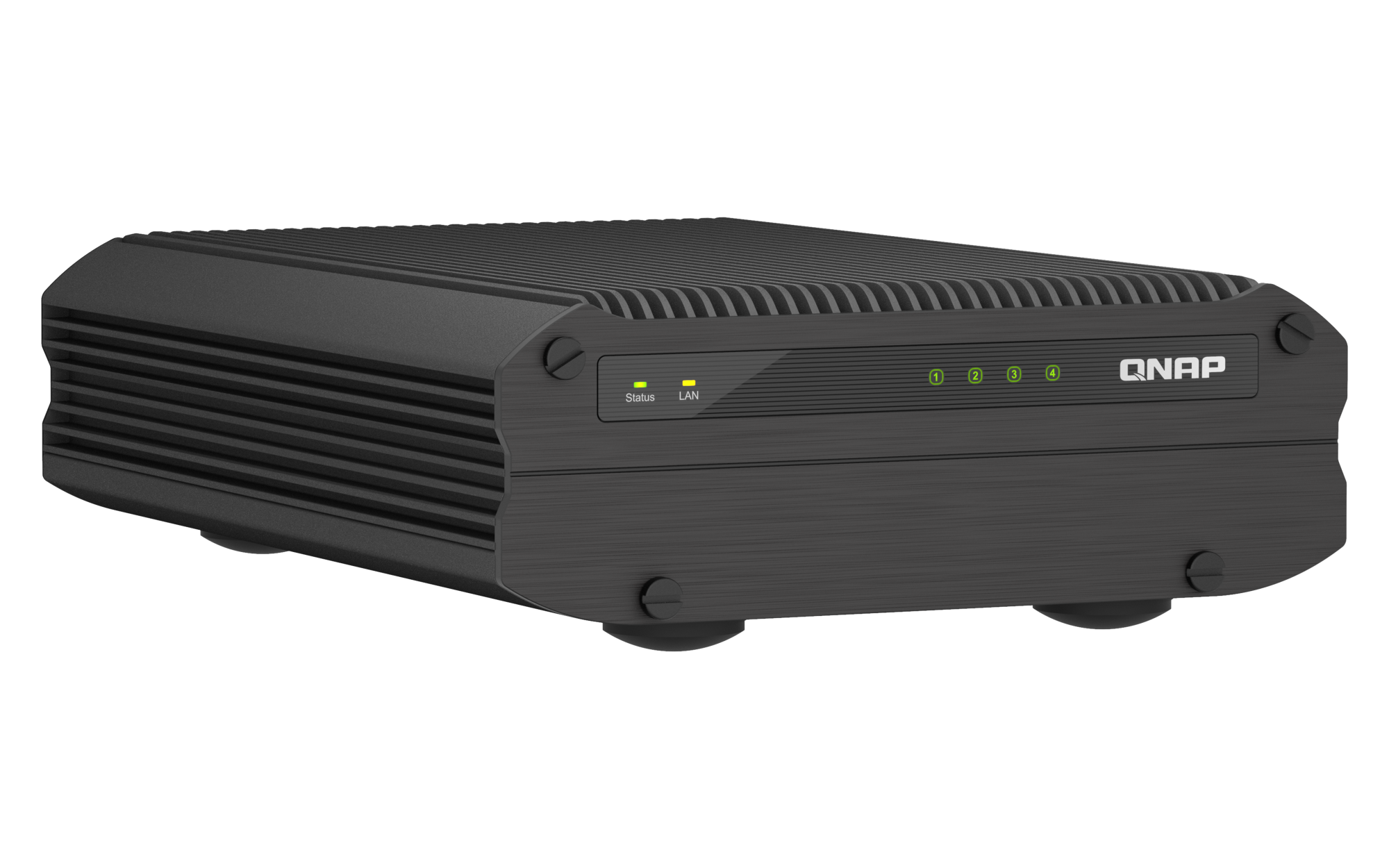
Explore this need in the finder →The QNAP TS-i410X-8G-US is a niche NAS for installations where its environmental and network features solve a real constraint. The documented package combines four 2.5-inch SATA SSD positions, two multi-rate 10GBASE-T ports, 8 GB memory, a fanless chassis and a wide DC input. That makes it quite different from a conventional four-bay home NAS: it is not a four-drive 3.5-inch HDD box, and the four bays should not be treated as a general-purpose capacity promise.
Four bays, but a specific kind of storage
QNAP's English TS-i410X guide identifies four internal 2.5-inch SATA positions and lists 2.5-inch SATA solid-state drives in the model's compatibility row. The U.S. product page likewise describes four SATA SSD slots. If your plan depends on large 3.5-inch hard drives, the bay count alone is misleading: this is not the chassis to shortlist as a conventional HDD array. QNAP directs buyers to its model-specific compatibility list, so check the full SSD model and firmware there before you size the array. I have not verified any particular drive SKU.
The standard model-guide contents list the NAS, an AC adapter, a Cat6a RJ45 cable and screws for 2.5-inch drives; they do not list data SSDs. Plan the cost, capacity and installation around separately selected compatible drives. Two SSDs in RAID 1 leave two more native positions free, but usable space is approximately the smaller member's capacity before formatting and system overhead, not the sum of both disks. Four positions also do not automatically mean that every slot will be used in the first setup.
Two 10GbE ports need a 10GbE network path
The guide documents two 10GBASE-T RJ45 interfaces, each supporting 10, 5, 2.5 or 1 Gbps link modes. For one built-in port, 10 Gbps is the relevant ceiling. The second jack is a separate connection; do not add both advertised link rates and promise a 20Gbps copy to one workstation. Any multi-port configuration depends on compatible switching, client interfaces and setup. Cable quality, storage, file size and workload also shape real transfers. This assessment uses no QNAP lab benchmark as a predicted household or workplace result.
That connectivity only makes financial sense when the rest of the path can use it. A 1GbE router and client will not become a 10GbE system because the NAS has faster jacks. Inventory the switch, workstation NICs and cabling first, then decide whether the industrial use case justifies the premium network layer. Four USB 3.2 Gen 2 ports and HDMI 1.4b are documented as well, but neither turns the unit into a direct-attached drive enclosure.
Industrial power and temperature are the differentiators
QNAP specifies a fanless chassis and an operating range from −40 °C to 70 °C, alongside a 9–36 V DC input option. The exact guide also lists an external AC adapter rated at 90 W or above and warns against connecting both power inputs at once. That flexibility may be useful where a suitable DC supply already exists; it does not mean the required power wiring, terminal block or installation accessories are included in every seller's package. Verify the actual power source and exact order contents before installation.
The model guide lists 75 × 75 mm VESA mount support, while QNAP describes the wall mount as optional. Confirm that the particular mount is available and appropriate for the surface; the standard contents list does not include a VESA bracket. QNAP's environmental specification is useful for screening, not proof of performance in a specific plant, vehicle or outdoor enclosure. There is no independent acoustic, shock, vibration, ingress or thermal test in this assessment.
Mirror support is not a backup plan
The model guide's RAID table lists RAID 1 with two disks and one member-drive failure tolerance. In practice that means buying two compatible 2.5-inch SATA SSDs, initializing storage in QTS and creating the mirror yourself. QNAP identifies QTS as the default operating system and says QuTS hero is an alternate supported option beginning with QTS 5.2.2; treat that as a separate software path and review QNAP's current migration instructions before changing systems. The matching assessment records the straightforward QTS mirror only.
A mirror can keep an array available after a single member failure, but it mirrors deletion, malware and many kinds of file corruption too. Keep a separate backup on another device or location, and test recovery. The model guide lists 8 GB as the maximum memory. If a planned service needs more memory, do not assume an upgrade is possible or confuse the NAS's dual-channel memory description with an expansion slot.
Measure the delivered unit before a constrained fit
There is an unresolved physical-specification discrepancy. The 2022 English model guide gives 65 × 180 × 254 mm and 2.54 kg; a later QNAP regional hardware listing reports 62 × 180 × 244 mm and 3.1 kg. Those figures are not interchangeable installation clearances, and the regional listing does not settle a current U.S. revision. For a shelf, vehicle cabinet or VESA installation with tight tolerances, ask QNAP to confirm the delivered model revision and measure the actual enclosure rather than relying on either row.
Who should shortlist the TS-i410X?
Consider it when the job genuinely needs four small-form-factor SATA SSD positions, dual built-in 10GbE, the documented temperature range or alternate DC power. It is a poor fit if the core requirement is four high-capacity 3.5-inch HDDs, expandable memory, an already-built storage pool, or plug-and-play wall mounting. A buyer who wants a fanless four-position desktop NAS but does not need the industrial temperature or 10GbE features should compare the QNAP TS-410E assessment; it has a related 2.5-inch SSD focus but slower built-in 2.5GbE networking.
This is a documentation-based assessment, not a hands-on review. No drives, performance results, noise levels, installation experience, seller stock, price or customer feedback are claimed. The practical buying checks are exact SSD compatibility, the complete network path, one appropriate power input, optional mounting hardware and the actual enclosure revision.
Key specifications
Key details at a glance
| Internal drive bays | 4 bays |
|---|---|
| Documented internal drive media | 2.5-inch SATA SSD |
| Built-in Ethernet ports | 2 × 10GBASE-T RJ45 (10/5/2.5/1 Gbps each) |
| Fastest individual Ethernet port | 10 Gbps |
| Installed system memory | 8 GB |
| Maximum listed memory | 8 GB |
| Listed storage arrangements | RAID 1 / RAID 5 / RAID 6 / RAID 10 |
| Internal file systems | EXT4 (QTS default) / ZFS (QuTS hero, optional alternate operating system) |
| Data drives included in listed package | No |
| Processor | Intel Atom x6425E |
| CPU cores | 4 |
| CPU threads | 4 |
| Installed memory type | 8 GB dual-channel memory; the exact model guide lists 8 GB as the maximum |
Use the exact model’s instructions for operating limits, supplied equipment and version differences.
Sources for this review
Sources for this assessment
Check your setup before choosing a NAS
Use the finder to narrow documented desk/shelf or rack formats, internal-bay minimums, a single Ethernet-port rating and optional redundancy requirements.