
Your needs, this model
Does it fit your priorities?
Can a two-drive RAID 1 start leave two of the four native bays open?
Yes, as a possible owner-created layout: ASUSTOR lists four native SATA bays and RAID 1, so a two-drive RAID 1 arrangement uses two positions and leaves two physical positions unused. The QIG says to select compatible SATA disks and warns that initialization erases drive data; the package list does not include data drives. A mirror is not a backup, so keep another recoverable copy.
Explore this need in the finder →Do its two network ports make one client connection 5 Gbps?
No such single-client rate is established. ASUSTOR lists two individual 2.5-Gigabit ports and advertises up to 5 Gbps using link aggregation with compatible equipment. The matcher records the rating of one built-in port as 2.5 Gbps; it does not predict throughput from a client or a multi-link setup.
Explore this need in the finder →What does the standard AS5304T package list for drives and connections?
The manufacturer package list includes two Cat 5e LAN cables, the power cord and adapter, a cord bracket, a quick guide and sixteen screws for 2.5-inch HDD installation. It does not list data drives. Retailer-added packages were not checked, so verify the contents of the exact offer.
Explore this need in the finder →Is the exact processor revision settled across official sources?
No. The p_id=62 hardware page names a Celeron J4105 at 1.5 GHz with a 2.5-GHz burst, while U.S. comparison documents list a J4125 at 2.0 GHz and up to 2.7 GHz; the datasheet page shows both names. No exact U.S. suffix or revision bridge was found. CPU part and clocks are excluded from matching and performance claims; verify the physical label if they matter.
Explore this need in the finder →Can I rely on the advertised expansion-unit bay total?
Not without checking the exact revision and accessory. The hardware table advertises a maximum of sixteen bays and 320 TB raw with expansion, while the product datasheet page describes up to three AS6004U units and 216 TB. I could not reconcile these claims to an exact supported U.S. package. The four built-in positions are the only bays counted in this assessment.
Explore this need in the finder →What four-bay alternative has a single 2.5-Gigabit port and fixed 2 GB memory?
ASUSTOR's reviewed DRIVESTOR 4 Pro Gen2 (AS3304T v2) also has four native SATA bays, but its exact fact lists one built-in 2.5-Gigabit port, fixed 2 GB memory and no HDMI output. NIMBUSTOR 4 lists two 2.5-Gigabit ports, 4 GB expandable to 8 GB and HDMI 2.0a. These are documented connection and memory distinctions, not a measured performance ranking.
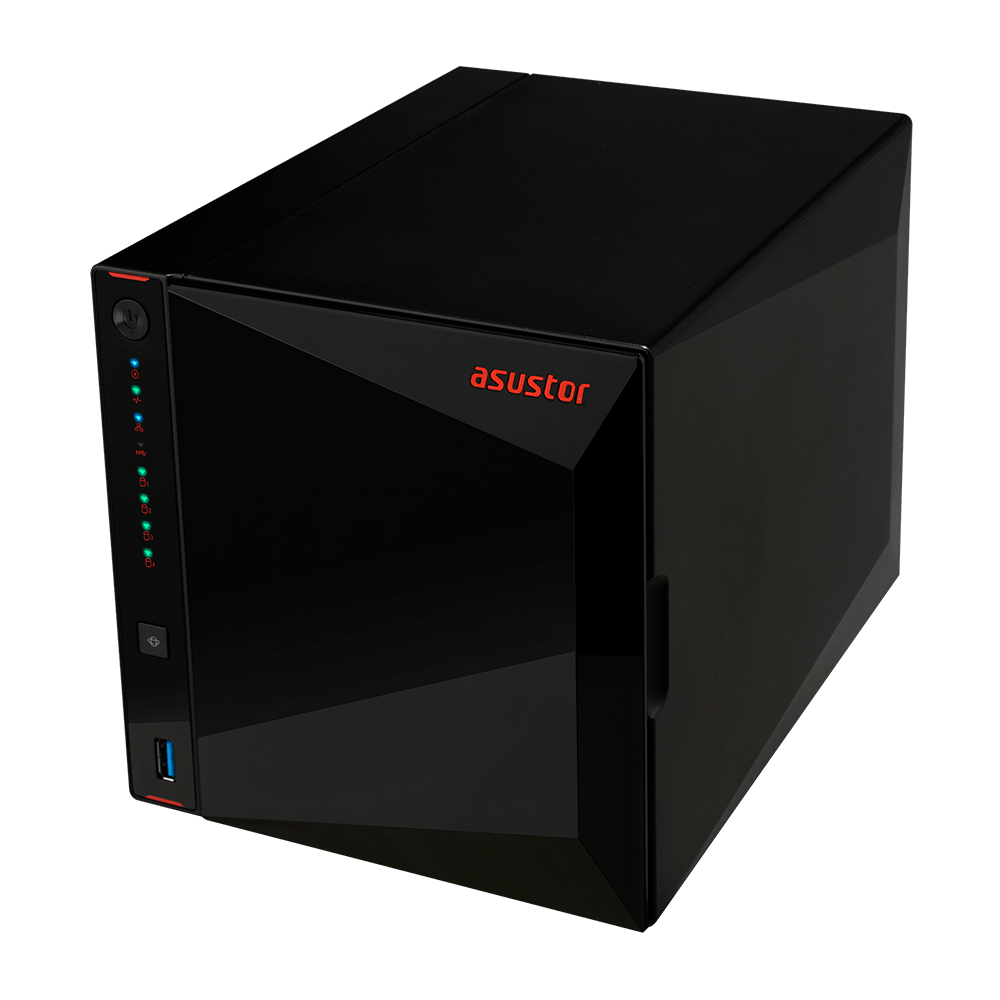
Explore this need in the finder →The ASUSTOR NIMBUSTOR 4 (AS5304T) is a four-native-bay desktop NAS with two rated 2.5-Gigabit Ethernet ports and HDMI 2.0a. Its main distinction from the NIMBUSTOR 2 is two more SATA positions, not a faster single-port rating. This is a document-based assessment, not a hands-on test; the exact retail suffix, seller bundle and drive/firmware pairing remain unverified.
What is documented for this model
ASUSTOR’s product-specific hardware record identifies NIMBUSTOR 4 (AS5304T), product ID 62. The English-U.S. model comparison independently lists four SATA drive bays, 4 GB of DDR4-2400 memory and two 2.5-Gigabit LAN ports. ASUSTOR’s support-status table marks AS5304T Generally Available and Supported and shows a three-year warranty field. That does not confirm a live U.S. offer or seller warranty; verify the exact unit and receipt.
Four native SATA positions and their capacity tradeoff
The chassis has four internal SATA positions for 3.5-inch HDDs or 2.5-inch SATA HDDs or SSDs. Its QIG describes removing the front panel, sliding out each tray and fitting a SATA disk; initialization erases existing drive data. The hardware table gives 72 TB raw as four 18-TB drives and says capacity varies by RAID type. That is a raw sum, not usable space after a layout or proof that a drive/firmware pairing is approved. Check ASUSTOR’s current compatibility list using the exact drive model before ordering.
Four positions permit more layouts than the two-bay AS5202T, but the base package is not a prebuilt array. The U.S. comparison lists Single, JBOD, RAID 0, RAID 1, RAID 5, RAID 6 and RAID 10. A two-drive RAID 1 uses two bays and leaves two physically open; it does not protect against deletion, ransomware, theft or loss of the whole enclosure. Decide how much capacity to trade for redundancy before selecting disks, and keep a separate recoverable backup regardless of layout.
Two 2.5-Gigabit ports are not one 5-Gigabit port
The hardware table lists two individual 2.5-Gigabit Ethernet ports. ASUSTOR advertises up to 5 Gbps with link aggregation and compatible network equipment. That multi-link arrangement does not raise either port’s rating to 5 Gbps or establish a one-client transfer rate. A switch, cable and client must also support the intended path. The finder therefore treats 2.5 Gbps as the maximum rating of one port, not a measured speed.
Three USB 3.2 Gen 1 ports and one HDMI 2.0a output add local-device options. ASUSTOR describes HDMI playback and decoding, but actual results depend on the application, media, display and software version; none was tested here. HDMI does not replace the NAS network connection, and USB ports are not extra drive bays.
Memory, package contents and placement
The exact hardware table lists one installed 4-GB DDR4 SO-DIMM, two total slots and an 8-GB maximum using two 4-GB modules. The QIG warns that third-party memory is not guaranteed and recommends against self-installation if the owner is unfamiliar with the work. Treat an upgrade as a compatibility and warranty check. The package list names the NAS, cord and 90-W adapter, two Cat 5e cables, sixteen screws for 2.5-inch HDDs, a cord bracket and guide; it does not list data drives. Retailer-added bundles were not checked.
The U.S. comparison gives dimensions of 170 × 174 × 230 mm (H × W × D) and a 2.2-kg chassis weight. It lists 27 W operating, 12.6 W during disk hibernation and 1.4 W in sleep; these are manufacturer figures, not measurements here. Leave room for the rear fan and cables before placing the unit in a confined shelf.
How it differs from related ASUSTOR choices
Compared with the two-bay NIMBUSTOR 2 (AS5202T), this model adds two native SATA positions and starts with 4 GB rather than 2 GB of documented memory; both have dual 2.5-Gigabit ports and HDMI 2.0a. Extra bays do not automatically mean more useful capacity, and a mirror still needs backup.
The four-bay DRIVESTOR 4 Pro Gen2 (AS3304T v2) is a closer bay-count comparison: it also has four native bays, but one built-in 2.5-Gigabit port, fixed 2 GB memory and no HDMI. These are configuration differences, not a performance ranking; neither comparison establishes stock or price.
Important source conflicts and buying checks
Official sources disagree about the AS5304T processor: the hardware page describes a J4105 quad-core part at 1.5 GHz with a 2.5-GHz burst, while the U.S. ADM 4.2 and 2022 comparison sheets list a J4125 at 2.0 GHz up to 2.7 GHz. The product datasheet page uses both part names. No exact U.S. suffix or board-revision bridge resolves the conflict, so the CPU and clocks are left unknown and not used for performance claims. Verify the unit label if it matters.
Expansion claims also need care. The hardware table advertises up to 16 bays and 320 TB raw with an expansion unit, while the product datasheet page describes three AS6004U units and 216 TB total. The sources do not reconcile those figures to a supported exact accessory and revision, so only four built-in bays are counted here. Before buying, check the package, drive list, RAID plan, network equipment and expansion accessory against current manufacturer documentation.
Key specifications
Key details at a glance
| Internal drive bays | 4 bays |
|---|---|
| Documented internal drive media | 3.5-inch SATA HDD / 2.5-inch SATA HDD / 2.5-inch SATA SSD |
| Built-in Ethernet ports | 2 x built-in 2.5-Gigabit Ethernet (2.5G/1G/100M each) |
| Fastest individual Ethernet port | 2.5 Gbps |
| Installed system memory | 4 GB |
| Maximum listed memory | 8 GB |
| Listed storage arrangements | Single / JBOD / RAID 0 / RAID 1 / RAID 5 / RAID 6 / RAID 10 |
| Internal file systems | EXT4 / Btrfs |
| USB 3.2 Gen 1 ports | 3 |
| Dimensions (H × W × D) | 170 x 174 x 230 mm (H x W x D) |
| Weight | 2.2 kg |
| Hardware warranty | 3 years |
| Data drives included in listed package | No |
| M.2 NVMe slots | 0 |
| CPU cores | 4 |
Use the exact model’s instructions for operating limits, supplied equipment and version differences.
Sources for this review
Sources for this assessment
- ASUSTOR AS5304T hardware specification, product ID 62
- ASUSTOR AS5304T product datasheet page, product ID 62
- ASUSTOR ADM 4.2 U.S.-English comparison PDF
- ASUSTOR 2022 U.S.-English all-product comparison PDF
- ASUSTOR AS5304T package contents, product ID 62
- ASUSTOR AS52XXT / AS53XXT English Quick Installation Guide, Ver. 3.3.0118
- ASUSTOR product support-status table
- ASUSTOR NAS RAID calculator
- ASUSTOR drive compatibility selector
- ASUSTOR Home/SOHO directory entry observation
Check your setup before choosing a NAS
Use the finder to check bay count, the network link you need, and whether a documented two-drive redundant arrangement is essential.