
Your needs, this model
Does it fit your priorities?
Can the DXP6800 Pro meet a six-bay, one-port 10GbE and two-drive-redundancy screen?
Yes as a possible buyer-created arrangement: UGREEN lists six SATA bays, two individual 10GbE ports and RAID 1. A two-SATA-drive mirror would use two trays and leave four open, but the exact compatible pair, array initialization and seller contents are not established. The separate M.2 positions and system SSD do not add SATA bays; check the complete network path and keep an independent backup.
Explore this need in the finder →Does the DXP6800 Pro's 208TB figure mean 208TB of included usable storage?
No. UGREEN's arithmetic combines six 32TB SATA drives and two 8TB M.2 SSDs; the exact standalone product page calls the NAS diskless. The drives are separate purchases, and RAID layout, the role of the M.2 positions, system use and formatting mean that raw total is not a guaranteed usable volume.
Explore this need in the finder →Will two 10GbE ports guarantee a 20Gbps workstation copy?
No. Each individual Ethernet port is rated 10GbE; the second port does not make one client connection faster. Switch or direct-link capability, the client adapter, cabling, storage and workload all affect actual transfers, and no hands-on speed test is part of this assessment.
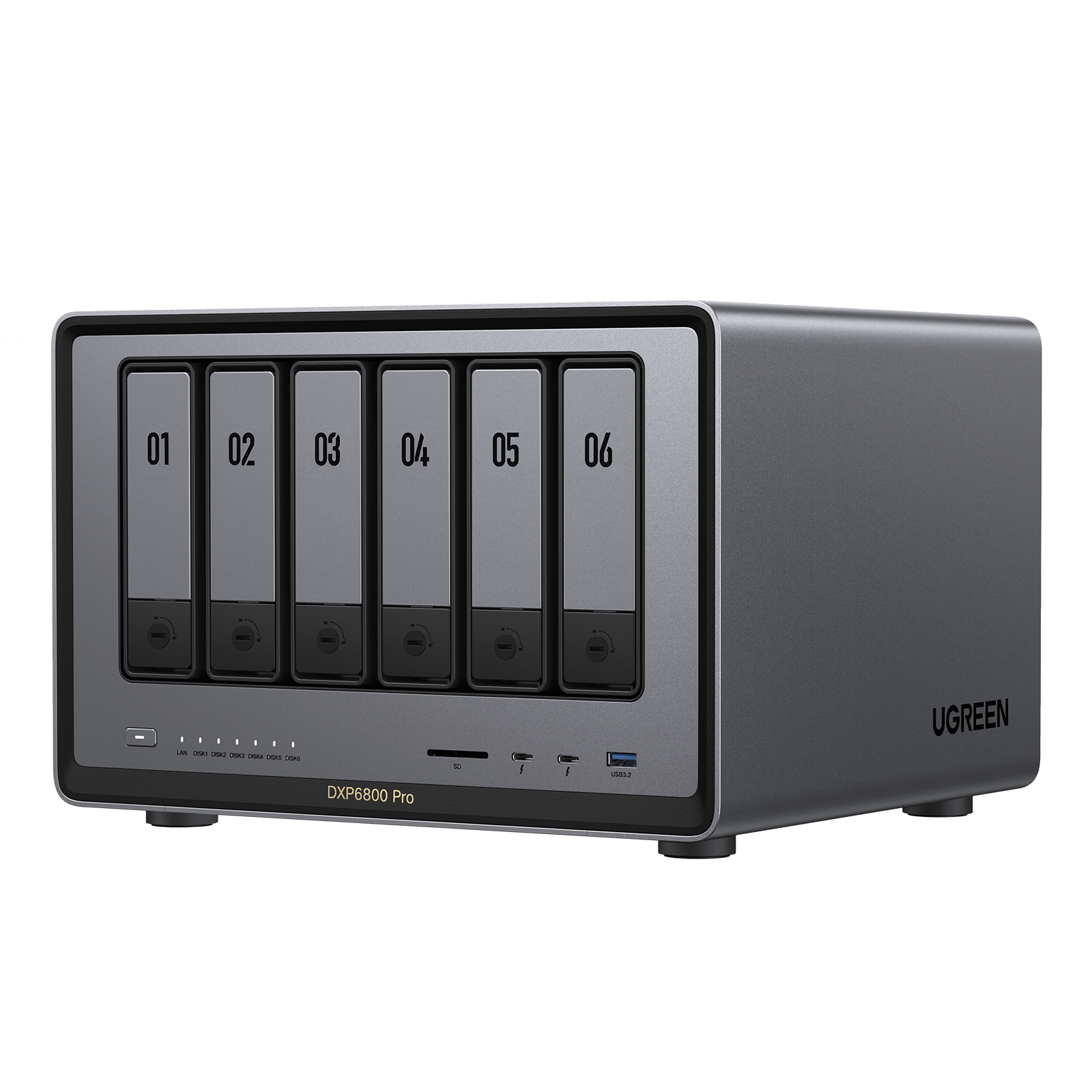
Explore this need in the finder →The NASync DXP6800 Pro is a six-SATA-bay desktop NAS with two separate M.2 positions, two individual 10GbE jacks and two Thunderbolt 4 ports. Its official U.S. model table also lists an Intel Core i5-1235U, 8GB of DDR5 memory, a 128GB system SSD and a maximum memory figure of 64GB. Those are useful capacity and interface facts, not a test result. I have assessed the manufacturer documentation and exact product record; I did not operate, own or benchmark this machine.
Six SATA trays, not eight data bays
The first fit question is whether six internal SATA positions suit the actual drive plan. UGREEN lists six SATA bays and two M.2 SSD slots separately. The 128GB system SSD is also a distinct system component, not another user-facing SATA tray. Count the Pro as a six-bay NAS for the finder, rather than adding M.2 slots or the system disk to its bay total. If you need an eight-drive SATA chassis, compare a model whose exact specification lists eight native SATA bays instead.
The advertised 208TB maximum is arithmetic across six 32TB SATA drives and two 8TB M.2 drives. The standalone product page identifies the Pro as diskless, so those data drives are not part of that figure’s starting package. Even after installing them, raw installed capacity is not necessarily one usable volume: the storage layout, the role of the M.2 slots and filesystem overhead affect the result. The manufacturer’s current DXP6800 Pro specification page is the place to confirm the exact chassis and current table before choosing drives.
Fast ports are only one part of the path
The model table lists two separate 10GbE RJ45 ports. For a single workstation link, the rated ceiling to compare is 10GbE on one port—not 20GbE from adding the two connectors together. Any aggregation mode depends on network equipment and configuration, and does not promise that one client will receive twice the throughput. Your client adapter, switch or direct connection, cable, disk layout, software and workload all sit in the data path. A port label alone cannot predict a file-copy time.
Thunderbolt 4 is a separate interface, not a faster Ethernet port. UGREEN lists two Thunderbolt 4 connections and labels its high-speed interface at up to 40Gb/s; that still does not establish a measured transfer rate or guarantee that a particular computer, cable and storage setup will use it as expected. If the NAS will sit beside an editing workstation or a fast Ethernet switch, map the whole link before paying for ports you cannot use.
RAID 1 is possible, but it is not an included setup
The exact Pro table lists RAID 1 among its supported modes. UGREEN’s general RAID guidance describes the two-drive mirror arrangement. That supports a possible buyer-created plan using two compatible SATA drives in two of the six bays, leaving four trays physically open. The diskless NAS does not arrive with that drive pair or a ready-made mirror; the buyer must select supported drives and create the storage pool.
A mirror can help keep a pool available through certain drive failures, but it does not protect against accidental deletion, ransomware, fire, theft or failure of the whole enclosure. Keep a separate backup with a recovery path. Before ordering drives, check the exact drive model and firmware in UGREEN’s NAS compatibility reference. The compatibility capture reviewed for this assessment did not establish a specific DXP6800 Pro drive-and-firmware pairing, so no particular hard drive or M.2 SSD is endorsed here.
Memory, processor and package checks
UGREEN’s table lists the 12th-generation i5-1235U as a 10-core, 12-thread processor, 8GB DDR5-4800 memory and a 64GB maximum. It also marks ODECC as supported. That last label does not establish that the supplied module is ECC memory, reveal every slot detail, or identify a validated upgrade part. If memory capacity or error-correction is a buying requirement, check the exact part number and the current model-specific support information rather than selecting a module from capacity and DDR generation alone.
The U.S. product page also lists a PCIe x4 expansion slot, an 8K HDMI output, SD 4.0 and manufacturer dimensions of 11.54 × 10.16 × 7.87 inches (L × W × H). Treat the dimensions as an enclosure reference, not required installation clearance: confirm orientation, rear cable bend, ventilation and tray access where the box will sit. Verify the current seller’s complete package and warranty as well; this assessment covers the standalone diskless NAS, not an added-drive bundle.
Bottom line
The DXP6800 Pro is a plausible choice when six SATA bays, a possible two-drive mirror and an individual 10GbE connection match the plan, with M.2 and Thunderbolt as separate options. It is less compelling if you need populated storage, a guaranteed high-throughput workload or a documented compatible drive and memory build before purchase. One documentation caveat matters: parts of the manufacturer page’s FAQ refer to the DXP8800 Plus, a different model. This assessment uses the exact DXP6800 Pro model row and does not transfer those unrelated FAQ specifications to the Pro.
Key specifications
Key details at a glance
| Internal drive bays | 6 bays |
|---|---|
| Documented internal drive media | SATA |
| Built-in Ethernet ports | 2 × 10GbE RJ45 |
| Fastest individual Ethernet port | 10 Gbps |
| Installed system memory | 8 GB |
| Maximum listed memory | 64 GB |
| Listed storage arrangements | JBOD / Basic / RAID 0 / RAID 1 / RAID 5 / RAID 6 / RAID 10 |
| Data drives included in listed package | No |
| System drives included (not data-bay drives) | 128GB system SSD listed separately from the six SATA data bays |
| M.2 NVMe slots | 2 |
| Processor | Intel Core i5-1235U (12th generation) |
| CPU cores | 10 |
| CPU threads | 12 |
| Installed memory type | UGREEN lists 8GB DDR5-4800 and 64GB maximum expansion and marks ODECC supported. That table does not identify the supplied module's ECC behavior, exact memory-slot arrangement or a compatible upgrade part; verify exact part numbers before changing memory. |
Use the exact model’s instructions for operating limits, supplied equipment and version differences.
Sources for this review
Sources for this assessment
- UGREEN NASync DXP6800 Pro U.S. product page and exact model specification table
- UGREEN DXP6800 Pro product JSON and exact U.S. SKU, variant, UPC and image mapping
- UGREEN U.S. NAS collection and exact DXP6800 Pro product-card bridge
- UGREEN NAS RAID calculator and general capacity guidance
- UGREEN NAS compatibility reference checked for exact DXP6800 Pro drive and memory parts
Check your setup before choosing a NAS
Use the finder to check bay count, the network link you need, and whether a documented two-drive redundant arrangement is essential.