
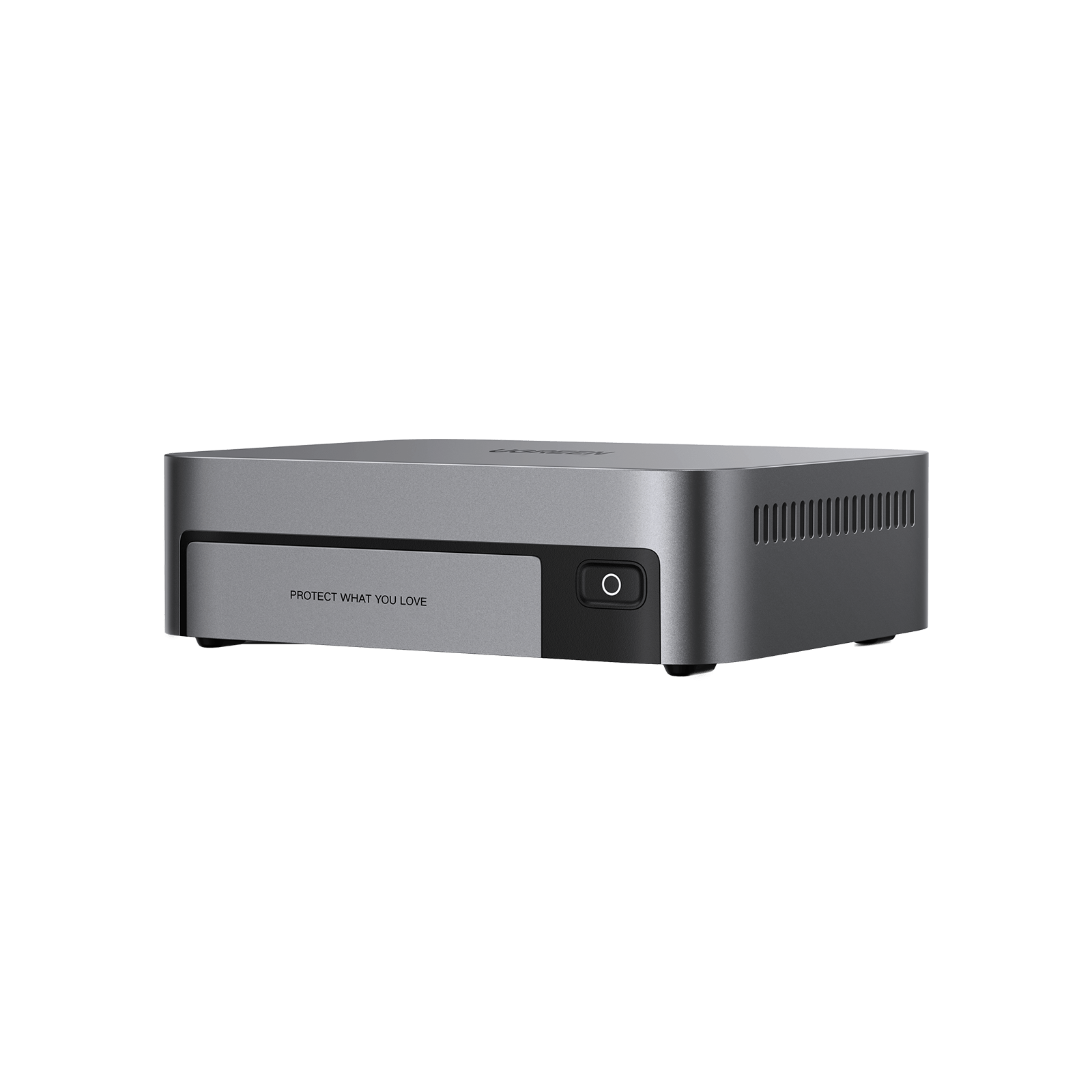
Your needs, this model
Does it fit your priorities?
Do the DXP480T Plus's four internal drive positions count toward a four-bay requirement?
Yes, for the numeric position count: UGREEN lists four M.2 NVMe data slots. They are not four SATA trays, and the separate 128GB system SSD does not add a fifth data bay. If you need spinning SATA HDDs or SATA drive trays, this is the wrong layout; check each exact NVMe SSD in UGREEN's compatibility list.
Explore this need in the finder →Can the DXP480T Plus meet a four-position, 10GbE and two-drive-mirror requirement?
Yes as a possible buyer-created plan: its four M.2 positions can hold a two-SSD RAID 1 pool, and UGREEN lists one built-in 10GbE RJ45 port. The standalone unit is diskless, so the compatible SSDs and pool setup are yours to arrange. One 10GbE port is a link rating, not measured copy speed, and RAID 1 is not an independent backup.
Explore this need in the finder →Does UGREEN's 32TB figure mean 32TB is supplied or available in a two-drive mirror?
No. The manufacturer calculates 32TB from four 8TB M.2 SSDs, which are not included in the diskless base. A two-drive RAID 1 pool uses the capacity of its smaller member before formatting and system overhead; that is not the same as a four-drive 32TB raw sum.
Explore this need in the finder →Do two Thunderbolt 4 ports create an 80Gbps file-transfer route?
No. UGREEN specifies two Thunderbolt 4 ports rated up to 40Gb/s each and supports a direct connection to one computer on one port with UGOS firmware 1.2.0.2121 or later. The two ports do not combine into an 80Gbps SMB link; the client, cables, storage pool, software and workload still set practical transfer rates.
Explore this need in the finder →Documentation-based assessment; this model was not physically tested or used. Manufacturer link rates and capacity figures are not independent performance measurements.
A four-slot NAS with a different kind of bay
The NASync DXP480T Plus is the unusual member of UGREEN's four-position desktop NAS family: all four data slots are M.2 NVMe SSD positions, and the spec table lists no SATA bays. That distinction matters more than the four-bay headline. If your plan depends on inexpensive, high-capacity spinning disks, or on moving a SATA drive set from another enclosure, this is not that appliance. The DXP4800 Plus, DXP4800 Pro, and DXP4800 GT are separate models with four SATA trays; their drive layout and other specifications should not be transferred to the DXP480T Plus.
The standalone U.S. product variant is manufacturer SKU 25891. UGREEN labels the base NAS diskless, so you supply the data SSDs and create the pool. Its 32TB maximum is arithmetic for four 8TB M.2 drives, not storage included in the box and not a promise of 32TB available in a single volume. UGREEN's separate product selector also identifies a + UPS package variant; this review and its matching facts concern the standalone selection, not that other package or any seller-added contents.
Plan the SSD pool before counting usable space
UGREEN lists Basic, JBOD, RAID 0, RAID 1, RAID 5, RAID 6, and RAID 10 for the DXP480T Plus. The selected mode still depends on how many compatible drives you install in a pool. A two-drive RAID 1 mirror is a possible owner-created setup using two of the four M.2 positions; it uses the capacity of the smaller drive before formatting and system overhead, leaves two positions unused, and arrives neither installed nor initialized in the diskless base. A mirror can help with a member-drive failure, but it does not protect against deletion, malware, theft, or a second failure during recovery. Keep an independent backup.
All four slots being M.2 makes compatibility checking especially important. UGREEN's compatibility selector supports choosing this exact model and an SSD category, but the page capture reviewed here did not expose an individually verified drive-and-firmware row. I do not endorse a particular module, capacity, endurance rating, or mixed-drive combination. Confirm the exact SSD model and capacity on UGREEN's current list, then check endurance and warranty for the workload you actually expect. Do not treat connector fit or a large advertised maximum as proof of compatibility.
One 10GbE jack and two separate Thunderbolt paths
The DXP480T Plus has one built-in 10GbE RJ45 port. That can make sense for a workstation with a suitable NIC and a compatible direct or switched path, but the NAS port alone does not make the whole network 10GbE. The client, switch or router, cabling, software, SSD pool and file workload all matter. UGREEN's 10GbE figure is a connection rating, not a measured transfer rate; this assessment does not repeat the manufacturer's peak-speed marketing figure as a benchmark.
UGREEN also lists two Thunderbolt 4 ports rated up to 40Gb/s per connection. They are a distinct option for a direct-attached computer, not two extra Ethernet ports and not an 80Gb/s link when used together. UGREEN's direct-connection guidance specifies UGOS firmware 1.2.0.2121 or later and describes using one NAS port with one computer. Confirm that your computer, cable, operating-system path, and current model instructions support the setup before making it part of a studio workflow. The built-in Wi-Fi 6 and HDMI output are additional manufacturer-listed connections; neither changes the single-port Ethernet answer or establishes a particular wireless or video workload result.
Processor, memory, and the small enclosure
UGREEN lists a 10-core, 12-thread Intel Core i5-1235U, 8GB DDR5 memory, a stated 64GB maximum, and a 128GB system SSD. The separate system SSD is not a fifth user data position. UGREEN's spec sheet marks ODECC as supported, but that label does not identify the supplied 8GB module as ECC or tell a buyer which upgrade module to order. Check the exact model and module on the compatibility list rather than inferring compatibility from DDR5 alone.
The manufacturer's listed chassis dimensions are 7.05 × 5.59 × 2.05 inches. Leave room for the power lead, Thunderbolt or Ethernet cables, ventilation, and service access; chassis figures are not the clearance envelope for a shelf or cabinet. The DXP480T Plus's compact footprint is attractive only if the all-SSD format fits the storage budget and the project benefits from that layout. A small case does not make the SSDs, network path, backup, or setup requirements disappear.
Who should shortlist it?
Consider the DXP480T Plus when you specifically want a compact all-flash NAS with four internal NVMe positions, a single 10GbE route, and the option of a supported Thunderbolt direct connection. It can be configured for a two-drive mirror, but the buyer must select compatible SSDs, install them, choose the pool, and plan a separate backup. Check the exact package selection: the standalone SKU reviewed here is diskless and does not include the separately identified UPS accessory.
Look elsewhere if your priority is bulk capacity from SATA HDDs, a preloaded drive set, several built-in Ethernet ports, or a plug-in-and-copy result without checking software and compatibility. The model's high link ratings and all-flash design are reasons to compare, not proof that a particular file workflow will be fast. No hands-on setup, transfer test, reliability result, noise measurement, price, stock, warranty term, or Amazon listing identity is asserted here.
Key specifications
Key details at a glance
| Internal drive bays | 4 bays |
|---|---|
| Documented internal drive media | M.2 NVMe SSD |
| Built-in Ethernet ports | 1 × 10GbE RJ45 |
| Fastest individual Ethernet port | 10 Gbps |
| Installed system memory | 8 GB |
| Maximum listed memory | 64 GB |
| Listed storage arrangements | Basic / JBOD / RAID 0 / RAID 1 / RAID 5 / RAID 6 / RAID 10 |
| Data drives included in listed package | No |
| System drives included (not data-bay drives) | 128GB SSD system disk (not a user data-bay drive) |
| M.2 NVMe slots | 4 |
| M.2 SSD storage-pool support | Yes |
| Processor | Intel Core i5-1235U |
| CPU cores | 10 |
| CPU threads | 12 |
| Installed memory type | UGREEN lists 8GB DDR5 and a stated 64GB maximum. It also marks ODECC as supported but does not establish that the included memory is ECC or identify a specific compatible upgrade module; verify the exact model in the compatibility list. |
Use the exact model’s instructions for operating limits, supplied equipment and version differences.
Sources for this review
Sources for this assessment
- UGREEN NASync DXP480T Plus U.S. product page and selected product variants
- UGREEN DXP480T Plus product JSON with exact U.S. variant identities and model image mapping
- UGREEN U.S. NAS collection
- UGREEN NAS specification comparison
- UGREEN model-specific drive and accessory compatibility list
- UGREEN RAID configuration and capacity guidance
- UGREEN NAS Thunderbolt 4 direct-connection support and setup guidance
- UGREEN UPS compatibility and shutdown-planning guide
Check your setup before choosing a NAS
Use the finder to check bay count, the network link you need, and whether a documented two-drive redundant arrangement is essential.