
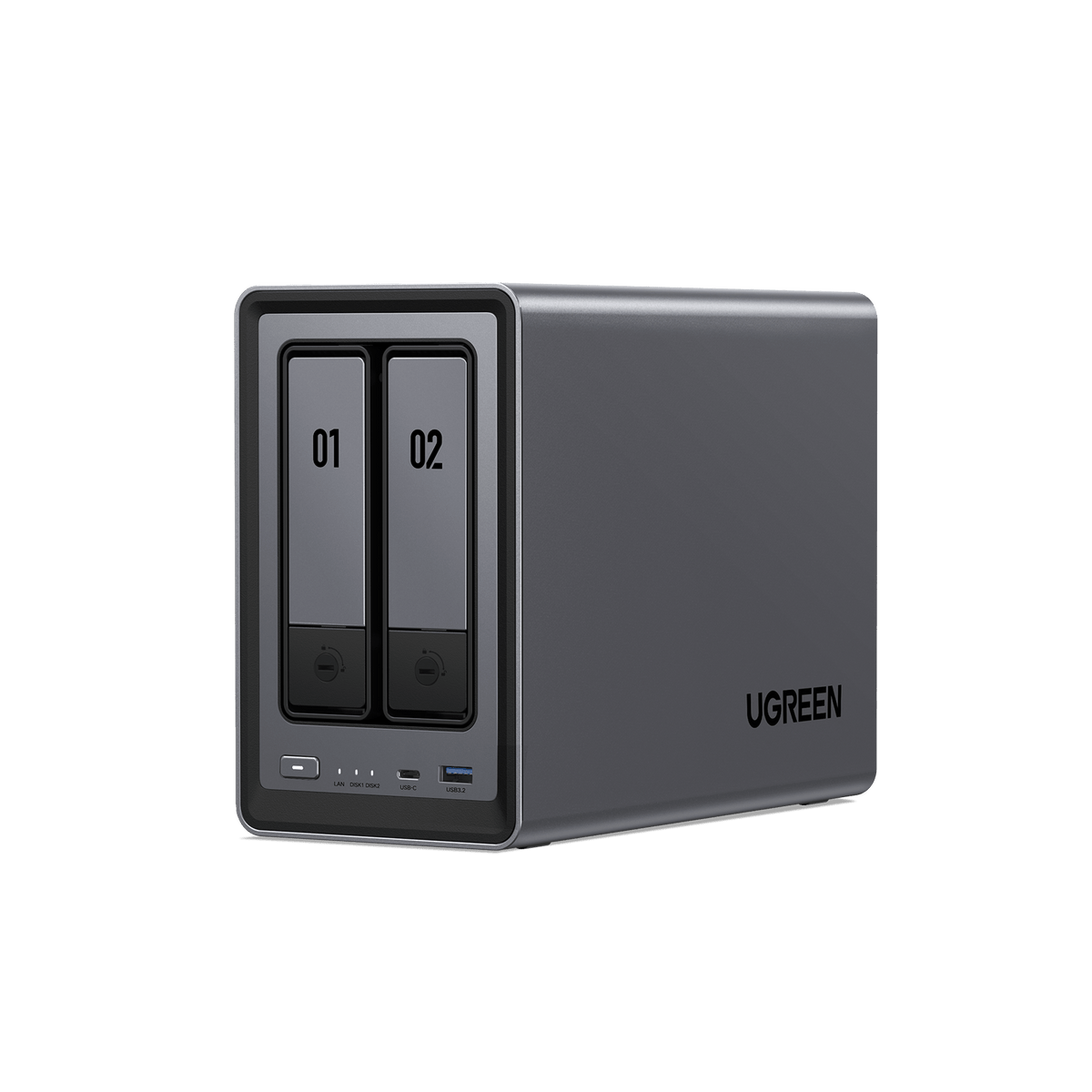
Your needs, this model
Does it fit your priorities?
Does the DXP2800 meet a two-bay, 2.5GbE and RAID 1 requirement?
Yes, as a buyer-created plan: UGREEN lists two SATA positions, one 2.5GbE port and RAID 1 for its two-bay models. You still need two drives from the exact compatibility list and must create the pool; the diskless base package is not preconfigured. A mirror is not a separate backup.
Explore this need in the finder →Does the 80 TB capacity label mean 80 TB is included or usable in RAID 1?
No. UGREEN's headline combines two 32 TB SATA drives and two 8 TB M.2 SSDs as a maximum raw configuration; all drives are sold separately. A two-SATA-drive RAID 1 pool uses the smaller drive's capacity before formatting and system overhead, while M.2 storage is a separate position or pool.
Explore this need in the finder →Does the standard DXP2800 package include a UPS?
The base listing is diskless and does not list a UPS among its package contents. UGREEN separately labels a DXP2800 + UPS3000 bundle; check that the exact package variant is selected if the dedicated 120 W DC backup unit matters to you.
Explore this need in the finder →This is a document-based assessment of UGREEN's U.S.-listed DXP2800, not a hands-on test. Its appeal is straightforward: two SATA bays, one 2.5GbE port, an Intel N100 platform and two separate M.2 NVMe positions in a compact desktop NAS. The important limitation is equally straightforward: the NAS is diskless, and the headline capacity is not a usable RAID volume.
Two drive bays make the storage plan the first decision
The DXP2800 is a sensible shape for a home or very small office that wants a shared file destination, a second place for computer backups, or a modest media library without planning for a rack. UGREEN documents two SATA positions for 3.5-inch or 2.5-inch drives. Two bays are enough to build an owner-created RAID 1 mirror, but they do not leave extra SATA bays for a third data disk later. If you already know that RAID 5, RAID 6, or a larger set of spinning disks is part of the plan, the two-bay layout is the wrong constraint to accept just because the processor and network port look capable. The mirror is not an included feature in the sense of a ready-made storage pool. The base DXP2800 is sold without data disks. You choose two compatible drives, install them, initialize storage and select RAID 1 yourself. UGREEN lists Basic, JBOD, RAID 0 and RAID 1 for the two-bay models. For RAID 1, usable space follows the smaller member drive before formatting and system overhead. That gives a clear one-drive failure boundary for a healthy mirror, but it does not create another backup: deletion, malware, theft or loss of the whole NAS can still take out both copies. Keep a separate backup and test that a restore works.Do not read the 80 TB headline as included capacity
UGREEN's maximum-capacity figure adds two 32 TB SATA drives to two 8 TB M.2 SSDs. That is a raw maximum across different storage positions, not one 80 TB volume, not mirrored capacity and not a package contents list. The M.2 slots are additional NVMe positions that UGREEN says can serve cache or a separate SSD pool; they do not turn the two SATA trays into four native SATA bays. If your plan is a two-disk RAID 1, work from the SATA pair and treat any M.2 storage as a separate design decision. Drive compatibility also deserves a model-number check rather than a brand-level guess. UGREEN's compatibility list asks you to select the exact NAS and component type and check the full disk or SSD identity. Capacity, interface and firmware can matter. The same discipline applies if expanding the DXP2800's listed 8 GB DDR5 to the stated 16 GB ceiling: no particular upgrade module is bundled or approved by this assessment.One 2.5GbE port is a useful ceiling, not a transfer promise
The DXP2800 has one built-in 2.5GbE Ethernet port, so it can fit a wired path that includes a multi-gigabit switch or router and a client with a suitable port. That rating describes a single link. It does not mean a computer connected through 1GbE will suddenly receive 2.5GbE transfers, and it is not a measured file-copy result. Cable quality, client storage, drive activity, network configuration and workload all affect real throughput. The HDMI output can serve a direct-display media setup, but it does not change the shared-storage network path. UGREEN's current documentation identifies the N100 as a four-core processor and lists 8 GB memory with expansion up to 16 GB. The paper specifications create room for home services, but they do not prove a particular number of concurrent containers, virtual machines or media streams. If those workloads are essential, check current software compatibility and memory requirements against your exact setup rather than treating a general feature list as a performance guarantee.Choose the exact package before you populate it
The U.S. collection lists the base DXP2800 separately from a DXP2800 + UPS3000 bundle. The standard NAS review here is the diskless base profile; an optional bundle is not silently counted as included. If uninterrupted power to the NAS matters, compare the separately assessed bundle and confirm the exact variant in the order summary. Do not infer that either package contains disks from the 80 TB marketing ceiling.The same U.S. collection also shows an L1 refurbished DXP2800 option. UGREEN describes that grade as 80–95% new with signs of wear or scratches, with a three-month warranty and a 30-day return period limited to quality issues. The underlying two-bay DXP2800 hardware assessment still applies, but the cosmetic condition and support terms are materially different from a new unit. The refurbished page's promotional copy also uses a 76 TB figure while its specification table gives an 80 TB raw maximum; neither number means drives are included or that RAID leaves that much usable. Check the selected grade, terms and package contents rather than treating a refurbished listing as a like-new substitute.
Before ordering, write down the two drive models and capacities, confirm them in UGREEN's list, and estimate the usable RAID 1 space from the smaller drive. Decide where the independent backup will live. Then check that the switch, client and cabling can use the DXP2800's single 2.5GbE rate. Consider the DXP2800 when two bays meet the foreseeable storage plan and M.2 flexibility is useful; look at a larger enclosure if you need more native bays or a different RAID layout. Its strengths are documented, but the fit depends on a drive plan that you still have to buy, verify and configure.Key specifications
Key details at a glance
| Internal drive bays | 2 bays |
|---|---|
| Documented internal drive media | 3.5-inch SATA HDD / 2.5-inch SATA HDD / 2.5-inch SATA SSD |
| Built-in Ethernet ports | 1 × 2.5GbE RJ45 |
| Fastest individual Ethernet port | 2.5 Gbps |
| Installed system memory | 8 GB |
| Maximum listed memory | 16 GB |
| Listed storage arrangements | Basic / JBOD / RAID 0 / RAID 1 |
| Hardware warranty | 2 years |
| Data drives included in listed package | No |
| M.2 NVMe slots | 2 |
| M.2 SSD storage-pool support | Yes |
| Processor | Intel N100 |
| CPU cores | 4 |
| Installed memory type | The U.S. product page lists 8 GB DDR5 and says the memory is expandable up to 16 GB. It does not establish a particular upgrade module or seller-installed memory; verify the exact module in UGREEN's compatibility list. |
Use the exact model’s instructions for operating limits, supplied equipment and version differences.
Sources for this review
Sources for this assessment
Check your setup before choosing a NAS
Use the finder to check bay count, the network link you need, and whether a documented two-drive redundant arrangement is essential.