
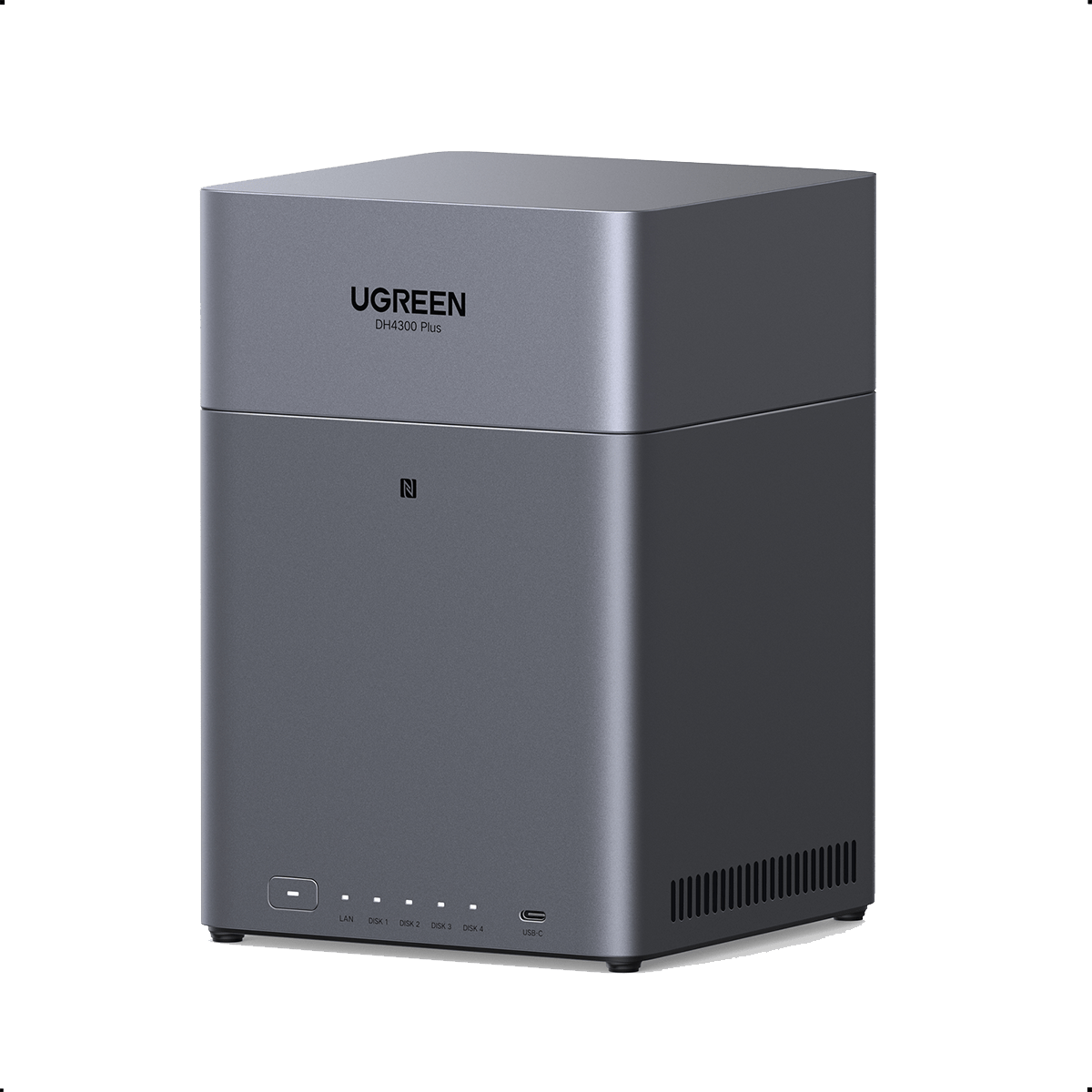
Your needs, this model
Does it fit your priorities?
Can the DH4300 Plus meet a four-bay, 2.5GbE and two-drive redundancy requirement?
Yes, as a possible buyer-created plan: UGREEN lists four SATA bays, one built-in 2.5GbE port and RAID 1, and its RAID guidance says a RAID 1 set uses at least two drives. Two compatible drives can occupy two trays in a mirror while leaving two positions open; the standalone NAS is diskless and no pool is preconfigured. The 2.5GbE rating is not a tested file-transfer speed, and RAID is not a backup.
Explore this need in the finder →Does the DH4300 Plus's 128TB figure mean included usable storage?
No. The current U.S. product page describes 128TB as raw capacity from four 32TB drives, which are sold separately. RAID 1 mirrors data rather than adding both drive capacities, while parity arrays and system or file-system overhead also reduce usable space. UGREEN's separate regional page still lists 120TB using four 30TB drives, so confirm the exact U.S. supported drive and planned array before treating any headline as a target.
Explore this need in the finder →Is the DH4300 Plus a good fit for a 10GbE virtual-machine or NVMe homelab?
No. Its U.S. specification lists one 2.5GbE port; UGREEN says the model has no M.2 NVMe slots, fixed 8GB LPDDR4X, and Docker support but no virtual-machine support. A 10GbE one-port requirement, memory expansion, NVMe storage or VMs point toward a different configuration such as UGREEN's separate DXP line. Do not combine the DH4300 Plus with the DXP4800 Plus's features.
Explore this need in the finder →The NASync DH4300 Plus is UGREEN’s four-bay, diskless desktop NAS aimed at buyers who want more room for drives than a two-bay starter box, but do not need 10GbE or expandable hardware. The current U.S. product page identifies the standalone model as SKU 65651. This is a source-based assessment of the published specifications and supported configurations, not a hands-on test; no drive combination, network transfer rate, seller offer, or installed storage pool was measured.
Four SATA bays, one moderate-speed network link
The central reason to choose the DH4300 Plus over a two-bay unit is its four internal SATA positions. UGREEN lists one 2.5GbE Ethernet port, 8GB of fixed LPDDR4X memory, and a 32GB eMMC system disk. The eMMC is system storage, not a fifth data bay. There are no M.2 NVMe slots, and the current U.S. product FAQ describes the memory as fixed rather than upgradeable. This keeps the selection relatively straightforward, but gives less room for faster flash storage or later hardware expansion than UGREEN’s DXP models.
One 2.5GbE port is a useful step beyond gigabit Ethernet when the rest of the network can take advantage of it. It does not promise a 2.5Gb/s file copy: the switch or router, client network adapter, cable, drives, file sizes, and workload all affect the result. Buyers planning a workstation link above 2.5GbE should choose a NAS with a correspondingly faster individual port instead of adding together the DH4300 Plus’s USB or HDMI connections.
Choose a storage layout before counting capacity
The DH4300 Plus is diskless, so its advertised storage ceiling is not included capacity. UGREEN’s current U.S. page states a 128TB raw maximum using four 32TB drives. That is a sum of the drive labels, not one guaranteed usable volume: parity, mirroring, system partitions, file-system overhead, and TB-versus-TiB reporting reduce available space. A separate UGREEN regional specification page still lists 120TB using four 30TB drives, so buyers should treat the exact supported drive size as something to verify against the current U.S. compatibility listing rather than assuming every regional figure applies to their unit.
UGREEN lists RAID 1, RAID 5, RAID 6, and RAID 10 among the supported modes. A buyer-created two-drive RAID 1 mirror is a reasonable starting plan when protection against one drive failure matters more than usable capacity: it uses two bays and leaves two positions open, but the mirror is not preinstalled and the drives are not supplied. UGREEN says a Basic-to-RAID-1-to-RAID-5 migration path is supported; still, array changes and rebuilds are moments to have a separate backup, not reasons to rely on the NAS as the only copy. RAID 5, RAID 6, and RAID 10 need more drives and have different space and failure tradeoffs, so estimate the layout before buying disks.
Home media features are not a virtualization platform
The rear HDMI output is specified for 4K/60Hz, and UGREEN describes direct local playback through HDMI, DLNA, and its media apps. That suits a simple TV-connected library better than a plan that depends on a particular remote-transcoding workload. Codec conversion, subtitle burn-in, client support, network bandwidth, and concurrent streams can change what works; a 4K output label is not a transcoding benchmark.
UGREEN’s current FAQ says the DH4300 Plus supports Docker but not virtual machines. It also says its fixed 8GB LPDDR4X and ARM processor are intended for lighter container use rather than a heavily expanded homelab. If virtual machines, M.2 SSD storage, memory upgrades, or a faster 10GbE link are hard requirements, UGREEN explicitly points buyers toward the different DXP4800 Plus. That model costs more in hardware scope, but its capabilities are not needed just to share files or organize a household photo library.
Check drives, package contents, and the backup plan
UGREEN directs buyers to select the exact NAS model and drive part number in its compatibility list. For always-on RAID use, the company recommends NAS-rated CMR drives where possible and does not recommend SMR. An unlisted drive is not automatically incompatible, but UGREEN says it has not verified the exact component-and-model combination. Confirm each drive’s full model and firmware before purchase, and remember that adding a drive for RAID is a separate cost.
The standalone NAS is distinct from the selectable DH4300 Plus + UPS2000 and + UPS3000 packages. UGREEN’s current product page labels the base NAS as diskless and shows the included accessories in its package graphic; a UPS is a separate selection, not an internal feature of the NAS. Check the exact retailer variant, included power items, returns, and warranty before ordering. A mirror can reduce disruption from one drive failure, but it cannot protect against deletion, malware, theft, enclosure failure, or a bad update. Keep another copy on an independent device or service and test that you can restore it.
Who should shortlist it
For a home buyer who wants four SATA bays, a 2.5GbE link, a possible two-drive mirror, and straightforward local media output, the DH4300 Plus has a clear, bounded role. It is less attractive if the plan depends on 10GbE, M.2 storage, upgradeable RAM, virtual machines, or an all-in-one included drive package. Check the exact U.S. standalone SKU, compatible drives, chosen array, and wider network path first; the best-fit decision is about that configuration, not a headline capacity number.
Key specifications
Key details at a glance
| Internal drive bays | 4 bays |
|---|---|
| Documented internal drive media | SATA |
| Built-in Ethernet ports | 1 × 2.5GbE RJ45 |
| Fastest individual Ethernet port | 2.5 Gbps |
| Installed system memory | 8 GB |
| Listed storage arrangements | JBOD / Basic / RAID 0 / RAID 1 / RAID 5 / RAID 6 / RAID 10 |
| M.2 NVMe slots | 0 |
| Processor | Rockchip A76+A55 eight-core ARM SoC (UGREEN U.S. specification table); clock speed omitted because current marketing and support representations conflict. |
| Installed memory type | Fixed 8GB LPDDR4X per UGREEN's current U.S. FAQ; no RAM upgrade is claimed. |
Use the exact model’s instructions for operating limits, supplied equipment and version differences.
Sources for this review
Sources for this assessment
- UGREEN NASync DH4300 Plus U.S. standalone product page, FAQ and specifications
- UGREEN DH4300 Plus product JSON mapping exact standalone SKU, variant, UPC, package variants and featured image
- UGREEN NAS compatibility list and component-checking guidance
- UGREEN RAID calculator, supported array requirements and capacity limitations
- UGREEN China DH4300 Plus specification page, retained to document a regional capacity-listing difference
Check your setup before choosing a NAS
Use the finder to check bay count, the network link you need, and whether a documented two-drive redundant arrangement is essential.