
Your needs, this model
Does it fit your priorities?
Which exact UPS is included with the DH4300 Plus?
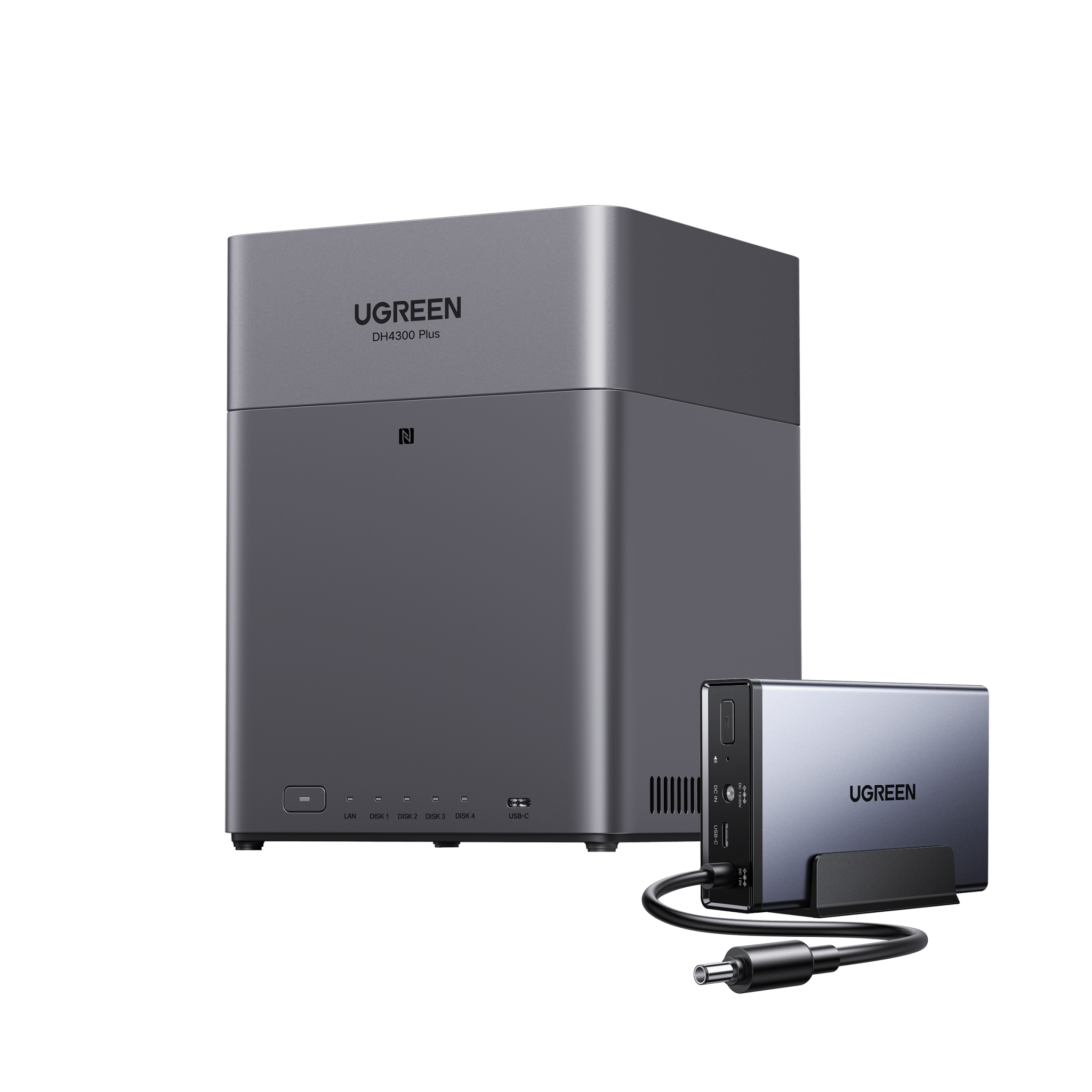
The reviewed selection is DH4300 Plus + UPS3000, variant 45573985173698 / combined SKU 65651+45615. UGREEN also exposes a distinct UPS2000 selection for the same NAS family. Verify the precise variant rather than relying on a generic “+ UPS” label.
Explore this need in the finder →Does this four-bay NAS bundle arrive with drives or an initialized array?
No. The DH4300 Plus is diskless even in the selected UPS3000 package. The U.S. page's 128-TB figure is raw potential across four drives; a separate UGREEN source lists 120TB, a discrepancy that should remain visible. Compatible drives and pool setup are separate buyer tasks.
Explore this need in the finder →Does UPS3000 let the DH4300 Plus power the router and switch too?
No. UGREEN documents a DC power path and USB communication for the compatible NAS. The router and switch require their own protected source if they must remain online, and no fixed runtime is guaranteed. Test NAS detection and safe shutdown with the actual load.
Explore this need in the finder →Can I use the four bays for a mirror and still keep expansion room?
A possible buyer-created two-drive SATA RAID 1 plan occupies two of the four bays, leaving two trays. The drives are sold separately, and the US3000 does not change bay count, the single 2.5GbE port or the separate-backup requirement.
Explore this need in the finder →The DH4300 Plus + UPS3000 is the four-bay DH4300 Plus with a separately identified UGREEN DC backup unit. It is the bundle to compare when the NAS's four native SATA positions and single 2.5GbE port suit your setup and you also want UGREEN's compatible US3000 in the selected package. The added accessory addresses power interruption; it does not make the NAS faster, add storage, or turn the unit into a battery supply for the rest of your home network.
The selected package is more specific than “DH4300 Plus + UPS”
UGREEN's current U.S. product JSON identifies the selected DH4300 Plus + UPS3000 variant as 45573985173698, combined manufacturer SKU 65651+45615. The NAS is component 65651; UPS component 45615 is the US3000/UPS3000. UGREEN's product page shows the selected option and says data drives must be purchased separately. It lists a second, distinct DH4300 Plus + UPS2000 option as well. This review covers the UPS3000 package only, so verify the complete variant name when comparing a retailer's contents rather than treating any listing that says “+ UPS” as equivalent.
The US3000 product specification lists a 120W maximum output, a 12,000mAh lithium-ion battery rated at 43.2Wh, zero-second transfer and USB data communication. UGREEN's compatibility guide includes the DH4300 Plus among supported US3000 models. Its NAS UPS guide describes a DC power path for one supported NAS and USB communication; a standard AC UPS is the more relevant comparison if the modem, router, switch or multiple devices must also stay on. The maker gives an approximate scenario rather than a guaranteed DH4300 Plus runtime. Loaded drives, workload, battery condition and configured shutdown behavior all affect duration. No runtime can be inferred from the 12,000mAh label alone.
The enclosure remains the same four-bay NAS
UGREEN's U.S. product page describes the DH4300 Plus as a diskless four-SATA-bay system with one 2.5GbE port, fixed 8GB LPDDR4X and 32GB eMMC system storage. There are no M.2 positions. The CPU is listed as an A76+A55 eight-core Rockchip SoC; its clock is omitted here because UGREEN's current table and marketing/support displays conflict. U.S. material gives up to 128TB raw using four 32TB drives, while another regional UGREEN specification lists 120TB. Retain that source discrepancy and do not use either number as a claim of included or formatted capacity.
A buyer-created two-drive RAID 1 arrangement is one possible start: it uses two of the four SATA trays and leaves two for later, provided the selected drives and firmware are compatible. UGREEN also lists RAID 5, 6 and 10, but those are different owner-created plans, not a hidden feature of the UPS package. Buy drives separately, check each exact part number against UGREEN's current list and avoid assuming a four-drive array ships configured. A four-disk RAID layout also does not replace an external or off-device backup. The two extra open trays matter only if the drive/volume plan can actually grow under the chosen OS and arrangement.
Where the 2.5GbE connection helps—and where it stops
The DH4300 Plus's single Ethernet link is rated at 2.5GbE; it is not a 10GbE NAS. A compatible 2.5GbE client and switch can make better use of that port than a gigabit-only path, but real transfers still depend on the storage layout, client, cabling and workload. The UPS does not alter this bottleneck. It can be relevant for a home file server or photo archive that should shut down cleanly during a short interruption, but users who need uninterrupted access from phones or laptops must consider router/switch power too. Keep network coverage and data protection as separate decisions.
When the UPS variant is worth comparing
The bundle is a better fit than the standalone DH4300 Plus if you want this exact NAS and the named US3000 together, do not already own a suitable backup supply and need the compact NAS power path. If you have an existing UPS, need a longer documented runtime at a stated load, or want to keep other devices powered, compare an appropriate standard AC model and the standalone NAS instead. Do not count a UPS as drive redundancy, a backup copy or proof the system has been tested under outage.
At purchase, verify variant 45573985173698 / manufacturer combination 65651+45615 and distinguish the UPS3000 from the separate UPS2000 option. Confirm drive purchases, capacity/compatibility, the network path, and whether other network equipment needs its own battery supply. On receipt, follow the setup instructions, check that UGOS sees the UPS and test safe shutdown with the actual wiring. This review does not claim an independent power test, measured runtime, ownership, or verification of current retailer inventory. Its conclusions are limited to UGREEN's U.S. selection, product specifications, compatibility guidance and published setup notes.
Key specifications
Key details at a glance
| Internal drive bays | 4 bays |
|---|---|
| Documented internal drive media | SATA |
| Built-in Ethernet ports | 1 × 2.5GbE RJ45 |
| Fastest individual Ethernet port | 2.5 Gbps |
| Installed system memory | 8 GB |
| Listed storage arrangements | JBOD / Basic / RAID 0 / RAID 1 / RAID 5 / RAID 6 / RAID 10 |
| M.2 NVMe slots | 0 |
| Processor | Rockchip A76+A55 eight-core ARM SoC (UGREEN U.S. specification table); clock speed omitted because current marketing and support representations conflict. |
| Installed memory type | Fixed 8GB LPDDR4X per UGREEN's current U.S. FAQ; no RAM upgrade is claimed. |
Use the exact model’s instructions for operating limits, supplied equipment and version differences.
Sources for this review
Sources for this assessment
- UGREEN NASync DH4300 Plus U.S. standalone product page, FAQ and specifications
- UGREEN DH4300 Plus product JSON mapping exact standalone SKU, variant, UPC, package variants and featured image
- UGREEN NAS compatibility list and component-checking guidance
- UGREEN RAID calculator, supported array requirements and capacity limitations
- UGREEN China DH4300 Plus specification page, retained to document a regional capacity-listing difference
- UGREEN U.S. selected DH4300 Plus + UPS3000 NAS+UPS variant
- UGREEN product JSON with selected DH4300 Plus + UPS3000 SKU and image mapping
- UGREEN U.S. NAS collection, standalone and bundle cards
- UGREEN NAS UPS US3000 U.S. product page
- UGREEN guide to choosing and setting up a NAS UPS
- Official exact selected-variant image for NASync DH4300 Plus + UPS3000

Check your setup before choosing a NAS
Use the finder to check bay count, the network link you need, and whether a documented two-drive redundant arrangement is essential.