
Your needs, this model
Does it fit your priorities?
Which UPS version does the reviewed DH2300 package contain?
This is the exact DH2300 + UPS3000 selection, combined manufacturer SKU 95087+45615. UGREEN separately lists a DH2300 + UPS2000 option; those are not interchangeable package identities. Confirm the full suffix on an actual seller offer.
Explore this need in the finder →Does the DH2300 + UPS3000 include hard drives or usable RAID1 storage?
No. The package adds a US3000 power accessory to the diskless two-bay DH2300; drives are separate. A two-drive RAID 1 plan uses both bays, and UGREEN's maximum raw 64-TB headline is not the usable capacity of a mirror or storage supplied in the box.
Explore this need in the finder →Will this DC UPS cover my network equipment or guarantee a fixed runtime?
No such claim is established. The US3000 is a 120W DC accessory documented for the DH2300, not a power supply for the router or switch. UGREEN's runtime is approximate and varies with NAS, drives, workload, battery condition and settings; provide separate network protection and test shutdown behavior.
Explore this need in the finder →Is the DH2300 a fit for a two-bay gigabit mirror setup?
It can be a buyer-created fit if two compatible SATA drives in RAID 1, one 1GbE port and the supported software limits suit your use. Both bays are occupied in that mirror, drives are not included, and the US3000 bundle does not add bays or Ethernet speed.
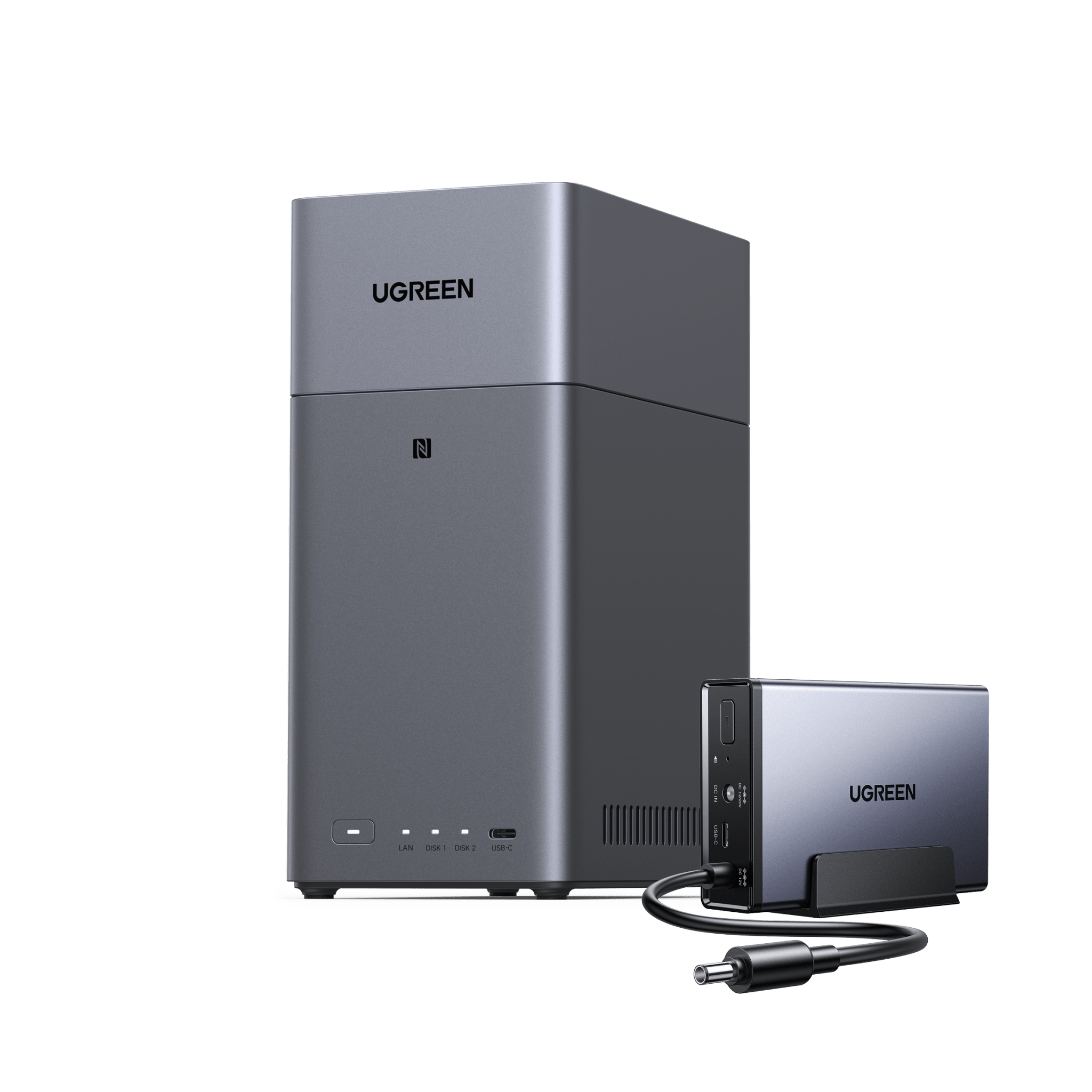
Explore this need in the finder →The NASync DH2300 + UPS3000 pairs UGREEN's two-bay home NAS with its larger US3000 DC battery accessory. That can be a tidy first NAS package for a home that wants a local shared folder or photo destination and a dedicated power buffer for the NAS. It is not a populated storage kit, and it is not a small rack UPS for the whole network. Most of the actual NAS decision is unchanged from the standalone DH2300; the extra item is the only reason to choose this exact package over that base model.
Identify the UPS variant before comparing bundles
The U.S. product data names the exact selected configuration “UGREEN NASync DH2300 + UPS3000,” variant 45922508996802 and combined manufacturer SKU 95087+45615. UGREEN's page lists the package components as a DH2300 and UPS3000 with 12,000mAh and 120W; it separately says the data drives are not included. The UPS accessory page identifies that component as US3000, with a maximum 120W output, 12,000mAh battery, rated 43.2Wh, zero-second transfer and USB data communication. UGREEN's UPS guide explicitly lists the DH2300 as compatible with US3000.
UGREEN also presents a separate DH2300 + UPS2000 selection. This review is about the UPS3000 variant only; “DH2300 + UPS” is not a complete enough description to verify the contents of a retailer offer. Check the exact suffix and component SKU on the seller's page. The larger accessory's wattage and battery rating are not an independently verified promise of how long a populated NAS will run. UGREEN says its approximate runtime depends on NAS, drives, workload, battery condition and shutdown settings. Set up the USB communication and safe-shutdown policy, then test it with your actual equipment.
Two bays leave little room for a wrong storage plan
The NAS itself is a compact, diskless two-SATA-bay system with one built-in 1GbE RJ45 port, 4GB LPDDR4X memory, Rockchip A72+A53 eight-core processing, HDMI output specified for 4K/60Hz, and no M.2 positions. The 64TB figure on UGREEN's page means two separately purchased 32TB drives at raw capacity, not included or formatted storage. In a possible two-drive RAID 1 setup, both trays are occupied; UGREEN describes about 32TB before formatting with two 32TB drives. Check the exact part numbers and firmware compatibility before buying. The cited U.S. page does not establish an approved memory upgrade, and UGREEN says the DH2300 does not have official Docker or virtual-machine support.
That makes it a more focused appliance than a small general-purpose server. It can fit a basic home-file or photo-backup role where the supported applications, one-gigabit wired link and two bays are enough. It is less appealing if you expect to expand the drive count later, install virtual machines, use official Docker support or move a large working set through a faster-than-gigabit network. HDMI is a listed output, not a promise that every codec, streaming app or conversion workload will behave as needed. Decide on the client devices and software workflow before treating “home media” claims as a match for your specific library.
What a DC UPS protects—and what remains exposed
The US3000 is a dedicated DC unit for a compatible NAS power path, with the NAS communicating its state over USB. Follow the exact setup sequence and use the original NAS power adapter where the maker instructs. The DC unit does not add drive redundancy, improve the DH2300's 1GbE ceiling, create a backup copy or automatically power an Ethernet switch and router. If the NAS depends on the router for remote access or on the switch for communication, keep those network devices on their own suitable battery-backed supply. The NAS should still have an independent data backup even when it has both RAID 1 and a UPS.
Who should pay for this specific configuration?
Compare the bundle when the two-bay DH2300 is already the right scale and you want the US3000 included rather than sourcing it separately. The standalone DH2300 is a more sensible comparison if you already own a tested compatible UPS or prefer an AC unit that can cover several devices. If your priority is a four-bay mirror with room for growth, compare a four-bay model such as the DH4300 Plus instead of expecting an accessory to solve the DH2300's bay limit.
Before checkout, confirm the selected variant is 95087+45615 and that the actual package includes the US3000; do not confuse it with the standalone SKU 95087 or the distinct UPS2000 package. Confirm drives are sold separately, validate your exact drive models, plan how to back up beyond RAID, and decide whether your router and switch also need battery power. After delivery, check that the received unit is recognized in UGOS and test the chosen shutdown settings safely. No personal use, outage test, runtime measurement or seller-package inspection is claimed. The review is a comparison of UGREEN's published model and package evidence, not a report from operating the kit.
Key specifications
Key details at a glance
| Internal drive bays | 2 bays |
|---|---|
| Documented internal drive media | SATA |
| Built-in Ethernet ports | 1 × 1GbE RJ45 |
| Fastest individual Ethernet port | 1 Gbps |
| Installed system memory | 4 GB |
| Listed storage arrangements | JBOD / Basic / RAID 0 / RAID 1 |
| Hardware warranty | 2 years |
| Data drives included in listed package | No |
| M.2 NVMe slots | 0 |
| Processor | Rockchip A72+A53 |
| CPU cores | 8 |
| Installed memory type | UGREEN lists 4GB LPDDR4X. The reviewed U.S. specification does not state a maximum memory capacity or identify an approved upgrade module; do not assume the memory is upgradeable. |
Use the exact model’s instructions for operating limits, supplied equipment and version differences.
Sources for this review
Sources for this assessment
- UGREEN NASync DH2300 U.S. product page, specification table and product FAQs
- UGREEN DH2300 U.S. product JSON mapping the standalone variant, SKU and exact featured image
- UGREEN U.S.-facing NAS collection with the observed DH2300 card
- UGREEN DH-series collection showing DH2300 and DH4300 Plus as distinct models
- UGREEN NAS compatibility list and current drive/RAID guidance
- UGREEN NAS RAID capacity calculator and RAID explanation
- UGREEN NAS software support FAQ; DH2300 Docker and virtual-machine limitations
- UGREEN U.S. Download Center model-specific document and update guidance
- UGREEN U.S. selected UGREEN NASync DH2300 + UPS3000 NAS+UPS variant
- UGREEN product JSON with selected UGREEN NASync DH2300 + UPS3000 SKU and image mapping
- UGREEN U.S. NAS collection, standalone and bundle cards
- UGREEN NAS UPS US3000 U.S. product page
- UGREEN guide to choosing and setting up a NAS UPS
- Official exact selected-variant image for NASync DH2300 + UPS3000

Check your setup before choosing a NAS
Use the finder to check bay count, the network link you need, and whether a documented two-drive redundant arrangement is essential.