
Your needs, this model
Does it fit your priorities?
Does the F6-425 Pro meet a six-bay and 10-Gbps single-port screen?
Yes on the exact model specification: it lists six native 3.5/2.5-inch SATA positions and two separate built-in 10GbE RJ45 ports. The finder counts one port at 10 Gbps, not a two-port 20-Gbps sum or guaranteed transfer rate; network gear, client, cabling, storage and workload still matter.
Explore this need in the finder →Can a two-drive redundant setup coexist with one 10GbE link?
One documented possibility is a buyer-created two-drive TRAID pool using exact-model-compatible SATA HDDs and one of the two 10GbE ports. TerraMaster's TOS 7 guide says TRAID can tolerate one failed disk when an array has at least two disks; the exact F6-425 Pro page names TRAID/TRAID+. This is not a RAID 1 mirror, and the sources do not establish what a seller ships or a preconfigured volume. Check the exact drive list and back up separately.
Explore this need in the finder →Does the F6-425 Pro's raw-capacity figure settle the drive limit?
No. The exact product page gives 180 TB raw as six 30-TB drives, while TerraMaster's current HDD list marks the 32-TB ST32000NT000 Recommended for F6-425 Pro. Those manufacturer statements conflict as a ceiling. The actual compatible model, firmware, storage mode and usable capacity need separate checking; no exact maximum is claimed here.
Explore this need in the finder →Are the two Type-C ports USB4 or Thunderbolt 4?
The specification labels two Type-C host ports USB4.0, while the exact model page's marketing and a TerraMaster Product Team notice describe Thunderbolt 4 functionality and USB4 compatibility. The notice says some units may carry USB4 silk-screening and future production may use TB4 labels. Verify the exact production revision and your host workflow; the 40-Gbps interface label is not an end-to-end NAS transfer promise.
Explore this need in the finder →Documentation-based assessment; no hands-on use, independent testing, ownership or performance measurements are claimed.
What the F6-425 Pro actually is
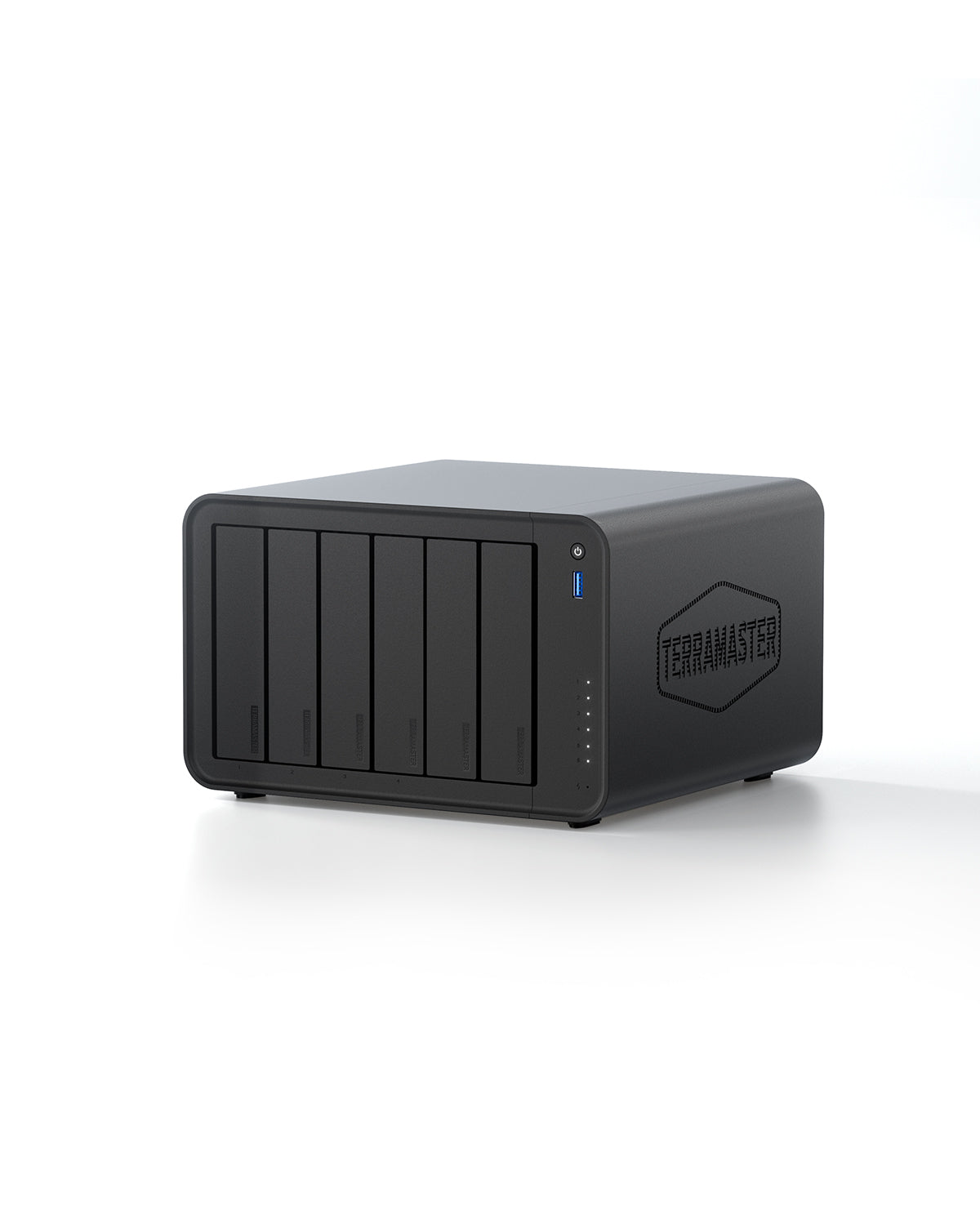
The F6-425 Pro is a six-position desktop NAS built around SATA drives, with a separate tier of three M.2 2280 NVMe sockets. TerraMaster lists six 3.5-inch or 2.5-inch SATA positions, two 10GbE RJ45 ports, two Type-C host ports and two 10-Gbps Type-A ports. The M.2 positions are specified separately: one PCIe 3.0 x4 and two PCIe 4.0 x4. They add flash options, not three extra SATA trays. That distinction matters if your starting point is a six-disk archive or backup set; this is still a six-bay chassis, not a nine-tray machine.
The item page lists an Intel Core i3-1315U six-core processor, one 8-GB DDR5 non-ECC SODIMM, two memory slots and a stated 64-GB ceiling. The same page lists hardware transcoding formats and a maximum video resolution, but those component claims are not a test of a particular media-server workload. The 150-W power supply, 222 x 240 x 154 mm H x W x D dimensions and 2.7-kg net weight help with space planning, not a prediction of its power bill or noise in a home.
Why the connection labels need a closer look
The exact product specification calls its two Type-C host ports USB4.0, while the page's feature copy calls them Thunderbolt 4. TerraMaster's Product Team also posted a model-specific notice explaining that the F6-425 Pro's two ports function as Thunderbolt 4 and are compatible with USB4; the notice says some units were silk-screened USB4 and later production could use TB4 labels. Because the directly requested forum page did not load for this research capture, that clarification is treated as a limited official-source observation, not proof of the port label on a particular seller's chassis. If Thunderbolt direct-connect, chaining or video is central to your setup, check the exact production revision, host and current instructions before ordering.
The two built-in RJ45 network ports are a different route. The finder treats them as separate 10-Gbps ports and evaluates one connector at a time. TerraMaster markets combined high-speed workflows, but two ports do not form a 20-Gbps individual link for every client. Switch support or a compatible direct connection, host interfaces, cabling, protocol, storage layout and workload determine the path. The manufacturer's promotional transfer figures are not an independent result for your environment.
Storage, compatibility and a capacity conflict
Six SATA trays plus three M.2 positions give the F6-425 Pro more storage choices than a six-bay-only outline suggests, but they are not interchangeable media. The product page states 180 TB raw as six 30-TB drives. The current TerraMaster HDD compatibility table, however, marks a 32-TB Seagate IronWolf Pro ST32000NT000 as Recommended for this exact model. Since those official references disagree about the nominal ceiling, this assessment does not publish an exact maximum raw or usable capacity. Usable space also changes with the storage arrangement and selected drives.
Compatibility is more specific than connector fit. TerraMaster's table lists recommended and not-recommended models for F6-425 Pro; for example, it marks the 32-TB IronWolf Pro row Recommended while certain WD Blue rows are not recommended. That is a reason to match the exact model number, capacity and firmware to the current list, not a warranty that every unlisted device will work. The M.2 table is another model-specific, changing list; no three-drive simultaneous compatibility set is inferred from the existence of three sockets.
A two-drive TRAID plan is not a mirror or a backup
The exact F6-425 Pro page names TerraMaster's TRAID and TRAID+ arrangements. TerraMaster's TOS 7 storage-pool guide describes TRAID as tolerating one failed disk when the pool contains two or more disks. That supports one possible buyer-created plan: two individually compatible SATA HDDs in TRAID, using two of six trays, with one of the built-in 10GbE ports available for the network. TRAID+ is a different choice; the guide lists a four-disk minimum for its two-disk fault tolerance, so it is not the two-drive arrangement assessed here.
This is not a RAID 1 mirror: TRAID is a flexible parity-style array, not a second complete copy of each file. Pool creation can erase selected disks, and no included drives or initialized pool are established by the materials reviewed here. Make a data-safe migration plan, verify the exact operating instructions and drive compatibility, and keep a separate backup on another device or service. Redundancy can help with a limited drive-failure case; it cannot protect against accidental deletion, theft, malware, power events or a failed backup strategy.
Where it fits—and where it may be more than you need
This model is most relevant when a small production team or technically confident home lab can use a native 10GbE path, wants six SATA positions, and has a reason to add M.2 storage or Thunderbolt-capable connections. It is not automatically the better choice over TerraMaster's F6-424 Max just because both are six-bay and advertise dual 10GbE: the F6-425 Pro has three distinct M.2 sockets and the different Type-C/Thunderbolt story, while the older model has its own processor, memory and storage details. Compare the exact reviews and avoid assuming that one product's specification or package applies to another.
The store product page and Shopify data identify one F6-425 Pro Default Title variant, but the product JSON has no manufacturer SKU or barcode. That does not establish a reseller SKU, included memory revision, selected drives, seller warranty or a diskless package. Before purchase, confirm the exact model on the offer, the contents and return terms, the required host and network gear, supported drives, and whether the installed Type-C label and functions suit your workflow. This evidence supports a model assessment—not current stock, a price, a seller's bundle, a guaranteed throughput result or personal-use advice.
Key specifications
Key details at a glance
| Internal drive bays | 6 bays |
|---|---|
| Documented internal drive media | 3.5-inch SATA HDD / 2.5-inch SATA HDD / 2.5-inch SATA SSD |
| Built-in Ethernet ports | 2 x individual built-in RJ45 10GbE ports |
| Fastest individual Ethernet port | 10 Gbps |
| Installed system memory | 8 GB |
| Maximum listed memory | 64 GB |
| Listed storage arrangements | TRAID / TRAID+ |
| Internal file systems | Btrfs / EXT4 |
| Dimensions (H × W × D) | 222 x 240 x 154 mm (H x W x D) |
| Weight | 2.7 kg |
| M.2 NVMe slots | 3 |
| Processor | Intel Core i3-1315U |
| CPU cores | 6 |
| Installed memory type | 8 GB DDR5 non-ECC SODIMM, listed as one pre-installed 8-GB module |
Use the exact model’s instructions for operating limits, supplied equipment and version differences.
Sources for this review
Sources for this assessment
- TerraMaster official U.S.-facing F6-425 Pro product page and specifications
- TerraMaster official F6-425 Pro product-handle JSON
- TerraMaster official NAS hard-drive compatibility table
- TerraMaster official SSD compatibility table
- TerraMaster TOS 7 Storage Pool documentation
- TerraMaster Product Team notice on F6-425 Pro interface labeling
- TerraMaster saved official U.S.-facing Home/SOHO NAS observation (reused)
- TerraMaster official Quick Installation Guide selector
Check your setup before choosing a NAS
Use the finder to check bay count, the network link you need, and whether a documented two-drive redundant arrangement is essential.