
Your needs, this model
Does it fit your priorities?
Can the N350 configuration meet a four-bay, 5-Gbps one-port requirement?
The exact product page lists four SATA positions and two individual RJ-45 5GbE ports. Three separate M.2 positions do not count as extra SATA bays, and the finder rates one 5-Gbps port rather than adding the two ports or promising file-transfer speed.
Explore this need in the finder →Can two drives use a redundant arrangement while one 5GbE port stays available?
A possible owner setup is two separately purchased compatible SATA HDDs in TRAID, using two of four trays, plus one of the two 5GbE ports. TOS 7 documents one-disk tolerance when at least two disks are in a TRAID array. It is not RAID 1, not established as preconfigured, and not a replacement for a separate backup.
Explore this need in the finder →Does the N350 product page prove 16 GB of RAM is enough for my VM or container plan?
No. The exact N350 finish variants are described with 16 GB DDR5, but suitability depends on the operating system, services, VM count, memory ceiling and your workload. The manufacturer materials do not provide an independent workload test here; match the exact package and supported memory before planning a deployment.
Explore this need in the finder →Why the N350 listing is a distinct configuration
TerraMaster's U.S.-facing F4-425 Pro page offers two processor choices. The N350 description identifies an eight-core Intel N350 and 16 GB DDR5 memory, whereas the N305 version is described with 8 GB. This review covers the N350 profile specifically; it does not assume that a listing labeled only “F4-425 Pro” has this processor or RAM. The product-handle JSON records four N305/N350 and color combinations. It leaves the variant SKU and barcode fields blank, so those internal store IDs cannot identify a retail suffix or an Amazon listing. Gunmetal Grey and Silver are both offered for N350; color is not treated as a performance feature.
That larger listed memory starting point may interest someone considering containers or virtual machines, but a capacity number is not a promise that a particular application mix will be comfortable. The available manufacturer material does not provide a workload test for your services. Confirm what can be upgraded, supported memory and exact package before designing a deployment. The page's static memory table does not expose a clear field label for its separate 32-GB line in the saved U.S. response, so I do not turn that into a maximum-memory claim.
The chassis remains a four-bay SATA NAS
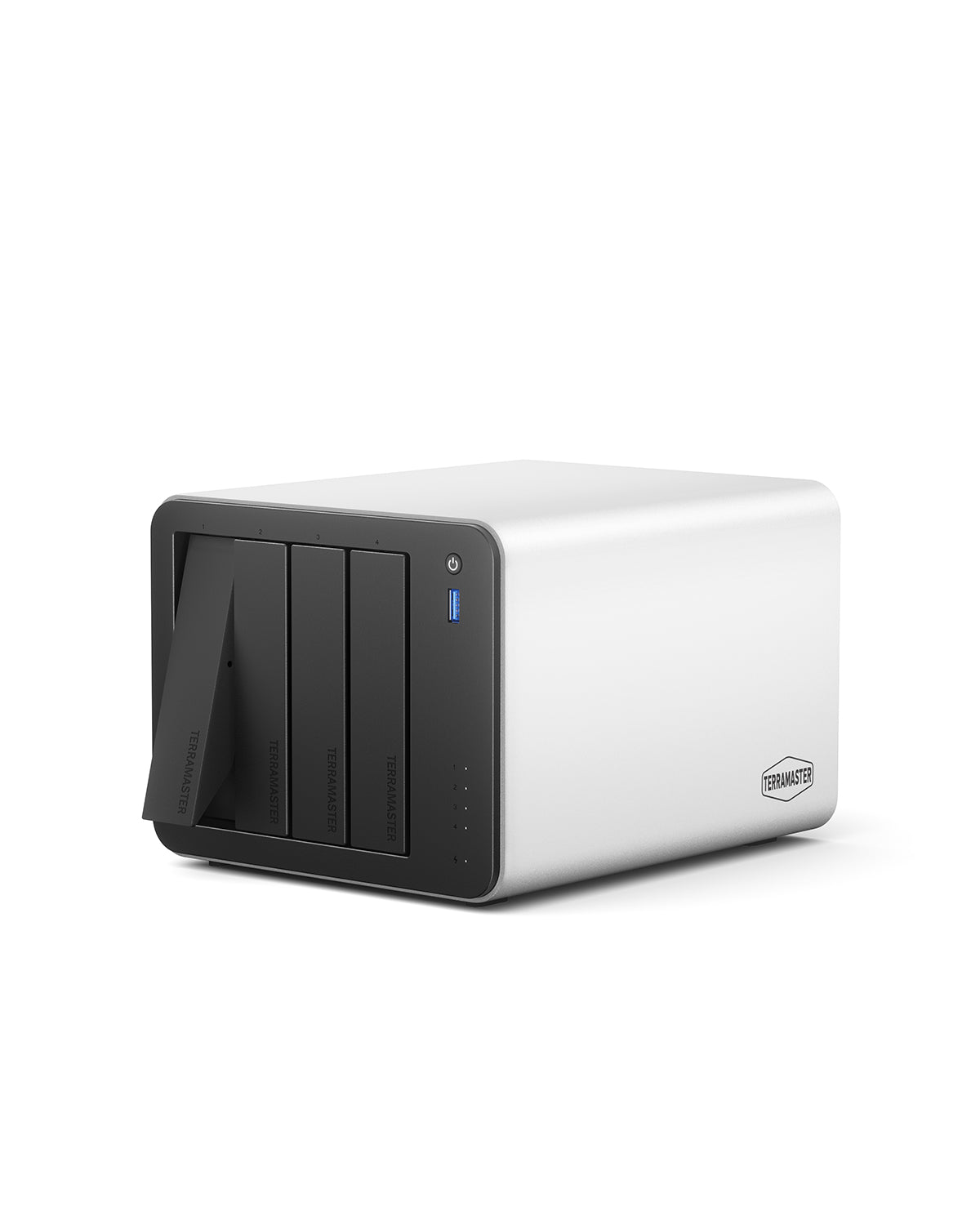
The N350 configuration has four native SATA positions for the listed 3.5-inch HDD, 2.5-inch HDD and 2.5-inch SSD formats. It also has three M.2 2280 NVMe sockets listed as PCIe 3.0 x1. Those are different connectors and a different purchase decision; they do not make this a seven-bay SATA unit. If you need six or eight front-loading drive trays, compare a chassis designed for that count rather than adding M.2 sockets to the bay number.
SSD choices deserve a model-code check. TerraMaster's current compatibility table lists the 4-TB WD Red SN700 as Recommended for F4-425 Pro while marking the 8-TB WD Black SN850X Not Recommended. The entries show why “M.2 compatible” is not an all-drive approval or proof of a three-SSD combination. Check each exact NVMe part and firmware, and confirm whether the feature you want is supported by the current TOS release.
The page's raw-capacity references are not a safe substitute for that work. Its technical table says 120 TB raw using four 30-TB hard drives; separate marketing copy describes up to 152 TB by adding four 32-TB HDDs and three 8-TB M.2 SSDs. The live HDD table does mark the specific ST32000NT000 32-TB drive Recommended, but that does not confirm every drive family or resolve how a combined layout operates. Neither source tells you usable capacity after protection and formatting. Start with the exact drive plan and the difference between bay count, raw capacity, and usable space.
5GbE needs a full path
Two built-in RJ-45 ports are listed at 5GbE each. The N350 can therefore satisfy a single-port 5-Gbps link requirement when the attached network can negotiate that rate; it does not have a built-in 10GbE port. Combining two jacks is not the same as a single faster link, and no published transfer number should be read as a measured result for a particular file job. The client NIC, switch, cable category and length, link settings, drives, protocol and number of users are all part of the path. If your client only has 1GbE, the NAS port alone cannot make that client use 5GbE. Use the network-path checklist before paying to upgrade only one component.
Two-drive TRAID is an option, not a supplied setup
The exact product page names TRAID, and TerraMaster's TOS 7 pool guide says a TRAID array with two or more disks can tolerate one failed disk. One supported possibility is two buyer-selected, exact-model-compatible SATA HDDs in a TRAID pool, with one 5GbE port used for the network connection. That plan occupies two of four trays, leaving two open. It is not a RAID 1 mirror, and the manufacturer page and product-handle JSON do not establish that a seller supplies the drives or a pool configured in advance. Before pool creation, verify the current drive table and follow the actual model instructions; keep another independent backup, because a redundant array cannot protect against deletion, malware, theft, or loss of the whole chassis. See why RAID and similar arrangements do not replace backup.
Fit and tradeoffs
The N350/16-GB listing may suit a buyer who wants this particular memory/CPU configuration, four SATA trays, three separate SSD positions and a single 5GbE-capable network path in one desktop enclosure. TerraMaster lists 150 × 181 × 219 mm dimensions, 2.9-kg net weight, a 90-W power supply and one 120-mm fan. The maker's 20.9-dB(A) statement is conditional on four SATA drives or SSDs in standby and a 17.3-dB(A) room reading at one metre; treat it as a manufacturer test description, not an independently replicated noise result or a quiet-workstation guarantee.
The main limitation is not the count of connectors but the diligence needed around each subsystem: specify the N350 option rather than relying on the family name, verify the exact RAM and retailer package, check both HDD and M.2 model codes, and ensure the rest of the network can use 5GbE. The three M.2 positions do not enlarge the SATA bay count; the capacity marketing lines are not a firm limit; and a two-drive TRAID setup requires separate compatible drives and owner setup. The quick-guide route loaded as a selector shell but did not expose the exact F4-425 Pro manual, so this assessment avoids inventing an installation sequence. A buyer who needs stronger expansion certainty, built-in 10GbE, or an evidenced seller bundle should compare alternatives instead of assuming the N350 name settles those questions.
Key specifications
Key details at a glance
| Internal drive bays | 4 bays |
|---|---|
| Documented internal drive media | 3.5-inch SATA HDD / 2.5-inch SATA HDD / 2.5-inch SATA SSD |
| Built-in Ethernet ports | 2 x individual built-in RJ-45 5GbE ports |
| Fastest individual Ethernet port | 5 Gbps |
| Installed system memory | 16 GB |
| Listed storage arrangements | TRAID |
| Internal file systems | Btrfs / EXT4 |
| Dimensions (H × W × D) | 150 x 181 x 219 mm (H x W x D) |
| Weight | 2.9 kg |
| M.2 NVMe slots | 3 |
| Processor | Intel N350 |
| CPU cores | 8 |
| Installed memory type | 16 GB DDR5 non-ECC SODIMM, N350 variant-specific manufacturer description |
Use the exact model’s instructions for operating limits, supplied equipment and version differences.
Sources for this review
Sources for this assessment
- TerraMaster official U.S.-facing F4-425 Pro product page and specifications
- TerraMaster official F4-425 Pro product-handle JSON
- TerraMaster official NAS hard-drive compatibility table
- TerraMaster official SSD compatibility table
- TerraMaster TOS 7 Storage Pool guide
- TerraMaster official Quick Installation Guide selector
- Saved TerraMaster U.S.-facing Home/SOHO NAS observation (reused)
Check your setup before choosing a NAS
Use the finder to narrow documented desk/shelf or rack formats, internal-bay minimums, a single Ethernet-port rating and optional redundancy requirements.