
Your needs, this model
Does it fit your priorities?
Can this N305 configuration meet a four-bay, 5-Gbps one-port requirement?
The exact product page lists four SATA positions and two individual RJ-45 5GbE ports. Three separate M.2 positions do not count as extra SATA bays, and the finder rates one 5-Gbps port rather than adding the two ports or promising file-transfer speed.
Explore this need in the finder →Can two drives use a redundant arrangement while one 5GbE port stays available?
A possible owner setup is two separately purchased compatible SATA HDDs in TRAID, using two of four trays, plus one of the two 5GbE ports. TOS 7 documents one-disk tolerance when at least two disks are in a TRAID array. It is not RAID 1, not established as preconfigured, and not a replacement for a separate backup.
Explore this need in the finder →Do the N305 Gunmetal Grey and Silver versions have the same confirmed RAM type?
The U.S.-facing page's N305-specific copy lists 8 GB for each finish but labels Gunmetal Grey as DDR4 and Silver as DDR5. That conflict is unresolved, so check the exact selected offer and do not assume the finish determines or guarantees a memory generation.
Explore this need in the finder →What the N305 version actually is
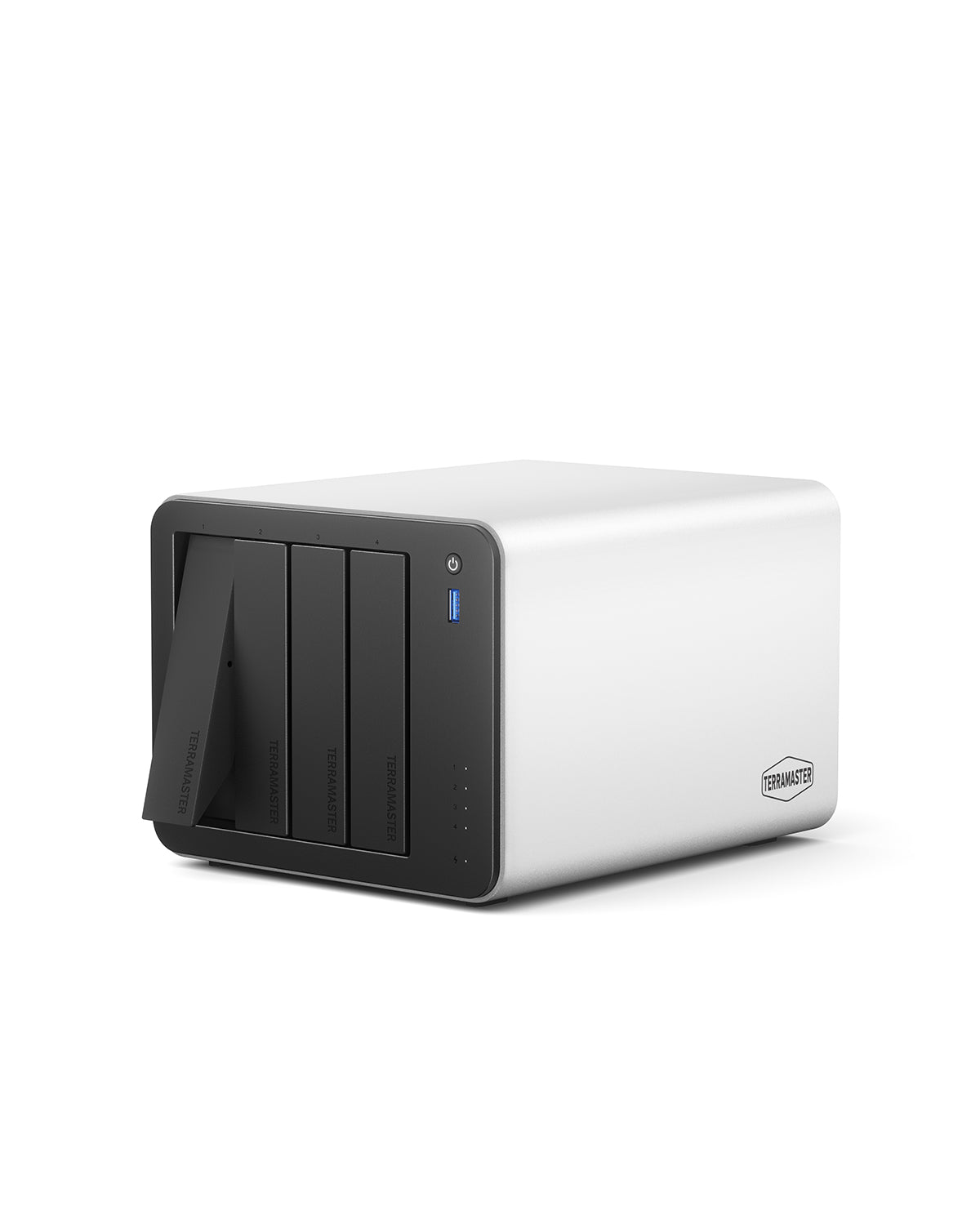
The F4-425 Pro N305 is a desktop four-bay NAS with an Intel N305 eight-core processor option, four native SATA positions, three separate M.2 2280 NVMe positions, and two built-in RJ-45 5GbE ports. The bay count matters: the M.2 sockets are an additional SSD layer, not three more hot-swap SATA trays. If a drive count is your hard constraint, this is a four-bay chassis, not a seven-bay one. TerraMaster lists 3.5-inch SATA hard drives, 2.5-inch SATA hard drives, and 2.5-inch SATA SSDs for the trays.
The same product page lists an N350/16-GB choice as well as N305/8-GB. Those are materially different hardware configurations under the same product family, so this assessment does not treat them as the same processor or memory package. The store page also offers Gunmetal Grey and Silver. Its N305 variant copy names 8 GB for both, but calls the Gunmetal Grey memory DDR4 and the Silver memory DDR5. That is a real source conflict, not a basis for guessing that color changes the memory. Verify the precise seller option and revision if memory generation or later upgrades matter. The product-handle JSON has null SKU and barcode fields; its large numeric variant identifiers are not retail model numbers.
Four trays, three SSD sockets, and a capacity question
TerraMaster's table describes three PCIe 3.0 x1 M.2 2280 NVMe positions. They can be relevant to a buyer considering a separate SSD layer, but a slot count is not proof that every module can be installed in every combination or used for a particular cache or storage-pool feature. The current compatibility page is more useful than a generic “NVMe supported” label: it lists a 4-TB WD Red SN700 row as Recommended for F4-425 Pro and an 8-TB WD Black SN850X row as Not Recommended. The list can change, so check the exact SSD model and firmware at purchase time; do not infer a three-drive validation from one approved row.
Capacity claims also need careful reading. The product table states 120 TB raw as four 30-TB HDDs. Variant marketing text elsewhere describes a 152-TB sum based on four 32-TB hard drives and three 8-TB M.2 SSDs, and TerraMaster's current HDD table does mark a particular 32-TB ST32000NT000 model Recommended. These statements use different storage combinations and are not a single usable-capacity promise. We leave a maximum out of the matching profile rather than turn a sales example into a guarantee. For a worked decision framework, see how bays, raw capacity, and usable capacity differ and how to check a complete drive model against the NAS list.
One 5GbE link is not a two-port speed figure
The exact specification lists two individual 5GbE connectors. A client that can negotiate 5GbE over a suitable cable and switch or direct link may use one port at its nominal link rate; the finder therefore evaluates a single 5-Gbps port. The presence of two ports does not create one 10-Gbps port, and a headline throughput claim is not an independent test. Your client interface, switch, cabling, disk layout, file protocol, CPU load, and simultaneous users can all change the result. If a 10GbE requirement is non-negotiable, this model does not meet it with its built-in ports. Our network-path guide explains what else has to match before a faster port helps.
A documented two-drive possibility, not a ready-made mirror
The product page names TRAID, and TerraMaster's TOS 7 storage-pool guide says TRAID can tolerate one failed disk once the array has two or more disks. That supports a possible owner-created setup: buy two exact-model-compatible SATA hard drives, create a TRAID pool, and use one 5GbE port. It consumes two of the four bays and leaves two SATA positions unused. It is not RAID 1, is not a preconfigured volume shown in the source package, and should not be confused with a backup. Pool creation, disk replacement, and capacity changes still require following the exact software instructions and preserving data. Keep a separate recoverable copy; redundancy is not backup.
Who should shortlist this configuration?
The N305 option is a plausible fit for someone who has a real use for four SATA drives, wants a single built-in 5GbE link, and values having three physically separate M.2 positions without requiring those SSDs to count as extra bays. The manufacturer lists a 90-W supply, one 120-mm fan, 150 × 181 × 219 mm dimensions, and 2.9-kg net weight. Its stated 20.9-dB(A) figure is tied to four SATA drives or SSDs in standby, with a 17.3-dB(A) ambient test reading at one metre; it is not an independent room-noise measurement or a promise for another disk mix or workload.
It is a poor shortcut for a buyer who expects built-in 10GbE, assumes the included package contains drives, or wants an unambiguous factory memory specification without checking the selected N305 finish. The official page does not establish a reseller bundle or an initialized array, and the sources available here did not expose the exact model's selected quick-installation manual. Ask the seller for the full CPU/finish description, memory generation, included drives and return terms; check SATA and M.2 part numbers against the live compatibility tables; and confirm the switch, client, and cabling for 5GbE. The N350/16-GB version has its own review because the CPU and installed memory option differ, although its bay and network counts remain the same.
Key specifications
Key details at a glance
| Internal drive bays | 4 bays |
|---|---|
| Documented internal drive media | 3.5-inch SATA HDD / 2.5-inch SATA HDD / 2.5-inch SATA SSD |
| Built-in Ethernet ports | 2 x individual built-in RJ-45 5GbE ports |
| Fastest individual Ethernet port | 5 Gbps |
| Installed system memory | 8 GB |
| Listed storage arrangements | TRAID |
| Internal file systems | Btrfs / EXT4 |
| Dimensions (H × W × D) | 150 x 181 x 219 mm (H x W x D) |
| Weight | 2.9 kg |
| M.2 NVMe slots | 3 |
| Processor | Intel N305 |
| CPU cores | 8 |
Use the exact model’s instructions for operating limits, supplied equipment and version differences.
Sources for this review
Sources for this assessment
- TerraMaster official U.S.-facing F4-425 Pro product page and specifications
- TerraMaster official F4-425 Pro product-handle JSON
- TerraMaster official NAS hard-drive compatibility table
- TerraMaster official SSD compatibility table
- TerraMaster TOS 7 Storage Pool guide
- TerraMaster official Quick Installation Guide selector
- Saved TerraMaster U.S.-facing Home/SOHO NAS observation (reused)
Check your setup before choosing a NAS
Use the finder to narrow documented desk/shelf or rack formats, internal-bay minimums, a single Ethernet-port rating and optional redundancy requirements.