
Your needs, this model
Does it fit your priorities?
How does the SA3410 meet a 12-bay, 10GbE baseline?
It has twelve native internal drive bays and at least one built-in 10GbE data port. A 10GbE link rating does not guarantee end-to-end file throughput; the network, client, media, pool and workload also matter.
Explore this need in the finder →Can I build a two-drive mirror inside the SA3410?
Synology lists RAID 1 for this model, so two compatible internal drives can form a mirror. That only protects against a drive failure; keep a separate backup for deletion, corruption, malware and site loss.
Explore this need in the finder →Does the base SA3410 already contain all of its possible bays?
No. It has twelve native bays. Synology documents expansion to 96 total bays using seven RX1222sas units sold separately. The simple finder counts native internal bays, not optional shelf capacity.
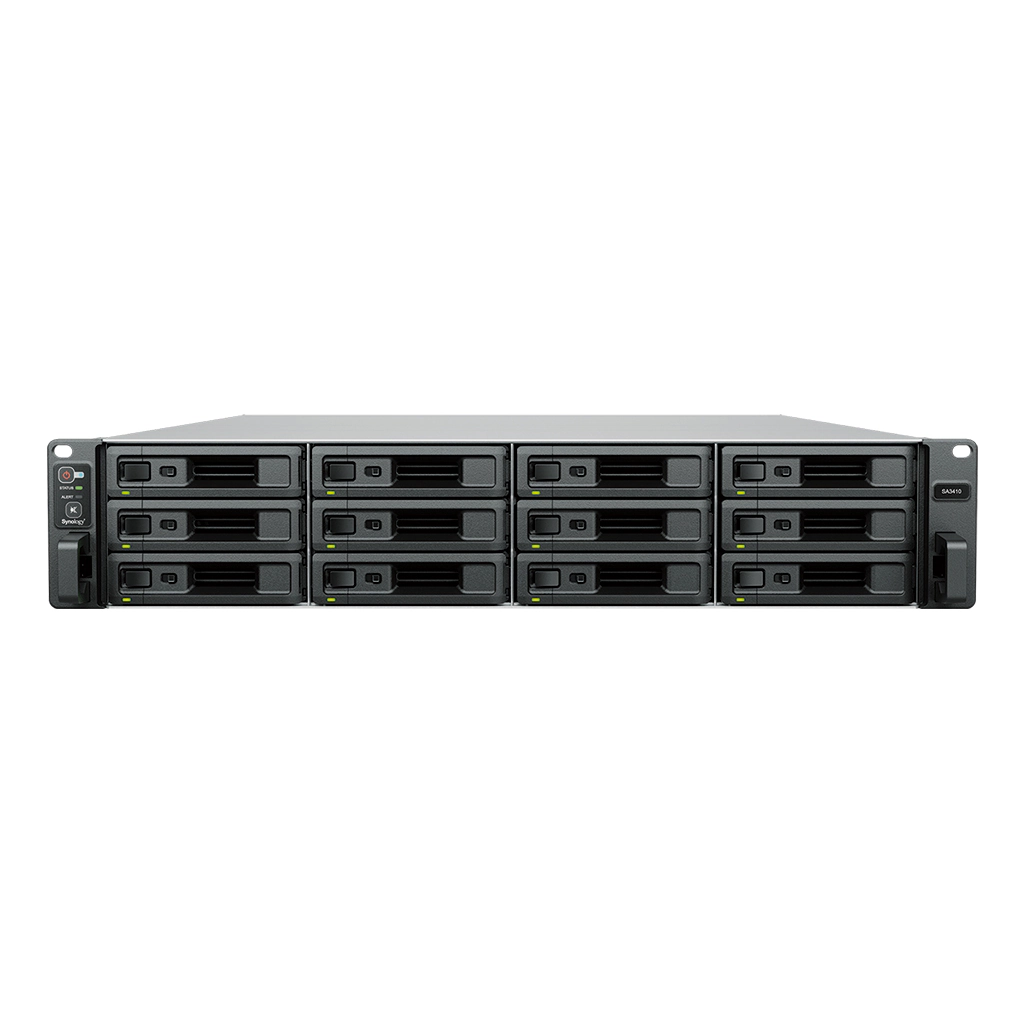
Explore this need in the finder →The Synology SA3410 is a 2U, twelve-bay enterprise NAS for organizations that want a substantial file and backup repository but do not need the SA3610's higher-core processor. The official specifications place the two models in the same physical and storage family: both have twelve native SAS/SATA positions, dual built-in 10GbE, 16 GB of ECC RDIMM memory, and a seven-shelf path to 96 bays. The documented difference at the center of the purchase decision is the processor: the SA3410 has an eight-core Xeon D-1541, while the SA3610 has a 12-core D-1567.
Capacity and drive choices
Each of the twelve hot-swappable bays is listed for 3.5-inch SAS or SATA hard drives and 2.5-inch SAS or SATA SSDs. The exact compatibility list should decide the drive purchase, not a generic “SAS/SATA” label. The manual's package contents are the main unit, two AC cords and mounting screws; it does not list data drives. Start with the usable capacity and workload you need, then account for parity or mirror overhead, snapshots and a separate backup copy instead of multiplying the drive label by twelve.
Documented layouts include RAID 1, RAID 5, RAID 6, RAID 10 and RAID F1, with Btrfs or ext4. RAID 1 can provide a two-drive mirror, but it is not a backup. The product specifications list a 1 PB single-volume ceiling only under a RAID 6 and 64 GB-memory condition, alongside lower 200 TB and 108 TB limits. Volumes above 200 TB use Btrfs Peta Volume with a reduced feature set, so the headline size is not the ordinary answer for every deployment. Confirm the exact memory, RAID, filesystem and package requirements before designing around very large volumes.
Eight cores, not the SA3610 processor
The SA3410's Xeon D-1541 is specified at eight cores and sixteen threads; the SA3610's D-1567 has twelve cores and twenty-four threads. Both are rated at 2.1 GHz base and up to 2.7 GHz turbo, and both start with 16 GB DDR4 ECC RDIMM and support up to 128 GB across four slots. That makes the SA3410 a distinctly lower-core option, not an eight-bay or lower-bandwidth variant. A team comparing the pair should map its planned services, virtual machines and concurrency to the actual CPU and memory need rather than assuming that more cores automatically mean faster file transfers. Published sequential-throughput figures are Synology test results under specified conditions, not results from this review.
Ten-gigabit links and shelf expansion
The listed data ports are four 1GbE and two 10GbE RJ-45, with a separate 1GbE out-of-band management port. That management interface is not an extra data path. Optional supported network cards can add other interfaces in the two PCIe slots, but they are not part of the built-in connection count. A 10GbE link rating still depends on the switch, client, cable and storage path; it should not be read as a guaranteed file-copy rate.
Synology lists up to seven RX1222sas shelves, for 96 total drive bays. Expansion units and the RKS-02 rail kit are sold separately, so this is a staged storage architecture with added power, space and compatibility checks. The base system is 2U, 88 × 482 × 724 mm and 14.5 kg before disks. Its published idle noise figure is 49.8 dB(A) under Synology's test conditions. Check the four-post rack, room cooling, depth, loaded mass and two power connections as part of the storage plan.
Where the SA3410 fits
The SA3410 is worth evaluating where a rack-based NAS needs twelve native bays, mixed SAS/SATA drive support, built-in 10GbE and a documented path toward many more shelves, while its eight-core CPU is sufficient for the intended applications. Businesses can also compare it for backup, file sharing and other Synology DSM workloads. It is not a low-noise household NAS or an all-in-one drive package, and the extensive expansion potential may be unnecessary overhead for a small shared folder.
Before buying, confirm that the listing is the SA3410 rather than the similar SA3610, that its package is diskless as described by the manual, and that the selected drives appear on the model compatibility list. Check the RKS-02 rails, shelf model and cabling, the seller's exact warranty terms, memory compatibility and an independent backup destination. Synology describes a two-unit active-passive High Availability cluster for SA3410 and SA3610; that requires a second compatible system and careful planning. This is a documentation-led assessment, not a claim that we installed or tested a unit or verified live availability.
Key specifications
Key details at a glance
| Internal drive bays | 12 bays |
|---|---|
| Documented internal drive media | 3.5-inch SAS HDD / 2.5-inch SAS SSD / 3.5-inch SATA HDD / 2.5-inch SATA SSD |
| Built-in Ethernet ports | 4 × 1GbE RJ-45 data ports / 2 × 10GbE RJ-45 data ports |
| Fastest individual Ethernet port | 10 Gbps |
| Installed system memory | 16 GB |
| Maximum listed memory | 128 GB |
| Listed storage arrangements | RAID F1 / Basic / JBOD / RAID 0 / RAID 1 / RAID 5 / RAID 6 / RAID 10 |
| Internal file systems | Btrfs / ext4 |
| USB 3.2 Gen 1 ports | 2 |
| Maximum listed single-volume size | 1000 TB |
| Dimensions (H × W × D) | 88 × 482 × 724 mm (H × W × D); 2U; chassis dimensions without ears 88 × 430.5 × 692 mm |
| Weight | 14.5 kg |
| Manufacturer's idle noise figure | 49.8 dB(A) |
| Hardware warranty | 5 years |
| Data drives included in listed package | No |
| Maximum total drive bays with listed expansion | 96 bays |
| Expansion-unit note | Up to seven RX1222sas expansion units are listed; the shelves are sold separately and compatibility should be checked for the exact deployment. |
| Listed expansion unit | RX1222sas |
| Processor | Intel Xeon D-1541 |
| CPU cores | 8 |
| CPU threads | 16 |
| Installed memory type | DDR4 ECC RDIMM |
| Single-volume limit condition | Synology lists up to 1 PB only for RAID 6 groups with at least 64 GB memory, plus 200 TB (32 GB memory) and 108 TB limits; over-200-TB volumes use Btrfs Peta Volume with a limited feature set. This is a conditional single-volume limit, not usable-capacity promise. |
Use the exact model’s instructions for operating limits, supplied equipment and version differences.
Sources for this review
Sources for this assessment
- Synology US NAS product list (captured directory response)
- Synology SA3410 US product page
- Synology SA3410 English datasheet
- Synology SA3410 Hardware Installation Guide: package and system overview
- Synology SA3410 Hardware Installation Guide: setup and expansion
- Synology America SA3610 and SA3410 launch announcement
Check your setup before choosing a NAS
Use the finder to check bay count, the network link you need, and whether a documented two-drive redundant arrangement is essential.