
Your needs, this model
Does it fit your priorities?
How does the RS4826xs+ differ from the 16-bay RS6426xs+?
Both use the eight-core Xeon D-1739, 16 GB ECC RDIMM baseline, dual 10GbE and two Gen4 x8 slots. The RS4826xs+ is 2U with twelve native bays and up to three RX1225RP shelves; the RS6426xs+ is 3U with sixteen native bays and up to four shelves.
Explore this need in the finder →Does expansion make the base system a 48-bay chassis?
No. Twelve bays are in the RS4826xs+ itself. The documented 48-position maximum needs three separate RX1225RP shelves and a checked compatible deployment.
Explore this need in the finder →Can I require a two-drive mirror?
Synology lists RAID 1 for the RS4826xs+, so two compatible native SATA drives can be configured as a mirror. RAID does not replace an independent backup copy.
Explore this need in the finder →Why this 2U RackStation is different
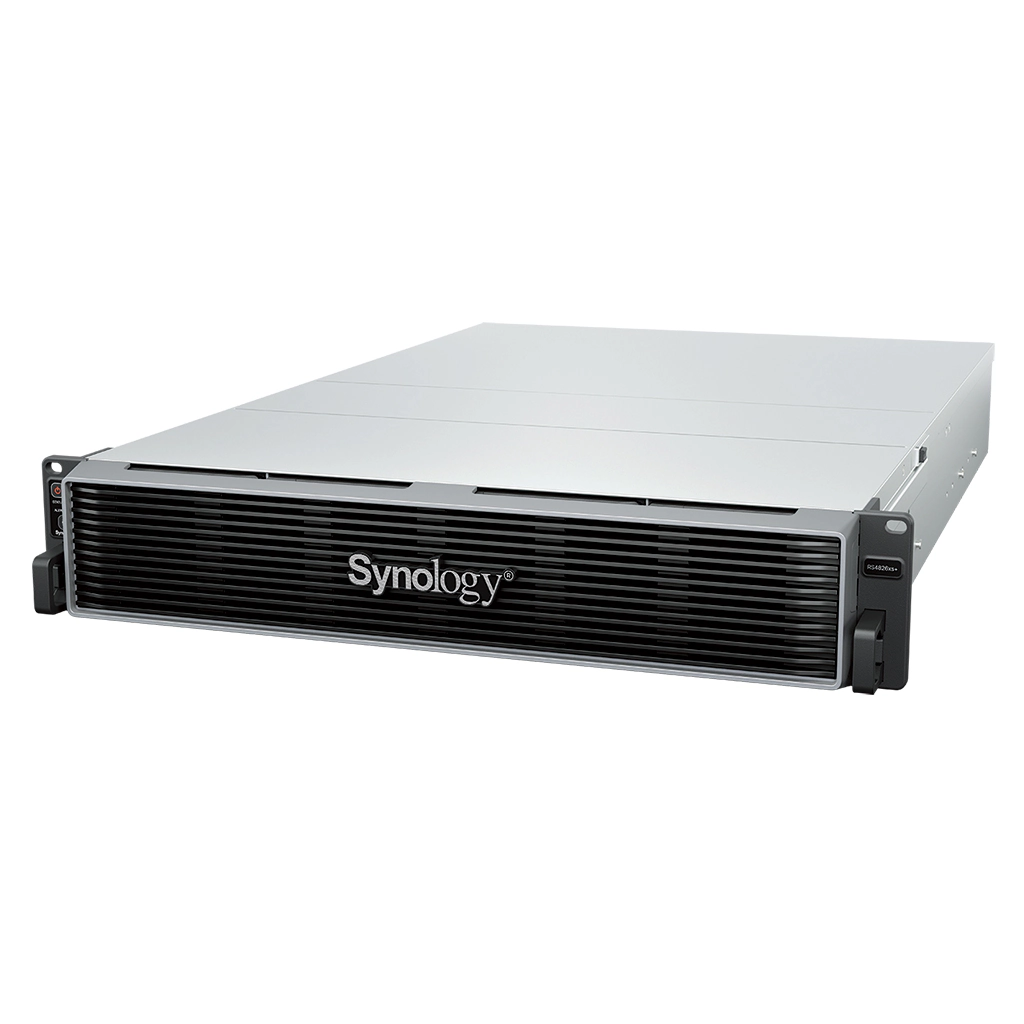
The RackStation RS4826xs+ is a 2U enterprise NAS with twelve native SATA bays, dual built-in 10GbE and support for as many as three RX1225RP expansion shelves. It offers a smaller base chassis and a lower expansion ceiling than its sixteen-bay RS6426xs+ sibling while retaining the same named Xeon D-1739 processor and 16 GB ECC RDIMM starting memory. That makes rack height and actual bay requirements more useful comparison points than the family name or a headline throughput number.
Native bays, memory and expansion
Synology specifies twelve hot-swappable positions for 3.5-inch SATA hard drives or 2.5-inch SATA SSDs. The unit ships with 16 GB of DDR4 ECC RDIMM; six slots allow up to 96 GB under the published specification. Its Xeon D-1739 is an eight-core, sixteen-thread processor. The more compact 2U design weighs about 14.5 kg before data drives, but still calls for a four-post 19-inch rack and a separately purchased sliding rail kit.
Three Mini-SAS HD expansion ports connect to RX1225RP shelves, which can add up to thirty-six positions for a sixty-bay total. The shelves are not included in the base machine, and they need their own compatible drives and rack capacity. The product page lists two PCIe Gen4 x8 slots for optional cards. Before adding an adapter or expansion unit, check the exact model's compatibility table and installation notes; a connector that looks suitable is not sufficient proof of a validated pairing.
Networking and file-service role
Two 10GbE RJ-45 data ports are built in, alongside a separate 1GbE out-of-band management port. Treat that management port as an administration path rather than a third data link. The RS4826xs+ runs DSM and documents SMB/NFS file service plus storage capabilities for virtualization and block workloads. A supported two-drive RAID 1 arrangement can be built from compatible internal drives. It can help tolerate a single drive failure, but it does not protect against deleted files, malware, theft or physical loss. Independent backup and recovery planning remain separate decisions.
Synology describes high raw-capacity and single-volume limits, but the largest volume options require specific memory and RAID configurations. A quoted raw-petabyte figure should not be treated as usable space or as a promise that every drive combination is supported. Capacity planning should account for the selected RAID layout, filesystem overhead, spare capacity and the precise compatibility list.
When to choose it over the RS6426xs+
The RS4826xs+ and RS6426xs+ have the same named CPU, memory type and memory ceiling, dual 10GbE data ports, and two Gen4 x8 slots. Their practical split is chassis density and capacity: the RS4826xs+ is 2U with twelve native bays and a maximum of forty-eight additional positions across three listed shelves; the RS6426xs+ is 3U with sixteen native bays and can reach sixty-four total positions with four shelves. If twelve bays cover the planned drive count, the smaller model can preserve rack space. If four additional native bays or a larger expansion ceiling are already part of the design, choose based on that requirement rather than assuming the similarly named systems are interchangeable.
The newer 20-bay RS11626xs+ is a different step up, with an EPYC processor, a 64 GB baseline and a separate M.2 system-drive pair. The older RS4021xs+ is also a 16-bay 3U system, but it uses a Xeon D-1541, 16 GB ECC UDIMM and a different expansion connection. Neither comparison establishes application performance without the actual workload and deployment details.
What the purchase requires
This is a diskless storage platform in the sense that the listed package does not include data drives. Budget separately for compatible disks, rails, any expansion shelf and the network equipment needed to use 10GbE. Server-room cooling, power availability and rack depth should be checked before ordering. Manufacturer noise figures are tied to a specified test configuration; they are not a guarantee of the sound level in a different rack with another drive population or workload.
For a small home user who needs a quiet, compact, low-cost file share, this platform is excessive. Its strengths are enterprise features, 10GbE at the chassis, and growth to sixty total positions. Those strengths only matter if the organization has a specific capacity, service or rack plan to justify them.
Assessment
The RS4826xs+ is a focused option for a business that needs twelve native bays and a 2U footprint, with room to expand later. It is not the same configuration as the larger RS6426xs+: both use the Xeon D-1739 platform, but the 16-bay model costs another rack unit and supports an extra RX1225RP shelf. Check the exact drive list, volume limit, RAID plan and expansion map before committing. No retailer-specific bundle, seller stock, price or drive package has been established in this assessment.
Key specifications
Key details at a glance
| Internal drive bays | 12 bays |
|---|---|
| Documented internal drive media | 3.5-inch SATA HDD / 2.5-inch SATA SSD |
| Built-in Ethernet ports | 2 × 10GbE RJ-45 data ports / 1 × 1GbE RJ-45 out-of-band management port (not a data port) |
| Fastest individual Ethernet port | 10 Gbps |
| Installed system memory | 16 GB |
| Maximum listed memory | 96 GB |
| Listed storage arrangements | RAID F1 / Basic / JBOD / RAID 0 / RAID 1 / RAID 5 / RAID 6 / RAID 10 |
| Internal file systems | Btrfs |
| USB 3.2 Gen 1 ports | 2 |
| Maximum listed single-volume size | 1000 TB |
| Dimensions (H × W × D) | 88 × 482 × 724 mm (H × W × D); 2U |
| Weight | 14.5 kg |
| Manufacturer's idle noise figure | 46.3 dB(A) |
| Hardware warranty | 5 years |
| Data drives included in listed package | No |
| M.2 NVMe slots | 0 |
| Maximum total drive bays with listed expansion | 48 bays |
| Expansion-unit note | Up to three separately purchased RX1225RP expansion units provide 48 total positions. Expansion units, drives and rails are separate; check current exact compatibility. |
| Listed expansion unit | RX1225RP × 3 |
| Processor | Intel Xeon D-1739 |
| CPU cores | 8 |
| CPU threads | 16 |
| Installed memory type | DDR4 ECC RDIMM |
| Single-volume limit condition | Synology lists 1 PB only with at least 64 GB memory and RAID 6, 200 TB with at least 32 GB, and 108 TB. The 1 PB volume has additional conditions; formatted usable capacity varies with drives, RAID and filesystem. |
Use the exact model’s instructions for operating limits, supplied equipment and version differences.
Sources for this review
Sources for this assessment
- Synology U.S. NAS product list, captured directory response
- Synology U.S. RackStation RS4826xs+ product page
- Synology RS4826xs+ English datasheet
- RS4826xs+ Product Manual, chapter 1: package and hardware overview
- RS4826xs+ Product Manual, chapter 2: installation and expansion
- Synology launch announcement for RS6426xs+, RS4826xs+ and RS3626xs
- Synology U.S. Product Support Status (rendered table observation)
- Hand-recorded row observation from Synology U.S. Product Support Status
Check your setup before choosing a NAS
Use the finder to check bay count, the network link you need, and whether a documented two-drive redundant arrangement is essential.