
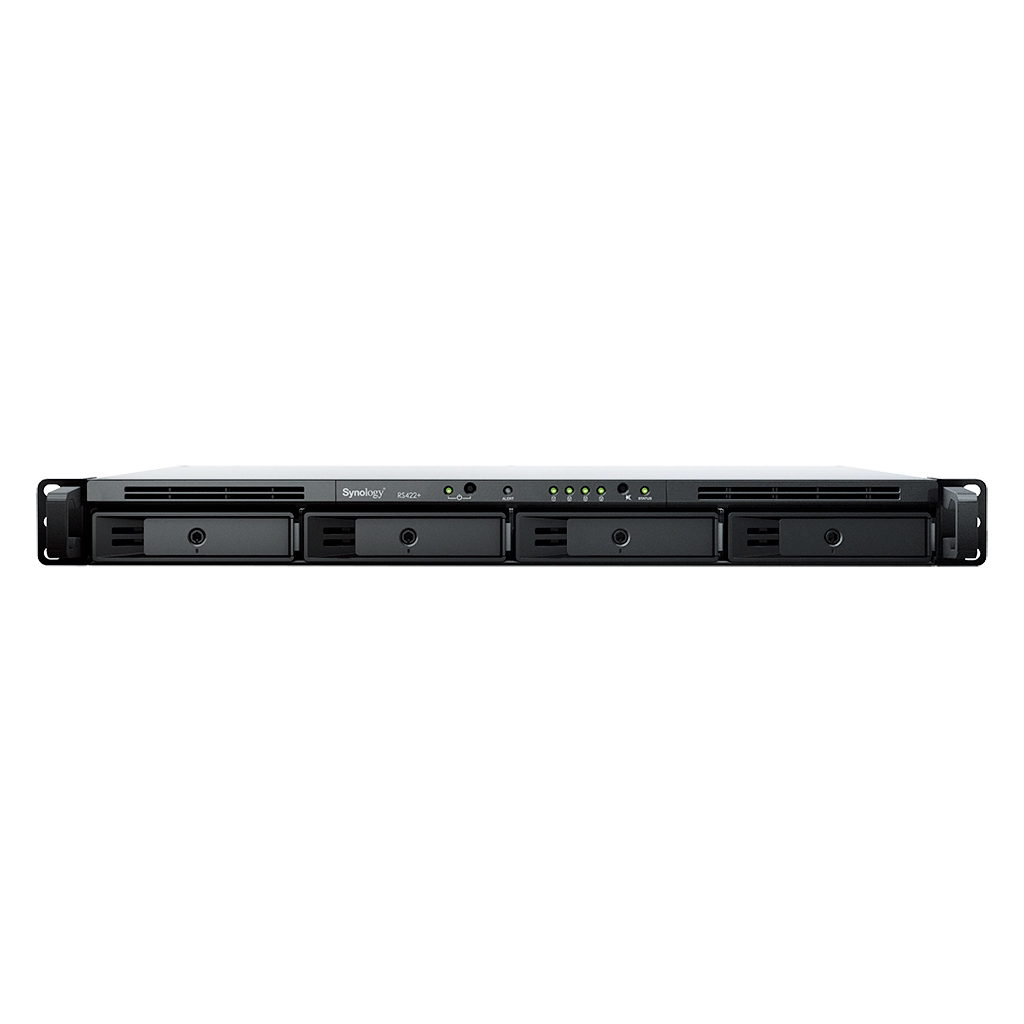
Your needs, this model
Does it fit your priorities?
Is RS422+ a short-depth 1U rack NAS?
Yes. Synology lists a 1U chassis measuring 44 × 478 × 327.5 mm and describes a 2-post direct-mount option. The installation guide lists rack-mount kits in the package, but 4-post sliding rails RKM114 or RKS-02 are sold separately.
Explore this need in the finder →Does the RS422+ have built-in 10GbE?
No. The chassis has two built-in 1GbE ports. Synology lists E10G22-T1-Mini as a separate 10GbE network upgrade module; the finder counts the built-in port rate, not an uninstalled optional module, and two gigabit ports do not guarantee a 2Gbps single-client transfer.
Explore this need in the finder →Can two of its four bays run as a documented mirror?
Yes. The model lists RAID 1 and supports four native SATA bays. Two compatible drives can form a mirror, but the product package does not list data drives; a mirror still does not protect against deletion, malware, theft or loss of the whole NAS.
Explore this need in the finder →A deliberately shallow four-bay rack NAS
The RS422+ is a 1U RackStation with four native SATA positions, intended for compact office, edge-storage or homelab installations. Its U.S. product page lists a 44 × 478 × 327.5 mm chassis and a weight of 4.38 kg before drives; Synology’s 2022 U.S. launch release highlights the short depth and 2-post or wall-mounted rack context. Measure usable rack depth, rear cable bend and airflow rather than relying on the 1U label alone.
Synology’s installation guide lists the main unit, AC cord, two rack-mount pieces, tray keys and drive screws. The RKM114 or RKS-02 rail kit for a 4-post 19-inch rack is separate; the product page also lists direct mounting on a 2-post rack. Confirm the rack method and seller package before ordering.
Four SATA positions and a real drive-layout choice
Synology lists four hot-swappable positions for 3.5-inch SATA hard drives or 2.5-inch SATA SSDs. Its base package does not include data drives. The system supports Synology Hybrid RAID and the usual Basic, JBOD, RAID 0, RAID 1, RAID 5, RAID 6 and RAID 10 choices. A two-drive RAID 1 set is therefore a documented way to mirror data across two compatible installed drives, but it uses two bays to hold one protected copy. It is not the same thing as a separate backup, and the remaining two bays do not make capacity or future pool expansion automatic: check the precise array migration and drive replacement instructions first.
The listed single-volume ceiling is 108 TB, not a usable-capacity forecast. RAID layout, actual drive sizes, filesystem overhead and system metadata all affect usable space. Synology’s hardware compatibility list should be checked using the exact drive model and the RS422+ identifier. The compatibility page and support policy can change; a drive that physically fits is not necessarily a fully validated option. If the work data matters, reserve time and destination capacity for a second copy outside this chassis.
Gigabit networking is the built-in baseline
The RS422+ has two built-in 1GbE RJ-45 ports. Synology describes link aggregation and network failover/load balancing as supported uses, but two ports do not promise that one workstation will transfer a single file at twice the speed of one gigabit port. The switch, client, cable, protocol and parallel workload all matter. For a basic shared folder or nightly backup, a gigabit path may be sufficient; for large media sets or several simultaneous users, check the actual path before deciding that this port ceiling is acceptable.
There is an optional route to faster networking: Synology lists the E10G22-T1-Mini 10GbE RJ-45 upgrade module, installed in the single PCIe Gen3 x2 network-upgrade slot. The module is separately purchased, so it is not a built-in 10GbE port and does not make the base model a multigig system by itself. The finder accordingly counts one fastest built-in port at 1Gbps. Budget for the module and a compatible 10GbE switch or direct link only if the rest of the installation will use it.
Modest documented memory and DSM features
The published configuration uses an AMD Ryzen R1600 processor, 2 GB of DDR4 ECC memory, two cores and four threads. The current product page does not list a maximum memory capacity or a slot count. I therefore treat the 2 GB installed figure as known and a memory-upgrade ceiling as unconfirmed, rather than assuming either upgradeability or a fixed maximum from another RackStation. If a virtual-machine, application or large multi-user workload depends on memory expansion, verify that path against the current exact-model manual before buying.
DSM provides the usual NAS foundations: SMB and NFS file services, Btrfs and ext4, snapshots, file sharing and backup packages. The datasheet’s performance figures are Synology’s internal tests, not an independent measurement for this review. A 1GbE client path can constrain transfers well below a chassis-level benchmark. Surveillance Station is also available, but the published configuration includes two camera licenses; additional camera licensing is a separate matter. This review is based on manufacturer documentation, not hands-on testing.
Where it sits among the rack options
The RS422+ pairs a short 1U envelope with four NAS bays and an optional single-port 10GbE upgrade. Its compromises are two built-in gigabit ports, 2 GB of listed ECC memory, no integrated M.2 positions and no external drive-expansion unit listed on its model page. Compare actual chassis, port and expansion differences instead of treating all four-bay systems as equivalent.
Checks before choosing an offer
Verify the exact RS422+ package, seller warranty and drive model codes. Decide on the RAID plan and whether the 10GbE module is worth adding; check module compatibility. For 4-post installation, budget for RKM114 or RKS-02 rails if needed, and confirm the rack can support the populated unit. Plan a separate backup and test a restore: a mirror does not make one rack device a complete recovery plan.
Assessment
RS422+ is a focused choice for a space-constrained 1U rack deployment that needs four internal SATA positions and accepts a gigabit built-in network baseline. Its upgrade path to 10GbE is useful, but separate and single-slot; the compact form factor does not erase the need to plan drive compatibility, cooling, rack hardware and backup. The Synology U.S. status page observed October 29, 2026 lists it as Generally Available with Full DSM updates, Full Technical Support and a three-year warranty. That is manufacturer status, not a promise of reseller stock or offer-specific coverage.
Primary references: Synology’s U.S. RS422+ product page, the RS422+ datasheet, its hardware installation guide, Synology’s U.S. launch announcement and the U.S. Product Support Status record.
Key specifications
Key details at a glance
| Internal drive bays | 4 bays |
|---|---|
| Documented internal drive media | 3.5-inch SATA HDD / 2.5-inch SATA SSD |
| Built-in Ethernet ports | 2 × 1GbE RJ-45 data ports |
| Fastest individual Ethernet port | 1 Gbps |
| Installed system memory | 2 GB |
| Listed storage arrangements | Synology Hybrid RAID / Basic / JBOD / RAID 0 / RAID 1 / RAID 5 / RAID 6 / RAID 10 |
| Internal file systems | Btrfs / ext4 |
| USB 3.2 Gen 1 ports | 1 |
| Maximum listed single-volume size | 108 TB |
| Dimensions (H × W × D) | 44 × 478 × 327.5 mm (H × W × D) |
| Weight | 4.38 kg |
| Manufacturer's idle noise figure | 28.5 dB(A) |
| Hardware warranty | 3 years |
| Data drives included in listed package | No |
| M.2 NVMe slots | 0 |
| Processor | AMD Ryzen R1600 |
| CPU cores | 2 |
| CPU threads | 4 |
| Installed memory type | DDR4 ECC |
| Single-volume limit condition | Manufacturer-listed single-volume limit; actual usable space depends on drive sizes, array layout, filesystem and system metadata. |
Use the exact model’s instructions for operating limits, supplied equipment and version differences.
Sources for this review
Sources for this assessment
Check your setup before choosing a NAS
Use the finder to check bay count, the network link you need, and whether a documented two-drive redundant arrangement is essential.