
Your needs, this model
Does it fit your priorities?
How many bays are inside the RS4021xs+ before adding shelves?
Sixteen native SATA positions. Synology lists up to forty total with two separate RX1217/RX1217RP expansion units; the external positions are not part of the chassis itself.
Explore this need in the finder →How are its built-in network ports divided?
It has four 1GbE RJ-45 data ports and two 10GbE RJ-45 data ports. Synology does not list a separate out-of-band management data port for this model; an Ethernet port count should not be confused with an expected file-transfer rate.
Explore this need in the finder →What should I verify on a used or replacement RS4021xs+ PSU?
Synology's product change notice ties 800 W and 550 W modules to different serial-number revisions and says to use matching wattage in the pair. Check the unit's serial digits and installed module before buying a replacement; this hardware revision question is separate from the NAS's RAID 1 capability.
Explore this need in the finder →A 16-bay platform with a different generation of parts
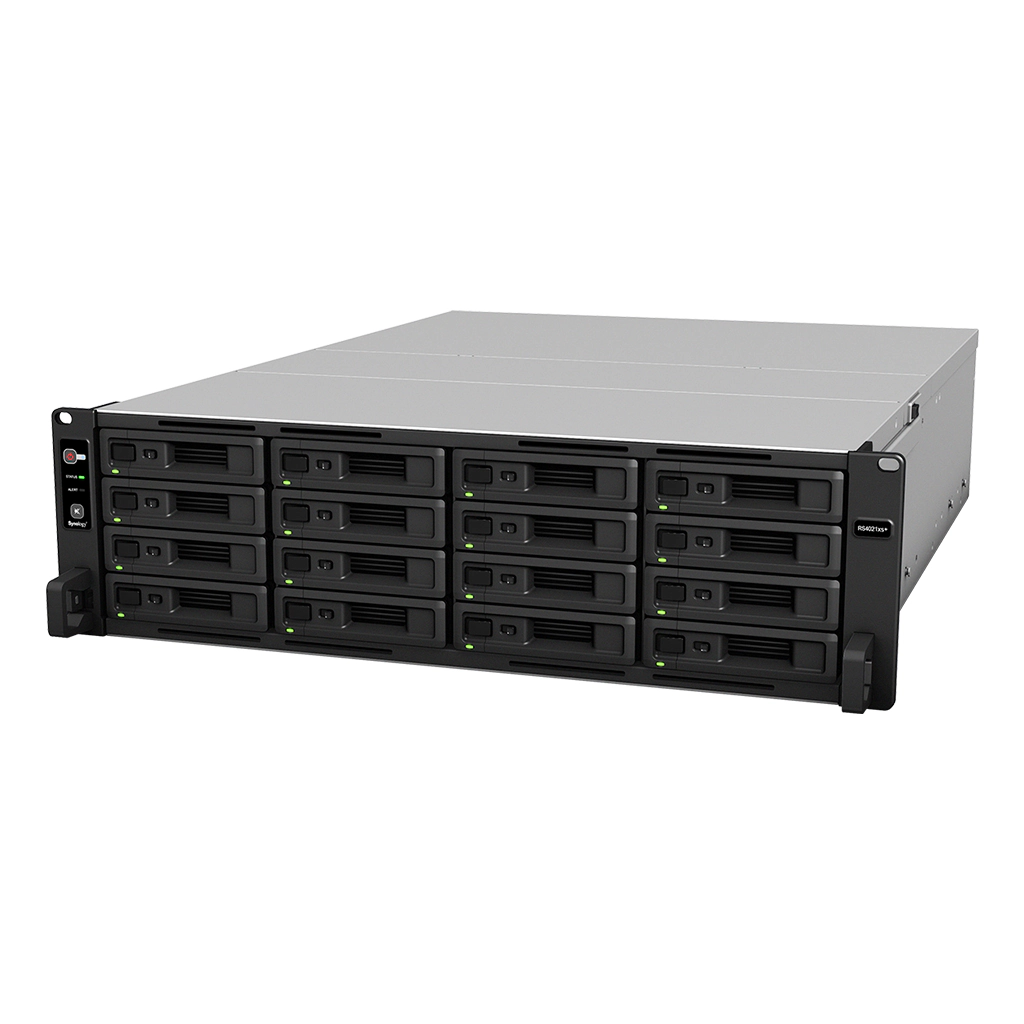
The RackStation RS4021xs+ is a 3U, sixteen-bay enterprise NAS announced in 2021. It remains listed on Synology's U.S. product page and offers a documented NAS role, but it should be compared as an older hardware platform rather than as a direct twin of the 2026 RS6426xs+. The RS4021xs+ combines an eight-core Intel Xeon D-1541, 16 GB of ECC UDIMM memory, four built-in 1GbE ports and two built-in 10GbE ports. Its two expansion connections use a different interface from the newer x26 RackStations, so shelf plans and port capabilities are not interchangeable across the range.
Sixteen native SATA positions
Synology specifies sixteen internal positions for 3.5-inch SATA hard drives or 2.5-inch SATA SSDs. The standard listed package does not include data drives. It supports RAID 1 as well as other listed RAID arrangements, making a two-drive mirror a documented option. That can reduce disruption from one drive failure, but it does not protect against deletion, malware, theft or loss of the entire appliance. A separate backup copy and a recovery plan are still required.
Two RX1217 or RX1217RP shelves can expand the system to forty total positions, according to Synology's U.S. product page. That means sixteen native positions plus up to twenty-four in two separate expansion units, not forty trays in the base chassis. The shelf model, cabling, rack fit and supported drive models should be checked against the current compatibility list. The main system also has two PCIe Gen3 x8 slots for compatible add-in cards, but those cards are separate and should not be counted as included networking.
Memory, networking and older I/O
The base memory is 16 GB of DDR4 ECC UDIMM across four slots, with a listed 64 GB maximum. That is a different memory type and ceiling from the 16 GB ECC RDIMM / 96 GB maximum on the RS6426xs+ and RS4826xs+, and from the 64 GB ECC RDIMM baseline and 1 TB ceiling on the RS11626xs+. The RS4021xs+ therefore may still suit an existing system plan, but buyers who need the newer generation's memory or expansion architecture should not assume this model can be upgraded into it.
There are four 1GbE RJ-45 data ports and two 10GbE RJ-45 data ports. That mix offers a high-speed link plus lower-rate paths for separate network roles, but a 10GbE label does not ensure 10Gbps file transfers. The switch, client, cabling, drive set and workload all affect real throughput. The two Infiniband expansion ports are not ordinary Ethernet ports; Synology lists RX1217/RX1217RP support for expansion, not a generic NAS shelf.
Rack installation and hardware revision checks
The 3U chassis is about 17.4 kg before drives and requires a four-post 19-inch rack; Synology lists the RKS-02 rail kit separately. It has dual power supplies and supports Synology High Availability when paired with a second compatible unit, which is distinct from a two-drive RAID mirror. Confirm rack depth, power, airflow, service access and whether the planned deployment needs a second appliance.
There is a model-specific revision check worth making before buying used or replacement hardware. Synology's RS4021xs+ product page and 2022 product-change notice document 800 W and 550 W redundant power-supply modules tied to serial-number revisions. The notice says the two PSUs should be the same wattage, so do not mix module ratings. Verify the serial number and installed part before sourcing a replacement or assuming a particular power configuration.
Lifecycle and market context
Synology's U.S. Product Support Status view lists the RS4021xs+ as Generally Available with Full DSM updates, Full technical support and a five-year warranty. The global status view currently marks the model Discontinued while still showing Full DSM updates, Full technical support and a five-year warranty. That is a market/status-source discrepancy, not proof of a specific reseller's stock. This assessment follows the U.S. market evidence for its U.S. scope and preserves the conflict so a buyer can confirm the current regional listing before relying on it.
Synology's five-year warranty is tied to the purchase receipt and official terms; a used or gray-market offer may have different coverage. The reviewed sources do not establish seller price, stock, return rights, an exact reseller package or included storage. Ask the seller for the full model suffix, serial-based revision information and a clear inventory of any drives, rails or expansion shelves.
Assessment
The RS4021xs+ offers sixteen native SATA bays, dual 10GbE and a documented forty-position expansion path in a conventional 3U RackStation chassis. Its main constraints are its older Xeon D-1541 platform, smaller ECC UDIMM ceiling and older expansion interface. The RS6426xs+ also has sixteen native bays but uses a newer Xeon D-1739, ECC RDIMM and RX1225RP shelves; the RS11626xs+ adds twenty native positions and a higher memory tier. For an organization with an existing RS4021xs+ installation or a specific compatibility requirement, the older model may still make sense. A new deployment should compare the entire storage, network, rack, support and upgrade plan—not bay count alone.
Key specifications
Key details at a glance
| Internal drive bays | 16 bays |
|---|---|
| Documented internal drive media | 3.5-inch SATA HDD / 2.5-inch SATA SSD |
| Built-in Ethernet ports | 4 × 1GbE RJ-45 data ports / 2 × 10GbE RJ-45 data ports |
| Fastest individual Ethernet port | 10 Gbps |
| Installed system memory | 16 GB |
| Maximum listed memory | 64 GB |
| Listed storage arrangements | Basic / JBOD / RAID 0 / RAID 1 / RAID 5 / RAID 6 / RAID 10 / RAID F1 |
| Internal file systems | Btrfs / ext4 |
| USB 3.2 Gen 1 ports | 2 |
| Maximum listed single-volume size | 1000 TB |
| Dimensions (H × W × D) | 132.3 × 482 × 656.5 mm (H × W × D); 3U |
| Weight | 17.4 kg |
| Manufacturer's idle noise figure | 44.7 dB(A) |
| Hardware warranty | 5 years |
| Data drives included in listed package | No |
| M.2 NVMe slots | 0 |
| Maximum total drive bays with listed expansion | 40 bays |
| Expansion-unit note | Sixteen native bays expand to 40 total with two separately purchased RX1217 shelves; the U.S. product page also names RX1217RP. Confirm the exact supported shelf and compatible drives. |
| Listed expansion unit | RX1217 × 2 (RX1217RP also listed as compatible) |
| Processor | Intel Xeon D-1541 |
| CPU cores | 8 |
| CPU threads | 16 |
| Installed memory type | DDR4 ECC UDIMM |
| Single-volume limit condition | Synology lists up to 1 PB for RAID 6 with 64 GB memory, 200 TB with 32 GB and 108 TB otherwise. These are conditional single-volume limits, not usable-capacity guarantees. |
Use the exact model’s instructions for operating limits, supplied equipment and version differences.
Sources for this review
Sources for this assessment
- Synology U.S. NAS product list, captured directory response
- Synology U.S. RackStation RS4021xs+ product page
- Synology RS4021xs+ English datasheet
- Synology RS4021xs+ Hardware Installation Guide
- Synology U.S. introduction of RS4021xs+ RackStation
- Synology RS4021xs+ product change notice PCN-008
- Synology global Product Support Status (rendered/indexed table result)
- Synology U.S. Product Support Status (rendered table observation)
- Hand-recorded row observation from Synology U.S. Product Support Status
Check your setup before choosing a NAS
Use the finder to narrow documented desk/shelf or rack formats, internal-bay minimums, a single Ethernet-port rating and optional redundancy requirements.