
Your needs, this model
Does it fit your priorities?
Is the RS1626xs+ a sixteen-bay system before expansion?
No. The RS1626xs+ has four native SATA bays. Reaching sixteen total positions requires one separately purchased RX1225RP expansion unit; confirm exact shelf compatibility, its own power and rack location, and the drive list before planning a volume.
Explore this need in the finder →Does the management connector add a third file-serving port?
No. The documented data links are two 10GbE RJ-45 ports. The separate out-of-band management connector is for administration, not another SMB or NFS data path; a 10GbE port also cannot guarantee 10Gbps file transfers on its own.
Explore this need in the finder →Can two drives be mirrored, and is that a backup?
Synology lists RAID 1, so two compatible SATA data drives can be configured as a mirror in native bays. A mirror may help after one drive fails, but it does not restore deleted files or protect against loss of the whole system; keep and test an independent backup.
Explore this need in the finder →A short rack chassis, not a high-bay box
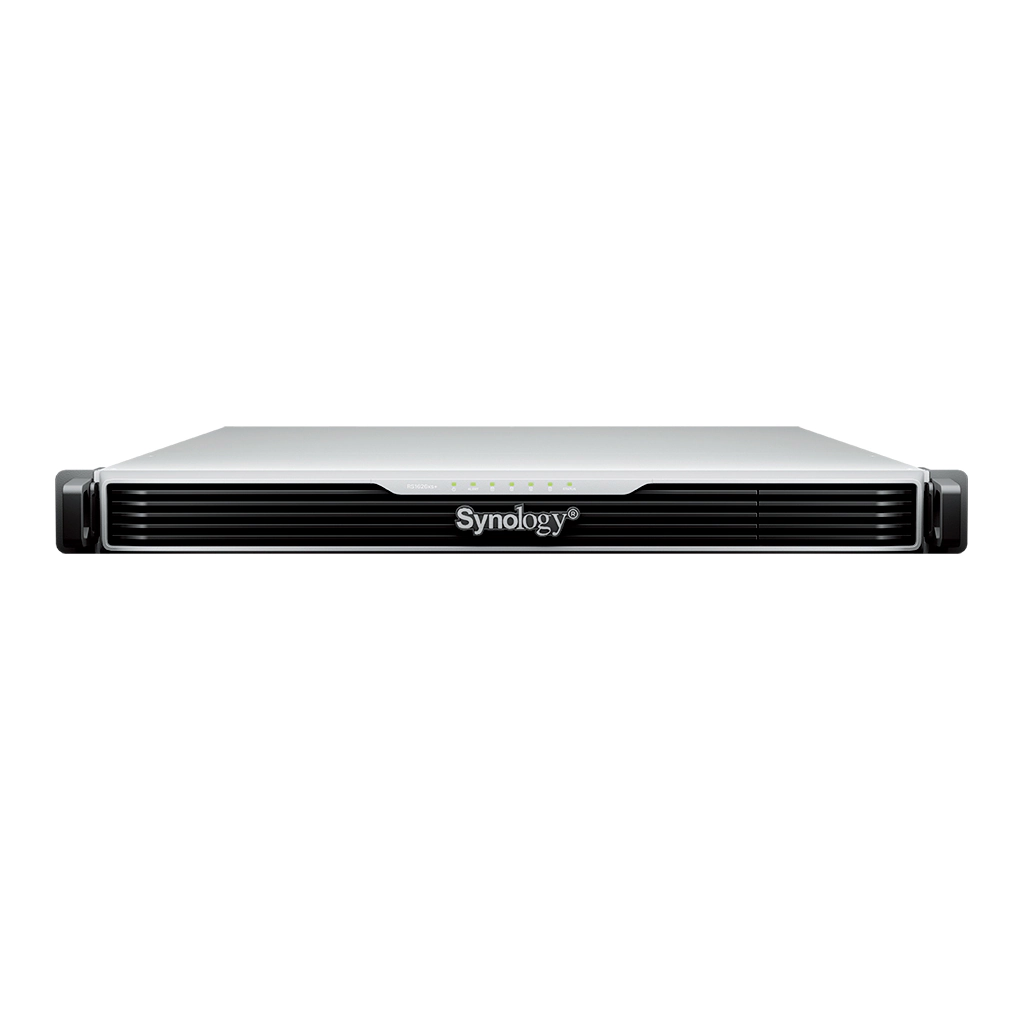
The RackStation RS1626xs+ is a 1U NAS with four native SATA drive bays. Its unusual proposition is not density by bay count, but a small rack footprint with an Intel Xeon D-1726, two built-in 10GbE data ports, redundant power supplies and a path to a separate 12-bay expansion unit. That combination suits a branch office or compact equipment room that already has a suitable rack and expects to plan storage in stages. It is not a reason to treat the four-bay main chassis as a sixteen-bay appliance on day one.
Synology lists expansion to sixteen total bays with one RX1225RP. That arithmetic is four in the RS1626xs+ plus twelve in a compatible, separately purchased shelf. The shelf has its own space, power and cable requirements. The manufacturer’s compatibility list should be checked for the exact system and shelf revision before planning a volume across them. A buyer who needs sixteen internal positions in one chassis should compare a larger model such as the RS2825RP+ instead of assuming the optional shelf is equivalent.
Compact networking with a management distinction
The documented data connections are two 10GbE RJ-45 ports. The back panel also has a dedicated management port for out-of-band administration; it is not a third file-serving port and should not be counted when tallying LAN throughput. Two fast ports provide useful options for separate networks, failover or a properly planned multi-client setup, but they do not turn a single client into a 20Gbps transfer path. The switches, client adapter, cabling, disk workload and network configuration all remain part of the path.
The 1U chassis has one Gen4 x8 PCIe slot for a compatible add-in card, plus two internal M.2 2280 NVMe positions. Synology describes the M.2 devices as SSD-cache options that do not use the four SATA bays. These M.2 slots are not hot-swappable, and a cache device is not a substitute for additional data-bay capacity or a backup. Check the currently supported card and SSD lists before designing a particular cache or network upgrade.
Memory and storage limits are configuration-dependent
The machine uses a six-core, twelve-thread Xeon D-1726 and ships with 16 GB of DDR4 ECC RDIMM memory. Four memory slots support a listed maximum of 64 GB. This is a stronger starting point than the 8 GB ECC UDIMM baseline in the three-unit RS2825RP+, but memory type and capacity are not interchangeable between models. Synology cautions that non-Synology memory may limit complete warranty or technical support, so verify both module compatibility and the effect on support before upgrading.
DSM supports RAID 1, and the model’s file services include SMB and NFS. A two-drive RAID 1 arrangement is therefore a documented way to begin with compatible SATA drives in the native bays. It is not a complete data-protection plan. A mirror can help a volume remain available after one drive failure; it does not reverse accidental deletion, malicious encryption, theft, fire or a failed backup job. Keep an independent, recoverable copy and test that copy.
Synology lists a 108 TB single-volume tier, 200 TB with at least 32 GB of memory, and a conditional 1 PB ceiling only with 64 GB of memory and RAID 6 groups. These are software limits, not promises of usable space. The final capacity depends on the number and size of drives, the selected RAID layout, filesystem overhead and volume design. A buyer starting with two drives should not read the largest possible-volume number as a forecast of day-one capacity.
Rack depth and the real package matter
The 1U enclosure measures 44 × 481.9 × 668.5 mm and weighs 9.5 kg before installed drives. Synology specifies a four-post 19-inch rack and lists the RKS-04 sliding rails separately. A compact height does not make it shallow: confirm the rack’s usable depth, rear cabling clearance, airflow and maintenance access. The installation guide lists two C13-to-C14 power cords and a dual-power-supply arrangement. For actual power resilience, those supplies need to be connected to a suitable, deliberately planned power path; two plugs in the same failed outlet are not independent protection.
The standard hardware guide lists the main unit, cords, screws, rack-mount pieces and drive-tray keys, but no data drives or RX1225RP shelf. A seller can offer a different package, so check the exact listing rather than assuming the manufacturer’s system-level specification describes everything in the box. The observed Synology U.S. support-status row marks this model Generally Available with Full DSM updates, Full Technical Support and a five-year warranty as of October 29, 2026. That is manufacturer lifecycle information, not confirmation of any retailer’s stock or warranty eligibility.
Assessment
The RS1626xs+ is best understood as a four-bay rack NAS with unusually capable built-in connectivity, redundant power and a clearly defined shelf expansion option. It makes sense when a 1U installation, fast network links and modest initial bay count are intentional parts of the plan. It is a poor fit for someone who simply wants a large amount of internal storage without buying a shelf, rack rails or compatible drives. Compared with the RS2825RP+, it has half the native bays, dual 10GbE rather than one built-in 10GbE port, twice the listed base memory and a five-year rather than three-year standard warranty; each is a real tradeoff, not a universal ranking. This is an evidence-based reading of Synology documentation, not a hands-on setup or speed test.
Primary references: Synology U.S. RS1626xs+ specifications, the English datasheet, the hardware installation guide and the U.S. Product Support Status row.
Key specifications
Key details at a glance
| Internal drive bays | 4 bays |
|---|---|
| Documented internal drive media | 3.5-inch SATA HDD / 2.5-inch SATA SSD |
| Built-in Ethernet ports | 2 × 10GbE RJ-45 data ports / 1 dedicated out-of-band management port; not a data port |
| Fastest individual Ethernet port | 10 Gbps |
| Installed system memory | 16 GB |
| Maximum listed memory | 64 GB |
| Listed storage arrangements | RAID F1 / Basic / JBOD / RAID 0 / RAID 1 / RAID 5 / RAID 6 / RAID 10 |
| Internal file systems | Btrfs |
| Maximum listed single-volume size | 1000 TB |
| Dimensions (H × W × D) | 44 × 481.9 × 668.5 mm (H × W × D); 1U |
| Weight | 9.5 kg |
| Hardware warranty | 5 years |
| Data drives included in listed package | No |
| M.2 NVMe slots | 2 |
| Maximum total drive bays with listed expansion | 16 bays |
| Expansion-unit note | Four native SATA bays plus one separate 12-bay RX1225RP; 16 is not the base chassis count. |
| Listed expansion unit | RX1225RP × 1 (sold separately) |
| Processor | Intel Xeon D-1726 |
| CPU cores | 6 |
| CPU threads | 12 |
| Installed memory type | DDR4 ECC RDIMM |
| Single-volume limit condition | 108 TB tier otherwise; 200 TB requires at least 32 GB RAM; 1 PB is conditional on 64 GB RAM and RAID 6 groups. Usable capacity is lower and configuration-dependent. |
Use the exact model’s instructions for operating limits, supplied equipment and version differences.
Sources for this review
Sources for this assessment
Check your setup before choosing a NAS
Use the finder to narrow documented desk/shelf or rack formats, internal-bay minimums, a single Ethernet-port rating and optional redundancy requirements.