
Your needs, this model
Does it fit your priorities?
What drives fit the FS6420's 24 bays?
Synology documents 24 hot-swappable 2.5-inch SATA SSD positions and says compatible drives are mandatory; the manual package list does not include SSDs. Check each full SSD model in the current FS6420 compatibility list, and do not substitute SAS, NVMe or M.2 drives based on the FlashStation name.
Explore this need in the finder →Does the FS6420 offer a documented two-drive mirror?
Yes. Synology lists RAID 1, so two compatible drives can be assigned to a two-drive mirror arrangement. That can help with a single drive failure, but it is not a separate backup against deletion, malware, theft or failure of the complete system.
Explore this need in the finder →Can I use the internal M.2 slot to add a storage pool or shelf?
No user-installed M.2 expansion is documented: Synology's hardware guide says the internal M.2 slot is reserved for system use. The FS6420 documentation does not list an external drive-shelf expansion path, so plan capacity around its 24 native SATA SSD positions and verify the exact drive list.
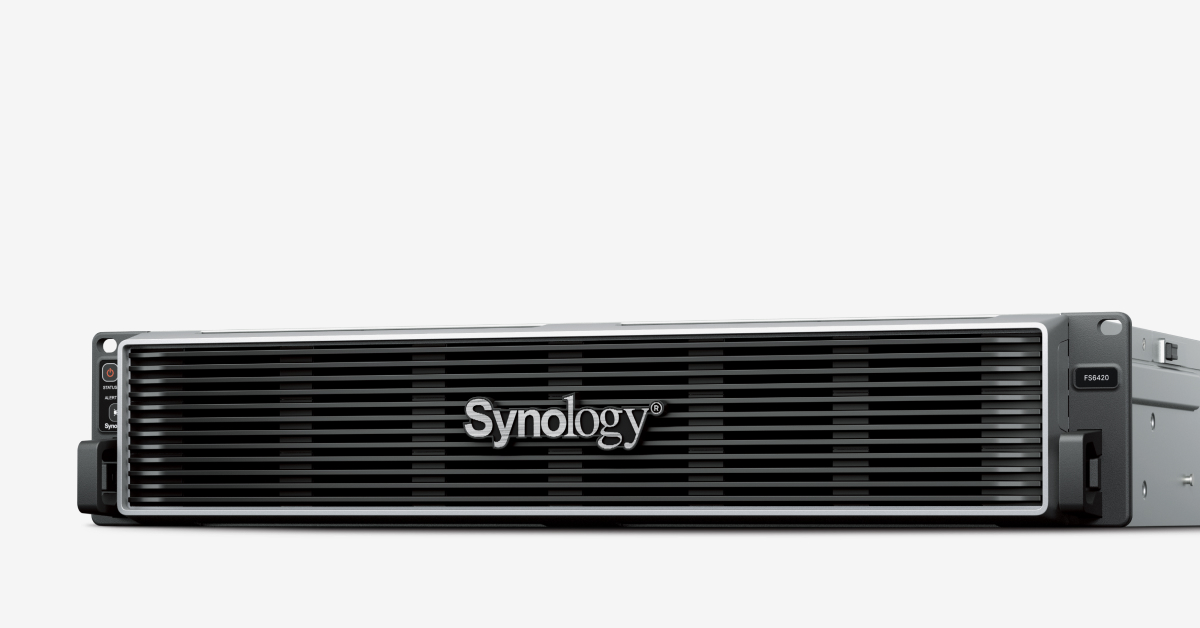
Explore this need in the finder →The Synology FlashStation FS6420 is a 2U, 24-bay all-flash system built for business file and block workloads—not a quiet desktop NAS. It stands out for a current-generation 16-core processor, 64 GB of installed ECC memory, two onboard 10GbE data ports and two full-length PCIe 4.0 slots. Its most important buying limit is just as clear: the 24 native positions are for 2.5-inch SATA SSDs, not SAS or NVMe drives.
A specific enterprise role, not a generic 24-bay promise
Synology's product page and 2026 datasheet describe the FS6420 as an all-flash 24-bay rackmount NAS for I/O-intensive, latency-sensitive work. DSM supplies SMB and NFS file services alongside iSCSI and Fibre Channel support, plus virtualization and backup applications. That breadth can suit an organization consolidating fast shared files, virtual-machine storage and protection jobs on a managed storage platform. It does not make the FS6420 a ready-made deployment: a production design still needs compatible drives, switches, clients, permissions, backup destinations and an administrator who can operate DSM.
Synology advertises more than 257,000 4K random-write IOPS and lists dual 10GbE RJ-45 ports. Those are manufacturer claims for defined test/configuration conditions, not a promise that a particular workstation will see a matching file-copy rate. A single built-in port is rated at 10GbE; the actual end-to-end path depends on the NICs at both ends, switch, cabling, storage layout, concurrent traffic and workload. Link aggregation or an added card changes the network design, not the speed of one client link by itself.
Drive choice is the key configuration constraint
The 24 hot-swappable trays accept 2.5-inch SATA SSDs. Synology says compatible drives are mandatory and sells the SSDs separately. The hardware guide's package list includes the main unit, two C13-to-C14 power cords, 104 screws for 2.5-inch drives, a front cover and cable ties; it does not list SSDs. Treat an ordinary listing as a diskless chassis unless the seller separately describes a precise drive bundle. Check the full SSD model and firmware in the FS6420 compatibility list rather than extrapolating support from an FS6400 or another Synology system.
This is a meaningful distinction from the FS6400. The older 2U FS6400 also has 24 positions, but its documented media include 2.5-inch SAS HDDs and SSDs as well as SATA SSDs; it also supports external expansion units. The FS6420's official list is SATA SSD, and its documentation does not offer an equivalent drive-shelf capacity path. If a system must preserve an existing SAS disk pool or grow by connecting a shelf, do not choose the newer model based on the number 24 alone.
File protection helps, but it does not replace recovery design
The FS6420 supports Btrfs on internal drives and lists RAID F1, RAID 1, RAID 5, RAID 6, RAID 10 and other layouts. A two-drive RAID 1 arrangement is documented, so the model can meet a requirement for a mirror against one drive failure. It is still not a second backup: deletion, ransomware, a faulty update, theft or damage to the rack can affect the array and its data. Synology also documents Snapshot Replication and High Availability clustering; snapshots and a paired server are useful mechanisms, but they require deliberate retention, replication and failover design. Establish a separate, recoverable copy and test a restore before treating the appliance as protected.
Synology lists a maximum single volume of 1 PB for RAID 6 groups, along with 200 TB and 108 TB entries and qualifications. That headline is not a usable-capacity estimate. The supported drive models, number of drives, selected RAID, system metadata and applicable DSM conditions all matter. The product page also describes the internal M.2 slot as reserved for system use, not as an additional buyer-installed SSD pool.
Rack, power and maintenance planning
The chassis is 2U, 88 × 482 × 724 mm (height × width × depth), and 15.5 kg before drives. Synology specifies a four-post 19-inch rack; the RKS-02 sliding rail kit is sold separately. Check rack depth and clearance, loaded weight, access for replacing drives and the route for two power cords. The datasheet lists 100–240 V AC input, dual power supplies and hot-swappable fans. Those features support maintainability, but do not remove the need for suitable rack power, cooling, airflow and a written replacement procedure. The documented operating range is 0–35°C.
Who should evaluate it?
An IT team with an all-flash file/block use case, 24 compatible SATA SSDs, a 10GbE network path and rack facilities has a concrete reason to assess the FS6420. Synology lists a five-year limited warranty, current availability and full DSM update and technical-support status; confirm the actual regional terms, response arrangements and seller package before committing. A home user, small office that only needs shared folders, or buyer expecting an inexpensive way to add drives later is looking at the wrong class of equipment. A 24-bay count does not make a rack server suitable for a desk or ordinary household electrical/cooling plan.
Checks before ordering
Confirm the exact FS6420 model, current support terms and whether the offer contains only the chassis. Validate every SSD against Synology's live compatibility list, size the RAID layout and usable-space target, and plan at least one backup outside the appliance. Then verify rack and rail-kit fit, rack-PDU connectors for the supplied cords, cooling, a 10GbE-capable path from server to client, and who will install DSM and maintain the system. The FS6420 can be a well-specified tool for that job; the documents do not establish its purchase price, seller stock, tested performance in your environment or recovery outcome.
Key specifications
Key details at a glance
| Internal drive bays | 24 bays |
|---|---|
| Documented internal drive media | 2.5-inch SATA SSD |
| Built-in Ethernet ports | 2 × 10GbE RJ-45 storage/network ports / 1 × 1GbE RJ-45 out-of-band management port (not a storage data port) |
| Fastest individual Ethernet port | 10 Gbps |
| Installed system memory | 64 GB |
| Maximum listed memory | 1024 GB |
| Listed storage arrangements | RAID F1 / Basic / JBOD / RAID 0 / RAID 1 / RAID 5 / RAID 6 / RAID 10 |
| Internal file systems | Btrfs |
| USB 3.2 Gen 1 ports | 2 |
| Maximum listed single-volume size | 1000 TB |
| Dimensions (H × W × D) | 88 × 482 × 724 (H × W × D) |
| Weight | 15.5 kg |
| Hardware warranty | 5 years |
| Data drives included in listed package | No |
| M.2 NVMe slots | 0 |
| M.2 SSD storage-pool support | No |
| Processor | AMD EPYC 7303 |
| CPU cores | 16 |
| CPU threads | 32 |
| Installed memory type | DDR4 ECC RDIMM |
| Single-volume limit condition | The datasheet lists up to 1 PB for RAID 6 groups, plus lower volume-size options. Requirements and supported configuration apply; the drive count, RAID, filesystem and metadata affect usable capacity. |
Use the exact model’s instructions for operating limits, supplied equipment and version differences.
Sources for this review
Sources for this assessment
Check your setup before choosing a NAS
Use the finder to check bay count, the network link you need, and whether a documented two-drive redundant arrangement is essential.