
Your needs, this model
Does it fit your priorities?
Which drives fit the FS3420?
Synology specifies 24 hot-swappable 2.5-inch SATA SSD bays and says compatible drives are mandatory. Storage is sold separately; verify each exact SSD model on the current FS3420 compatibility list.
Explore this need in the finder →Are all three Ethernet ports file-service links?
No. The FS3420 has two built-in 10GbE RJ-45 data ports and a separate 1GbE out-of-band management port. Count the two 10GbE ports for a data-network requirement; do not treat the management interface as another NAS data port.
Explore this need in the finder →Does the FS3420 guarantee a 1 PB usable volume?
No. Synology documents a 1 PB single-volume configuration only with at least 64 GB memory and RAID 6; a 108 TB maximum also applies. Usable capacity depends on the installed SSDs, RAID and metadata.
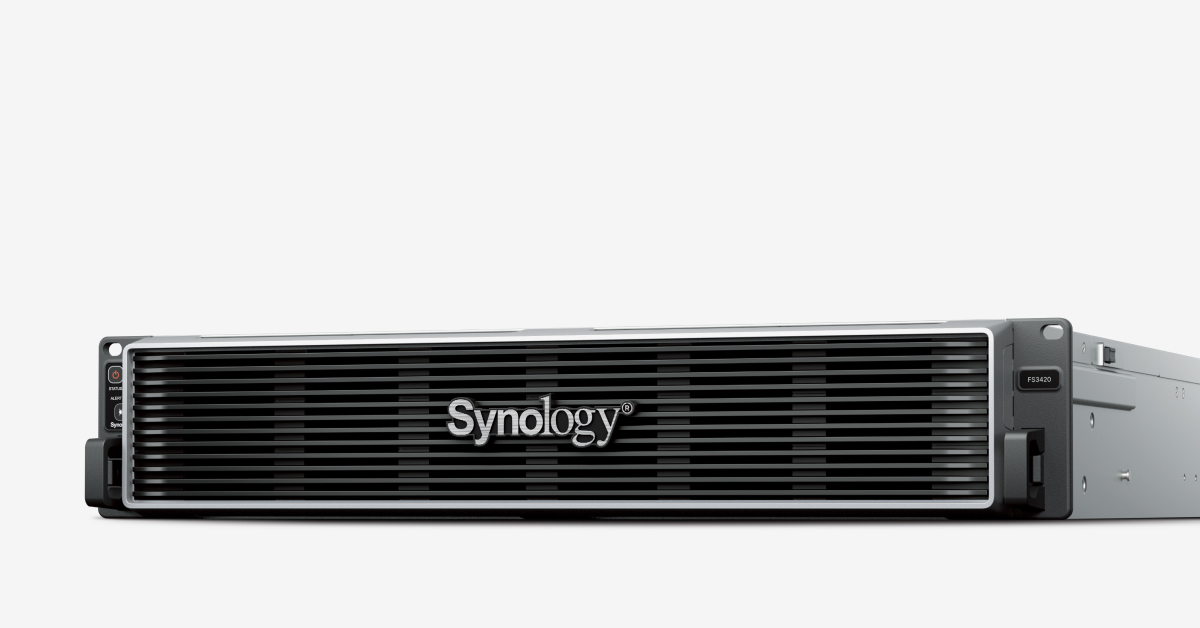
Explore this need in the finder →The FS3420 is a 2U, 24-bay enterprise NAS whose specifications focus on latency-sensitive work, virtual machines and file or block storage. It should be assessed as a rack system with a planned SSD set and network path, not as a generic large-capacity home NAS. The first boundary is simple: Synology documents 24 hot-swappable 2.5-inch SATA SSD positions. Unlike the FS3600, this model’s listed bays do not support SAS hard drives or SAS SSDs.
What the all-flash configuration requires
Synology’s package list includes the chassis, accessory pack, front cover and two C13-to-C14 power cords, but not the storage SSDs. Its page says compatible drives are mandatory and asks buyers to consult the model’s current compatibility list. That makes exact drive-model checking part of the purchase, not an optional afterthought. A 24-bay frame does not itself tell you usable capacity: the selected SSDs, RAID type, filesystem, spare capacity and metadata determine the result.
The product specification lists Btrfs for internal drives and RAID F1, Basic, JBOD, RAID 0, RAID 1, RAID 5, RAID 6 and RAID 10. RAID 1 is the documented two-drive mirror route used in this assessment. It can preserve access through one drive failure in that mirror, but it does not replace a backup copy held elsewhere or a restore test. For an all-flash pool, Synology also describes volume-wide deduplication for supported Synology SSDs; do not assume every third-party SSD enables every storage-efficiency feature.
Fast ports, but one management port is not a data link
The FS3420 has two built-in 10GbE RJ-45 data ports and a separate out-of-band management LAN port. The management interface is useful for system administration; it should not be counted as another production data port or as a faster Ethernet path. The two PCIe Gen4 x8 slots can accept compatible add-in cards, including documented high-speed network or Fibre Channel options, but those are upgrades to verify and budget separately. If your basic requirement is a built-in port at 10Gbps, the two native 10GbE ports meet that narrow criterion; they do not guarantee 10Gbps application throughput.
Synology lists 32 GB of installed DDR4 ECC RDIMM memory and a 192 GB maximum across six slots, along with a single eight-core Intel Xeon D-1739. Its product page advertises over 169,000 random-write and 479,000 random-read iSCSI IOPS, based on Synology testing. Those figures describe a defined vendor test environment, not a result reproduced here. They are most relevant when planning an application workload, not when predicting a household copy operation.
Volume limits and operating environment matter
The manufacturer lists a 108 TB maximum single volume as well as a 1 PB option that requires 64 GB of memory and RAID 6 groups. That conditional volume figure is not raw capacity and is not achieved merely by installing more disks. It is a reason to size the memory, RAID layout, DSM version and supported drives together before deployment. Synology lists a five-year limited warranty and a 0–35°C operating range. The 2U chassis weighs 15 kg and measures 88 × 482 × 724 mm; a four-post rack is specified and the RKS-02 rail kit is sold separately.
Its listed 37.8 dB(A) noise figure comes from a fully installed Synology SATA SSD setup at idle, measured with microphones one metre from the front and rear under specified room conditions. It is more informative than an unqualified “quiet” label, but a rack’s airflow, fans and neighboring equipment still shape the room’s sound and heat.
Where it sits among the 24-bay choices
The FS3420 is a current NAS-capable model, and Synology’s US status table lists general availability, full DSM updates, full technical support and five-year warranty coverage. That status is not reseller inventory. It is a newer configuration than the FS3410 in several important respects: 32 GB installed versus 16 GB, a 192 GB listed memory ceiling versus 128 GB, and PCIe Gen4 rather than Gen3 expansion slots. The FS3410, in turn, lists four built-in 1GbE data ports in addition to its two 10GbE ports; the FS3420 instead has two 10GbE data ports and a separate OOB management interface.
Choose the FS3420 only if a business has a real use for a 24-position SATA-SSD rack platform, the documented network and memory configuration, and the operational budget for SSDs, rails, rack space, cooling and backup. If SAS media or external shelf capacity is essential, review the specific compatibility documentation rather than inferring it from the FlashStation family name.
Key specifications
Key details at a glance
| Internal drive bays | 24 bays |
|---|---|
| Documented internal drive media | 2.5-inch SATA SSD |
| Built-in Ethernet ports | 2 × 10GbE RJ-45 data ports |
| Fastest individual Ethernet port | 10 Gbps |
| Installed system memory | 32 GB |
| Maximum listed memory | 192 GB |
| Listed storage arrangements | RAID F1 / Basic / JBOD / RAID 0 / RAID 1 / RAID 5 / RAID 6 / RAID 10 |
| Internal file systems | Btrfs |
| USB 3.2 Gen 1 ports | 2 |
| Maximum listed single-volume size | 1000 TB |
| Dimensions (H × W × D) | 88 × 482 × 724 (H × W × D) |
| Weight | 15 kg |
| Manufacturer's idle noise figure | 37.8 dB(A) |
| Hardware warranty | 5 years |
| Data drives included in listed package | No |
| Expansion-unit note | No external drive-shelf bay expansion path is listed for FS3420; compatible PCIe NIC/HBA cards are separate network options, not drive bays. |
| Processor | Intel Xeon D-1739 |
| CPU cores | 8 |
| CPU threads | 16 |
| Installed memory type | DDR4 ECC RDIMM |
| Single-volume limit condition | The 1 PB single-volume option requires 64 GB memory and RAID 6 groups; a 108 TB limit also applies. The 1 PB figure is conditional and not usable-capacity guidance. |
Use the exact model’s instructions for operating limits, supplied equipment and version differences.
Sources for this review
Sources for this assessment
Check your setup before choosing a NAS
Use the finder to check bay count, the network link you need, and whether a documented two-drive redundant arrangement is essential.