
Your needs, this model
Does it fit your priorities?
Can the DS925+ grow beyond its four internal bays?
Yes. Synology lists a single DX525 expansion unit and a maximum of nine drives total. The unit is sold separately, so the internal chassis remains a four-bay NAS until the separate expansion shelf is connected. Capacity depends on the chosen drives and storage layout.
Explore this need in the finder →Are both Ethernet ports 2.5GbE?
The DS925+ specifications list two 2.5GbE RJ-45 ports. That gives two multigig links, but it does not make any one client's transfer twice as fast: the client, switch, cabling, storage and workload still bound the connection. Synology's published 522/565 MB/s figures are its own sequential read/write test claims, not an individual result for your network.
Explore this need in the finder →Does DS925neo+ mean the same memory as DS925+?
No. Synology lists these as distinct model names on the product page. The DS925+ is specified with 4 GB DDR4 ECC SODIMM memory, while DS925neo+ is specified with 4 GB non-ECC SODIMM. Their other listed enclosure specifications overlap, but a seller's exact suffix and package must be checked before applying this assessment.
Explore this need in the finder →This is a research-based assessment of the exact DS925+ model, using Synology's product specification, manual, datasheet and support page. It is not a hands-on installation or performance review.
Four internal bays, two multigigabit ports
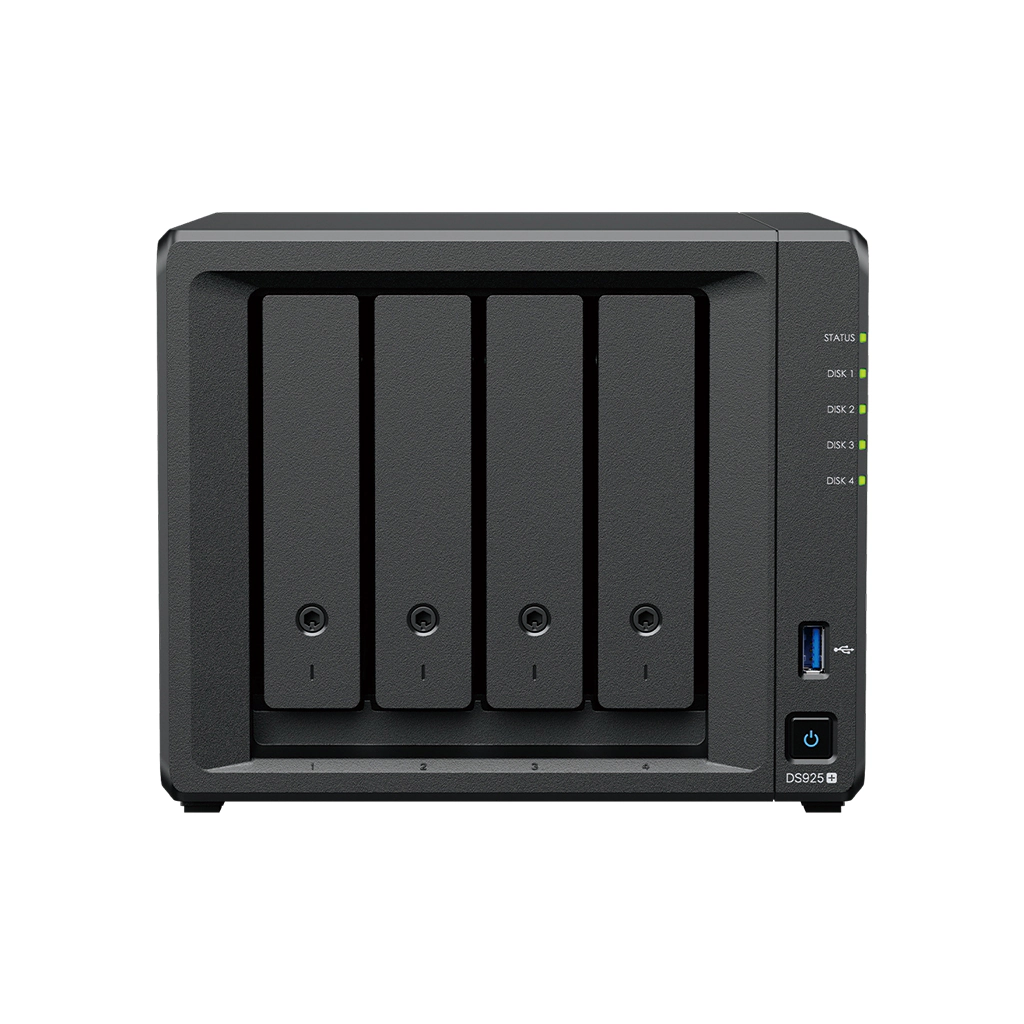
The Synology DiskStation DS925+ is the four-bay option in this family for a buyer who also wants room to expand. Its main enclosure accepts four 3.5-inch SATA hard drives or 2.5-inch SATA SSDs, and it has two M.2 2280 NVMe slots. Synology lists two built-in 2.5GbE RJ-45 ports, two USB 3.2 Gen 1 ports and a connection for the optional DX525 expansion unit. With one expansion unit, the manufacturer lists up to nine drives total. The DX525 is not in the standard NAS package.
The DS925+ is not simply a faster-port version of DS425+. Both have four SATA bays and two M.2 slots, but DS925+ uses an AMD Ryzen V1500B with four cores/eight threads, 4 GB of ECC SODIMM memory, two 2.5GbE ports and the documented nine-drive expansion path. The DS425+ uses an Intel Celeron J4125, 2 GB of non-ECC memory, one 2.5GbE plus one 1GbE port and no manufacturer-listed expansion path. The two-bay DS725+ uses Ryzen R1600 and ECC memory, but starts with two SATA bays and reaches seven drives with a DX525. These differences affect the actual layout, network and upgrade plan.
Expansion and capacity should be budgeted separately
Buying the DS925+ does not immediately provide nine internal positions: the chassis has four. The extra five drive positions require the separately purchased DX525. Synology's product page advertises up to 216 TB raw after expansion using nine 24 TB drives, while also showing lower raw-capacity examples for smaller drive sizes. Raw figures are not usable space. The usable amount depends on selected drive capacities, RAID or SHR layout, filesystem and system metadata, and a parity or mirror arrangement reserves space for protection.
The DS925+ lists Synology Hybrid RAID, Basic, JBOD, RAID 0, RAID 1, RAID 5, RAID 6 and RAID 10. With two compatible drives, SHR-1 or RAID 1 can provide tolerance for one drive failure. More bays allow other layouts, but each layout changes usable space and fault tolerance; do not read a nine-drive headline as a guarantee of any specific volume size. A mirror or parity pool also is not an independent backup. Keep a separate copy of important files elsewhere and verify a restore before depending on the NAS.
M.2 pools and exact drive compatibility
Synology marks M.2 SSD storage-pool support and cache support for the two NVMe slots. The product note says that creating an M.2 pool requires Synology-verified SSDs. Check the current compatibility list for the entire M.2 model code and capacity, not just “NVMe” on a listing. Those positions are separate from the four SATA trays, and the manual's package contents do not list M.2 drives or SATA drives. The listed internal file systems are Btrfs and ext4; the single-volume maximum is 108 TB or 200 TB with 32 GB of memory, subject to the documented configuration requirements.
The exact DS925+ suffix matters as well. Synology lists DS925+ and DS925neo+ separately on the product page. Both columns share the Ryzen V1500B, four internal bays, two 2.5GbE ports, DX525 support and 4 GB of memory, but the + model is ECC SODIMM and the neo+ model is non-ECC SODIMM. This review covers DS925+ only. If a seller page uses “DS925” loosely or drops the suffix, confirm which configuration is actually being offered.
What the network claims do and do not say
Two 2.5GbE ports are useful if two suitable wired paths, separate clients or a supported network configuration are part of the design. They do not automatically combine into a 5Gb/s link for one workstation. A client, switch or router, cable, disk set and workload can bottleneck first. Synology advertises up to 522 MB/s sequential read and 565 MB/s write from internal testing; the company notes that actual results change with environment, drives, features and workload. Treat those numbers as a published test reference, not a predicted transfer speed for your network.
The manufacturer lists the enclosure at 166 × 199 × 223 mm (height × width × depth), weight 2.26 kg, a 20.5 dB(A) noise figure and a three-year hardware warranty. The noise rating is not a promise of inaudibility, particularly after adding multiple mechanical drives, and no sound measurement was made for this review.
Who should compare it closely?
Keep the DS925+ on the shortlist if four bays fit your initial plan, nine total drives may be useful later, two multigigabit ports have a concrete role, and ECC memory and M.2 pools matter. Prefer the DS425+ if a four-bay fixed chassis and a single 2.5GbE port meet the need, or consider the DS725+ if two native bays with a shelf path are a better size. A larger capacity number is not a substitute for planning how many drives you will buy, which configurations you will actually use, and where the independent backup will live.
Before ordering, check that the seller is offering DS925+ rather than DS925neo+, verify the drive and M.2 SSD model numbers in Synology's current compatibility list, and confirm whether a claimed package includes the DX525 or any drives. The base manual contents list the NAS, adapter, cord, accessory pack and two LAN cables, not a disk set or expansion shelf. No price, stock status, ASIN, retailer bundle, personal test or independent performance result is asserted here.
Key specifications
Key details at a glance
| Internal drive bays | 4 bays |
|---|---|
| Documented internal drive media | 3.5-inch SATA HDD / 2.5-inch SATA SSD |
| Built-in Ethernet ports | 2 × 2.5GbE RJ-45 |
| Fastest individual Ethernet port | 2.5 Gbps |
| Installed system memory | 4 GB |
| Maximum listed memory | 32 GB |
| Listed storage arrangements | Synology Hybrid RAID / Basic / JBOD / RAID 0 / RAID 1 / RAID 5 / RAID 6 / RAID 10 |
| Internal file systems | Btrfs / ext4 |
| USB 3.2 Gen 1 ports | 2 |
| Maximum listed single-volume size | 200 TB |
| Dimensions (H × W × D) | 166 × 199 × 223 |
| Weight | 2.26 kg |
| Manufacturer's idle noise figure | 20.5 dB(A) |
| Hardware warranty | 3 years |
| Data drives included in listed package | No |
| M.2 NVMe slots | 2 |
| M.2 SSD storage-pool support | Yes |
| Maximum total drive bays with listed expansion | 9 bays |
| Listed expansion unit | DX525 |
| Processor | AMD Ryzen V1500B |
| CPU cores | 4 |
| CPU threads | 8 |
| Installed memory type | DDR4 ECC SODIMM |
| Single-volume limit condition | The 200 TB single-volume maximum requires 32 GB of memory; 108 TB is the other listed limit. |
Use the exact model’s instructions for operating limits, supplied equipment and version differences.
Sources for this review
Sources for this assessment
Check your setup before choosing a NAS
Use the finder to check bay count, the network link you need, and whether a documented two-drive redundant arrangement is essential.