
Your needs, this model
Does it fit your priorities?
How many internal drive bays does the DS725neo+ have?
Two. Synology lists 3.5-inch SATA hard drives or 2.5-inch SATA SSDs in the two internal positions. A separate DX525 can take the total to seven drives, but this finder counts the main unit's two internal bays, not the added shelf.
Explore this need in the finder →Does the DS725neo+ support a two-drive mirror?
Synology lists SHR and RAID 1 for the model. With two compatible SATA drives, a documented SHR-1 or RAID 1 arrangement can tolerate one drive failure. A mirror is not another independent backup; keep a second copy on another destination and verify that it can be restored.
Explore this need in the finder →What does neo+ change compared with DS725+?
The US product comparison lists the same Ryzen R1600, two SATA bays, network ports and two M.2 positions for DS725+ and DS725neo+. The default memory differs: DS725neo+ is 4 GB DDR4 non-ECC SODIMM, whereas DS725+ is 4 GB DDR4 ECC SODIMM. Confirm the full suffix on the seller's offer; do not apply one edition's memory label to the other.
Explore this need in the finder →This is a documentation-based assessment of the exact DS725neo+ configuration. I did not install drives, test file transfers, measure noise or use the system.
A two-bay system with a particular memory identity
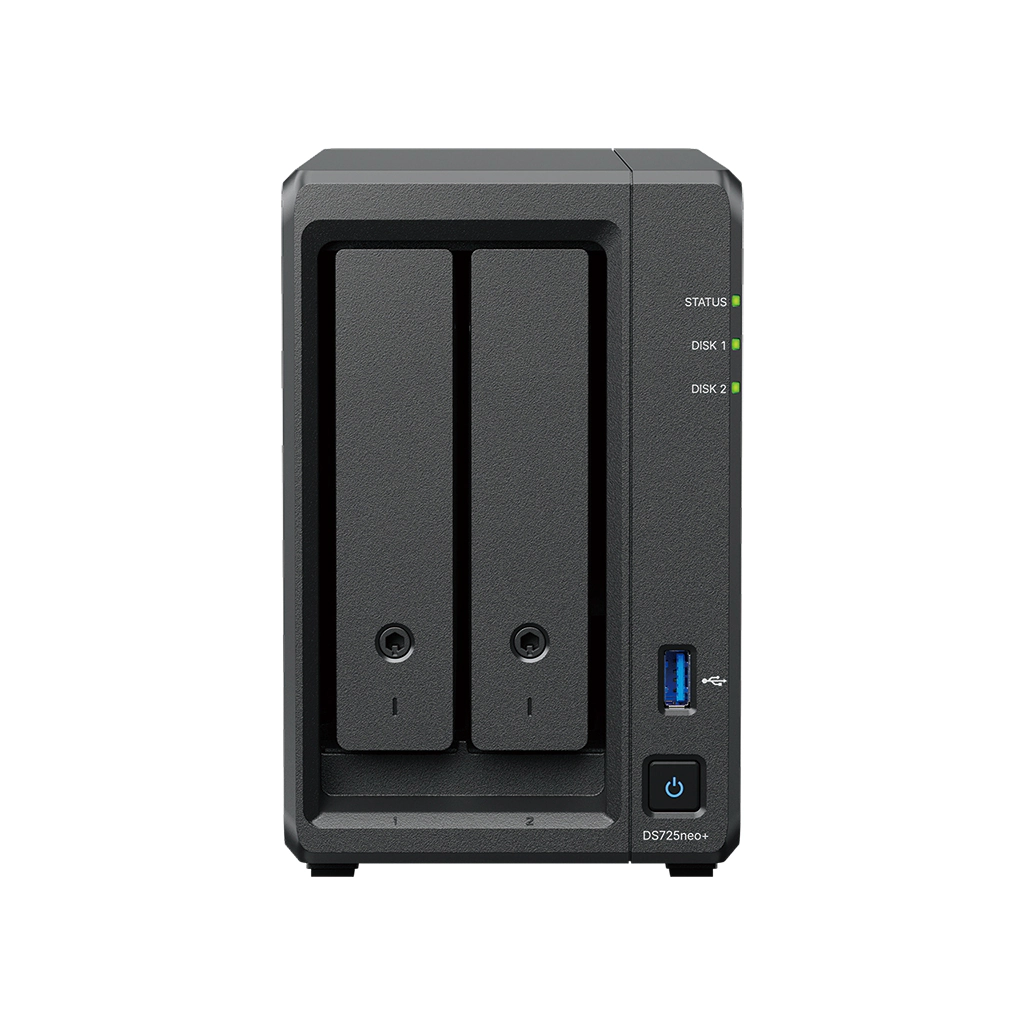
The Synology DiskStation DS725neo+ is a compact NAS with two internal SATA drive positions, two M.2 2280 NVMe slots and a built-in 2.5GbE plus 1GbE pair. Its main buying distinction is easy to miss in a family comparison: the neo+ is the 4 GB DDR4 non-ECC SODIMM edition, while the separately named DS725+ starts with 4 GB ECC SODIMM. Synology lists the same AMD Ryzen R1600 processor, two SATA bays and port arrangement for both. Confirm the exact suffix before applying this assessment.
The DS725neo+ sits between a simple two-bay home NAS and a larger starting chassis. It can begin with one or two compatible SATA drives, then use a separate DX525 expansion unit for a manufacturer-listed maximum of seven total drives. A shelf route can be useful if two drives fit today and the later expansion is part of a deliberate plan. It does not mean the main unit has seven trays. If four native drives are essential, a four-bay chassis is the more direct comparison.
What the neo+ memory choice means
Synology's U.S. neo+ introduction describes the family as a non-ECC default-memory option alongside standard ECC-equipped DS Plus models. Its launch notice says the neo+ line can accept ECC upgrades up to 32 GB, but mixing ECC and non-ECC modules is not officially supported. The product comparison lists two memory slots and a 32 GB maximum for DS725neo+. If extra memory matters, verify the exact Synology module and instructions. If you want ECC at purchase, compare the DS725+ rather than assuming all DS725 models have identical memory.
For storage, the two internal trays accept 3.5-inch SATA hard drives or 2.5-inch SATA SSDs. The M.2 positions do not increase that two-bay count, and Synology's manual warns that the M.2 modules are not hot-pluggable. Synology's current support article lists DS725neo+ as a model able to create an M.2 storage pool, while its datasheet foregrounds caching; the detailed comparison also marks pool support. Use only an M.2 SSD on the model compatibility list, shut the system down before M.2 maintenance and remember that DSM cannot be installed solely on M.2 storage. A listed capability is not a reason to assume every NVMe stick will work.
Expansion and storage layouts need a plan
The DS725neo+ comparison lists one DX525 and up to seven total drives. The expansion unit is an additional enclosure, not part of the ordinary DS725neo+ package. Its power, space, added connection and cost all belong in the growth plan. Synology's manual package list includes the NAS, AC adapter and cord, accessory items and two Ethernet cables; it does not list hard drives or a DX525. Treat a normal offer as diskless unless the seller identifies a specific bundle and drive models.
Synology lists Basic, JBOD, RAID 0, RAID 1 and SHR on the two-bay model, with RAID 5, 6 and 10 identified with expansion. For an actual two-drive arrangement, SHR-1 or RAID 1 can be configured for one-drive fault tolerance. That resilience has a capacity cost: two equal drives in a mirror provide about one drive's capacity before formatting and system overhead. A mirror also is not backup. An accidental deletion, malicious encryption, theft or failure affecting the whole NAS can take out both mirror members, so plan a separate copy and test recovery.
A single 2.5GbE port among two links
The rear network layout has one 2.5GbE port and one 1GbE port, not two multigigabit ports. Its faster connection can be useful with a compatible switch or router, client adapter and cabling, but the port rating alone cannot predict one computer's file-transfer speed. The second port remains a separate link; adding its 1GbE rating to the 2.5GbE port is not a single-client performance figure. Synology describes failover support for this pair, but setup still depends on the intended network and software configuration.
The specification is otherwise conventional for this footprint: the chassis measures 166 × 106 × 223 mm (H × W × D), weighs 1.51 kg, has one USB 3.2 Gen 1 port and is listed with a three-year limited warranty. The comparison lists Btrfs and ext4 for internal volumes and a maximum single volume of 108 TB, or 200 TB when 32 GB memory is installed. These are model limits, not estimates of usable space from an unknown drive mix. Drive compatibility, storage layout, formatting and expansion choice all affect the result.
Who should put it on a shortlist?
The DS725neo+ is worth evaluating when two internal drive bays are enough initially, one built-in 2.5GbE port suits the wired path, and the separate DX525 is a credible future option. It also makes sense when the buyer deliberately wants the neo+ non-ECC starting configuration and understands the upgrade rules. It is less straightforward if you need four native bays now, want two 2.5GbE ports, expect a plug-and-play drive bundle, or need a specific non-Synology NVMe drive to become a pool. In each case, match the exact requirement to a manufacturer-supported setup rather than to a family headline.
Before choosing an offer, compare the full DS725neo+ suffix with DS725+, read the exact package contents, check SATA and M.2 model numbers against Synology's compatibility lists and decide whether a DX525 is genuinely needed. Do not count expansion trays as internal bays. Keep another backup destination outside the NAS and verify the network path end to end. No current price, stock claim, ASIN or retailer-added bundle is asserted here.
Key specifications
Key details at a glance
| Internal drive bays | 2 bays |
|---|---|
| Documented internal drive media | 3.5-inch SATA HDD / 2.5-inch SATA SSD |
| Built-in Ethernet ports | 1 × 2.5GbE RJ-45 / 1 × 1GbE RJ-45 |
| Fastest individual Ethernet port | 2.5 Gbps |
| Installed system memory | 4 GB |
| Maximum listed memory | 32 GB |
| Listed storage arrangements | Synology Hybrid RAID / Basic / JBOD / RAID 0 / RAID 1 / RAID 5 (with expansion unit) / RAID 6 (with expansion unit) / RAID 10 (with expansion unit) |
| Internal file systems | Btrfs / ext4 |
| USB 3.2 Gen 1 ports | 1 |
| Maximum listed single-volume size | 200 TB |
| Dimensions (H × W × D) | 166 × 106 × 223 |
| Weight | 1.51 kg |
| Hardware warranty | 3 years |
| Data drives included in listed package | No |
| M.2 NVMe slots | 2 |
| M.2 SSD storage-pool support | Yes |
| Maximum total drive bays with listed expansion | 7 bays |
| Listed expansion unit | DX525 |
| Processor | AMD Ryzen R1600 |
| CPU cores | 2 |
| CPU threads | 4 |
| Installed memory type | DDR4 non-ECC SODIMM |
| Single-volume limit condition | The 200 TB single-volume maximum requires 32 GB of memory; 108 TB is the other listed limit. These are not usable-capacity promises. |
Use the exact model’s instructions for operating limits, supplied equipment and version differences.
Sources for this review
Sources for this assessment
- Synology DS725+ and DS725neo+ product specifications
- DS725neo+ Product Manual: package contents and hardware overview
- DS725neo+ Product Manual: hardware installation
- Synology DS725neo+ datasheet
- Synology America introduces DiskStation neo+ Series
- Synology US product list
- Synology Knowledge Center: NAS models that support M.2 SSD storage pools
- Choose a RAID Type: Synology Knowledge Center
Check your setup before choosing a NAS
Use the finder to check bay count, the network link you need, and whether a documented two-drive redundant arrangement is essential.