
Your needs, this model
Does it fit your priorities?
Does the DS725+ have more than two bays?
It has two internal SATA bays. Synology documents the separate DX525 expansion unit and a maximum of seven drives with one expansion unit. That is a distinct external purchase and setup; the finder counts the two internal bays for its minimum-bays question, not the expansion shelf.
Explore this need in the finder →Can M.2 NVMe drives hold a storage pool on this model?
Yes, the DS725+ specifications list two M.2 2280 NVMe slots and mark M.2 storage-pool support. Synology says storage pools require verified SSDs, so check the exact model and capacity in the current compatibility list. The M.2 slots are not part of the two SATA bays.
Explore this need in the finder →What is different about the DS725neo+?
The product page lists the DS725+ and DS725neo+ separately. Their CPU, bay count and port layout are shown alike, but the DS725+ is listed with 4 GB ECC SODIMM memory and the neo+ with 4 GB non-ECC SODIMM memory. This assessment is for the DS725+ only; confirm the exact suffix on a seller's listing.
Explore this need in the finder →This assessment is based on Synology's DS725+ specification page, product manual, datasheet and support record. No physical installation, transfer, noise or reliability test was conducted.
A two-bay NAS with a documented growth route
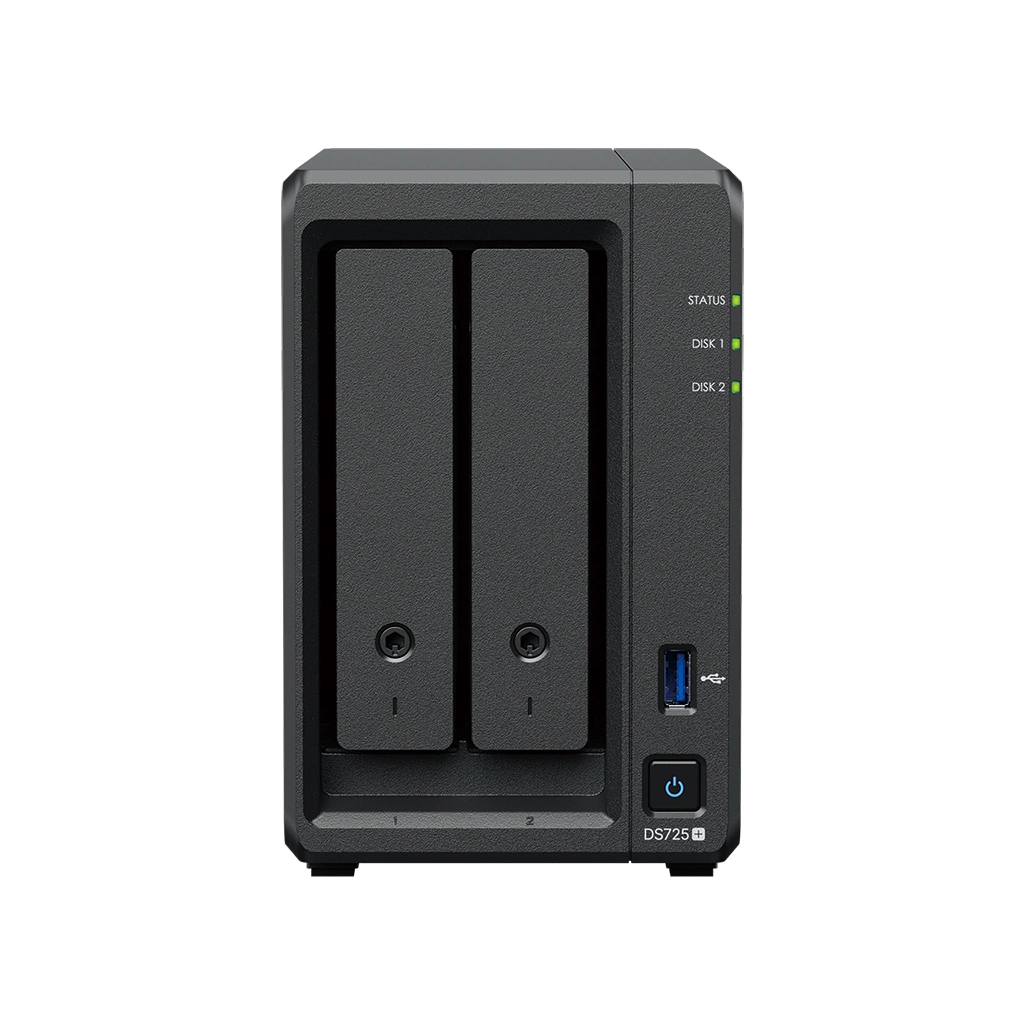
The Synology DiskStation DS725+ is a two-bay appliance for someone who wants a small starting footprint but does not want to rule out a larger drive shelf later. It has two internal SATA positions, two M.2 2280 NVMe slots, one 2.5GbE RJ-45 port and one 1GbE port. Synology lists the separate DX525 expansion unit as compatible and describes a maximum of seven drives total. That is a useful option, but it is not part of the base unit: the NAS has two internal bays until you buy and connect the additional shelf.
The hardware is different from both the DS225+ and the DS425+. The DS725+ uses a two-core AMD Ryzen R1600 with 4 GB of DDR4 ECC SODIMM memory, expandable to 32 GB in the published specification. By contrast, Synology lists the DS225+ and DS425+ with the Intel Celeron J4125 and 2 GB non-ECC memory. The DS925+ offers four internal bays, two 2.5GbE ports and a DX525 path to nine drives. A two-bay model can be the right fit when its capacity plan is sufficient; expansion flexibility should not be mistaken for four native drive trays.
Expansion is conditional, not built-in capacity
The DX525 is a separate expansion unit, so reaching seven drive positions means planning for another enclosure, its placement, power and an added cable connection. If you already know that four drives are needed inside one chassis, the four-bay DS925+ or fixed-bay DS425+ is a different comparison. If two drives are adequate now and the shelf route is genuinely useful later, the DS725+ keeps that path open.
Synology's specification table lists SHR, Basic, JBOD, RAID 0 and RAID 1 for the two-bay unit. RAID 5, RAID 6 and RAID 10 are listed with the DX525 expansion. For a two-drive setup, SHR-1 or RAID 1 can tolerate one drive failure; with a mirror, the capacity is based on one drive before formatting overhead. This is not an independent backup. Deletion, malware, theft or damage to the NAS can still affect both copies, so choose a separate backup destination and test a restore.
Two separate M.2 positions
The DS725+ lists two NVMe M.2 slots and explicitly supports M.2 SSD storage pools as well as caching. Synology says that M.2 pool creation requires verified SSDs, so the buyer should check a complete SSD model number and capacity against the current compatibility list. The NVMe slots do not count as SATA drive bays, and the included package does not list M.2 drives. A fast SSD pool can be useful for an intended workload, but it does not make the diskless box ready to use or eliminate the need for another backup copy.
The exact suffix also matters inside this product family. Synology lists both DS725+ and DS725neo+ on its page. Their CPU, bay and network rows are shown alike, but the DS725+ is specified with 4 GB ECC SODIMM memory, while DS725neo+ is listed with 4 GB non-ECC SODIMM memory. This review is for DS725+ only. A listing that omits the suffix needs clarification before its memory configuration or this review is applied to it.
One multigigabit port, not two
The DS725+ has one built-in 2.5GbE port and one 1GbE port. It is easy to misread Synology's brief product-page marketing line about its network connection; the hardware overview and specification table identify the ports separately. A single connection can use at most the rate of the relevant port, and a 2.5GbE switch, client adapter and suitable cabling are all needed to take advantage of the faster link. Synology advertises up to 276 MB/s sequential read and 224 MB/s write, while warning that its results vary with configuration, environment and use. Those numbers are manufacturer test claims, not our benchmark.
The page lists one USB 3.2 Gen 1 port, Btrfs and ext4 for internal drives, and a 108 TB single-volume limit or up to 200 TB with 32 GB of memory. Actual usable capacity depends on the drives, pool layout and filesystem metadata. The published dimensions are 166 × 106 × 223 mm (H × W × D), its weight is 1.51 kg, its manufacturer noise figure is 17.9 dB(A), and its hardware warranty is three years. None of those specification values predicts how a particular drive set will sound in a particular room.
For a small start with a deliberate upgrade plan
The DS725+ makes sense for a home office or small team that can start with two internal SATA drives, wants one faster Ethernet port and values a documented shelf-based route to seven total drives. It is also a stronger fit than a fixed-bay unit when two M.2 slots and verified M.2 pool support are part of the plan. Avoid it if four native bays are essential from day one, if you require two 2.5GbE ports, or if the planned drives or SSDs do not appear on the exact compatibility list.
Synology's manual package contents list the NAS, adapter, cord, accessories and two Ethernet cables—not hard drives or the DX525. Treat it as a diskless starting point unless the exact seller listing says otherwise. Before buying, verify DS725+ rather than DS725neo+, check each SATA and NVMe model against current compatibility information, confirm the expansion unit and its contents if you need it, and trace the network path through the client and switch. No current price, stock, tested transfer rate or retailer bundle is claimed here.
Key specifications
Key details at a glance
| Internal drive bays | 2 bays |
|---|---|
| Documented internal drive media | 3.5-inch SATA HDD / 2.5-inch SATA SSD |
| Built-in Ethernet ports | 1 × 2.5GbE RJ-45 / 1 × 1GbE RJ-45 |
| Fastest individual Ethernet port | 2.5 Gbps |
| Installed system memory | 4 GB |
| Maximum listed memory | 32 GB |
| Listed storage arrangements | Synology Hybrid RAID / Basic / JBOD / RAID 0 / RAID 1 / RAID 5 (with expansion unit) / RAID 6 (with expansion unit) / RAID 10 (with expansion unit) |
| Internal file systems | Btrfs / ext4 |
| USB 3.2 Gen 1 ports | 1 |
| Maximum listed single-volume size | 200 TB |
| Dimensions (H × W × D) | 166 × 106 × 223 |
| Weight | 1.51 kg |
| Manufacturer's idle noise figure | 17.9 dB(A) |
| Hardware warranty | 3 years |
| Data drives included in listed package | No |
| M.2 NVMe slots | 2 |
| M.2 SSD storage-pool support | Yes |
| Maximum total drive bays with listed expansion | 7 bays |
| Listed expansion unit | DX525 |
| Processor | AMD Ryzen R1600 |
| CPU cores | 2 |
| CPU threads | 4 |
| Installed memory type | DDR4 ECC SODIMM |
| Single-volume limit condition | The 200 TB single-volume maximum requires 32 GB of memory; 108 TB is the other listed limit. |
Use the exact model’s instructions for operating limits, supplied equipment and version differences.
Sources for this review
Sources for this assessment
Check your setup before choosing a NAS
Use the finder to check bay count, the network link you need, and whether a documented two-drive redundant arrangement is essential.