
Your needs, this model
Does it fit your priorities?
Are all 36 drive positions inside the DS3622xs+?
No. The DS3622xs+ has twelve native drive bays. The 36-position maximum requires two separate DX1222 expansion units; check shelf compatibility, cabinet space, cables, power and drive support before treating that expanded total as a workable design.
Explore this need in the finder →Are the DS3622xs+ 10GbE connections built in?
Yes. The product documentation lists two built-in 10GbE and two built-in 1GbE data ports, plus a separate out-of-band management port that is not a file-data link. The 10GbE rate is a port capability, not a throughput guarantee for a particular workload.
Explore this need in the finder →Can two of its SATA drives be mirrored?
The supported RAID list includes RAID 1, so two compatible SATA drives can form a mirror. That may help with a single-drive failure, but it is not a separate backup and does not protect against deletion, malware or loss of the entire NAS.
Explore this need in the finder →A twelve-bay tower with room for a business storage plan
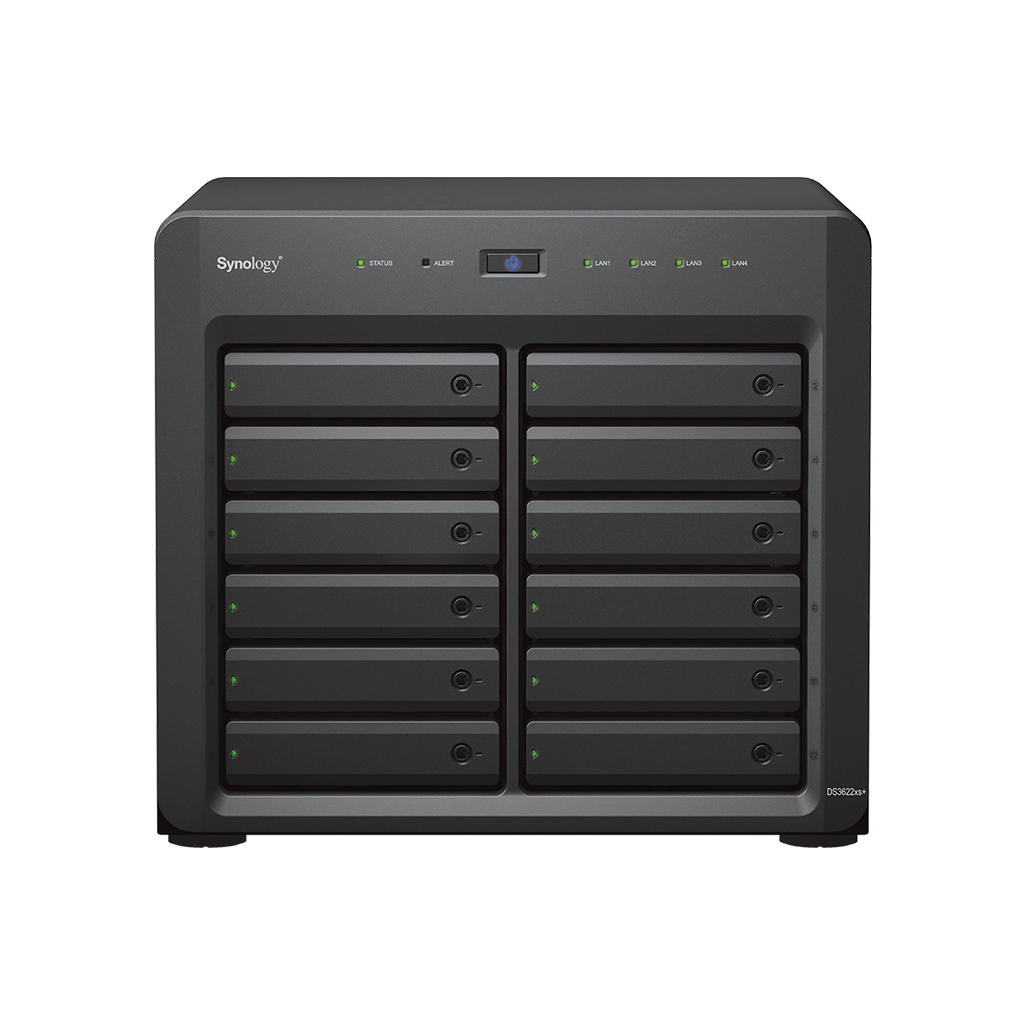
The DiskStation DS3622xs+ is a desktop-format, twelve-bay NAS built around a six-core Intel Xeon D-1531 and 16 GB of DDR4 ECC SODIMM memory. It has two 10GbE data ports and two additional 1GbE data ports built in. The appeal is straightforward: a business can start with many internal SATA positions, use a multi-user network path without installing a faster NIC immediately, and add a compatible expansion shelf if the storage plan grows. This is a large workstation-sized unit, not a quiet, compact two-bay home appliance.
Synology documents up to 36 drive bays by adding two DX1222 units. The base DS3622xs+ remains a twelve-bay system; the other twenty-four positions live in separately purchased expansion hardware. That distinction matters when comparing a quoted capacity figure, laying out rack or cabinet space, planning expansion cables and deciding which drives will form which volumes. Confirm that the offered shelf model and drives appear on the compatibility list for the exact NAS configuration.
Several LAN ports, with one reserved for management
The two 10GbE RJ-45 jacks and two 1GbE RJ-45 jacks are data ports. A separate dedicated out-of-band management connector supports administration and troubleshooting; it is not another SMB or NFS connection. A buyer counting ports from an image should keep that distinction clear. The built-in links can be assigned to different traffic, failover or carefully configured aggregation, but they do not guarantee a particular file-copy speed. The switch, client interface, cable, disk arrangement and the number of active users limit the actual route.
There is one Gen3 x8 PCIe slot for a compatible adapter. Synology lists optional network cards and M.2 adapters, so additional Ethernet or cache hardware may be possible without changing the model. Those accessories are separate purchasing and compatibility decisions; an optional card does not become part of the standard system because it appears in an upgrade table. The datasheet also lists two expansion-unit ports for the DX1222 path.
More native bays than the smaller desktop alternative
The DS3622xs+ accepts documented 3.5-inch SATA HDDs, 2.5-inch SATA HDDs and 2.5-inch SATA SSDs. It has no built-in M.2 bay count in the hardware specification, unlike the eight-bay DS1823xs+, which includes two M.2 NVMe slots. In exchange, the DS3622xs+ begins with four more native SATA positions and two built-in 10GbE ports rather than one. Its default memory is also 16 GB ECC SODIMM with four slots and a listed 48 GB maximum, compared with 8 GB and a 32 GB ceiling on the DS1823xs+. These differences help frame the choice; they do not establish which device is faster for every application.
The model supports Btrfs and ext4 internally and lists RAID 1 among its supported arrangements. Two compatible SATA drives can be configured as a mirror, while the remaining bays stay available for later growth or another storage-pool plan. A mirror only addresses some drive-failure scenarios. It does not preserve a clean copy after a user deletes files, malware encrypts the NAS, or a physical event damages the appliance. Use another device, site or suitable offline/cloud destination for independent backup and verify restores.
The listed maximum single-volume size is 108 TB by default, or 200 TB with at least 32 GB of memory. Synology’s specification cautions that actual usable capacity is lower and depends on drives, RAID configuration, filesystem and metadata. The 200 TB number is therefore a conditional ceiling, not the capacity a buyer should expect from twelve installed disks. Likewise, manufacturer performance charts are configuration-specific internal results, not a promise for a particular SMB transfer.
Package, power and support checks
The documented main unit measures 270 × 300 × 340 mm and weighs 9.8 kg before drives. The hardware guide’s package list includes one AC power cord, two RJ-45 LAN cables, drive screws and tray keys, but no data drives or DX1222 shelf. Its hardware list shows one power connection rather than the redundant dual-supply arrangement used by some rack models. If continuous service through a power-supply failure is essential, do not assume the DS3622xs+ has built-in PSU redundancy; plan a correctly sized UPS and a broader failover strategy, or select a model with the documented feature.
Synology’s U.S. Product Support Status row observed for this model lists it as Generally Available with Full DSM updates, Full Technical Support and a five-year warranty on October 29, 2026. The status row is not an offer page and does not verify a seller’s stock, package, return terms or eligibility for warranty service. The system is supported by DSM business packages and offers SMB, NFS and block-storage services, but the intended workload and backup destinations should be decided before buying rather than inferred from the model’s “xs+” label.
Assessment
For an office that needs twelve native SATA positions and multiple built-in Ethernet rates in a tower, the DS3622xs+ is a coherent platform to evaluate. Its strongest case is a planned shared-storage, virtualization, backup or surveillance installation that can use the 12-bay chassis and has a clear support plan. Its costs are operational as well as financial: drives, possible memory expansion, optional shelves, cooling, power continuity and administration all need attention. Compared with the DS1823xs+, it prioritizes more native bays and dual 10GbE over built-in M.2 slots and a smaller eight-bay footprint. That makes the needs assessment more useful than a bare performance claim. This review is based on exact-model manufacturer documents, not hands-on deployment or benchmark testing.
Primary references: Synology U.S. DS3622xs+ specifications, the English datasheet, the hardware installation guide and the U.S. Product Support Status row.
Key specifications
Key details at a glance
| Internal drive bays | 12 bays |
|---|---|
| Documented internal drive media | 3.5-inch SATA HDD / 2.5-inch SATA HDD / 2.5-inch SATA SSD |
| Built-in Ethernet ports | 2 × 10GbE RJ-45 data ports / 2 × 1GbE RJ-45 data ports / 1 dedicated out-of-band management port; not a data port |
| Fastest individual Ethernet port | 10 Gbps |
| Installed system memory | 16 GB |
| Maximum listed memory | 48 GB |
| Listed storage arrangements | RAID F1 / Basic / JBOD / RAID 0 / RAID 1 / RAID 5 / RAID 6 / RAID 10 |
| Internal file systems | Btrfs / ext4 |
| Maximum listed single-volume size | 200 TB |
| Dimensions (H × W × D) | 270 × 300 × 340 mm (H × W × D) |
| Weight | 9.8 kg |
| Hardware warranty | 5 years |
| Data drives included in listed package | No |
| Maximum total drive bays with listed expansion | 36 bays |
| Expansion-unit note | Twelve native bays plus two separate 12-bay DX1222 units; 36 is not the base chassis count. |
| Listed expansion unit | DX1222 × 2 (sold separately) |
| Processor | Intel Xeon D-1531 |
| CPU cores | 6 |
| CPU threads | 12 |
| Installed memory type | DDR4 ECC SODIMM |
| Single-volume limit condition | 200 TB maximum single volume requires at least 32 GB RAM; 108 TB is the listed tier otherwise. Usable capacity is lower and depends on configuration. |
Use the exact model’s instructions for operating limits, supplied equipment and version differences.
Sources for this review
Sources for this assessment
Check your setup before choosing a NAS
Use the finder to check bay count, the network link you need, and whether a documented two-drive redundant arrangement is essential.