
Your needs, this model
Does it fit your priorities?
Does the DS2422+ have twelve or twenty-four internal bays?
It has twelve native 3.5-inch SATA HDD or 2.5-inch SATA HDD/SSD positions. Twenty-four is the system total only after adding one separately sold DX1222 expansion unit; no data drives or expansion shelf appear in the listed base-package contents.
Explore this need in the finder →Does it include a 10GbE port or onboard M.2 slots?
No. The base model lists four built-in 1GbE ports and one PCIe Gen3 x8 slot operating at x4 link. Compatible optional NICs can add 10GbE or 25GbE; a compatible card can add M.2 NVMe cache, and the listed E10M20-T1 can combine 10GbE with cache. These are separate parts, not built-in ports or extra SATA bays.
Explore this need in the finder →Can two drives in the DS2422+ provide a supported mirror?
Yes. Synology lists RAID 1, so two compatible drives can be assigned to a mirror within the native bays. The diskless base package does not supply that pair, and an internal mirror is not protection against deletion, ransomware, theft or failure of the entire NAS.
Explore this need in the finder →A twelve-bay desktop platform for planned growth
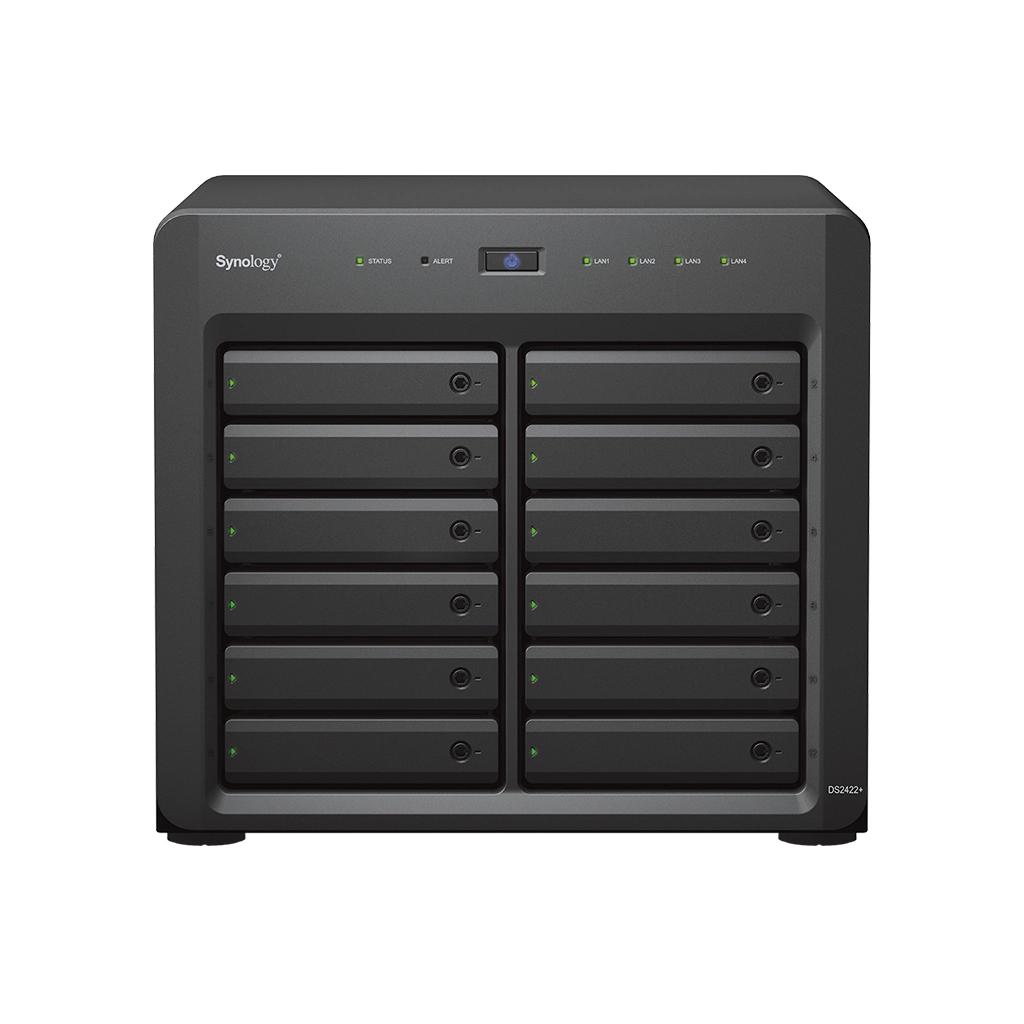
The DiskStation DS2422+ is a tower-style NAS with twelve native drive positions, aimed by Synology at small and medium businesses with large shared datasets, backup jobs and multi-user storage. The chassis measures 270 × 300 × 340 mm and weighs 9.5 kg before drives. Allow room for ventilation, cables and tray access.
All twelve bays accept 3.5-inch SATA hard drives or 2.5-inch SATA hard drives and SSDs, subject to the current compatibility list. The base package lists one AC cord and two RJ-45 cables but no data drives. One separately sold DX1222 shelf can raise the total to 24; that is not the chassis's native bay count and the expansion is not included.
Choose a layout before filling all twelve trays
The supported storage list includes SHR, Basic, JBOD, RAID 0, RAID 1, RAID 5, RAID 6 and RAID 10. Two compatible drives can form a RAID 1 mirror, but pool expansion or drive replacement must follow the exact layout’s instructions. Larger arrays may need more drives for the intended redundancy and can involve longer rebuild windows; choose a layout around failure tolerance and restoration, not bay count alone.
Internal volumes can use Btrfs or ext4; the listed 108 TB maximum is a system ceiling, not a usable-capacity forecast. Drive sizes, RAID and filesystem overhead determine file space. Check exact drive models on the current DS2422+ compatibility list.
Four built-in gigabit ports, with a separate upgrade route
The base machine has four RJ-45 1GbE ports, two USB 3.2 Gen 1 ports and one PCIe Gen3 x8 slot running at x4 link. The Ethernet specification matters: none of the four built-in ports is 10GbE. Synology lists optional 10GbE and 25GbE network cards, and a compatible E10M20-T1 adapter can combine 10GbE with M.2 NVMe cache. Those parts are not included in the standard package. A faster NIC also needs a compatible switch or direct connection, client adapter and cabling; do not treat a NIC label or four aggregated gigabit ports as a promise of a single-client transfer rate.
No M.2 positions are integrated into the twelve SATA bays. NVMe cache requires a separate compatible adapter and drives; a SATA SSD can instead occupy a native bay. If both faster networking and cache matter, check a supported combination card for the single PCIe slot.
Memory and workload shape
The DS2422+ uses an AMD Ryzen V1500B quad-core processor and ships with 4 GB of DDR4 ECC SODIMM memory; Synology lists two slots and a 32 GB maximum, subject to its module guidance. It supports shared storage, backup, snapshots, surveillance and virtualization packages, but workload, pool design and network path still determine fit. Some advanced features or additional camera use require separate licenses.
Synology publishes sequential performance figures from its internal test environment. Its product page specifically notes that performance testing used 10GbE NICs, while the standard unit has only 1GbE ports. Those figures are context for a configured test, not results I measured or a prediction for a diskless configuration, a gigabit client or a mixed file workload. The current product specification also lists a 550-watt supply and one power inlet; it is not a dual-power-supply RackStation design. If redundant facility power is important, include the UPS and electrical path in the system design.
How the DS2422+ differs from a nearby 12-bay tower
The DS3622xs+ shares a 12-bay desktop form factor but is a materially different configuration. Synology’s current comparison lists the DS3622xs+ with six CPU cores, two built-in 10GbE ports, three additional gigabit ports, five years of warranty and support for up to 36 bays. The DS2422+ instead has four built-in gigabit ports, a four-core Ryzen processor, a 24-bay expansion ceiling and a three-year hardware warranty. These are source-listed differences, not a price or performance ranking. If built-in 10GbE is essential, the DS3622xs+ is the more direct port match; if a one-card 10/25GbE upgrade and twelve native bays meet the requirement, the DS2422+ remains a documented alternative.
Purchase and installation checks
Verify the exact DS2422+ package, seller warranty and drive model codes. Plan the RAID/SHR layout and a separate backup destination. If you need more than gigabit networking, add a compatible NIC and a matching switch/client path. Confirm the DX1222 shelf model and budget for its separate drives. The 9.5 kg chassis weighs more once populated, so use suitable support and ventilation.
Assessment
DS2422+ makes sense when twelve native SATA bays, ECC memory, business-oriented DSM services and a documented path to 24 bays are more important than built-in multigig Ethernet. It is a large, drive-dependent storage platform, not an all-in-one priced bundle: drives, DX1222, NICs and NVMe cache accessories are separate. A two-drive mirror can help preserve availability through one member-drive failure, but it cannot replace a versioned backup stored somewhere else. Synology’s U.S. Product Support Status record observed October 29, 2026 lists the model as Generally Available with Full DSM updates, Full Technical Support and a three-year warranty; that does not establish a retailer’s current stock or exact package.
Primary references: Synology’s U.S. DS2422+ product page, the DS2422+ datasheet, its hardware installation guide, Synology’s English-language launch announcement, its U.S. comparison page and the U.S. Product Support Status record.
Key specifications
Key details at a glance
| Internal drive bays | 12 bays |
|---|---|
| Documented internal drive media | 3.5-inch SATA HDD / 2.5-inch SATA HDD / 2.5-inch SATA SSD |
| Built-in Ethernet ports | 4 × 1GbE RJ-45 data ports |
| Fastest individual Ethernet port | 1 Gbps |
| Installed system memory | 4 GB |
| Maximum listed memory | 32 GB |
| Listed storage arrangements | Synology Hybrid RAID / Basic / JBOD / RAID 0 / RAID 1 / RAID 5 / RAID 6 / RAID 10 |
| Internal file systems | Btrfs / ext4 |
| USB 3.2 Gen 1 ports | 2 |
| Maximum listed single-volume size | 108 TB |
| Dimensions (H × W × D) | 270 × 300 × 340 mm (H × W × D) |
| Weight | 9.5 kg |
| Manufacturer's idle noise figure | 25 dB(A) |
| Hardware warranty | 3 years |
| Data drives included in listed package | No |
| M.2 NVMe slots | 0 |
| M.2 SSD storage-pool support | No |
| Maximum total drive bays with listed expansion | 24 bays |
| Expansion-unit note | Twelve native bays plus one optional 12-bay DX1222; the shelf is separate and the DS2422+ supports one such unit. |
| Listed expansion unit | DX1222 × 1 (sold separately) |
| Processor | AMD Ryzen V1500B |
| CPU cores | 4 |
| CPU threads | 8 |
| Installed memory type | DDR4 ECC SODIMM |
| Single-volume limit condition | Manufacturer-listed maximum per volume; actual storage-pool and usable volume sizes depend on installed drives, RAID layout, filesystem and metadata. |
Use the exact model’s instructions for operating limits, supplied equipment and version differences.
Sources for this review
Sources for this assessment
- Synology U.S.-language product-list observation
- Synology U.S. DiskStation DS2422+ product page
- Synology DiskStation DS2422+ English datasheet
- Synology DS2422+ hardware installation guide
- Synology U.S. DS2422+ Product Support Status
- Synology English-language DS2422+ and DX1222 announcement
- Synology U.S. comparison including DS2422+, DS3617xsII and DS3622xs+
Check your setup before choosing a NAS
Use the finder to check bay count, the network link you need, and whether a documented two-drive redundant arrangement is essential.