
Your needs, this model
Does it fit your priorities?
Can I start with one drive and add a second for redundancy?
Synology documents Basic storage for one drive and SHR/RAID 1 for a two-drive arrangement. The second drive needs to satisfy the exact compatibility requirements, and adding it to a one-drive SHR pool can add fault tolerance without increasing that pool's usable capacity. Keep a separate backup before changing a live storage pool.
Explore this need in the finder →Will its 2.5GbE port make file transfers 2.5 times faster?
Not by itself. The connected client, router or switch, cable, disks, file size, services and workload all affect throughput. Synology advertises up to 282 MB/s sequential read and 217 MB/s sequential write under its own test conditions; those are not independent measurements or a guarantee for a particular household network.
Explore this need in the finder →Does a mirrored pair replace another backup copy?
No. SHR-1 or RAID 1 can keep a volume available after one drive failure, but it does not protect against deletion, malware, theft, fire, controller failure or a mistake affecting both copies. Plan a separate backup on another device or service and test restoring files.
Explore this need in the finder →This is a documentation-based assessment, not a hands-on test. Synology's specifications and manuals establish what the DS225+ is designed to do; they cannot establish how fast or quiet it will feel in your particular room, network, or workload.
The short version: a two-bay NAS with a useful network port
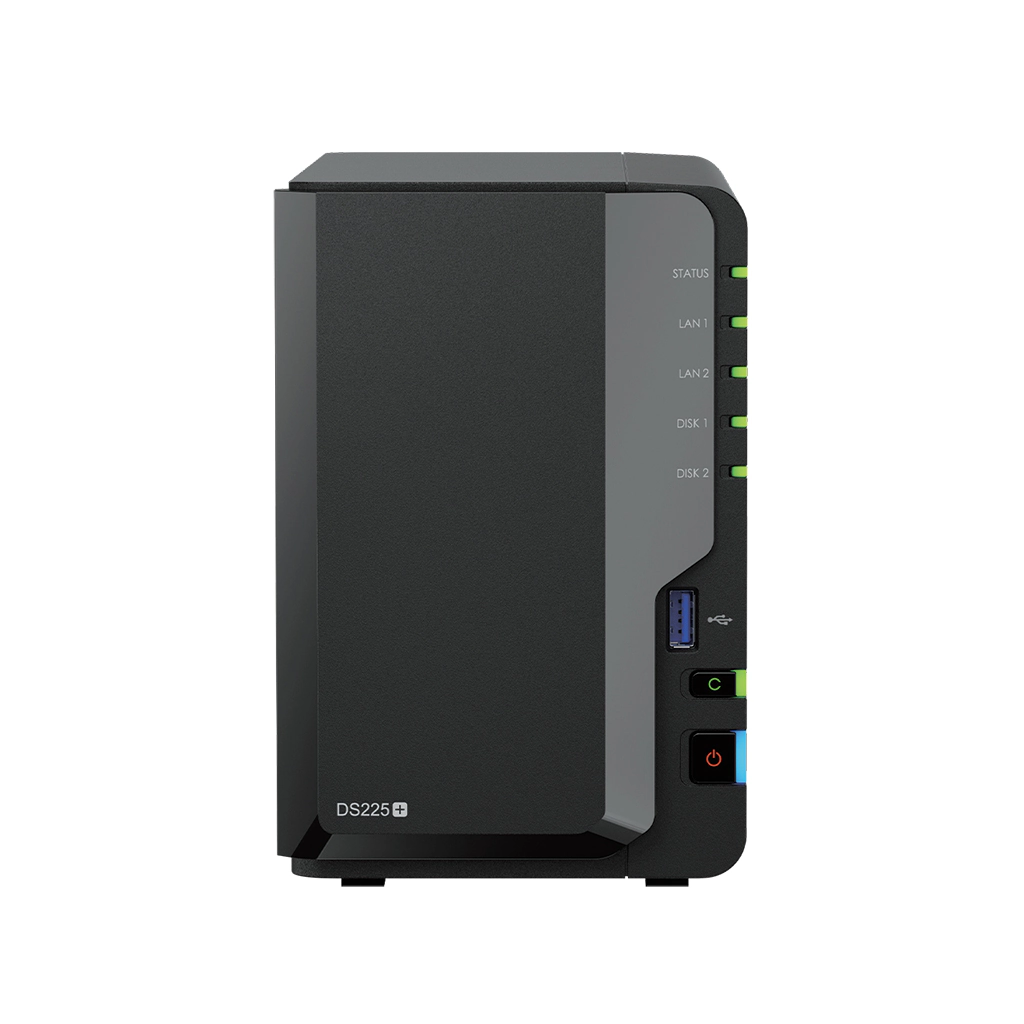
The Synology DiskStation DS225+ is a compact, two-bay NAS built around a practical middle ground: a home or small office can add local shared storage and backup jobs without stepping up to a wider four-bay enclosure. Its most visible hardware distinction is the pair of built-in RJ-45 ports: one rated at 2.5GbE and one at 1GbE. It has an Intel Celeron J4125 four-core processor, 2 GB of non-ECC memory, two SATA drive positions, and two USB 3.2 Gen 1 ports. Synology lists the model as generally available and specifies a three-year hardware warranty in its DS225+ specification page.
The two-bay layout and multigig port suit a household or small office whose drive plan is clear and whose wired path can use it. The 2.5GbE rating is not a file-transfer promise: a slower switch, client adapter, cable or workload can bottleneck first.
Two bays force an early storage decision
Two drive positions are enough to support either a simple one-drive start or a two-drive arrangement, but not every combination of capacity and protection. The product specifications list Synology Hybrid RAID (SHR), Basic, JBOD, RAID 0, and RAID 1. For a two-drive SHR-1 or RAID 1 setup, the useful mental model is a mirror: the NAS can tolerate one drive failing, but the available volume is based on one drive's capacity, not both drives added together. Synology's RAID guide makes the drive-count and failure-tolerance rules explicit. This is a real choice, not a hidden capacity penalty to discover after setup.
A mirror still is not a backup. It cannot recover a deleted folder, undo ransomware, or protect the whole device from theft or physical damage. Plan a separate destination and test a restore; backup software is useful only when you provide an independent target. The manufacturer explains the failure-tolerance rules in Choose a RAID Type.
The product page lists 3.5-inch SATA HDDs and 2.5-inch SATA SSDs; the standard package contents do not list drives. Check the DS225+ compatibility list for the exact drive code and capacity before ordering. The four-model comparison lists no expansion-unit bay increase for this model, so plan the capacity you need now.
The DS225+ is not the DS425+ or DS725+
Synology's direct comparison is particularly useful because these product names are easy to confuse. DS225+ and DS425+ share the listed J4125 processor, 2 GB of non-ECC memory, and one 2.5GbE plus one 1GbE port, but the DS425+ has four SATA bays and two M.2 2280 NVMe slots. The DS725+ keeps two SATA bays but adds two M.2 slots and a documented expansion-unit route; it also moves to a Ryzen R1600 with 4 GB of ECC memory. The DS925+ has four SATA bays, two M.2 slots, two 2.5GbE ports, and a different Ryzen processor. Those are functional differences, not suffix decoration. If you expect to add drives, need M.2 storage, require ECC memory, or want a second multigigabit port, check the exact alternative's specifications rather than treating these models as interchangeable.
Memory is another item to verify against the right model. Synology lists 2 GB installed and 6 GB maximum for the DS225+, with one memory slot. Its notes warn that revised modules may appear as component supply changes and that using a non-Synology module can affect full warranty or technical support. Treat the listed 6 GB as a ceiling, not a reason to buy an unverified module or assume a heavier package workload will be comfortable.
Network claims need a whole-path check
Synology advertises up to 282 MB/s sequential read and 217 MB/s write and says the two ports support network failover. Those are manufacturer test figures, not independent results; the company notes that environment, configuration and workload affect actual performance. Do not add the different-speed ports together as one client's rate. Before paying for multigigabit equipment, map the NAS-to-client route and identify its slowest link.
The physical dimensions are 165 × 108 × 232.2 mm (height × width × depth), and Synology lists 19.6 dB(A) as its noise figure. The company says this was measured with its SATA hard drives installed while idle, at one meter, under specified low-background-noise conditions. That context matters: a drive's seek sounds, a shelf, airflow, room acoustics, and other devices can change the experience. It is not a promise that a mechanical-drive NAS will be inaudible beside a bed or desk.
Who should keep it on the shortlist?
Keep the DS225+ in view if two bays match your near-term capacity plan, you want DSM's documented sharing and backup packages, and a 2.5GbE connection is useful in a network you can actually upgrade or already own. The front USB copy button also offers a simple manual route to copy data from a connected USB device, though it should not be confused with a complete backup policy.
Look beyond it if four or more internal disks are a requirement, if M.2 drives are central to your layout, if you need 10GbE, or if the work requires substantially more memory or expansion flexibility. A more expensive or larger NAS is not automatically a better choice; the right comparison is the exact supported arrangement, the actual drives you intend to use, the backup destination, and the network path. No live price, stock level, benchmark of our own, or retail bundle is asserted here. Check those details against the current offer and its return terms before you buy.
Key specifications
Key details at a glance
| Internal drive bays | 2 bays |
|---|---|
| Documented internal drive media | 3.5-inch SATA HDD / 2.5-inch SATA SSD |
| Built-in Ethernet ports | 1 × 2.5GbE RJ-45 / 1 × 1GbE RJ-45 |
| Fastest individual Ethernet port | 2.5 Gbps |
| Installed system memory | 2 GB |
| Maximum listed memory | 6 GB |
| Listed storage arrangements | Synology Hybrid RAID / Basic / JBOD / RAID 0 / RAID 1 |
| Internal file systems | Btrfs / ext4 |
| USB 3.2 Gen 1 ports | 2 |
| Maximum listed single-volume size | 108 TB |
| Dimensions (H × W × D) | 165 × 108 × 232.2 |
| Weight | 1.3 kg |
| Manufacturer's idle noise figure | 19.6 dB(A) |
| Hardware warranty | 3 years |
| Data drives included in listed package | No |
| M.2 NVMe slots | 0 |
| Processor | Intel Celeron J4125 |
| CPU cores | 4 |
Use the exact model’s instructions for operating limits, supplied equipment and version differences.
Sources for this review
Sources for this assessment
Check your setup before choosing a NAS
Use the finder to check bay count, the network link you need, and whether a documented two-drive redundant arrangement is essential.