
Your needs, this model
Does it fit your priorities?
Is the DS1823xs+ a rackmount NAS?
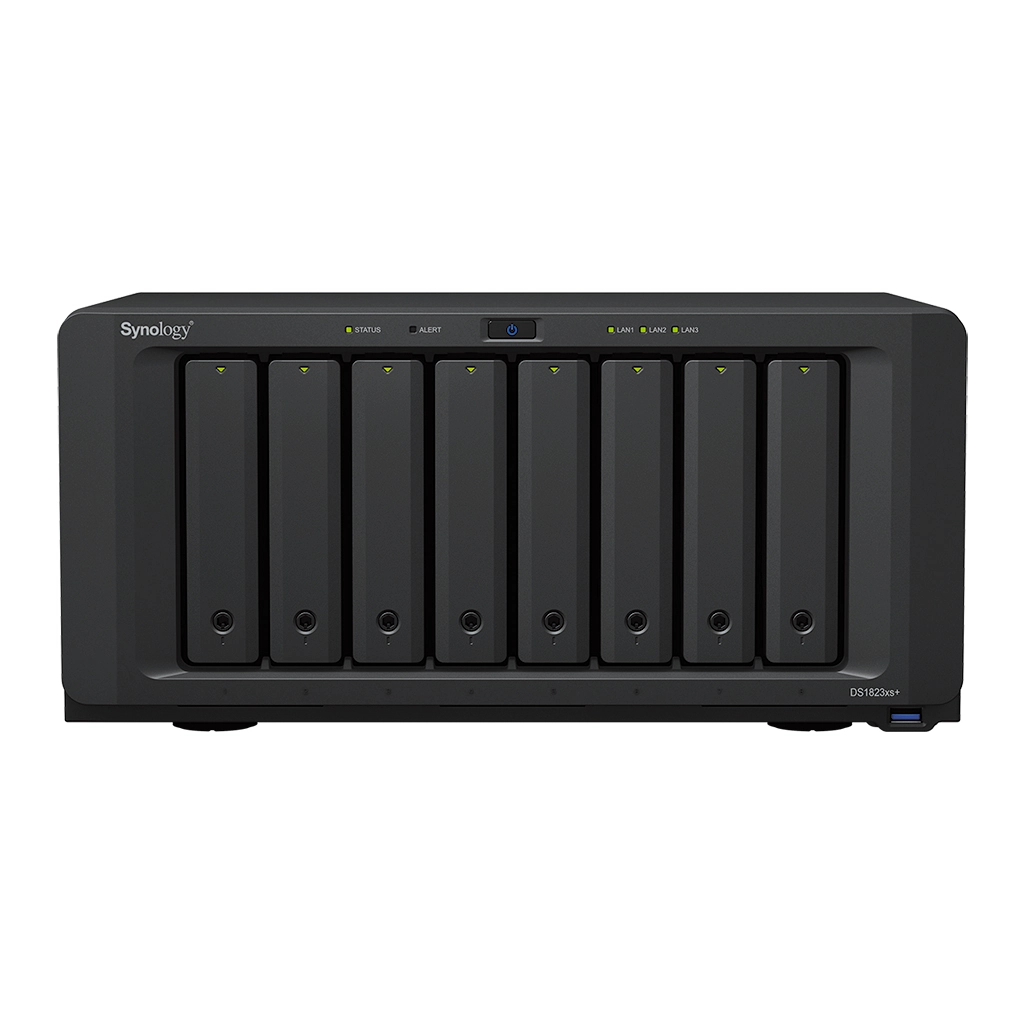
No. It is an eight-bay desktop enclosure measuring 166 × 343 × 243 mm. It includes one 10GbE data port, but the compact chassis still needs suitable space, cooling and a practical backup plan.
Explore this need in the finder →Do the two M.2 SSD slots count as part of its eight bays?
No. The eight bays accept SATA drives; two separate internal positions accept M.2 2280 NVMe SSDs. Synology says M.2 storage-pool creation requires Synology-verified SSDs, and those slots are not hot-swappable drive trays.
Explore this need in the finder →Can two of its SATA drives be configured as a mirror?
Yes. RAID 1 is listed, so two compatible SATA data drives can be configured as a mirror within the eight native bays. Mirroring does not protect against deletion, malware, theft or loss of the entire NAS; use an independent backup.
Explore this need in the finder →A desktop NAS with real business-class connectivity
The DiskStation DS1823xs+ is an eight-bay desktop NAS for a small office or lab that wants a capable shared-storage host without moving to a rackmount chassis. The product specification lists a four-core, eight-thread AMD Ryzen V1780B, built-in 10GbE, two 1GbE data ports and a separate out-of-band management port. It also includes two internal M.2 2280 NVMe positions. That mix makes it a different proposition from an ordinary low-bay NAS: eight internal SATA positions serve the main storage plan, while M.2 devices can support cache or, with the required verified drives, a storage pool.
The M.2 positions are separate from the eight drive trays; they do not turn the product into a ten-bay SATA NAS. Synology’s documentation says M.2 storage-pool creation requires Synology-verified SSDs. The slots are inside the enclosure rather than hot-swappable trays, so selecting drives and planning service access should happen before installation. If a buyer mainly needs conventional spinning disks and expects to fill them quickly, the eight native bays and their supported 3.5-inch HDD or 2.5-inch SATA SSD formats are the important number.
One 10GbE port is not a complete fast network
The DS1823xs+ has one 10GbE RJ-45 data port and two 1GbE data ports. The separate management jack is intended for out-of-band administration; it should not be counted as another file-sharing port. A single 10GbE link can be useful when the switch and clients also support that rate, but it does not ensure a 10Gbps file transfer. The file protocol, storage layout, client disk, switch, cabling and concurrent traffic all shape the result. Buyers with several demanding clients may need a compatible add-in NIC and a network design that can make use of it.
The manufacturer lists one Gen3 x8 PCIe slot with an x4 electrical link, two eSATA expansion connectors and support for up to two DX517 expansion units. That can bring the overall position count to eighteen, but the base unit still has eight bays and the DX517 shelves, cables and power are separate components. The intended compatibility list should be checked before planning a pool or volume across a main NAS and expansion hardware.
Memory and volume ceilings deserve attention
The standard memory configuration is 8 GB DDR4 ECC SODIMM, installed as one module, with two slots and a listed 32 GB maximum. That is a practical starting point for basic file sharing and backups, but memory-heavy virtual machines, containers or larger multi-user services can make an upgrade relevant. Synology’s datasheet warns that using non-Synology memory may limit full warranty or technical support. Decide whether approved memory is available and budgeted before interpreting the maximum supported figure as a day-one feature.
DSM supports internal Btrfs and ext4 filesystems, and the listed RAID modes include RAID 1. Two compatible SATA data drives can therefore form a mirror even though the chassis has six more bays. Mirroring reduces some availability risk after one drive fails; it is not a backup and cannot restore data deleted from the source or protect the NAS against physical loss, ransomware or administrative mistakes. Set up an independent backup target and a restore routine as part of the system, not as a later afterthought.
Synology lists 108 TB as a maximum single-volume tier and 200 TB with at least 32 GB of memory. The maximum depends on configuration and does not mean that much space is usable. RAID overhead, filesystem metadata, drive sizes and the number of populated bays affect practical capacity. The product page’s stated transfer figures are vendor results from particular internal configurations; they should not be treated as a prediction for the buyer’s own drives and network.
Why choose it over a larger tower?
The DS1823xs+ measures 166 × 343 × 243 mm and weighs 6.2 kg before drives. The hardware guide lists one AC cord, two RJ-45 network cables and tray keys, but not data drives or expansion shelves. The U.S. support-status record observed on October 29, 2026 marks the model Generally Available with Full DSM updates, Full Technical Support and a five-year warranty. None of this describes an individual dealer’s stock or exact listing. Confirm the full DS1823xs+ name, diskless or bundled offer, return terms and included accessories.
Compared with the DS3622xs+, this desktop model starts with eight rather than twelve SATA bays, one built-in 10GbE rather than two and a smaller 8 GB memory baseline rather than 16 GB. Its counterweight is a smaller enclosure and two built-in M.2 positions, including an explicitly documented storage-pool option when using verified SSDs. Someone who needs more 3.5-inch disks may prefer the twelve-bay DS3622xs+; someone who wants a desktop system with M.2 flexibility may find the DS1823xs+ more aligned with the plan.
Assessment
The DS1823xs+ is a substantial desktop storage platform, not a simple plug-in backup disk. It can suit teams who need eight internal SATA positions, a built-in 10GbE path, M.2 options and a documented two-shelf growth route while avoiding a rack. Its meaningful limits are the 8 GB starting memory, the single built-in 10GbE port, compatibility-sensitive M.2 storage pools and the fact that additional capacity means buying and supporting additional hardware. Choose it for those specific tradeoffs rather than for a high performance number in isolation. This assessment comes from the model’s U.S. documentation; no unit was personally tested or operated.
Primary references: Synology U.S. DS1823xs+ specifications, the English datasheet, the hardware installation guide and the U.S. Product Support Status row.
Key specifications
Key details at a glance
| Internal drive bays | 8 bays |
|---|---|
| Documented internal drive media | 3.5-inch SATA HDD / 2.5-inch SATA SSD / M.2 2280 NVMe SSD in two separate internal slots |
| Built-in Ethernet ports | 1 × 10GbE RJ-45 data port / 2 × 1GbE RJ-45 data ports / 1 × 1GbE out-of-band management port; not a data port |
| Fastest individual Ethernet port | 10 Gbps |
| Installed system memory | 8 GB |
| Maximum listed memory | 32 GB |
| Listed storage arrangements | RAID F1 / Basic / JBOD / RAID 0 / RAID 1 / RAID 5 / RAID 6 / RAID 10 |
| Internal file systems | Btrfs / ext4 |
| Maximum listed single-volume size | 200 TB |
| Dimensions (H × W × D) | 166 × 343 × 243 mm (H × W × D) |
| Weight | 6.2 kg |
| Hardware warranty | 5 years |
| Data drives included in listed package | No |
| M.2 NVMe slots | 2 |
| M.2 SSD storage-pool support | Yes |
| Maximum total drive bays with listed expansion | 18 bays |
| Expansion-unit note | Eight native SATA bays plus two separate five-bay DX517 expansion units; 18 is not the base chassis count. |
| Listed expansion unit | DX517 × 2 (sold separately) |
| Processor | AMD Ryzen V1780B |
| CPU cores | 4 |
| CPU threads | 8 |
| Installed memory type | DDR4 ECC SODIMM |
| Single-volume limit condition | 200 TB maximum single volume requires at least 32 GB RAM; 108 TB is the listed tier otherwise. Usable capacity is lower and configuration-dependent. |
Use the exact model’s instructions for operating limits, supplied equipment and version differences.
Sources for this review
Sources for this assessment
Check your setup before choosing a NAS
Use the finder to check bay count, the network link you need, and whether a documented two-drive redundant arrangement is essential.