
Your needs, this model
Does it fit your priorities?
How many internal SATA bays does the DS1525+ have?
Five. The two M.2 positions are separate, and reaching 15 drive positions requires two separately purchased five-bay DX525 expansion units. The main NAS itself remains a five-bay unit.
Explore this need in the finder →Can the DS1525+ support a two-drive mirror?
Synology lists SHR and RAID 1 for the DS1525+. Two compatible drives in SHR-1 or RAID 1 provide a documented one-drive-fault-tolerant arrangement; a mirror does not replace a separate backup copy.
Explore this need in the finder →Does the DS1525+ have 10GbE built in?
No. The chassis has two 2.5GbE RJ-45 ports. Synology identifies the optional E10G22-T1-Mini module as its 10GbE network-upgrade path; check the current compatibility list and the rest of the wired path before buying.
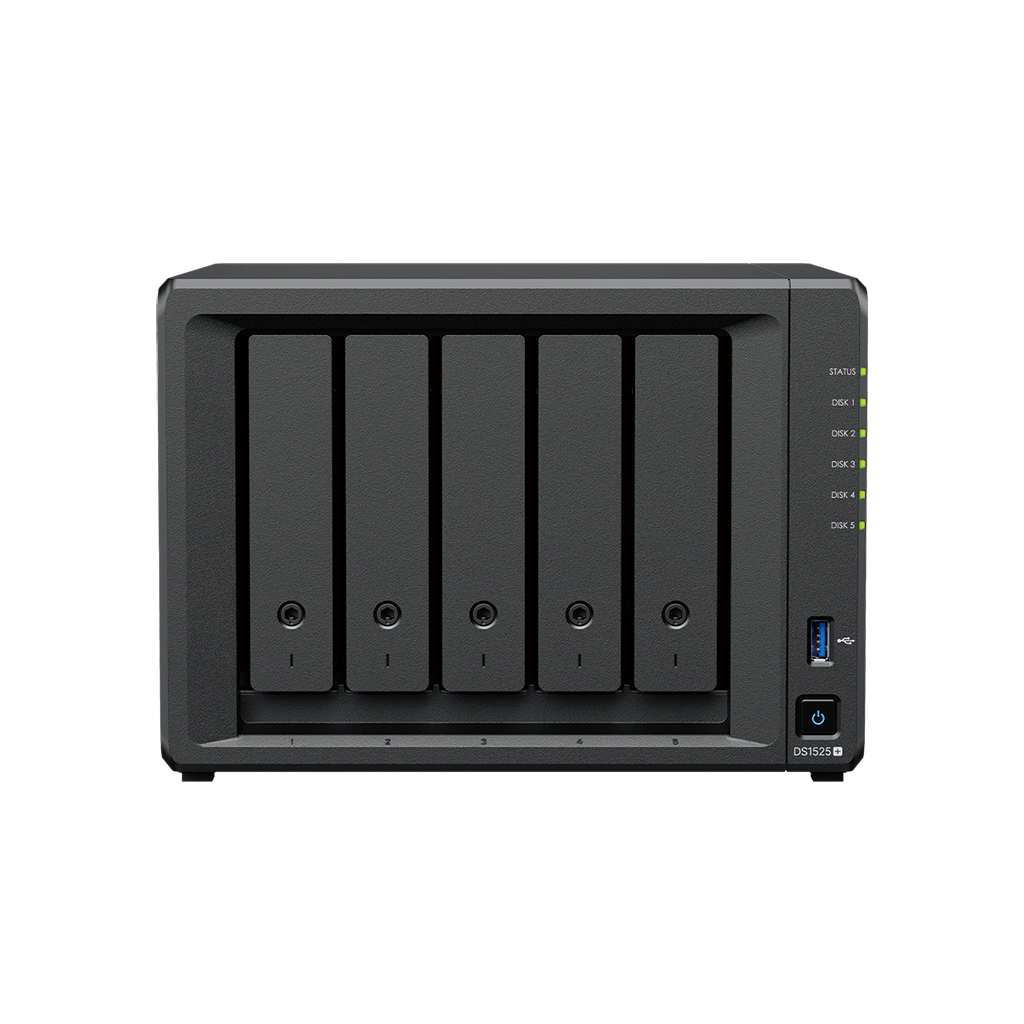
Explore this need in the finder →The Synology DiskStation DS1525+ is a five-bay desktop NAS built around a practical distinction: its five internal SATA positions are the starting configuration, while its faster network and additional storage options require separately checked expansion hardware. Synology's current US specifications list an AMD Ryzen V1500B processor, 8 GB of DDR4 ECC memory, two 2.5GbE ports, and two M.2 NVMe positions. This is a documentation-based assessment of the exact DS1525+ model, not a hands-on test or a promise about real-world transfer speeds.
Five internal bays, with a real expansion boundary
Five 3.5-inch SATA hard drives or 2.5-inch SATA solid-state drives can occupy the main enclosure. The two M.2 2280 NVMe slots are separate from those bays; they do not turn the five-bay chassis into a seven-bay SATA NAS. Synology documents two optional DX525 expansion units, which can raise the total number of drive positions to 15. That figure depends on buying and installing both expansion enclosures, each with its own drives and footprint. The standard package list does not include the DX525 units or storage drives.
That distinction matters when sizing a storage plan. A five-bay unit can begin with two drives in a supported SHR-1 or RAID 1 arrangement and leave room for later drive additions, or it can start with a larger multi-drive layout. Synology lists SHR, Basic, JBOD, RAID 0, RAID 1, RAID 5, RAID 6, and RAID 10 for this system. Each layout has different capacity and fault-tolerance consequences; the number of bays alone does not tell you usable space. A mirror or parity layout can help with a drive failure, but it cannot replace a separate backup that can be restored after deletion, malware, or loss of the entire NAS.
ECC memory is the main distinction from DS1525neo+
The regular DS1525+ ships with one 8 GB DDR4 ECC SODIMM, has two memory slots, and lists support up to 32 GB. Its same-family DS1525neo+ counterpart is separately identified by Synology with 4 GB of non-ECC memory by default. The two models otherwise share several visible platform traits, including five SATA bays, two M.2 positions, dual 2.5GbE, and the optional DX525 path. This memory difference is functional, not a finish or bundle variation. Buyers comparing listings should verify the complete model suffix instead of assuming the shared chassis label tells the whole configuration.
Synology's manual gives recommended matched-module arrangements for 16 GB and 32 GB totals and says support or warranty coverage may be limited when non-Synology memory is used. Treat an upgrade as a compatibility decision, not simply a matter of choosing any SODIMM with the right capacity. The 200 TB single-volume option also requires 32 GB of system memory; the published limits are software ceilings, not promises about usable capacity from any particular drive set.
2.5GbE is built in; 10GbE is an option
Two RJ-45 ports rated at 2.5GbE are built into the enclosure. A compatible Synology E10G22-T1-Mini network-upgrade module can add one 10GbE RJ-45 connection, but that module is optional. The port rating is only one part of a data path: switch or router, cabling, client, drive layout, and workload all matter. The pair of 2.5GbE ports should not be described as one 5Gb/s link to a single computer; link aggregation is a separate network configuration with its own behavior.
For a household or studio already wired for multigigabit Ethernet, the built-in ports can make the unit easier to fit into that network without an add-in card. If the actual requirement is a 10GbE path, the upgrade slot, exact module compatibility, switch, client interface, and cabling should all be confirmed before ordering. Synology's published sequential figures come from its own test conditions; they are not a forecast of the speed a particular home or office will see.
M.2, backup and setup checks
The two M.2 slots can be used for cache or supported M.2 storage pools with compatible Synology NVMe drives. Synology's support notes treat these as model- and drive-specific features: the M.2 drives are not hot-swappable, installation requires shutdown, and a DSM system volume cannot be installed on M.2 alone. A storage pool on M.2 is not equivalent to a spare SATA bay, and it should not be included in the NAS's internal bay count when comparing models.
The DS1525+ measures 166 × 230 × 223 mm according to Synology. The manual's package contents name the NAS, power adapter and cord, two LAN cables, tray keys, screws, and an accessory pack; it does not list SATA or M.2 drives. A seller may assemble a separate bundle, but that package is not established by the model documentation reviewed here. Check the exact drive model codes against Synology's current DS1525+ compatibility information, confirm whether the offer is diskless, and account for the three-year limited hardware warranty and any separately offered extension terms.
Who should shortlist it?
The DS1525+ is worth comparing when five native bays, ECC memory by default, two built-in 2.5GbE connections, and an optional 10GbE path all have a role in the plan. It is less compelling if two or four internal bays would comfortably meet the need, if an all-in-one drive package is essential, or if a buyer expects a built-in 10GbE port. It is also not a compact substitute for a two-bay starter NAS: Synology lists more bays and a route to 15 total positions, but each added enclosure increases cost, space, and setup complexity. Choose it from the storage layout and network you can support, then verify the exact model, drive set, memory and optional hardware before purchase.
Key specifications
Key details at a glance
| Internal drive bays | 5 bays |
|---|---|
| Documented internal drive media | 3.5-inch SATA HDD / 2.5-inch SATA SSD |
| Built-in Ethernet ports | 2 × 2.5GbE RJ-45 |
| Fastest individual Ethernet port | 2.5 Gbps |
| Installed system memory | 8 GB |
| Maximum listed memory | 32 GB |
| Listed storage arrangements | Synology Hybrid RAID / Basic / JBOD / RAID 0 / RAID 1 / RAID 5 / RAID 6 / RAID 10 |
| Internal file systems | Btrfs / ext4 |
| USB 3.2 Gen 1 ports | 2 |
| Maximum listed single-volume size | 200 TB |
| Dimensions (H × W × D) | 166 × 230 × 223 mm |
| Weight | 2.67 kg |
| Hardware warranty | 3 years |
| Data drives included in listed package | No |
| M.2 NVMe slots | 2 |
| M.2 SSD storage-pool support | Yes |
| Maximum total drive bays with listed expansion | 15 bays |
| Expansion-unit note | Five internal positions plus up to two separate five-bay DX525 expansion units; DX525 units are sold separately. |
| Listed expansion unit | DX525 (up to two) |
| Processor | AMD Ryzen V1500B |
| CPU cores | 4 |
| CPU threads | 8 |
| Installed memory type | DDR4 ECC SODIMM |
| Single-volume limit condition | The 200 TB single-volume maximum requires 32 GB of memory; 108 TB is the other listed limit. Neither figure is a usable-capacity promise. |
Use the exact model’s instructions for operating limits, supplied equipment and version differences.
Sources for this review
Sources for this assessment
- DiskStation DS1525+ | Synology US product page
- DS1525+ Product Manual: package contents and hardware overview
- DS1525+ Product Manual: hardware installation and operating instructions
- Synology DS1525+ datasheet
- Synology Expands DiskStation Lineup with DS1525+
- Synology Knowledge Center: NAS models that support M.2 SSD storage pools
- Choose a RAID Type: Synology Knowledge Center
- Synology US product list
Check your setup before choosing a NAS
Use the finder to check bay count, the network link you need, and whether a documented two-drive redundant arrangement is essential.