
Your needs, this model
Does it fit your priorities?
Can the DS124 provide a two-drive mirror?
No. DS124 has one internal drive bay and its US specifications list only Basic storage. It cannot place a second drive inside the unit for SHR-1 or RAID 1. If the source data matters, keep a separate backup on another device or remote destination.
Explore this need in the finder →Can I add a second internal disk later?
The model has one internal SATA position, so it has no second internal bay for a mirror or capacity expansion. Its USB ports are peripheral ports, not a supported internal-drive expansion route. Plan external backup or a separate NAS if a second copy or more bays will be necessary.
Explore this need in the finder →What extra part may be needed for a 2.5-inch SATA SSD?
Synology's DS124 specification notes that installing a 2.5-inch drive requires an optional Type C disk holder. Check the exact drive compatibility list and confirm whether the holder is included in the seller's package; the standard package list does not list a hard drive or the optional holder.
Explore this need in the finder →This is a documentation-based assessment rather than a use test. I did not install a disk or measure the DS124. Its exact official specifications and manual are the basis for this review, not a claim of observed throughput or personal reliability.
The short version: one internal drive, not a mirror NAS
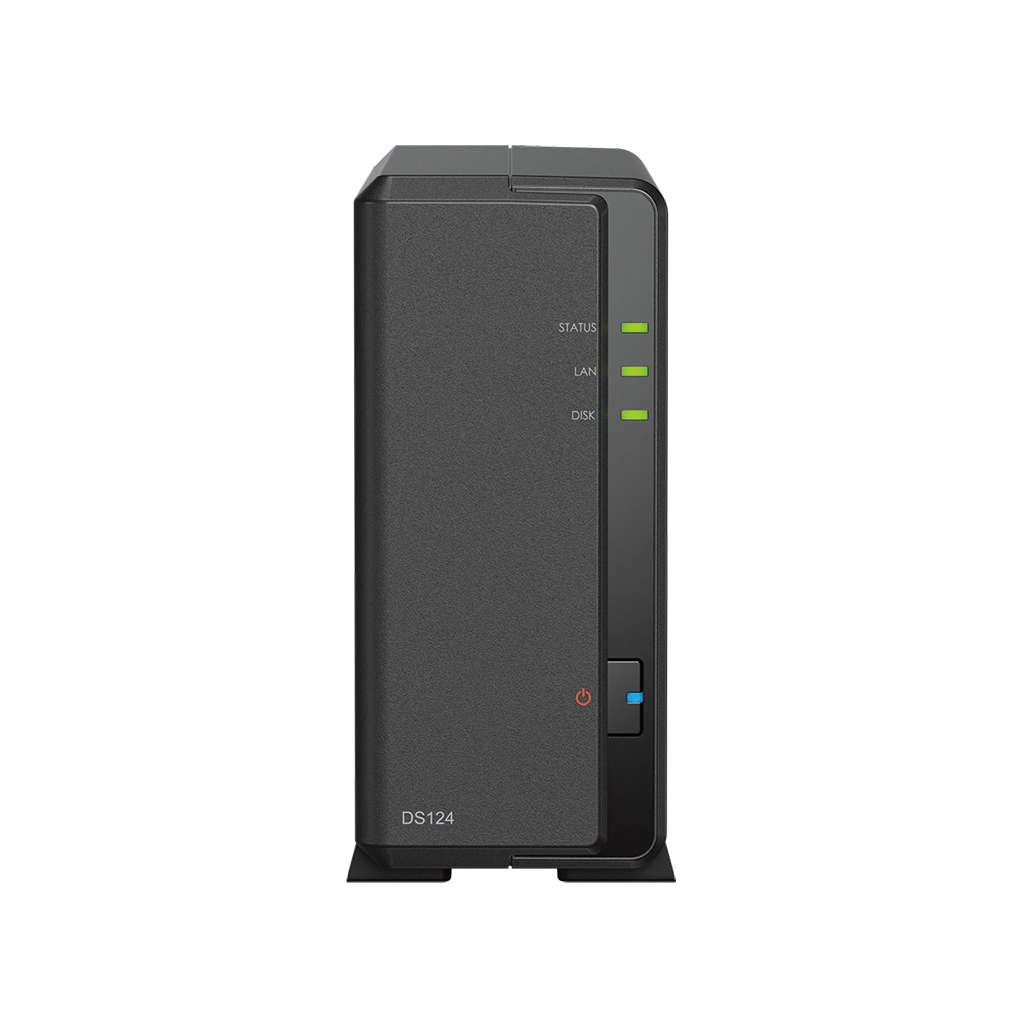
The Synology DiskStation DS124 is a small single-bay NAS built around a Realtek RTD1619B processor, 1 GB of DDR4 non-ECC memory and one 1GbE port. Its narrow enclosure measures 166 × 71 × 224 mm and the listed weight is 0.7 kg before a drive. That footprint may appeal when the task is centralized file access or a network destination for planned copies, but one drive bay is the defining constraint. Synology lists only Basic storage for the DS124, so it cannot create an internal two-drive SHR-1 or RAID 1 mirror.
Synology's US support-status table lists the DS124 as generally available with full DSM updates and technical support on the date checked. That is a lifecycle status, not a promise about retailer stock. The manufacturer provides DSM sharing and backup packages, but software cannot make the one-bay hardware redundant.
What a single drive can—and cannot—do
The product page lists one 3.5-inch SATA HDD or a compatible 2.5-inch SATA SSD. It lists Basic as the supported storage type and one maximum internal volume. With one disk, there is no second internal drive to mirror it. If the disk fails, the DS124 does not have an internal member to take over; recovery depends on a separate copy of the files and on how well that copy was maintained. A USB port is not an additional NAS bay or a substitute for a verified backup destination.
The product page describes file sharing, synchronization, photo management and backup applications. A one-drive NAS can be a useful shared endpoint, a working copy or a staging point for another backup, but the owner must still choose a second destination—such as another device or a suitable remote service—and test restoring files from it. If the plan requires a mirrored pair, the DS124 is not merely a smaller version of a two-bay model; it fails that requirement on hardware layout.
Synology's listed 108 TB maximum single-volume value is a software limit and is not a claim that any one drive, file system or configuration can realize that capacity. Check the compatibility list for the exact drive code and capacity. Synology notes that a 2.5-inch drive installation requires an optional Type C disk holder. Confirm whether the correct holder is included in the seller's offer; the standard package list does not include a hard drive or that optional holder.
Networking and memory match a modest role
The DS124 has one 1GbE RJ-45 port and two USB 3.2 Gen 1 ports. Its gigabit rating describes the Ethernet interface, not an expected file-copy speed. A slower wireless client, switch, cable or storage workload may reduce transfers. There is no built-in 2.5GbE path listed, and the source material does not list a supported external expansion shelf that adds internal bays.
The 1 GB of non-ECC memory is a deliberately modest starting configuration. Synology's page does not list an upgrade ceiling for this model, so this review does not assume that RAM can be expanded. A small set of sharing and backup services may be enough; do not treat a 1 GB appliance as interchangeable with a two-bay NAS that has more memory simply because both run DSM. The product page lists 19.0 dB(A) under its specified idle test context. That manufacturer figure is not a measurement in your room; an installed mechanical drive can change what you hear.
How it compares with DS223 and DS223j
Synology's three-model comparison shows that DS124 shares the Realtek RTD1619B and 1 GB non-ECC memory with DS223j, but DS124 has one drive bay and DS223j has two. DS223 has two bays and 2 GB of memory. Both two-bay models list SHR and RAID 1; DS124 lists only Basic. All three use a single 1GbE port. DS124's very narrow 71 mm body is materially smaller than the 100 mm-wide DS223j and 108 mm-wide DS223. If a second internal drive or single-drive-failure tolerance matters, the DS223j is a closer starting point; if the smaller footprint and one-drive role are enough, the DS124 keeps the capacity plan simple.
Package and setup checks
The US product page and manual list the main unit, adapter, LAN cable, quick-start guide and accessory pack, not a drive. Sellers may offer bundles, so inspect the exact package instead of treating a NAS chassis photo as evidence of an included disk. The device uses a two-year hardware warranty according to Synology's support record. Place it where the adapter and Ethernet cable can reach a stable location with ventilation; before setup, decide how the data will be copied to an independent destination and how a restore will be tested.
Who should consider it?
Keep DS124 in view if you need one small shared-storage appliance with one internal drive and already have a separate backup plan. Skip it if your requirements include two bays, a mirror, a 2.5GbE port, or an unverified memory expansion path. The one-bay label is not a minor capacity detail; it defines the failure and growth plan. No price, stock, reseller package, personal test, customer rating or hands-on reliability result is asserted here.
Key specifications
Key details at a glance
| Internal drive bays | 1 bays |
|---|---|
| Documented internal drive media | 3.5-inch SATA HDD / 2.5-inch SATA SSD |
| Built-in Ethernet ports | 1 × 1GbE RJ-45 |
| Fastest individual Ethernet port | 1 Gbps |
| Installed system memory | 1 GB |
| Listed storage arrangements | Basic |
| Internal file systems | Btrfs / ext4 |
| USB 3.2 Gen 1 ports | 2 |
| Maximum listed single-volume size | 108 TB |
| Dimensions (H × W × D) | 166 × 71 × 224 |
| Weight | 0.7 kg |
| Manufacturer's idle noise figure | 19 dB(A) |
| Hardware warranty | 2 years |
| Data drives included in listed package | No |
| M.2 NVMe slots | 0 |
| M.2 SSD storage-pool support | No |
| Processor | Realtek RTD1619B |
| CPU cores | 4 |
| CPU threads | 4 |
| Installed memory type | DDR4 non-ECC |
Use the exact model’s instructions for operating limits, supplied equipment and version differences.
Sources for this review
Sources for this assessment
Check your setup before choosing a NAS
Use the finder to check bay count, the network link you need, and whether a documented two-drive redundant arrangement is essential.