
Your needs, this model
Does it fit your priorities?
Do the two E1.S/M.2 positions make this an eight-bay HDD NAS?
No. The model page separates six native 3.5-inch SATA bays from two E1.S/NVMe positions. For conventional HDD capacity, budget around the six SATA bays; treat the E1.S positions as a distinct NVMe tier/cache or pool after checking exact media support.
Explore this need in the finder →Can a buyer plan a two-drive mirror without using the E1.S slots?
Yes, the rendered QTS and QuTS hero software specifications list RAID 1 for two members. Two owner-selected, supported SATA drives can use two of the six SATA bays, but the owner has to configure the pool; it does not replace an independent backup.
Explore this need in the finder →Is 10GbE built in?
No. Two built-in ports are 2.5GbE. A compatible 5/10GbE card is a separate configuration in the single PCIe Gen 3 x2 slot; switch, client, cabling and storage must support the intended path too.
Explore this need in the finder →Assessment basis: this is a documentation-based reading of QNAP's current model page and rendered specification tables, not a hands-on test. The product is best understood as a six-SATA-bay tower with an additional two-position NVMe tier, rather than as a conventional eight-HDD NAS. QNAP identifies the U.S.-language selector profile as TS-h865-8G; this research did not establish a matching U.S. Official Store suffix, so do not assume a particular retailer box or bundle.
Six conventional disk bays, plus a separate NVMe layer
The practical distinction is in the drive layout. The hardware specification lists six 3.5-inch SATA bays and two E1.S PCIe Gen 3 x1 positions. The E1.S positions can also take M.2 2280 NVMe SSDs through the documented tray adapter. QNAP describes these SSDs as options for cache or a high-speed storage pool. They are not two more 3.5-inch trays: if a home server needs six ordinary HDDs for a large media or backup set, that is the capacity-oriented number to plan around. If the job involves many small files or an SSD-backed working tier, the NVMe side may be useful, but exact drive and adapter support still needs a lookup in QNAP's compatibility list.
The manufacturer page lists an Intel N150 four-core processor, 8 GB of DDR5 memory in one SODIMM slot and a 16 GB maximum. That is a reasonably clear documented configuration, but the memory number should not be read as a workload guarantee. Containers, virtual machines, indexing, snapshots and simultaneous users all consume resources differently. A buyer should size software needs before assuming the included 8 GB is sufficient or planning an upgrade.
QuTS hero is the starting point, QTS is an alternative
QNAP says QuTS hero is preinstalled, with the option to switch to QTS. Those operating systems are alternative setup paths: QuTS hero uses ZFS, while QTS uses EXT4. QNAP's rendered software specifications list RAID 1 among the supported arrangements for both. One plausible lower-risk plan is for the owner to choose an OS, install two compatible SATA drives and create a two-member mirror, leaving four SATA positions free for later additions. The mirror is not preconfigured in the box, does not turn six drives into six-drive redundancy, and is not an independent backup against deletion, malware, fire or theft.
QuTS hero's ZFS data-integrity and immutability features may appeal to an administrator who wants snapshots and deliberate recovery planning, but filesystem branding cannot replace safe permissions, off-device backups and tested restores. A dual-system choice is also operational complexity: verify the exact installation route, supported features and app requirements before putting production data on a volume. QNAP describes snapshot replication and NAS-to-NAS backup as software possibilities; a second device, destination and network remain separate parts of the plan.
2.5GbE now, with an expansion decision later
Two built-in RJ45 ports are individually rated at 2.5GbE. The product page describes optional 5GbE or 10GbE network expansion through a compatible PCIe card, but the specification lists only one PCIe Gen 3 x2 slot. That creates a real choice: use a built-in link and reserve the slot for another supported card, or install a higher-speed NIC and give up that slot for a different expansion function. Do not count two 2.5GbE ports as one 5Gbps client connection. A fast link helps only when the switch, client, cabling and storage workload can all use it.
QNAP also lists HDMI output and USB 3.2 Gen 2 ports, so a local display or direct-attached device can be part of an installation. These connections do not make the NAS a substitute for a separate workstation or backup device; check the intended QTS/QuTS application, resolution and peripheral support in advance.
Who should consider it?
The strongest fit is an advanced home or small-office buyer who specifically wants six native SATA bays plus a separate NVMe tier, can operate a QNAP environment, and is comfortable checking drive firmware, storage-pool layout and software prerequisites. It is less compelling if the requirement is built-in 10GbE, a straightforward large-HDD-only chassis, more than one expansion-card slot, or a known retail bundle with a seller-verified U.S. code. For those requirements, compare actual lane counts and exact package identifiers rather than treating a similar QNAP model number as interchangeable.
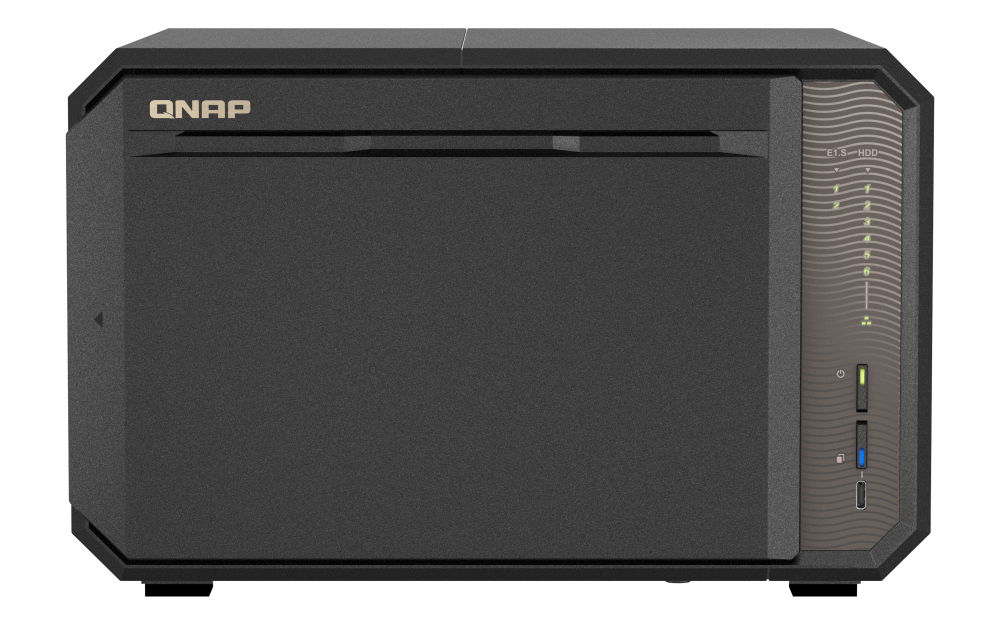
QNAP states that the chassis ships without hard drives. Its official product rendering shows a tower enclosure, but an image cannot establish which media, memory module, adapter or accessories a particular seller supplies. The manufacturer's published performance material is not presented here as independent testing, and this assessment makes no claim about measured transfer rates, noise, power use or real-world workload behavior. Before ordering, confirm the exact model label, included adapter and accessories, supported SATA/NVMe drive codes, firmware, the route for installing the chosen OS, and a separate backup target.
Primary references: QNAP TS-h865 product page, hardware specifications and software specifications.
Key specifications
Key details at a glance
| Internal drive bays | 6 bays |
|---|---|
| Documented internal drive media | 3.5-inch SATA hard disk drives / 2.5-inch SATA solid-state drives in SATA bays / E1.S / M.2 2280 NVMe SSDs through the documented adapter |
| Built-in Ethernet ports | 2 x built-in 2.5GbE RJ45 |
| Fastest individual Ethernet port | 2.5 Gbps |
| Installed system memory | 8 GB |
| Maximum listed memory | 16 GB |
| Listed storage arrangements | RAID 1 / RAID 5 / RAID 6 / RAID 10 / RAID 50 / RAID 60 / Triple Mirror / Triple Parity |
| Internal file systems | EXT4 (QTS) / ZFS (QuTS hero) |
| Hardware warranty | 3 years |
| Data drives included in listed package | No |
| M.2 NVMe slots | 2 |
| M.2 SSD storage-pool support | Yes |
| Processor | Intel N150 |
| CPU cores | 4 |
| CPU threads | 4 |
| Installed memory type | DDR5 SODIMM |
Use the exact model’s instructions for operating limits, supplied equipment and version differences.
Sources for this review
Sources for this assessment

Check your setup before choosing a NAS
Use the finder to narrow documented desk/shelf or rack formats, internal-bay minimums, a single Ethernet-port rating and optional redundancy requirements.