
Your needs, this model
Does it fit your priorities?
Does this 12-bay count include M.2 drives, and are SSDs supplied?
QNAP lists twelve native 2.5-inch SATA SSD positions, and its hardware profile says the system ships without SSDs. M.2 NVMe is described only through optional PCIe adapters; these add-in drives are not native front bays. Verify each exact SSD and firmware in QNAP's compatibility list before buying.
Explore this need in the finder →Does the TS-h1277AFX clear a 10-Gbps one-port requirement?
Its U.S. hardware profile lists two built-in 10GBASE-T ports, so one documented port meets a 10-Gbps link-rating floor. It does not clear 10.5 Gbps on one built-in port. The second port is not added to the first as a single guaranteed rate; verify the client's NIC, switch or direct link, cabling and SSD workload.
Explore this need in the finder →Can it provide two-drive redundancy without buying a RAID configuration?
QNAP lists QTS and QuTS hero alternatives, and their documentation supports a buyer-created two-drive RAID 1 arrangement. The exact model page says SSDs are not supplied, so a compatible pair, OS choice and array setup are separate buyer steps. RAID 1 can help with a covered member failure but does not replace a separate backup.
Explore this need in the finder →Is this the rackmounted TS-h1277AXU-RP or the h1277AFX chassis?
It is the TS-h1277AFX-R7-32G-US tower configuration with twelve 2.5-inch SATA SSD positions. The similarly named TS-h1277AXU-RP is a different rack family with a different drive-bay/media profile; do not carry that model's package facts over.
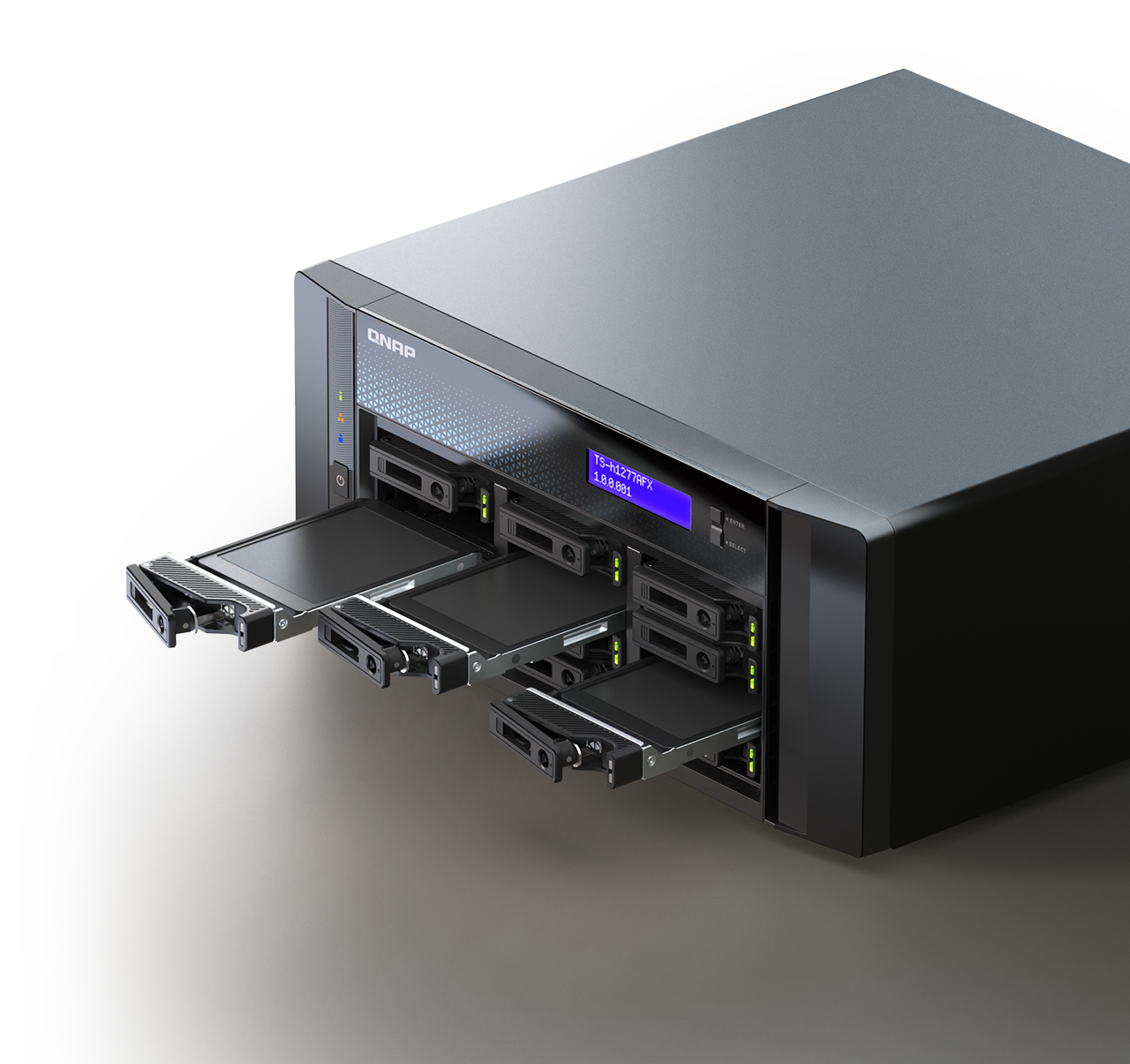
Explore this need in the finder →This research-based assessment uses QNAP's U.S. model specifications and the exact U.S. package identifier; it is not a hands-on test. The TS-h1277AFX is a tower all-flash NAS, not a conventional 3.5-inch hard-drive tower or the similarly named TS-h1277AXU-RP rack system. QNAP positions this model around media production and shared, large-file work. That makes its SSD-only layout and fast wired ports relevant, but the manufacturer’s use-case language and lab results do not establish what a particular editing workflow will achieve.
One reviewed U.S. configuration
The current QNAP U.S. hardware selector presents the TS-h1277AFX-R7-32G configuration. Its listed processor is an eight-core, 16-thread AMD Ryzen 7 9000-series part, paired with 32 GB of DDR5 ECC UDIMM memory. QNAP lists four memory sockets and a maximum of 192 GB, while advising buyers to use QNAP memory modules. That is a substantial platform on paper, but it should not be read as a promise that every VM, editing suite, or concurrent team workload will be fast. The exact retailer-facing suffix is TS-h1277AFX-R7-32G-US; confirm that identifier rather than inferring CPU or memory from the unsuffixed family name.
Twelve small SSD positions, no data drives
The twelve native trays are for 2.5-inch SATA solid-state drives. This is not a place to install twelve ordinary 3.5-inch HDDs, and the all-flash choice affects both drive cost and replacement planning. QNAP says the system ships without SSDs, so the box should not be treated as a configured storage pool. Before committing to a drive budget, check each intended SSD model, capacity, firmware, and support status against QNAP's live compatibility list. No particular drive part number has been verified for this assessment.
QNAP also describes an M.2 NVMe route through optional PCIe adapters. The hardware table does not list native M.2 sockets, so these add-in drives are not extra front bays and should not be counted toward a twelve-bay requirement. Likewise, the page describes external expansion units as independent pools or volumes rather than extensions of the host's storage pool. Distinguish the twelve internal positions, optional cards, and external expansion before estimating capacity.
Built-in 10GbE is a link rating
The documented network hardware includes two 10GBASE-T ports and two 2.5GbE ports. A single built-in 10GbE port meets a 10-Gbps port-rating floor; adding another port does not turn that into a guaranteed 20-Gbps connection for one workstation. Switch or direct-attach equipment, the client's adapter, cabling, SSD layout, protocol settings, and the job itself all constrain actual transfer rates. A 25GbE card is an optional PCIe expansion, not a built-in interface. Treat QNAP's multi-workstation and media-production positioning as a reason to inspect the whole network path, not as a throughput result for your studio.
Expansion needs a slot and package check
The dedicated hardware table specifies three PCIe Gen 4 slots, with lane width in one slot depending on whether another is occupied. A comparison table lower on QNAP's same product page says four slots. That discrepancy is material for anyone planning several network, graphics, or M.2 cards, so the conservative reading is to verify the current hardware drawing and exact chassis before ordering expansion cards; this review does not silently adopt the larger figure. QNAP's compatibility and card-dimension notes also make the exact card, bracket, occupied neighboring slot, and supported model worth checking together.
For a desk or production room, QNAP lists the tower at 6.19 × 14.49 × 14.25 inches (height, width, depth), with foot pads excluded; the foot pad may add up to 1.18 inches depending on model. Net weight is listed at 17.64 lb. These figures describe the chassis, not the air space needed around it, loaded weight, rack suitability, or a guarantee of quietness under your drive and fan load. The manufacturer lists a five-year standard warranty; confirm the exact delivered SKU and written coverage terms through the seller.
Choose the storage OS and protection intentionally
QNAP lists both QTS and QuTS hero for this hardware, with different storage filesystems. The supported configurations include a buyer-created two-drive RAID 1 arrangement under either option. A mirror can keep an array available after one member drive fails, but it uses two compatible SSDs, provides capacity based on the smaller member before overhead, and does not protect against deletion, malware, theft, or failure of the entire NAS. Neither the QNAP package page nor this assessment represents a prebuilt mirror or preinstalled drive pair. Keep a separate backup on another device or location and verify that recovery works.
Who should compare it—and what to confirm
This model is worth comparing when a buyer specifically needs a tower chassis, twelve 2.5-inch SATA SSD positions, built-in 10GbE, and expansion options for a documented workload. It is a poor match for a plan based on inexpensive 3.5-inch HDD capacity or a rack installation. A conventional hybrid tower, an all-flash U.2 system, or the TS-h1277AXU-RP may share parts of its name or purpose while offering different drive media, chassis, and package details; do not transfer those specifications across families.
Before ordering, check the exact TS-h1277AFX-R7-32G-US identifier and 32-GB base configuration, intended SSDs and firmware, selected QTS or QuTS hero setup, and whether your chosen two-drive mirror is appropriate. Confirm the PCIe slot-count conflict, exact adapter compatibility, desktop clearance, power and cooling needs, and written warranty. QNAP's product page is a useful starting point for those checks, not evidence of a current offer, included accessories, independent performance, or your actual network speed.
Key specifications
Key details at a glance
| Internal drive bays | 12 bays |
|---|---|
| Documented internal drive media | 2.5-inch SATA SSDs |
| Built-in Ethernet ports | 2 x built-in 10GBASE-T RJ45 / 2 x built-in 2.5GbE RJ45 |
| Fastest individual Ethernet port | 10 Gbps |
| Installed system memory | 32 GB |
| Maximum listed memory | 192 GB |
| Listed storage arrangements | RAID 1 (separately configured in QTS or QuTS hero) |
| Internal file systems | EXT4 (QTS alternative) / ZFS (QuTS hero alternative) |
| Hardware warranty | 5 years |
| Data drives included in listed package | No |
| Processor | AMD Ryzen 7 9000 series |
| CPU cores | 8 |
| CPU threads | 16 |
| Installed memory type | 32 GB DDR5 ECC UDIMM in the R7-32G profile |
Use the exact model’s instructions for operating limits, supplied equipment and version differences.
Sources for this review
Sources for this assessment
- TS-h1277AFX — QNAP U.S. product page
- TS-h1277AFX Specification — Hardware Specs, QNAP U.S.
- TS-h1277AFX-R7-32G-US — QNAP U.S. Official Store
- Enterprise NAS — QNAP U.S. Official Store, page 2
- QTS RAID type comparison — QNAP
- Storage & Snapshots Quick Start Guide for QuTS hero — QNAP
- My Drive Has Failed, What Should I Do? — QNAP
- TS-h1277AFX — QNAP U.S. product image

Check your setup before choosing a NAS
Use the finder to narrow documented desk/shelf or rack formats, internal-bay minimums, a single Ethernet-port rating and optional redundancy requirements.