
Your needs, this model
Does it fit your priorities?
Can the TS-h1090FU meet a 10-bay, 25GbE and two-drive-mirror screen?
Yes, as a documented capability combination: the exact 7302P-128G configuration has ten internal 2.5-inch SSD positions, two built-in 25GbE SFP28 ports, and both QTS and QuTS hero list RAID 1 for an eight-bay-or-larger NAS. The unit ships without SSDs, the mirror must be configured, and no exact compatible SSD SKU was verified. A mirror is not a separate backup.
Explore this need in the finder →Are drives, rack rails and a finished array included?
No data SSDs are listed as included, the manual identifies RAIL-B02 as compatible but sold separately, and the two-drive RAID 1 arrangement is a buyer-created setup. Confirm the exact package and current compatibility list before ordering; the source review does not verify any particular SSD model.
Explore this need in the finder →Does the 25GbE rating mean one workstation will copy at 25Gb/s?
No. The 25GbE SFP28 ports provide a line-rate capability. Switch or router, optics or DAC, peer NIC, cabling, storage layout, protocol and workload affect file transfers. The second 25GbE port is not automatically added to make a single 50GbE connection.
Explore this need in the finder →Why compare the full processor and memory suffix instead of just TS-h1090FU?
QNAP’s current selector lists five combinations from a 7302P/32G package through 7302P/256G; the 7232P choices use a different 8-core CPU class and 32 or 64 GB of memory. This review’s facts are for the exact 7302P-128G-US SKU, so get the complete suffix on the quote.
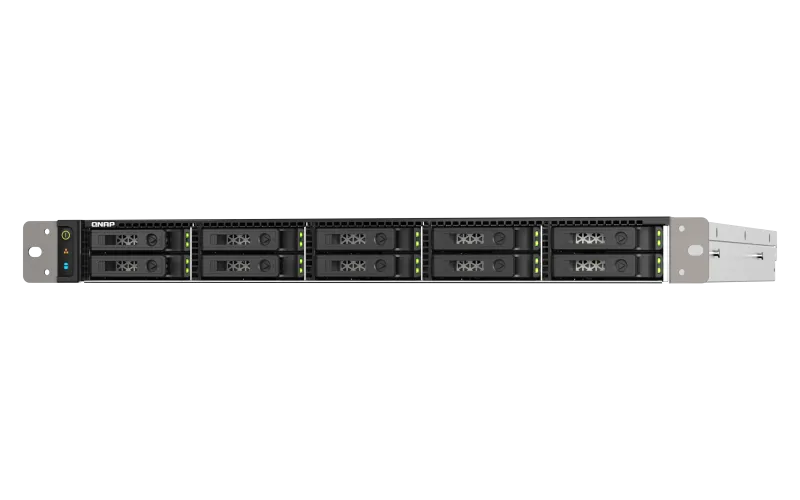
Explore this need in the finder →The QNAP TS-h1090FU is a 1U, ten-position, all-flash rack NAS for a compact business storage build with high-speed network links. This assessment uses QNAP’s current U.S. pages, its TS-hx90FU version-3 manual and Official Store identity evidence; it is not a hands-on test. The reviewed package is TS-h1090FU-7302P-128G-US, not an unspecified 1090FU bundle. Its attractions are ten hot-swap 2.5-inch positions and two built-in 25GbE SFP28 ports. The trade is a diskless, rack-dependent setup whose SSD fit, rail package and a weight discrepancy need checking.
What the exact 128G package represents
The U.S. Store identifies the 7302P-128G-US; the manufacturer lists an AMD EPYC 7302P and 128 GB DDR4 ECC registered memory. The specification lists 16 cores/32 threads; the v3 family guide details eight 16 GB RDIMMs. QNAP lists twelve RDIMM sockets and “1 TB+ (12 x 128 GB),” while the guide describes 1 TB. Because the limits differ, confirm any upgrade against QNAP’s approved module list for this unit.
The selector lists five configurations: 7302P-256G, 7302P-128G, 7302P-64G, 7232P-64G and 7232P-32G. The 7302P choices are listed at 16 cores and up to 3.3 GHz; 7232P/7252 is an 8-core option up to 3.2 GHz. Memory ranges from 32 GB to 256 GB. The v3 manual covers only three combinations, so this assessment anchors its facts to the 128G U.S. SKU rather than assuming all five packages are identical.
Ten bays do not include ten SSDs
The ten front positions accept 2.5-inch U.2 NVMe SSDs and 2.5-inch SATA SSDs according to the U.S. hardware page. The manual additionally describes U.2/U.3 NVMe PCIe Gen4/Gen3 x4 drives and says Gen4 SSDs operate at Gen3 speed. That is a material qualification beside the current page’s Gen4 wording, so a buyer should check the live TS-h1090FU compatibility table for each exact drive model, capacity and firmware rather than selecting by connector alone. QNAP says the system ships without SSDs. It publishes no evidence here that a particular drive is included, prequalified in the seller’s package or already configured into an array.
QNAP lists RAID 1 for this 10-bay chassis under both QTS and QuTS hero, so a two-drive mirror can be a documented operating plan. The user guide also explains the two-member RAID 1 failure case. That arrangement uses two separately selected compatible drives and must be configured; it is not a prebuilt mirror and it does not substitute for an independent backup. Ten bays offer room to plan other arrangements, but raw drive totals are not usable capacity. Decide whether you want QTS/EXT4 or QuTS hero/ZFS before initializing storage: QNAP says the file systems differ, and changing between the OS choices requires removing drives. Back up data before any such migration.
Use the 25GbE ports as a network-path requirement
The reviewed configuration has two built-in 25GbE SFP28 SmartNIC ports and two 2.5GbE RJ45 ports. QNAP says the SFP28 interfaces can also negotiate with 10GbE SFP+ or 1GbE SFP peers. This gives an installation more than one way to connect, but “25GbE” is an individual port line rating—not a promise that a workstation will transfer files at that speed. The switch, transceiver or DAC, fibre or copper path, client NIC, protocol, SSD layout and concurrent workload all matter. Two ports are not one 50GbE client link simply because both exist; port trunking depends on compatible configuration and traffic patterns. The questionnaire treats the fastest single built-in port as a filter only.
Two PCIe Gen4 x16 slots allow expansion; QNAP specifies a low-profile constraint for slot two. Confirm card compatibility, length, bracket and airflow before planning add-in equipment.
Rack and power checks belong in the budget
This is a 1U rackmount appliance, not a desktop NAS. The manual gives dimensions of 44 × 430 × 580 mm, while the current U.S. table lists 1.73 × 16.93 × 22.91 inches. The rounded dimensions are close, but a rack plan needs cable bend, airflow and service clearance. The guide lists dual 550 W, 100–240 V supplies and five 60 mm system fans; these are not normal-draw measurements, so size circuit and cooling for the intended workload. QNAP names RAIL-B02 as compatible and says rails are not included in the NAS package.
There is a larger documentation mismatch on weight: the manual lists 10.3 kg (22.71 lb) net, whereas QNAP’s current U.S. table reports 25.57 lb net. I leave that value unresolved rather than selecting the more convenient number. Verify the correct hardware revision and shipping/installed load with the seller or manufacturer before installing it on rails or a shelf. The manual’s package list contains the NAS, two power cords, one Cat 5e cable, drive-tray keys and the quick installation guide; it does not list the data SSDs or rail kit.
Who should investigate it—and who should pass
The TS-h1090FU-7302P-128G-US merits investigation when a business needs ten flash positions, a 1U rack profile and native 25GbE. That fit depends on prepared rack, power, cooling and network infrastructure. A small office seeking a simple backup target may be better served by a lower-bay device with ordinary SATA drives; the all-flash design should solve a concrete workload need, not act as a proxy for speed.
Before selecting a seller package, match the complete suffix, confirm whether the quoted unit is the 7302P-128G-US configuration, obtain the exact drive compatibility list and written package contents, and check rail inclusion, rack depth, network optics and warranty terms. QNAP’s published feature and benchmark material describes manufacturer setups, not independent measurements of a typical installation. Nothing in the model name or headline 25GbE ports proves a particular throughput, usable capacity, current seller stock or included drive configuration.
Key specifications
Key details at a glance
| Internal drive bays | 10 bays |
|---|---|
| Documented internal drive media | 2.5-inch U.2 NVMe PCIe Gen4 x4 SSD / 2.5-inch SATA SSD |
| Built-in Ethernet ports | 2 x built-in 25GbE SFP28 SmartNIC / 2 x built-in 2.5GbE RJ45 |
| Fastest individual Ethernet port | 25 Gbps |
| Installed system memory | 128 GB |
| Listed storage arrangements | QTS: RAID 1, 5, 6, 10, 50, 60 / QuTS hero: RAID 1, 5, 6, 10, 50, 60, Triple Mirror, Triple Parity |
| USB 3.2 Gen 1 ports | 3 |
| Dimensions (H × W × D) | {'height': 44, 'width': 430, 'depth': 582} |
| Hardware warranty | 5 years |
| Data drives included in listed package | No |
| Processor | AMD EPYC 7302P |
| CPU cores | 16 |
| CPU threads | 32 |
| Installed memory type | DDR4 ECC RDIMM; the v3 manual specifies 8 x 16 GB for the 128G configuration |
Use the exact model’s instructions for operating limits, supplied equipment and version differences.
Sources for this review
Sources for this assessment
- QNAP U.S. Tower / SMB product grid observation
- QNAP U.S. TS-h1090FU product page
- QNAP U.S. TS-h1090FU hardware selector and specification table
- QNAP U.S. TS-h1090FU QTS and QuTS hero software specifications
- QNAP current U.S. TS-h1090FU five-configuration comparison
- QNAP TS-hx90FU User Guide, version 3
- QNAP U.S. Store exact TS-h1090FU-7302P-128G-US identity page
- QNAP U.S. Store U.2 NVMe all-flash category observation
- QNAP QTS and QuTS hero RAID documentation
- QNAP compatibility list and TS-h1090FU drive lookup
- Model-specific recall/safety notice search observation
Check your setup before choosing a NAS
Use the finder to narrow documented desk/shelf or rack formats, internal-bay minimums, a single Ethernet-port rating and optional redundancy requirements.