
Your needs, this model
Does it fit your priorities?
How many native SATA positions does the TS-873A-8G-US provide?
QNAP's current U.S. selector lists eight 3.5-inch SATA bays. The two M.2 2280 NVMe sockets are separate and do not create ninth or tenth SATA bays. The older TS-x73A guide lists 2.5-inch SATA HDD support, while the current selector does not; verify that specific media type against QNAP's current compatibility information.
Explore this need in the finder →Does this model provide a built-in 2.5GbE port?
Yes. The hardware selector lists two individual 2.5GbE ports. Port trunking can combine links for some arrangements, but does not make either built-in jack a single 5GbE port or guarantee a client transfer rate; optional faster PCIe adapters are separate hardware.
Explore this need in the finder →Can I configure a two-drive mirror?
QNAP's current eight-bay tables list RAID 1 for the separate QTS/EXT4 and QuTS hero/ZFS choices. The buyer must choose one OS, provide and verify two compatible drives and create the pool. The product is not treated as arriving with drives or a prepared array, and RAID 1 is not an independent backup.
Explore this need in the finder →Does the current-only finder setting include this profile?
The active QNAP U.S. family page, one current TS-873A-8G hardware profile and exact U.S. Store identity support current-reference treatment in this edition. This is not evidence of live seller stock, a support end date or an offer.
Explore this need in the finder →What changes if earlier configurations are included?
The TS-873A-8G-US remains a current-reference profile when earlier products are included; the broader history setting can add individually evidenced older configurations but does not change this unit's bay count, base-port rating or selected RAID plan.
Explore this need in the finder →QNAP · eight-bay tower NAS · source-based assessment
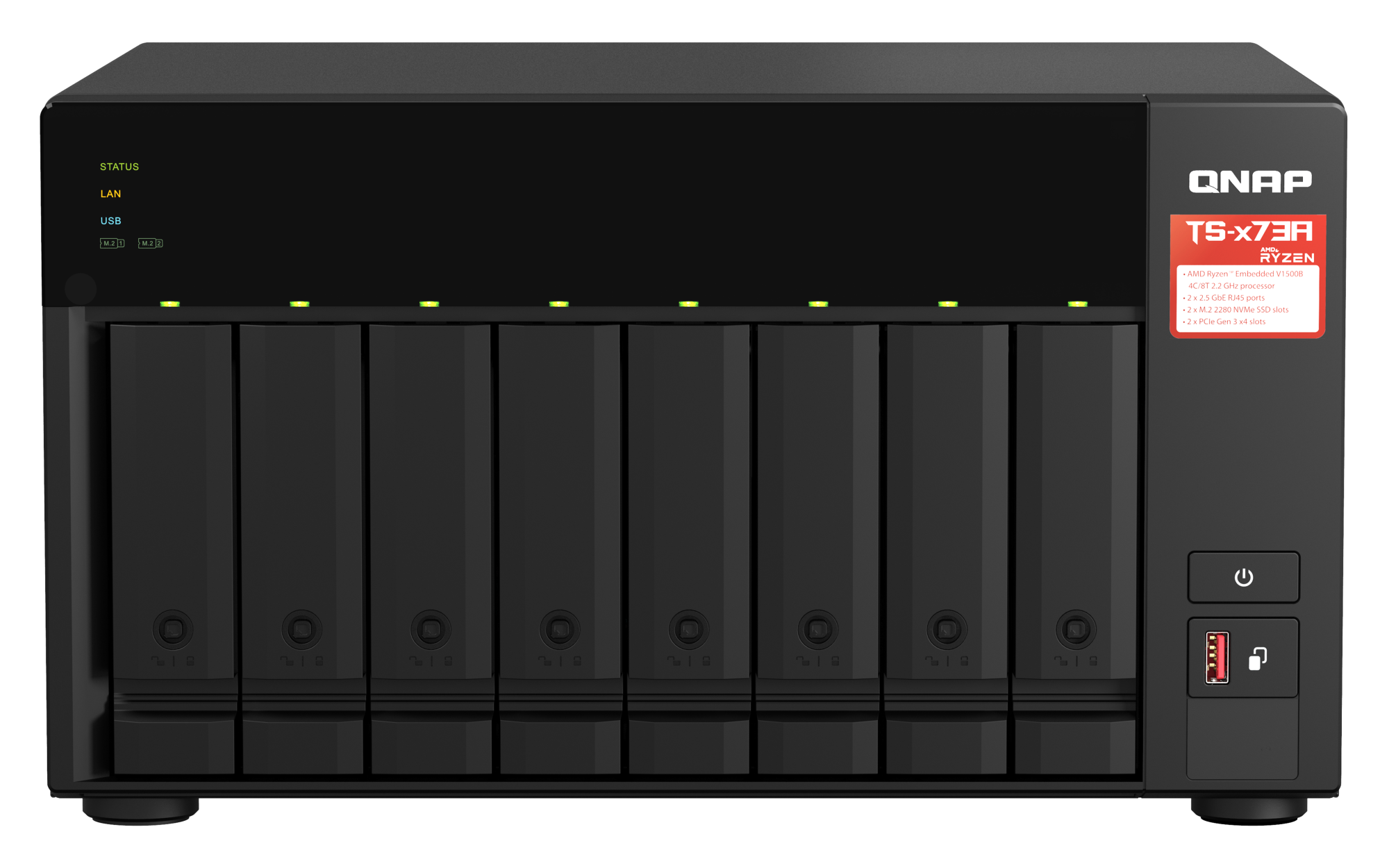
The QNAP TS-873A-8G-US is an eight-bay desktop NAS built around an AMD Ryzen Embedded V1500B processor, two built-in 2.5GbE ports and two PCIe expansion slots. Its two M.2 sockets are a separate NVMe layer, not extra SATA bays. This assessment is based on QNAP’s U.S. product page, the current hardware and software selectors, the U.S. Store identity page and the TS-x73A user guide. I did not buy, own, install or test this appliance, and I make no independent performance, noise, power-draw or reliability claim.
One current selector profile, with a separate retail identity
QNAP’s current U.S. hardware selector presents one profile, TS-873A-8G: an eight-core-thread, four-core 2.2GHz Ryzen Embedded V1500B configuration with 8GB of DDR4 SODIMM memory, two memory slots and a listed maximum of 64GB. The active U.S. product page and selector make this a current-reference model for this review, not a statement about support end dates or seller inventory. QNAP’s U.S. Store item names TS-873A-8G-US and lists the SKU TS-873A-8G-US-BDL. That bridges the unsuffixed Tower/SMB family card to a specific U.S. identity; it does not make the separate TS-873AeU rack models interchangeable with this tower.
The Store item has configurable drive and installation choices. Those options do not establish what an arbitrary seller or order will include. Before purchase, compare the exact model label and written bill of materials; do not infer drives, upgraded memory or a prebuilt pool from a page title or suffix alone.
Eight SATA positions plus two different M.2 sockets
The current selector lists eight 3.5-inch SATA bays, two M.2 2280 PCIe Gen3 x1 slots and no standard M.2 SSDs. It lists 3.5-inch SATA hard drives and 2.5-inch SATA solid-state drives as compatible bay media. M.2 drives are not hot-swappable in the built-in sockets. These distinctions matter if the goal is bulk capacity: the M.2 sockets can be considered separately for supported SSD uses, but they do not turn the enclosure into a ten-bay SATA system.
There is a real documentation difference on 2.5-inch SATA hard drives. The older TS-x73A user guide explicitly lists them as a supported size in the 3.5-inch trays, while the current U.S. hardware selector lists 3.5-inch SATA HDDs and 2.5-inch SATA SSDs but does not list 2.5-inch HDDs. I cannot resolve that conflict into a current compatibility guarantee. Check the complete drive model and firmware in QNAP’s current compatibility information before selecting a fleet, and ask QNAP if the exact 2.5-inch HDD combination is essential.
Eight physical positions are not eight included drives or a promise of usable capacity. The 2021 family guide’s package list names the NAS, power cord, Ethernet cable, mounting screws, tray keys, M.2 heatsinks and quick-installation guide; it does not list data drives or an initialized storage pool. Use the exact order’s written contents for any later offer.
2.5GbE is the base single-port ceiling
The chassis has two individual 2.5GbE RJ45 ports. QNAP describes port trunking as a way to reach an aggregate rate up to 5Gbps, but that is not a 5Gbps rating for one jack, one client connection or a guaranteed file transfer. The switch or router, client interface, cabling, storage, protocol and workload all constrain the real path. For a requirement stated as “at least 3Gbps on one built-in port,” the unexpanded TS-873A-8G-US does not meet that threshold; its documented individual ports are 2.5GbE.
QNAP lists two PCIe Gen3 x4 slots and describes optional networking cards, including 5GbE or 10GbE choices. Those are expansion plans, not as-shipped base ports. Check the exact card’s QNAP compatibility, physical dimensions and slot interactions, then verify the host, switch and cabling at the other end. A fast add-in card cannot compensate for a slower link elsewhere in the path.
Choose one OS and build the mirror yourself
QNAP’s current software selector documents separate QTS/EXT4 and QuTS hero/ZFS choices. Its eight-bay RAID tables list RAID 1 in either alternative. A two-drive mirror can therefore be planned as an owner-created configuration, but the source does not describe a drive set or finished array arriving ready to use. The buyer still selects two compatible drives, installs them and creates the pool. A RAID 1 mirror uses two bays and is documented to tolerate one failed member drive; it does not protect against accidental deletion, malware, theft, fire or loss of the NAS. Keep a separate backup with a recovery process.
Memory needs are part of that operating-system choice. QNAP says QuTS hero requires at least 8GB, which matches the selector’s 8GB base profile. Inline data deduplication has a separate 16GB minimum, with 32GB or more recommended for optimal performance. Those thresholds are not a claim that the installed 8GB supports every memory-sensitive workload. QNAP also says the drives must be removed before switching between QTS and QuTS hero because the operating systems use different file systems. Decide on the OS before storing data and verify a migration plan rather than treating the choice as a casual toggle.
Plan desk space, power and the exact order
QNAP calls the TS-873A a tower and its current U.S. hardware table lists dimensions of 7.09 × 12.96 × 11.01 inches (H × W × D), excluding a foot pad that may add up to 1.18 inches. The older family guide lists 7.41 × 12.96 × 11.05 inches. These published values are not identical, and the current selector’s foot-pad note does not by itself explain every difference. Measure the actual location with airflow, front-tray access, cable bends and service space in mind; do not design a tight shelf fit around the smaller number alone.
The current hardware selector lists one 250W power supply, not a redundant pair, and a three-year standard warranty. The PSU rating is not measured wall consumption; drive count and workload alter the electrical and thermal plan. Verify warranty coverage and the responsible seller for the exact delivered U.S. item.
What to verify before committing
- Confirm the delivered label is TS-873A-8G-US and compare the written order details with QNAP Store SKU TS-873A-8G-US-BDL; do not assume optional drives or installation are included.
- Check each intended drive’s exact model and firmware, especially if relying on 2.5-inch SATA hard drives, which the older guide lists but the current selector does not.
- Choose QTS/EXT4 or QuTS hero/ZFS before loading data; check memory requirements for the features you intend to use.
- Trace one Ethernet link across NAS, switch, client and cable. Port trunking is not an individual 5GbE port or transfer guarantee.
- Measure the full tower and allow for the foot pad, ventilation, drive access, cabling and servicing; plan around the single PSU and a separate backup.
On the evidence available, this is a current-reference eight-position tower for a buyer who needs room to scale inside one desktop chassis and accepts 2.5GbE per built-in link. The most important caveats are the unresolved current status of 2.5-inch SATA HDD support, the distinction between base ports and optional PCIe upgrades, and the need to choose and configure storage rather than assume it is supplied. Treat the bay count, port ratings and RAID menu as planning facts—not as proof that a particular drive, workload, seller package or installation will work without further checking.
Key specifications
Key details at a glance
| Internal drive bays | 8 bays |
|---|---|
| Documented internal drive media | 3.5-inch SATA HDD (current selector-listed) / 2.5-inch SATA SSD (current selector-listed) |
| Built-in Ethernet ports | 2 x individual built-in 2.5GbE RJ45 |
| Fastest individual Ethernet port | 2.5 Gbps |
| Installed system memory | 8 GB |
| Maximum listed memory | 64 GB |
| Listed storage arrangements | QTS 6.1.0 / EXT4: current eight-bay selector lists RAID 1 / QuTS hero h6.1.0 / ZFS: current eight-bay selector lists RAID 1 |
| Internal file systems | EXT4 (QTS) / ZFS (QuTS hero) |
| Hardware warranty | 3 years |
| Data drives included in listed package | No |
| System drives included (not data-bay drives) | |
| M.2 NVMe slots | 2 |
| Processor | AMD Ryzen Embedded V1500B |
| CPU cores | 4 |
| CPU threads | 8 |
| Installed memory type | DDR4 SODIMM |
Use the exact model’s instructions for operating limits, supplied equipment and version differences.
Sources for this review
Sources for this assessment
- TS-873A U.S. product page — QNAP
- Rendered TS-873A U.S. hardware selector — QNAP
- Rendered TS-873A U.S. software selector — QNAP
- TS-x73A User Guide, version 1 — QNAP
- TS-873A-8G-US U.S. Official Store identity — QNAP
- QNAP U.S. product comparison: TS-873A, TS-873AeU and TS-873AeU-RP
- TS-873A product-page front image — QNAP

Check your setup before choosing a NAS
Use the finder to narrow documented desk/shelf or rack formats, internal-bay minimums, a single Ethernet-port rating and optional redundancy requirements.