
Your needs, this model
Does it fit your priorities?
How many native bays and what storage media does this profile have?
The U.S. selector lists eight native 3.5-inch SATA bays and no HDDs in the shipped system. The two separate M.2 2280 PCIe Gen3 x4 NVMe positions do not add SATA bays and their SSDs are not hot-swappable. Check exact drive model and firmware support before ordering.
Explore this need in the finder →Does this profile meet a 2.5-Gbps requirement for one built-in Ethernet port?
Yes. QNAP lists two built-in 2.5GbE ports, so the maximum single built-in port rating is 2.5 Gbps. The jacks do not combine into one 5-Gbps port; optional network cards are separate and the link rating does not predict end-to-end throughput.
Explore this need in the finder →Can the owner configure two-drive redundancy?
The QNAP software tables list RAID 1 for the eight-bay QTS and QuTS hero profiles. Choose one operating system, verify two compatible SATA drives, then create the pool yourself. The system ships without HDDs or a prepared array; RAID is not a separate backup.
Explore this need in the finder →Does it meet a 10-Gbps minimum for one built-in port?
No. Its fastest built-in Ethernet port is rated 2.5GbE. A 10-Gbps card is an optional PCIe configuration that needs a separate compatibility and installation check; it does not satisfy a built-in-port requirement.
Explore this need in the finder →What rack and rail checks remain?
The selector lists a 2U body about 11.71 inches deep. The current selector and comparison list 20.88 lb net, while the English-US guide lists 17.97 lb for the RP profile. The product page names optional RAIL-S01 while the guide lists RAIL-B02 as compatible; confirm the current rail, rack-post depth, service clearance, cable bend space and loaded weight before fitting it.
Research note: This is a source-based assessment of QNAP’s U.S. TS-855eU-RP-8G-US profile, not a hands-on review. I checked QNAP’s U.S. product and selector pages, its English-U.S. user guide, the model comparison, and the indexed U.S. Store item on November 1, 2026. The evidence describes an eight-bay short-depth rack NAS with two built-in 2.5GbE links and redundant power; it does not establish current offer terms or real-world performance.
Eight SATA bays; M.2 is a separate layer
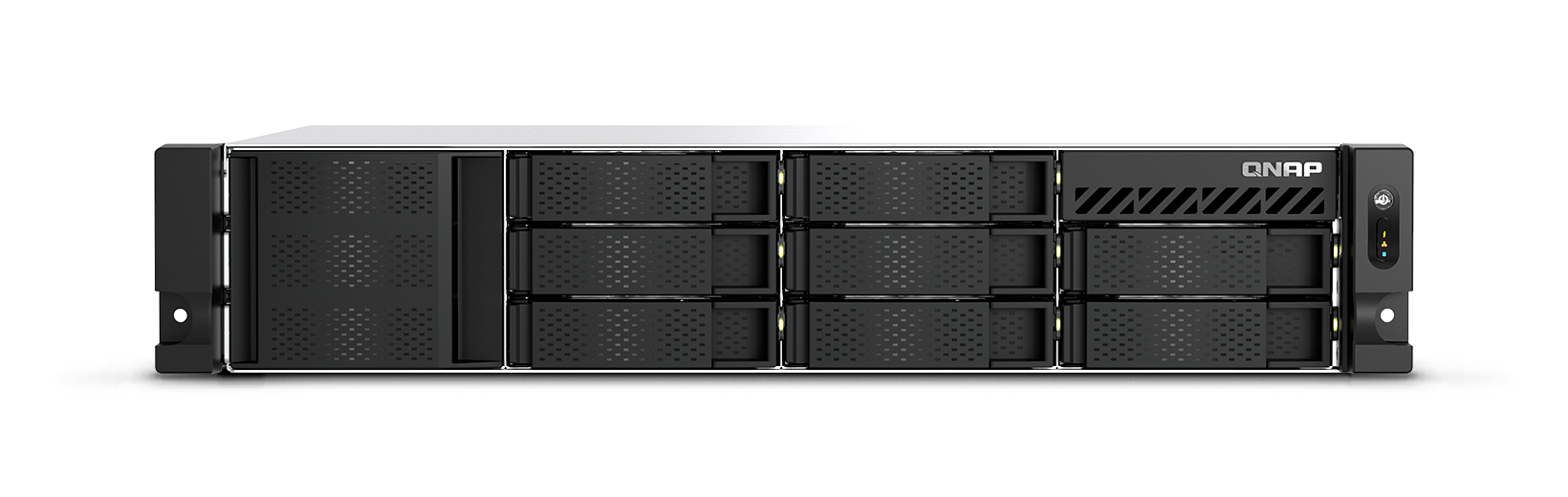
QNAP’s hardware selector lists eight native 3.5-inch SATA drive bays and says the system ships without HDDs. It lists support for 3.5-inch SATA hard disks and 2.5-inch SATA hard disks or SSDs. Two M.2 2280 PCIe Gen3 x4 positions add a separate NVMe option, not a ninth and tenth SATA bay. The selector explicitly treats M.2 SSDs as non-hot-swappable, so the eight drive bays and two M.2 sockets should not be treated as interchangeable positions.
That distinction matters when estimating a storage layout. A buyer could reserve SATA trays for capacity drives and investigate compatible M.2 SSDs for a different storage or cache role, but the model’s compatibility route did not expose a specific approved drive-and-firmware row in the captured view. Check QNAP’s current drive list against each exact SKU, capacity and firmware version before making a deployment plan. Neither the manufacturer’s description of possible storage-pool uses nor the product image establishes that an SSD is included.
QTS and QuTS hero are choices, not a combined filesystem
QNAP describes QTS as the standard operating system and QuTS hero as a ZFS-based alternative. Its software selector lists RAID 1 for the eight-bay profile under both the QTS/EXT4 and QuTS hero/ZFS tables. That supports an owner-created two-drive mirror arrangement under either selected OS; it is not evidence that a configured mirror or data drives come in the box. The English-U.S. guide lists the NAS, two power cords for this RP variant, one Cat5e cable, drive screws and a quick installation guide, while the selector says the unit ships without HDDs.
Choose the intended operating system and storage plan before loading data, confirm that the exact drives are supported, and create the pool during setup. RAID 1 can preserve access through one member-drive failure when configured and healthy, but it does not protect against deletion, ransomware, theft, fire or loss of the whole NAS. Keep a separate backup with a recovery plan.
Two 2.5GbE ports do not equal one 5GbE port
The base profile has two built-in RJ45 ports rated up to 2.5GbE each, so the fastest individual built-in port is 2.5 Gbps. The pair may be useful with network features and workloads that can use separate connections, but neither a combined rating nor a transfer speed follows from the port count. Switch, client, cabling, disk arrangement and workload all constrain the path. QNAP lists optional 5-, 10- and 25-GbE adapters through PCIe; those are add-on configurations, not built-in ports, and their card size, compatibility and network peers need checking before purchase.
The product page also presents manufacturer file-transfer and sequential-throughput results under named multi-port test conditions. Those are QNAP’s benchmark scenarios, not independent tests, not guarantees for an installed system, and not evidence that the optional high-speed adapters are part of the base package. I do not infer a measured performance result from the published configuration.
What the RP suffix changes
Here, RP is a material power distinction. The selector lists two 300 W power-supply units for the TS-855eU-RP-8G profile. QNAP’s direct comparison lists the non-RP TS-855eU-8G with one 250 W supply. The rest of the comparison presents the same eight native bays, C5125 processor, 8 GB starting memory, two M.2 sockets, two built-in 2.5GbE ports and short-depth 2U form. The second supply may be relevant for a system design that values redundant hardware, but two units do not create independent upstream resilience if both cords share one PDU, circuit or UPS. Plan the power feeds as well as the NAS.
The shipped memory profile is 8 GB of non-ECC DDR4 SODIMM, with two slots and a listed 64 GB maximum. QNAP says ECC is supported but cannot be mixed with non-ECC memory and recommends matching supported modules. Verify the exact memory part number and supported configuration before upgrading rather than assuming any nominally matching SODIMM will work.
Short chassis, unresolved rack details
QNAP identifies the system as a 2U short-depth rackmount NAS, about 297.4 mm (11.71 inches) deep. That compact depth may suit a shallow rack, but the body dimension alone does not establish rail travel, post spacing, service clearance, airflow, cable bend room or fit in a particular enclosure. There is a rail-source difference to resolve: the current product page points to an optional RAIL-S01 short kit, while the English-U.S. guide lists RAIL-B02 as compatible and says rail kits are sold separately. Check the current exact rail part, rack depth and installation instructions with QNAP or the seller; do not assume that either rail is included or currently available for this order.
There is also a net-weight discrepancy. The hardware selector and direct comparison list 20.88 lb for the RP unit; the English-U.S. guide lists 17.97 lb. The publications agree on the approximate chassis dimensions but not the RP weight. Resolve the proper unloaded figure before calculating rack load, then budget separately for the drives and installed accessories. The listed three-year standard warranty and QNAP’s “available and supported through 2030” family statement are manufacturer terms, not an assurance about a particular seller’s offer or stock.
Who should shortlist it?
This is a plausible candidate when eight native SATA positions, a short 2U depth, dual 2.5GbE and redundant supply hardware are all intentional requirements. It also has room for separate M.2 NVMe media and PCIe expansion, but those choices add compatibility and installation questions rather than silently increasing the native bay count or base-port speed. The combination of modest built-in Ethernet and optional faster cards makes the required single-port speed particularly important to settle before buying.
It is a poor fit if the plan needs a built-in port faster than 2.5GbE, a preconfigured mirror, supplied hard drives, hot-swappable M.2 storage, or rack rails that have not been verified for the cabinet. The product comparison makes the non-RP TS-855eU a separate model rather than a cosmetic suffix: confirm the exact order code if power supply redundancy matters. Before ordering, check the drive/firmware list, memory modules, current rail compatibility, weight, seller bill of materials, warranty terms and AC-feed design. QNAP says this profile supports owner-created RAID 1; the buyer remains responsible for compatible media, setup and an independent backup.
Use the drive compatibility checklist for the planned media, the network path guide if a single port must exceed 2.5GbE, and the RAID and backup guide before settling the storage layout. This assessment reports manufacturer documentation and observed product imagery only; no ownership, installation, human testing or measured results are claimed.
Key specifications
Key details at a glance
| Internal drive bays | 8 bays |
|---|---|
| Documented internal drive media | 3.5-inch SATA hard disk drives / 2.5-inch SATA hard disk drives / 2.5-inch SATA solid-state drives / M.2 2280 PCIe NVMe solid-state drives (separate positions) |
| Built-in Ethernet ports | 2 x built-in 2.5GbE RJ45 |
| Fastest individual Ethernet port | 2.5 Gbps |
| Installed system memory | 8 GB |
| Maximum listed memory | 64 GB |
| Listed storage arrangements | QTS: RAID 1 listed for the 8-bay-and-more profile / QuTS hero: RAID 1 listed for the 8-bay-and-more profile |
| Internal file systems | QTS: EXT4 / QuTS hero: ZFS |
| Dimensions (H × W × D) | 89 x 432 x 297.4 mm (H x W x D; manual-rounded dimensions) |
| Hardware warranty | 3 years |
| Data drives included in listed package | No |
| M.2 NVMe slots | 2 |
| Maximum total drive bays with listed expansion | 56 bays |
| Expansion-unit note | QNAP says compatible JBOD expansion can add up to 48 additional drive positions. Those external positions are not part of this chassis's eight native bays and require separate fit/power/compatibility review. |
| Listed expansion unit | Optional TL-R1620Sep-RP or TL-R1220Sep-RP JBOD systems |
| Processor | Intel Atom C5125 |
| CPU cores | 8 |
| CPU threads | 8 |
| Installed memory type | 8 GB DDR4 SODIMM non-ECC (installed selector profile); ECC memory is supported separately |
Use the exact model’s instructions for operating limits, supplied equipment and version differences.
Sources for this review
Sources for this assessment
- QNAP U.S. TS-855eU-RP product page
- QNAP U.S. TS-855eU-RP hardware selector
- QNAP U.S. TS-855eU-RP software selector
- QNAP TS-855eU Series User Guide (English-US)
- QNAP U.S. TS-855eU-RP / TS-855eU comparison
- QNAP compatibility interface filtered to TS-855eU-RP
- QNAP U.S. Official Store TS-855eU-RP-8G-US item identity observation
- QNAP U.S. Official Store 2U 8-bay SMB rackmount category
- QNAP official TS-855eU-RP family front image
- Saved QNAP U.S. Tower/SMB product card source

Check your setup before choosing a NAS
Use the finder to narrow documented desk/shelf or rack formats, internal-bay minimums, a single Ethernet-port rating and optional redundancy requirements.