
Your needs, this model
Does it fit your priorities?
Can the supplied 4 GB profile run QuTS hero as configured?
Not at the listed memory amount: QNAP requires at least 8 GB for QuTS hero, while this exact profile is 4 GB. A supported memory upgrade is a prerequisite, not included or assumed here; QNAP lists a 16 GB maximum, but the exact module and compatibility must be verified. The 16 GB minimum for inline deduplication and 32 GB recommendation further narrow that option.
Explore this need in the finder →Does this non-RP unit provide redundant power or a mirrored array by default?
No. The TS-464U-4G has one 250-W power supply. Separately, QNAP lists RAID 1 as a two-drive layout, which the buyer can create after supplying compatible disks. A drive mirror is not PSU redundancy, neither is an independent backup, and no drives or prebuilt array are listed in the manufacturer package.
Explore this need in the finder →Is the 4G profile a Legacy TS-464U-RP or an exact 4G-US SKU?
No: QNAP lists a separate non-RP TS-464U-4G profile, and its U.S. Store item is titled TS-464U-4G-US. The U.S. selector does not label this non-RP profile Legacy; that differs from the adjacent TS-464U-RP-4G Legacy entry. Both use one 250-W PSU, not the RP twin-supply design.
Explore this need in the finder →Assessment basis: This is an evidence-based assessment of QNAP's exact U.S. TS-464U-4G-US configuration, not a hands-on review. The 4 GB profile remains present in QNAP's current U.S. selector and has its own U.S. Store title/SKU. QNAP does not label this non-RP profile Legacy; that distinction matters because the neighboring TS-464U-RP-4G profile is explicitly marked Legacy. Store identity is not evidence of a current offer or stock.
The same four-bay chassis, with less memory as supplied
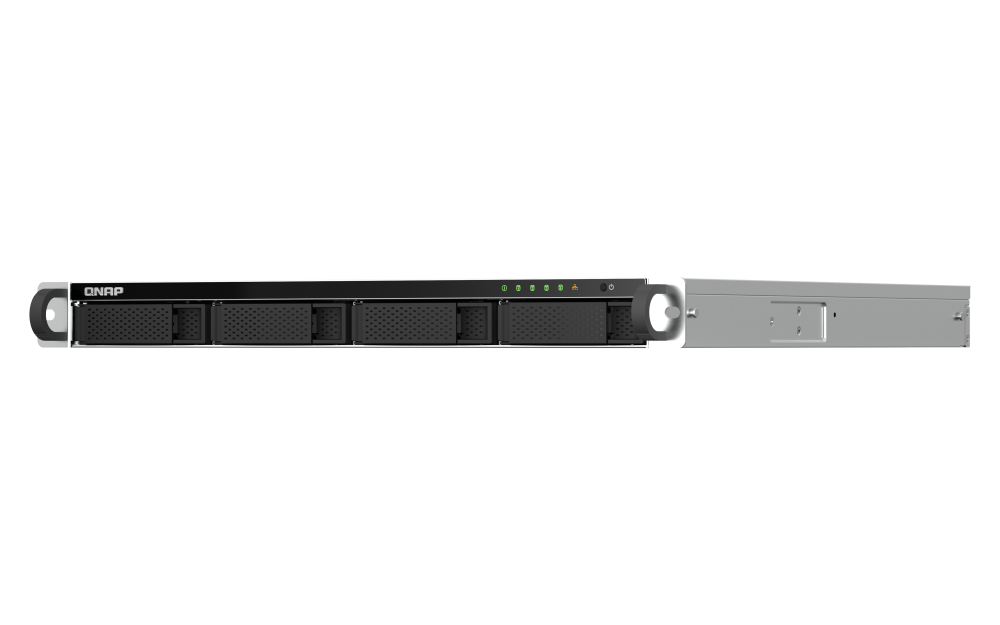
The TS-464U-4G-US is a one-rack-unit network storage appliance with four native 3.5-inch SATA bays, an Intel Celeron N5095 quad-core processor and two built-in 2.5GbE ports. QNAP lists 4 GB of DDR4 SODIMM memory in this profile and a 16 GB maximum across two memory slots. The U.S. comparison shows the separate TS-464U-8G profile with 8 GB as a different configuration. The CPU, bay count, built-in port speeds, PCIe slot and one-supply power design are otherwise listed alike. Do not use the non-RP 4G SKU as a shortcut for identifying the RP model.
QNAP's current TS-464U compatibility list includes named 3.5-inch HDD and SATA SSD entries with model, capacity, interface and firmware. Match the full row against the drive you are buying; this review does not select a particular disk. The list has no separate 2.5-inch HDD category, and that omission does not resolve the older guide's 2.5-inch SATA HDD wording. The source also repeats WD103KRYZ with conflicting family, capacity and firmware values, so do not treat either row as a definitive drive identity without QNAP clarification. Drives are not listed in the package display, and the four internal positions—not an external shelf or a separate PCIe accessory—set the native-bay count.
QTS is the straightforward starting point; QuTS hero needs memory first
QNAP describes QTS as the default OS and says the TS-464U can switch to QuTS hero from QTS 5.2.2. QTS uses EXT4 while QuTS hero uses ZFS; they are alternative operating systems, not concurrent modes. The key distinction for this exact profile is memory: QNAP states that QuTS hero requires at least 8 GB to install and run. The supplied 4 GB does not meet that threshold.
A supported memory upgrade to at least 8 GB is therefore a prerequisite to a QuTS hero plan, not an included feature of the as-supplied 4G package. The selector lists two SODIMM slots and a 16 GB maximum, but the exact compatible module and supported upgrade route still need confirmation. QNAP also lists 16 GB as the minimum for inline data deduplication and recommends 32 GB, which exceeds this model's hardware maximum. Buyers drawn to the ZFS option should decide whether that limitation fits their use before choosing this configuration. Back up data and verify QNAP's current OS-switching procedure before any migration.
QNAP documents RAID 1 under both QTS and QuTS hero for a four-bay system. With the original memory, the fact-supported plan here is QTS plus a buyer-created two-drive mirror. The separate QuTS hero plan is conditional on a supported upgrade. Neither configuration includes drives or an installed pool. A mirror uses two bays and may continue through one disk failure, but it does not restore data after accidental deletion, ransomware, theft or loss of the whole unit. Budget for a second copy that can be recovered independently.
Check each network and expansion path
Both onboard Ethernet jacks are rated at 2.5GbE. QNAP says port trunking can combine them for up to 5 Gbps, but two jacks are not one 5-Gbps port and that combined figure is not a guaranteed transfer rate to one client. Switches, clients, cabling, disks and the network workload constrain the path. The chassis has one PCIe Gen 3 x2 expansion slot; QNAP lists compatible accessory families for network cards and M.2 adapters, but adding one is a separate purchase and needs a model-specific fit check. Its current expansion-card list repeats the QXG-10G1T name with different chipset and PCIe descriptions, so confirm the exact card revision rather than relying on that model label alone. The selector lists no onboard M.2 slot, so an M.2 adapter does not add a native fifth bay. These paths compete for a single slot, so pick the intended expansion before buying.
One PSU and an unresolved rack-measurement discrepancy
This is the non-RP chassis: QNAP lists one 250-W PSU and one power cord. It does not have the TS-464U-RP's two-supply hardware. A RAID mirror and redundant power are unrelated protections; neither supplies an external backup or a second electrical circuit.
The current U.S. selector lists 1.7 × 16.93 × 18.86 inches (H/W/D) and 16.58 lb net, while the English-U.S. guide's exact TS-464U-4G row reports 1.70 × 19.0 × 19.05 inches and 14.55 lb. This assessment cannot reconcile the figures or their measurement basis. The guide names RAIL-B02 for this 4G profile and says rails are separate; QNAP's current TS-464U compatibility list also includes RAIL-B02 under Rail Kit. Those entries identify the optional part but do not certify a particular cabinet, post pattern, load, clearance or chassis revision, or show that a seller includes the rails. Confirm the current SKU/revision, cabinet depth, post spacing and rear clearance before installation. Do not infer fit from a product card or a dimension copied from another profile.
The manufacturer package display lists the NAS, one Ethernet cable, one power cord, screws, two hangers and a quick-install guide. It does not show data disks or rack rails. Check the exact seller's bill of materials, and do not assume the listed optional RAM or PCIe accessories are supplied.
Who is this profile for?
The TS-464U-4G-US is a plausible shortlist candidate when four internal bays, a 1U rack chassis, two 2.5GbE ports and a QTS-based RAID 1 option fit the job, and the lower factory memory is acceptable. It is a poor match if the plan depends on running QuTS hero immediately without a verified memory upgrade, reaching QNAP's 32 GB recommendation, redundant power, native M.2 slots or a built-in port above 2.5GbE. Its 4 GB label is not, by itself, a manufacturer Legacy designation for this non-RP SKU.
Before ordering, verify the full -4G-US model code, the exact drive model/capacity/interface/firmware row, supported memory parts if upgrading, the intended OS and its resource requirements, current RAIL-B02 fit, unresolved dimensions and seller package. Ask QNAP to resolve the 2.5-inch HDD wording or conflicting WD103KRYZ rows if either is central to your plan. No independent throughput, virtualization, noise or installation test is claimed here.
Primary references: QNAP's U.S. TS-464U product page, hardware and software selectors, U.S. comparison, current TS-464U compatibility list, and English-U.S. TS-x64U guide. Product, selector, comparison and guide material checked 2026-11-01; compatibility list checked 2026-11-05.
Key specifications
Key details at a glance
| Internal drive bays | 4 bays |
|---|---|
| Documented internal drive media | 3.5-inch SATA hard disk drives / 2.5-inch SATA solid-state drives |
| Built-in Ethernet ports | 2 x built-in 2.5GbE RJ45 |
| Fastest individual Ethernet port | 2.5 Gbps |
| Installed system memory | 4 GB |
| Maximum listed memory | 16 GB |
| Listed storage arrangements | QTS: RAID 1 (two drives) / QuTS hero: RAID 1 (two drives, if the selected memory configuration meets its minimum) |
| Internal file systems | QTS: EXT4 / QuTS hero: ZFS |
| Hardware warranty | 3 years |
| M.2 NVMe slots | 0 |
| Processor | Intel Celeron N5095 |
| CPU cores | 4 |
| CPU threads | 4 |
| Installed memory type | 4 GB DDR4 SODIMM (one 4 GB module); two slots and 16 GB maximum |
Use the exact model’s instructions for operating limits, supplied equipment and version differences.
Sources for this review
Sources for this assessment
- QNAP U.S. TS-464U product page
- QNAP U.S. TS-464U rendered hardware/software selector
- QNAP U.S. TS-464U/TS-464eU comparison
- QNAP TS-x64U User Guide (English-U.S.)
- QNAP U.S. Official Store TS-464U-4G-US identity page
- QNAP U.S. TS-464U product-page gallery image
- QNAP current exact-family compatibility list — TS-464U

Check your setup before choosing a NAS
Use the finder to narrow documented desk/shelf or rack formats, internal-bay minimums, a single Ethernet-port rating and optional redundancy requirements.