
Your needs, this model
Does it fit your priorities?
How many native SATA positions are in the TS-464eU-4G Legacy profile?
QNAP lists four native 3.5-inch SATA positions. Its two M.2 NVMe sockets are separate, not additional SATA bays. The current selector lists 3.5-inch HDD and 2.5-inch SSD; the older guide also lists 2.5-inch HDD, so check current exact compatibility. No standard data-drive package is established.
Explore this need in the finder →Can the 4GB Legacy profile run QuTS hero as supplied?
QNAP's rendered FAQ states an 8GB minimum for QuTS hero. The Legacy selector profile starts at 4GB, so it does not meet that minimum as supplied. A 16GB selector ceiling does not verify a compatible upgrade; confirm exact supported memory, firmware and unit before planning the alternate OS.
Explore this need in the finder →Does the two-port 5Gbps trunk claim meet a one-port 3Gbps need?
No. Each built-in port is individually rated at 2.5GbE. QNAP's up-to-5Gbps trunk figure combines two links and cannot satisfy a one-port 3Gbps minimum. Network peers and workload also affect actual performance.
Explore this need in the finder →Can the QTS profile support a two-drive mirror?
QNAP lists four-bay QTS RAID 1. The owner must supply compatible disks and create the mirror. It can address a drive failure as documented but is not backup; retain an independent recovery copy.
Explore this need in the finder →QNAP · TS-464eU-4G Legacy · four-bay 1U rack NAS · source-based assessment
QNAP's current U.S. hardware selector labels a separate TS-464eU-4G profile “Legacy.” It shares the TS-464eU chassis family and core four-bay layout with the current 8GB profile, but it is not the same memory configuration or the exact U.S. TS-464eU-8G-US Store SKU. The English family manual identifies the 4G ordering profile; I did not verify an exact U.S. Store suffix for this Legacy configuration. This review evaluates the documented earlier profile, not a live seller offer, and is based on manufacturer records rather than a hands-on test.
Four native trays and two separate M.2 positions
The selector and guide document four native 3.5-inch SATA positions. QNAP's current U.S. selector lists 3.5-inch SATA HDDs and 2.5-inch SATA SSDs; the family guide also names 2.5-inch SATA HDDs. Because those manufacturer lists differ, confirm exact media support against QNAP's current compatibility information and the unit's hardware revision before purchase. Neither the selector nor family guide establishes data drives in the standard package, and the Store page for the 8G profile is configurable rather than proof of this Legacy model's package.
Two M.2 2280 PCIe Gen 3 x1 NVMe slots are listed separately. They do not count as native SATA bays. A buyer considering SSD cache or M.2 storage should verify the exact NVMe model and supported use, rather than assume any module fits or that adding M.2 changes the four-bay capacity question. Also decide where a second backup copy will live; a four-tray chassis does not create one automatically.
The network threshold is per port, not the trunk headline
This profile has two built-in 2.5GbE RJ45 ports. QNAP's product page advertises up to 5Gbps through port trunking, but the 5Gbps figure is a combination of two links, not one 5Gbps port. In the catalogue finder, the maximum individual built-in Ethernet port is 2.5Gbps. That meets a 2.5Gbps floor and fails a 3Gbps floor for one port. The second interface can support a separately engineered connection, but neither two ports nor link aggregation guarantees that one transfer or client will see their sum.
Check the switch/router, client NIC, cabling and configuration end-to-end. If your design depends on a single faster uplink, this is not that model. The distinction also applies when comparing it to optional network adapters or external switch equipment: those are additional parts and are not part of the built-in single-port specification.
QTS mirror is a choice, not a supplied array
QNAP's four-bay QTS table includes RAID 1. The documented plan is an owner-selected pair of compatible drives in a mirror that the owner initializes; neither an installed set of drives nor a preconfigured pool is established by the family manual. Check each exact drive model, capacity and firmware against current QNAP information, then follow the software's setup requirements.
RAID 1 can provide tolerance for a member-drive failure as described by QNAP, but it is not a backup. It does not reverse deletion, malware or corruption, and cannot preserve files if the whole chassis is lost. Keep an independent recovery copy and test restoring from it. A four-bay model gives room for future choices, but changing layouts after data is stored can require a migration and should not be treated as effortless capacity expansion.
Legacy memory is the defining constraint
The exact selector profile starts at 4GB DDR4 SODIMM in one slot and lists 16GB maximum across two slots. QNAP's QuTS hero minimum is 8GB, so the 4GB Legacy configuration as supplied does not meet that minimum. A compatible memory upgrade might change the system's eligibility, but I did not verify a supported module or a particular unit's delivered memory; do not treat the 16GB ceiling as evidence that any module works. For this assessment, the supported operating plan is QTS and an owner-created RAID 1 arrangement. If QuTS hero is an essential requirement, confirm the exact upgrade, firmware and model support with QNAP before selecting this profile.
QNAP lists the same Intel Celeron N5095 four-core CPU, two M.2 sockets, two USB 2.0 ports, two USB 3.2 Gen 2 Type-A ports, HDMI 1.4b, a single 100W power supply and three 40mm fans for the selector profile. This summary reflects product documentation, not observed application performance. The 4G base should not be conflated with the Store's current TS-464eU-8G-US identity even though the external chassis family is shared.
Verify the installation envelope and package
The current selector reports 43.3 x 430 x 292.1mm and 10.93lb; the older English guide gives 43.3 x 482.6 x 321.33mm and 4.35kg. The differences are significant enough that a rack buyer should not infer clearance or rail fit from the phrase “short depth.” These are conflicting published specifications, not physical measurements. Confirm the exact chassis revision and envelope, rack posts/depth, rail adjustment, rear cable bend, ventilation and loaded capacity with QNAP and the seller. The selector identifies optional rails, while a standard accessory list does not prove that a compatible rail set is in the box; QNAP lists RAIL-S01 as EOL and other choices separately.
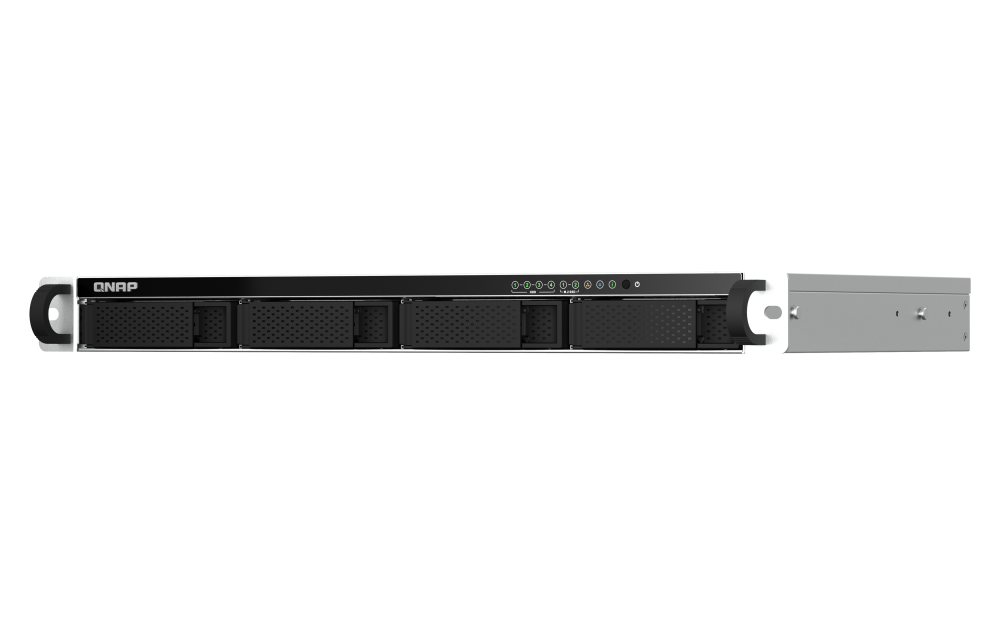
The older guide's package list names the NAS, power cord, Ethernet cable, drive screws, quick-install guide and mounting hardware; it does not list data drives or rail kit. That is a family-level standard list, not a guarantee about a later used/refurbished or seller-configured unit. Verify the written contents and the exact 4G order code. The shared official chassis photo cannot distinguish 4GB Legacy from 8GB current memory.
Who should keep it on the list?
A buyer who accepts the Legacy status, plans QTS, needs four native bays and 2.5GbE, and can verify the exact configuration may find the TS-464eU-4G worth comparing. It is excluded when “current only” is selected, included when earlier models are allowed, and cannot meet a one-port 3Gbps minimum or a five-bay minimum. The 4GB base also falls short of QNAP's 8GB QuTS hero minimum unless a supported upgrade is verified. Those are real decision boundaries, not cosmetic differences.
Before purchase, confirm availability and condition directly with the seller without assuming a live offer, ask for the exact model label and memory, verify current drive/SSD compatibility, reconcile the two published chassis envelopes, and price rails and backup storage separately. The evidence does not establish stock, price, rating, in-hand dimensions, speed test or current support terms. If the current 8GB configuration is the target, compare that separate profile rather than silently treating it as a memory upgrade on this legacy record.
Key specifications
Key details at a glance
| Internal drive bays | 4 bays |
|---|---|
| Documented internal drive media | 3.5-inch SATA HDD / 2.5-inch SATA SSD |
| Built-in Ethernet ports | 2 x built-in individual 2.5GbE RJ45 |
| Fastest individual Ethernet port | 2.5 Gbps |
| Installed system memory | 4 GB |
| Maximum listed memory | 16 GB |
| Listed storage arrangements | QTS: RAID 1 (owner-created with two compatible drives) |
| Internal file systems | QTS: EXT4 / QuTS hero: ZFS |
| Hardware warranty | 3 years |
| Data drives included in listed package | No |
| System drives included (not data-bay drives) | |
| M.2 NVMe slots | 2 |
| Processor | Intel Celeron N5095 |
| CPU cores | 4 |
| CPU threads | 4 |
| Installed memory type | 4GB DDR4 SODIMM (one module; selector labels this profile Legacy) |
Use the exact model’s instructions for operating limits, supplied equipment and version differences.
Sources for this review
Sources for this assessment
Check your setup before choosing a NAS
Use the finder to narrow documented desk/shelf or rack formats, internal-bay minimums, a single Ethernet-port rating and optional redundancy requirements.