
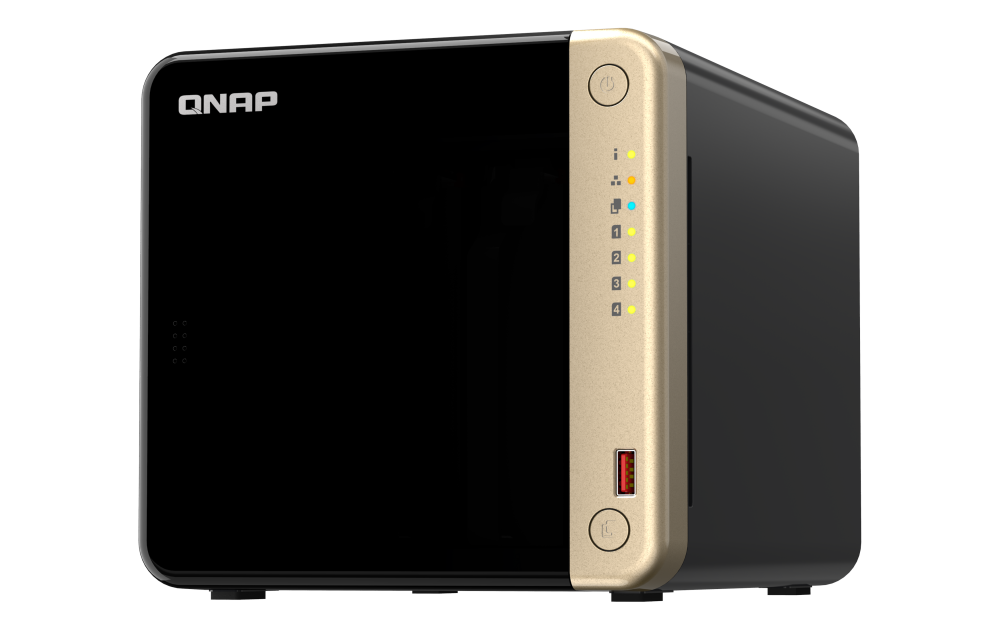
Your needs, this model
Does it fit your priorities?
Does the TS-464 clear a four-bay, 2.5GbE minimum with a two-drive mirror?
QNAP documents four native SATA bays, two built-in 2.5GbE ports, and a two-drive RAID 1 arrangement under both default QTS and optional QuTS hero. The disks are separate purchases; check each drive's exact compatibility and remember that the mirror is not an independent backup.
Explore this need in the finder →Do the two M.2 slots make this a six-bay NAS?
No. The TS-464 has four native 3.5-inch SATA drive trays; its two separate M.2 2280 PCIe Gen 3 x1 slots are for NVMe SSD use and are not hot-swappable SATA trays. A separately connected TL-D1600S expansion unit is also not built into the four-bay chassis.
Explore this need in the finder →Can I assume the 8 GB package can be upgraded for a future QuTS hero workload?
Do not assume that. The current U.S. hardware page lists two SODIMM slots and a 16 GB maximum, but QNAP's TS-x62/TS-x64 User Guide v7 calls TS-464-8G non-expandable at 8 GB. QuTS hero itself requires at least 8 GB, while inline deduplication requires at least 16 GB; verify the actual hardware revision with QNAP before relying on an upgrade.
Explore this need in the finder →Which TS-464 configuration is actually being assessed?
QNAP's U.S. Official Store currently identifies a TS-464-8G-US package and exposes TS-464-8G-US-BDL as its configurable page SKU. This assessment follows that specific 8 GB U.S. configuration, not every older TS-464 listing or a drive bundle. QNAP's model page says QTS is installed by default and describes QuTS hero as an alternate operating system that the same NAS can switch to; the catalogue card's “QuTS hero TS-464” label therefore does not establish that the store package ships with QuTS hero already installed. The exact OS and full suffix still matter when comparing seller offers.
There is a meaningful memory caveat. QNAP's current U.S. hardware specification lists the TS-464-8G with 8 GB DDR4, two SODIMM slots and a 16 GB maximum. The English TS-x62/TS-x64 User Guide version 7 instead describes the TS-464-8G as non-expandable, with 8 GB maximum. The installed 8 GB figure is consistent, but the upgrade claim is not. Do not budget a later memory change or promise a higher-memory QuTS hero feature until QNAP confirms the shipped revision. QNAP lists TS-464-4G as a legacy configuration on its hardware page; this review does not silently fold that 4 GB version into the exact 8G-US SKU.
Four native SATA trays, plus separate M.2 slots
QNAP documents four hot-swappable 3.5-inch SATA bays and 2.5-inch SATA SSD compatibility. The normal U.S. 8G store package is diskless; drives shown in the configurator are optional selections, so a bare unit is not a ready-to-use storage set. Check every drive's complete model number and capacity against the live QNAP compatibility list for TS-464 before ordering. A family-wide compatibility statement is not a substitute for checking the exact drive revision.
The two M.2 2280 PCIe Gen 3 x1 slots are a distinct NVMe layer. QNAP describes them for SSD cache or storage-pool uses, but says M.2 SSD hot-swapping is not supported. They do not turn four SATA trays into six internal hot-swappable bays. The manufacturer's product page also names a separate TL-D1600S expansion unit; it can add an external shelf of drives, but an optional unit is not part of the chassis or its native-bay count.
Networking is built in at 2.5GbE, not 10GbE
The TS-464 has two built-in 2.5GbE RJ45 ports. That is a useful ceiling for an individual built-in link when the switch, client adapter and cabling support multigigabit Ethernet. It is not a promise that one client will receive twice the rate by adding the two ports together. QNAP lists faster 5GbE or 10GbE as optional PCIe expansion-card choices, not built-in links; a network card would occupy the model's only PCIe Gen 3 x2 slot. That creates a real choice if the same slot is also wanted for another expansion card.
QNAP advertises a 589 MB/s result in a specific four-disk RAID 5 test with port trunking. That is a manufacturer test claim tied to its listed drives, client and software; it is not an independent measurement or a forecast for a home network. Trace the complete path and decide whether your actual job can use a faster link before paying for a switch, card or cables.
QTS and QuTS hero are alternatives with setup consequences
QTS with EXT4 is the default arrangement. QNAP also supports switching this model to QuTS hero with ZFS, whose requirements include at least 8 GB of RAM; QNAP lists at least 16 GB for inline data deduplication and recommends 32 GB for optimal performance. The base 8 GB configuration clears the published baseline, but the memory documentation conflict above matters if your plan depends on an upgrade. QNAP says an operating-system switch requires an external backup and removal of all disks before changing systems. It is not a toggle to make on an already-populated volume without a recovery plan.
For either OS, QNAP documents a two-drive RAID 1 option. A mirror can help the volume tolerate one member-drive failure when configured and maintained as directed, but the mirrored drives share one NAS and one location. It does not undo a deletion, malware event, theft or loss of the whole device. Buy compatible drives separately, plan the volume before initialization, and arrange a separate backup that you can restore.
How it sits among the reviewed alternatives
The TS-464 makes more sense when four conventional SATA trays and QNAP's built-in 2.5GbE matter more than a smaller, fanless appliance. QNAP's TS-410E is also a four-position 2.5GbE model, but its exact drive layout is more specialized around 2.5-inch SATA media; that is a different fit for buyers expecting ordinary 3.5-inch HDD trays. The six-bay TS-664-8G adds two native SATA bays and keeps dual built-in 2.5GbE, so it is the more direct comparison if the minimum is six internal drives rather than four. Neither model's matching port rating settles its memory revision, drive compatibility, package contents or actual throughput.
For this TS-464-8G-US assessment, the strongest case is a documented four-bay layout with multigigabit built-in networking and flexible software choices. The checks before purchase are equally concrete: confirm the full SKU, determine whether the listing is diskless or a separately specified bundle, verify every drive, ask QNAP which TS-464-8G memory revision the seller will ship, and decide whether QTS or QuTS hero is appropriate before creating a volume. This is a documentation-based assessment, not a hands-on test.
Key specifications
Key details at a glance
| Internal drive bays | 4 bays |
|---|---|
| Documented internal drive media | 3.5-inch SATA HDD / 2.5-inch SATA SSD |
| Built-in Ethernet ports | 2 × 2.5GbE RJ45 (2.5G/1G/100M/10M) |
| Fastest individual Ethernet port | 2.5 Gbps |
| Installed system memory | 8 GB |
| Maximum listed memory | 16 GB |
| Listed storage arrangements | QTS: JBOD, Single, RAID 0, RAID 1, RAID 5, RAID 6, RAID 10 / QuTS hero: Single, RAID 0, RAID 1, RAID 5, RAID 6, RAID 10, Triple Mirror, Triple Parity |
| Internal file systems | EXT4 (QTS, default) / ZFS (QuTS hero, optional alternative OS) |
| Hardware warranty | 3 years |
| Data drives included in listed package | No |
| M.2 NVMe slots | 2 |
| M.2 SSD storage-pool support | Yes |
| Maximum total drive bays with listed expansion | 16 bays |
| Expansion-unit note | QNAP advertises connecting a separate TL-D1600S expansion unit with up to twelve more drives; these are external expansion positions, not native TS-464 bays and do not satisfy a minimum internal-bay requirement. |
| Listed expansion unit | TL-D1600S |
| Processor | Intel Celeron N5095 |
| CPU cores | 4 |
| CPU threads | 4 |
| Installed memory type | Current U.S. hardware specifications list 8 GB DDR4 SODIMM, two SODIMM slots and 16 GB maximum; the English TS-x62/TS-x64 User Guide v7 instead describes TS-464-8G as non-expandable with 8 GB maximum. Verify the exact shipped revision before planning a memory upgrade. |
Use the exact model’s instructions for operating limits, supplied equipment and version differences.
Sources for this review
Sources for this assessment
Check your setup before choosing a NAS
Use the finder to check bay count, the network link you need, and whether a documented two-drive redundant arrangement is essential.