
Your needs, this model
Does it fit your priorities?
Does the Legacy TS-464-4G clear four native bays, a 2.5GbE link and a two-drive mirror?
Yes, for a QTS owner-created plan: QNAP lists four native SATA trays, two individual 2.5GbE ports and a two-disk RAID 1 arrangement. The base system has no HDD, so check the exact disks and create the array yourself. A mirror is not the separate backup copy.
Explore this need in the finder →What is the practical difference between the Legacy TS-464-4G and current TS-464-8G?
The reviewed configuration starts at 4 GB and QNAP marks it Legacy; the current-reference U.S. Store profile reviewed separately is TS-464-8G-US with 8 GB. The TS-464-4G manual and current hardware selector support a 16 GB maximum with two SODIMM slots, but no exact Store suffix, stock state or seller bundle is established. The 4 GB base is below QuTS hero's 8 GB requirement until you add a supported module.
Explore this need in the finder →Can the TS-464-4G satisfy a five-bay and 3-Gbps single-port minimum?
No. It has four native SATA trays and the fastest individual built-in port is 2.5GbE. Its two M.2 positions are separate non-hot-swappable NVMe sockets, and its two Ethernet jacks are not one aggregated 5-Gbps link. A five-bay or 3-Gbps hard floor points to another documented profile.
Explore this need in the finder →Which TS-464 is this?
QNAP's U.S. hardware selector lists a distinct TS-464-4G (Legacy) profile, separate from the current-reference TS-464-8G package covered in another review. QNAP's TS-x62/TS-x64 User Guide version 7 identifies TS-464-4G as a four-bay configuration with an Intel Celeron N5095 and 4 GB of memory installed as one 4 GB DDR4 SODIMM. This is enough evidence to assess the manufacturer-documented configuration, but not to invent a current U.S. store suffix or imply that a seller has stock. Check the exact model printed on any offer; this page makes no price, availability, bundle or seller-condition claim.
The most useful difference is not the chassis outline but the starting memory. QNAP's current U.S. table and its version 7 family guide both list two SODIMM slots and a maximum of 16 GB for the TS-464-4G. The guide describes replacing or adding memory with QNAP modules and recommends identical specifications in a dual-module setup. That is a different evidence picture from the TS-464-8G guide entry, which calls its 8 GB memory non-expandable; QNAP's current 8G hardware table conflicts with that guide, a caveat retained in the separate 8G assessment. Do not carry the 8G model's conflict into this 4G model, and do not assume that every seller's 4G-labelled machine has the same verified revision or supplied parts.
Four native drive trays, not six
QNAP documents four 3.5-inch SATA bays and support for 2.5-inch SATA SSDs. The system is listed without hard drives, so the NAS does not arrive as an initialized array. Its two M.2 2280 PCIe Gen 3 x1 positions are separate NVMe sockets; the manual says M.2 SSDs are not hot-swappable. They are not extra front-accessible SATA trays. If your job calls for six or more internal positions, compare a six-bay chassis such as QNAP's TS-664 rather than counting the M.2 slots as bays.
Drive compatibility is still a model-and-capacity-specific decision. Use QNAP's current compatibility lookup for the exact TS-464-4G and each complete disk identifier, then verify the listing or seller bundle separately. A family guide that says a media type can fit does not approve every HDD, SSD, firmware revision or capacity. The box contents and seller-selected extras also remain unverified unless the offer lists them clearly.
Two multigigabit ports remain two separate ports
This profile has two built-in 2.5GbE RJ45 ports. A single built-in port can satisfy a 2.5-Gbps link-rating floor when the switch, client network adapter and cabling support it; the pair does not become a single 5-Gbps client connection just by being present. QNAP lists 5GbE and 10GbE as optional PCIe-card choices, so a faster port is an additional compatibility and budget question, not a stock feature. The unit has one PCIe Gen 3 x2 slot: if a card uses it, another card cannot occupy the same slot.
Do not read the link label as a file-copy forecast. The endpoint, switch or router, cable, disks, storage layout, protocol and workload all shape throughput. This assessment does not reproduce QNAP's lab result as an independent test or claim a measured transfer speed.
Start with QTS; treat QuTS hero as an upgrade-dependent choice
QNAP describes QTS as the standard operating system for the TS-464 family and QuTS hero as an optional switch. At 4 GB installed, this TS-464-4G does not meet QNAP's stated 8-GB minimum for QuTS hero. The manufacturer sources list a supported memory-upgrade path to 16 GB, so a buyer could investigate the correct QNAP-compatible module and exact unit revision before planning that alternate OS. The 4 GB base should not be described as a QuTS hero-ready configuration. QNAP also warns that an operating-system change requires an external backup and removing the disks before switching; plan the migration before a volume contains data.
For a straightforward starting arrangement, QNAP's guide documents a two-disk RAID 1 setup. The owner supplies two compatible drives and creates the pool; neither the drives nor an already-built mirror are included. RAID 1 can help keep service available after one member-drive failure while the array is healthy, but it cannot restore a deleted file or protect against malware, theft, a failed NAS or a site-wide event. Keep a separate backup with a tested restore path even when the internal drives are mirrored.
Where this configuration makes sense—and where it does not
The Legacy 4G version is worth examining when four conventional SATA trays and built-in 2.5GbE matter, memory configuration is understood, and QTS is a suitable base plan. A future memory upgrade is a documented option here, but not a reason to assume that a second module comes with the product. The current-reference 8G profile starts with more memory and has its own source discrepancy about upgradeability; the six-bay TS-664 is the more direct alternative when the real need is more native trays. Both comparisons are about supported profiles, not current seller availability.
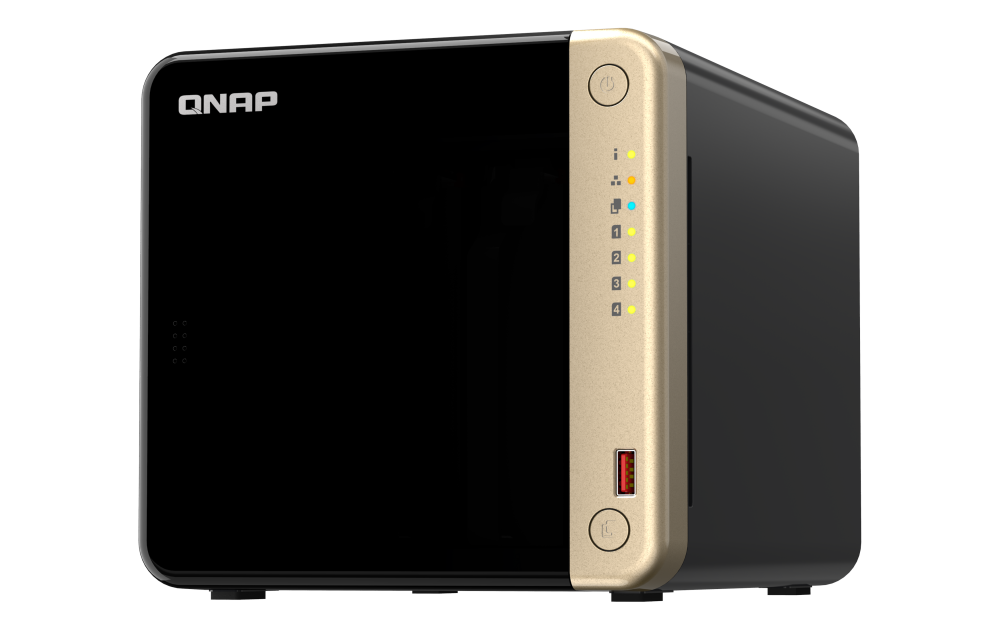
Before ordering, confirm the full TS-464-4G model code and the seller's exact package, check every drive by full code in QNAP's compatibility list, and ask QNAP which memory module is supported for the unit offered if you intend to expand it. Decide whether QTS is enough; if QuTS hero is essential, account for a memory upgrade first and follow QNAP's backup-and-disk-removal procedure. Confirm the wired path if 2.5GbE matters and write a separate backup plan. This is a documentation-based assessment, not a hands-on test; the official chassis image cannot identify the memory or seller package.
Use the exact model’s instructions for operating limits, supplied equipment and version differences.Key specifications
Key details at a glance
Internal drive bays 4 bays Documented internal drive media 3.5-inch SATA HDD / 2.5-inch SATA SSD Built-in Ethernet ports 2 × 2.5GbE RJ45 (2.5G/1G/100M/10M) Fastest individual Ethernet port 2.5 Gbps Installed system memory 4 GB Maximum listed memory 16 GB Listed storage arrangements QTS: JBOD, Single, RAID 0, RAID 1, RAID 5, RAID 6, RAID 10 / QuTS hero: optional TS-464 family OS; TS-464-4G 4 GB base is below the published 8 GB minimum Internal file systems EXT4 (QTS, default) / ZFS (QuTS hero, optional after supported memory upgrade) Hardware warranty 3 years Data drives included in listed package No M.2 NVMe slots 2 M.2 SSD storage-pool support Yes Maximum total drive bays with listed expansion 16 bays Expansion-unit note QNAP lists a separate TL-D1600S expansion unit; any additional external positions are not part of the four native TS-464-4G bays or the reviewed base package. Confirm the exact connection and supported configuration before planning shelf use. Listed expansion unit TL-D1600S Processor Intel Celeron N5095 CPU cores 4 CPU threads 4 Installed memory type QNAP's current U.S. Legacy profile lists 4 GB DDR4 SODIMM, two SODIMM slots and 16 GB maximum. The English TS-x62/TS-x64 User Guide v7 identifies the TS-464-4G as 1 × 4 GB DDR4 SODIMM and documents memory replacement up to 2 × 8 GB. Use QNAP-compatible modules and confirm the exact unit revision; no module part number or upgrade is included in this NAS profile.
Check your setup before choosing a NAS
Use the finder to narrow documented desk/shelf or rack formats, internal-bay minimums, a single Ethernet-port rating and optional redundancy requirements.