
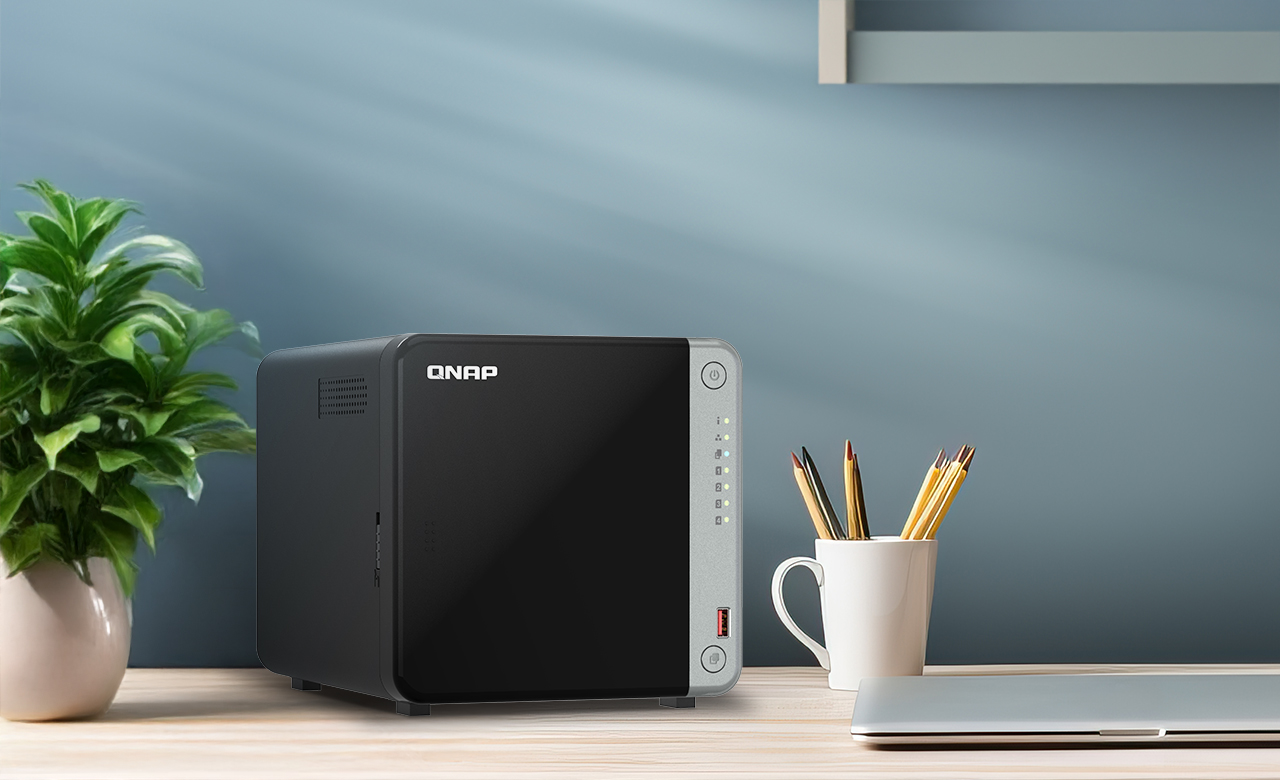
Your needs, this model
Does it fit your priorities?
Does the TS-462A meet a four-native-bay requirement, and do its M.2 slots count?
QNAP identifies the U.S. TS-462A-4G as a four-bay tower. Its two M.2 NVMe positions are separate SSD options and do not increase the four native SATA-bay count. The diskless base package needs compatible data drives selected separately, and the full model/capacity should be checked in QNAP's compatibility list.
Explore this need in the finder →Does the TS-462A satisfy a single built-in 2.5GbE port requirement?
Yes. QNAP lists one built-in 2.5GbE port on the TS-462A, so an individual interface meets a 2.5-Gbps link-rating threshold. The router or switch, client adapter, cable, drive arrangement and workload still shape transfers; the rating is not a single-client performance guarantee.
Explore this need in the finder →Can a two-drive mirror coexist with the TS-462A's four-bay and 2.5GbE setup?
QNAP's own QTS test arrangement uses two SATA SSDs in RAID 1 on the TS-462A, and the model has four SATA bays plus one built-in 2.5GbE port. The two-disk mirror uses only two positions; the drives are not included in the base package and must be checked for compatibility. Keep a separate backup because RAID 1 is not a backup copy.
Explore this need in the finder →What should I verify before relying on the TS-462A's memory or M.2 expansion?
QNAP identifies the reviewed U.S. model as a 4 GB package and describes support up to 16 GB; the model-specific table lists two SODIMM slots. It also lists two M.2 2280 NVMe positions for separate caching or storage-volume use. Confirm the exact delivered revision, supported memory modules, SSD model and heatsink clearance before planning around either upgrade.
Explore this need in the finder →Which TS-462A configuration is assessed?
This assessment follows the U.S. QNAP TS-462A-4G-US configuration. QNAP's U.S. product page describes the TS-462A family, while its U.S. Official Store's paginated SMB Desktop category identifies the 4G-US suffix and links to a configurable product offer. The QNAP newsroom launch notice names the TS-462A-4G as a four-bay model with 4 GB of DDR4 memory. These records identify a product and package, not a guarantee of current seller inventory or of any optional items selected in a configurator. I do not treat a drive bundle, current price or seller stock as an attribute of the base NAS. The assessment is based on manufacturer documentation, not hands-on use.
Four SATA bays are the capacity starting point
The TS-462A-4G-US provides four native 3.5-inch SATA positions. QNAP also lists 2.5-inch SATA SSD compatibility. That is a useful amount of room for someone planning a larger multi-drive library or leaving physical growth space, but bay count is not a capacity estimate: the result depends on the exact drives, the chosen storage arrangement, formatting and how much space is reserved. Check each full drive model and capacity in QNAP's current compatibility lookup rather than treating the SATA connector alone as approval.
There are also two M.2 2280 NVMe positions. QNAP describes these as separate options for SSD caching or a storage volume; they do not turn the NAS into a six-bay SATA system. They are a different installation and compatibility decision, and QNAP lists the SSDs separately. Confirm SSD support and any heatsink clearance against the particular chassis and firmware before assuming an M.2 module will fit your intended use.
One built-in 2.5GbE port, not a pair
QNAP documents one built-in 2.5GbE interface on the TS-462A. That gives it a clear advantage over a gigabit-only port when the router or switch, wired client, cable and workload can all use a multigigabit path. It is still one network link: the single port rating is not a forecast of file-transfer speed, and the presence of M.2 SSDs does not change the negotiated rate of the network. If you need two 2.5GbE connections for separate networks or a particular supported link arrangement, compare the exact port count on the model you are considering rather than assuming “2.5GbE NAS” means dual ports.
QNAP publishes a 295 MB/s sequential SMB read and write result using one 2.5GbE link. Its page says the result comes from QNAP labs and identifies a QTS 5.2 test using two Samsung 860 PRO SATA SSDs in RAID 1 and a specified Windows Server client. That is the vendor's result for a particular setup, not independent testing or a promise for your files, client, switch or workload. Treat the number as a reference condition; the full wired path and the storage work at each end still matter.
QTS and a two-drive mirror are a documented plan
QNAP presents QTS as the NAS operating system for the TS-462A and uses two SATA SSDs configured as RAID 1 in its stated performance setup. QNAP's QTS RAID reference describes RAID 1 as a two-drive mirror that can tolerate a single member failure while the mirror is healthy. On this four-bay model, that plan uses two positions, not all four; the additional trays do not automatically increase redundancy or usable space.
The reviewed U.S. base unit is diskless. You must select compatible drives, decide how to use them during setup and understand that a mirror is not a separate backup. It does not undo accidental deletion or cover theft, malware or loss of the entire NAS. Keep another recoverable copy on a different device or location and test a restore. QNAP's test drive pair is an example of a benchmark setup, not a drive bundle in the product box.
Memory and workload are worth checking first
The U.S. offer observed for this assessment is the 4 GB configuration. QNAP describes the TS-462A as expandable up to 16 GB; the model-specific specification table lists two SODIMM positions. That gives a more modest starting point than the 8 GB U.S. package reviewed for QNAP's TS-464, so a memory-sensitive plan should compare actual installed RAM and allowed modules, not just model family names. Confirm the delivered revision and supported memory before making an expansion-dependent decision.
The processor is an Intel Celeron N5095 quad core with burst frequency up to 2.9 GHz, and QNAP describes its integrated graphics as a video-transcoding aid. Those are hardware capabilities, not a guarantee that any particular media file, client or application will play smoothly. Compatibility, codec support, application load and the client connection all remain part of the setup. This model's more concrete distinction from the TS-464 is the single built-in 2.5GbE port and 4 GB starting configuration, not a blanket performance ranking.
Where this model fits
The TS-462A-4G-US is a reasonable documentation-based shortlist candidate when four native SATA bays, one built-in 2.5GbE link and a two-drive QTS mirror option matter in a desktop tower. It offers more internal SATA positions than the two-bay TS-262A, while its two M.2 positions remain separate from those four. If a dual-port setup or more RAM at unboxing matters, the TS-464-8G-US is a useful same-brand comparison; if your network is only gigabit and a four-drive tower is more than you need, a lower-bay option may be easier to justify.
Before ordering, confirm that the seller's exact model is TS-462A-4G-US, check whether the offer is the diskless base or a separately configured bundle, verify all intended SATA and NVMe identifiers, and check that the rest of your wired path can negotiate 2.5GbE. Count the M.2 slots separately from the four SATA bays, plan the mirror as a two-drive arrangement, and keep a separate backup. Those checks matter more than treating the advertised port speed or bay count as a complete storage plan.
Key specifications
Key details at a glance
| Internal drive bays | 4 bays |
|---|---|
| Documented internal drive media | 3.5-inch SATA HDD / 2.5-inch SATA SSD |
| Built-in Ethernet ports | 1 x built-in 2.5GbE RJ45 |
| Fastest individual Ethernet port | 2.5 Gbps |
| Installed system memory | 4 GB |
| Maximum listed memory | 16 GB |
| Listed storage arrangements | QTS: RAID 1 (two-drive manufacturer test arrangement) |
| Hardware warranty | 3 years |
| Data drives included in listed package | No |
| M.2 NVMe slots | 2 |
| M.2 SSD storage-pool support | Yes |
| Processor | Intel Celeron N5095 |
| CPU cores | 4 |
| CPU threads | 4 |
| Installed memory type | 4 GB DDR4 SODIMM in the reviewed U.S. package; QNAP lists up to 16 GB |
Use the exact model’s instructions for operating limits, supplied equipment and version differences.
Sources for this review
Sources for this assessment
- QNAP U.S. Creators & Home Users catalogue observation
- QNAP U.S. Tower / SMB product grid
- QNAP U.S. Official Store SMB Desktop category, page 1 of 4
- QNAP U.S. TS-462A product page
- QNAP U.S. TS-262A / TS-462A product comparison
- QNAP U.S. Official Store SMB Desktop TS-462A-4G-US category card
- QNAP U.S. newsroom launch announcement for TS-262A / TS-462A
- QNAP TS-462A hardware specifications, model-specific regional table
- QNAP QTS 5.2 RAID type reference
- QNAP drive compatibility list
- QNAP TS-462A U.S. product-page image asset

Check your setup before choosing a NAS
Use the finder to check bay count, the network link you need, and whether a documented two-drive redundant arrangement is essential.