
Your needs, this model
Does it fit your priorities?
Does the TS-264 clear a two-bay, 2.5GbE minimum with a two-drive mirror?
QNAP documents two native SATA positions, two built-in 2.5GbE ports and a default-QTS RAID 1 arrangement using two drives. That clears these screening conditions only after you select compatible drives and configure the mirror; the diskless base package is not preconfigured, and RAID is not a separate backup.
Explore this need in the finder →Do the two 2.5GbE ports give one client a 5-Gbps link?
No single-client rate follows just by adding the labels on the two ports. QNAP's product page reports a vendor port-trunking result under a named drive, client and QTS test setup; the switch, client, cabling, workload and network mode still determine real transfers. The matcher checks one documented built-in port, rated at 2.5GbE.
Explore this need in the finder →Can I count on increasing the TS-264's memory for a future QuTS hero workload?
Do not assume an upgrade. QNAP's current hardware page lists an 8 GB SODIMM since January 2024, two slots and a 16 GB maximum, while its English family User Guide v7 calls TS-264-8G non-expandable at 8 GB. The 8 GB starting amount is consistent, but expansion is not. QuTS hero's stated baseline is 8 GB; inline deduplication needs at least 16 GB and 32 GB is recommended for optimal performance. Confirm the actual revision before planning around any higher-memory feature.
Explore this need in the finder →Which TS-264 package is being assessed?
QNAP's U.S. Official Store identifies a TS-264-8G-US configuration and uses TS-264-8G-US-BDL as its configurable page SKU. This assessment follows that eight-gigabyte U.S. package, not a seller's unverified suffix or a bundle of drives. The store's drive choices are selections separate from the base appliance; QNAP's model specifications also say the NAS ships without hard drives. Before ordering, compare the complete model suffix and included items rather than assuming that an image or a short “TS-264” title identifies the memory revision or contents.
QNAP describes QTS as the default operating system and QuTS hero as an alternate installation path. The “QuTS hero TS-264” catalog label is not enough to conclude the U.S. package is preconfigured with that operating system. QNAP says switching to QuTS hero is supported starting from QTS 5.2.1, but an OS change has real setup consequences: its instructions call for an external backup and drive removal. That makes software choice something to settle before filling the NAS, not an interchangeable checkbox after the fact.
Two native SATA bays, plus a separate M.2 layer
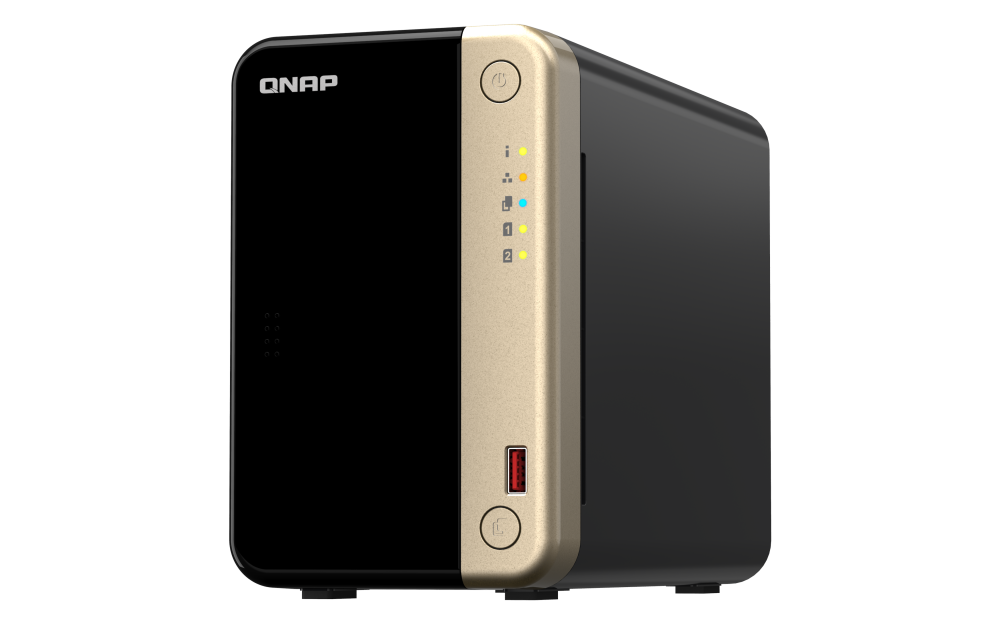
The TS-264 is a two-bay desktop NAS with two 3.5-inch SATA positions. QNAP's TS-x62/TS-x64 User Guide v7 also lists 2.5-inch SATA solid-state drive compatibility and hot-swapping for SATA drives. Its two M.2 2280 PCIe Gen 3 x1 positions are different: they can be used for SSD functions, but the guide explicitly excludes M.2 drives from hot-swapping. They do not turn the chassis into a four-tray SATA model. QNAP's U.S. product page presents M.2 SSDs as an additional cache or storage layer; check the actual firmware, SSD and heatsink compatibility if you plan to use it.
Two bays are a meaningful constraint, not a promise of two-drive usable capacity. A RAID 1 mirror uses both drive positions and makes the capacity planning resemble one member drive before formatting overhead; a single-disk arrangement leaves a path to add another drive later only if the exact QTS process and volume state support it. For either approach, choose drive models by their full identifier and capacity in QNAP's live compatibility lookup. The current base package is diskless, and a mirror is an arrangement to configure rather than a protection feature that appears automatically at unboxing.
Built-in 2.5GbE has limits beyond the NAS port
QNAP documents two built-in 2.5GbE RJ45 ports, plus one PCIe Gen 3 x2 slot for optional expansion. For a household that already has a multigig switch and a capable client, the built-in rate may be more useful than the ordinary gigabit ports found on some two-bay NAS products. But the two port labels are not a direct promise of a single-client 5-Gbps transfer. Link aggregation, failover and separate client paths depend on the network mode, switch, client and workload. The finder and this review therefore use the maximum individual built-in port, not a sum.
QNAP advertises a 589 MB/s test result with port trunking, and its page shows the stated test arrangement: two SSDs in RAID 1, QTS 5.0.0, a specified Windows client and a defined IOmeter run. That is useful evidence about one vendor setup, not an independent measurement and not a forecast for small files, Wi-Fi, a slow client or an ordinary single flow. Trace the route from the NAS through the switch or router and cabling to the device doing the work before buying network upgrades. A faster PCIe card is also an add-on, not a built-in port, and it uses the TS-264's only expansion slot.
RAID 1 is documented, but not a backup
QNAP identifies a two-drive RAID 1 example for the TS-264, and its QTS material lists RAID 1 as a supported arrangement for a two-bay configuration. This makes it a reasonable documented match for someone who specifically wants a two-drive mirror. The drives are sold separately in the bare package, and the buyer still has to select compatible models, initialize the storage layout and plan enough space for the resulting volume.
A mirror can help an array remain available when one member drive fails and the mirror is healthy. It cannot undo a mistaken deletion, protect against malware or theft, or recover data if the whole NAS is lost. Keep a separate backup copy on another device or location and test restoration. The TS-264's two drive bays do not make RAID a substitute for that second copy, nor does an optional external enclosure become part of the native two-bay chassis.
Memory specifications leave an upgrade question
The U.S. hardware specification currently lists the TS-264-8G with 8 GB DDR4, two SODIMM slots and a 16 GB maximum, noting the 8 GB memory configuration since January 2024. The English TS-x62/TS-x64 User Guide version 7 instead lists TS-264-8G as non-expandable at 8 GB. Both sources agree on the installed 8 GB amount; they disagree on whether a future expansion is supported. Until QNAP confirms the hardware revision in the seller's offer, do not make a purchase plan that depends on upgrading memory.
That distinction matters if QuTS hero is part of the plan. QNAP states a minimum of 8 GB for QuTS hero, at least 16 GB for inline data deduplication and recommends 32 GB for optimal performance. The listed 8 GB package meets the published baseline, but the source conflict means the 16 GB and 32 GB requirements cannot be assumed reachable through a memory upgrade. QTS is the simpler default assumption; the filesystem and switching procedure should be understood before installing drives.
Where it fits among the reviewed alternatives
Compared with a two-bay, gigabit-oriented appliance, the TS-264's most concrete distinction is two built-in 2.5GbE links alongside its Intel Celeron N5095, two M.2 slots and PCIe expansion. The Synology DS225+ is another two-bay option in this library, but its own network, drive and software details should be compared from that model's separate assessment; do not assume two enclosures with two bays behave the same. If four native SATA positions matter, QNAP's reviewed TS-464 doubles the TS-264's native bay count while keeping 2.5GbE. A buyer who needs only two bays might prefer the smaller storage footprint, while someone prioritizing more installed drives should not count the TS-264's M.2 slots as SATA trays.
The TS-264's case is specific: two native SATA bays, a documented default-QTS RAID 1 option, multigigabit built-in Ethernet and room for separate M.2 or PCIe expansion. Its checks are equally specific: confirm the TS-264-8G-US package and the actual memory revision, verify each drive and SSD, decide on QTS versus QuTS hero before initialization, allow for the diskless base configuration and build a separate backup plan. This is a documentation-based assessment, not a hands-on test.
Key specifications
Key details at a glance
| Internal drive bays | 2 bays |
|---|---|
| Documented internal drive media | 3.5-inch SATA HDD / 2.5-inch SATA SSD |
| Built-in Ethernet ports | 2 × built-in 2.5GbE RJ45 |
| Fastest individual Ethernet port | 2.5 Gbps |
| Installed system memory | 8 GB |
| Listed storage arrangements | QTS: JBOD, Single, RAID 0, RAID 1 |
| Internal file systems | EXT4 (QTS, default) / ZFS (QuTS hero, optional alternative OS) |
| Hardware warranty | 3 years |
| Data drives included in listed package | No |
| M.2 NVMe slots | 2 |
| Processor | Intel Celeron N5095 |
| CPU cores | 4 |
| CPU threads | 4 |
Use the exact model’s instructions for operating limits, supplied equipment and version differences.
Sources for this review
Sources for this assessment
Check your setup before choosing a NAS
Use the finder to check bay count, the network link you need, and whether a documented two-drive redundant arrangement is essential.